Four Qualities of The Most Useful Apps For The Classroom
Librarian Approved: 30 Ed-Tech Apps to Inspire Creativity and Creation
Teacher Recommended: 50 Favorite Classroom Apps
Favorite Tech Tools For Social Studies Classes
8 Ways to Prioritize Learning When Using Technology in the Classroom
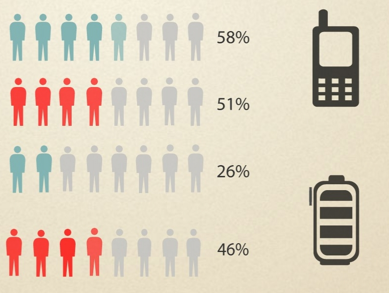
How Teens Deal With Privacy and Mobile Apps
5 Math Apps for Middle School Students
Time to Start Making: Free Design Programs for 3D Printers
Sponsored
window.__IS_SSR__=true
window.__INITIAL_STATE__={"attachmentsReducer":{"audio_0":{"type":"attachments","id":"audio_0","imgSizes":{"kqedFullSize":{"file":"https://ww2.kqed.org/news/wp-content/themes/KQED-unified/img/audio_bgs/background0.jpg"}}},"audio_1":{"type":"attachments","id":"audio_1","imgSizes":{"kqedFullSize":{"file":"https://ww2.kqed.org/news/wp-content/themes/KQED-unified/img/audio_bgs/background1.jpg"}}},"audio_2":{"type":"attachments","id":"audio_2","imgSizes":{"kqedFullSize":{"file":"https://ww2.kqed.org/news/wp-content/themes/KQED-unified/img/audio_bgs/background2.jpg"}}},"audio_3":{"type":"attachments","id":"audio_3","imgSizes":{"kqedFullSize":{"file":"https://ww2.kqed.org/news/wp-content/themes/KQED-unified/img/audio_bgs/background3.jpg"}}},"audio_4":{"type":"attachments","id":"audio_4","imgSizes":{"kqedFullSize":{"file":"https://ww2.kqed.org/news/wp-content/themes/KQED-unified/img/audio_bgs/background4.jpg"}}},"placeholder":{"type":"attachments","id":"placeholder","imgSizes":{"thumbnail":{"file":"https://ww2.kqed.org/wp-content/uploads/sites/10/2018/01/GettyImages-896326950-160x96.jpg","width":160,"height":96,"mimeType":"image/jpeg"},"medium":{"file":"https://ww2.kqed.org/wp-content/uploads/sites/10/2018/01/GettyImages-896326950-800x478.jpg","width":800,"height":478,"mimeType":"image/jpeg"},"large":{"file":"https://ww2.kqed.org/wp-content/uploads/sites/10/2018/01/GettyImages-896326950-1020x610.jpg","width":1020,"height":610,"mimeType":"image/jpeg"},"fd-lrg":{"file":"https://ww2.kqed.org/wp-content/uploads/sites/10/2018/01/GettyImages-896326950-1920x1148.jpg","width":1920,"height":1148,"mimeType":"image/jpeg"},"fd-med":{"file":"https://ww2.kqed.org/wp-content/uploads/sites/10/2018/01/GettyImages-896326950-1180x705.jpg","width":1180,"height":705,"mimeType":"image/jpeg"},"fd-sm":{"file":"https://ww2.kqed.org/wp-content/uploads/sites/10/2018/01/GettyImages-896326950-960x574.jpg","width":960,"height":574,"mimeType":"image/jpeg"},"post-thumbnail":{"file":"https://ww2.kqed.org/wp-content/uploads/sites/10/2018/01/GettyImages-896326950-672x372.jpg","width":672,"height":372,"mimeType":"image/jpeg"},"twentyfourteen-full-width":{"file":"https://ww2.kqed.org/wp-content/uploads/sites/10/2018/01/GettyImages-896326950-1038x576.jpg","width":1038,"height":576,"mimeType":"image/jpeg"},"xxsmall":{"file":"https://ww2.kqed.org/wp-content/uploads/sites/10/2018/01/GettyImages-896326950-240x143.jpg","width":240,"height":143,"mimeType":"image/jpeg"},"xsmall":{"file":"https://ww2.kqed.org/wp-content/uploads/sites/10/2018/01/GettyImages-896326950-375x224.jpg","width":375,"height":224,"mimeType":"image/jpeg"},"small":{"file":"https://ww2.kqed.org/wp-content/uploads/sites/10/2018/01/GettyImages-896326950-520x311.jpg","width":520,"height":311,"mimeType":"image/jpeg"},"xlarge":{"file":"https://ww2.kqed.org/wp-content/uploads/sites/10/2018/01/GettyImages-896326950-1180x705.jpg","width":1180,"height":705,"mimeType":"image/jpeg"},"full-width":{"file":"https://ww2.kqed.org/wp-content/uploads/sites/10/2018/01/GettyImages-896326950-1920x1148.jpg","width":1920,"height":1148,"mimeType":"image/jpeg"},"guest-author-32":{"file":"https://ww2.kqed.org/wp-content/uploads/sites/10/2018/01/GettyImages-896326950-32x32.jpg","width":32,"height":32,"mimeType":"image/jpeg"},"guest-author-50":{"file":"https://ww2.kqed.org/wp-content/uploads/sites/10/2018/01/GettyImages-896326950-50x50.jpg","width":50,"height":50,"mimeType":"image/jpeg"},"guest-author-64":{"file":"https://ww2.kqed.org/wp-content/uploads/sites/10/2018/01/GettyImages-896326950-64x64.jpg","width":64,"height":64,"mimeType":"image/jpeg"},"guest-author-96":{"file":"https://ww2.kqed.org/wp-content/uploads/sites/10/2018/01/GettyImages-896326950-96x96.jpg","width":96,"height":96,"mimeType":"image/jpeg"},"guest-author-128":{"file":"https://ww2.kqed.org/wp-content/uploads/sites/10/2018/01/GettyImages-896326950-128x128.jpg","width":128,"height":128,"mimeType":"image/jpeg"},"detail":{"file":"https://ww2.kqed.org/wp-content/uploads/sites/10/2018/01/GettyImages-896326950-150x150.jpg","width":150,"height":150,"mimeType":"image/jpeg"},"kqedFullSize":{"file":"https://ww2.kqed.org/wp-content/uploads/sites/10/2018/01/GettyImages-896326950-e1514998105161.jpg","width":1920,"height":1148}}},"mindshift_61998":{"type":"attachments","id":"mindshift_61998","meta":{"index":"attachments_1591205162","site":"mindshift","id":"61998","found":true},"title":"Playing game","publishDate":1689169012,"status":"inherit","parent":61995,"modified":1689169129,"caption":null,"credit":"iStock/DragonImages","altTag":"Indian mother and child playing game on a smartphone","description":null,"imgSizes":{"medium":{"file":"https://ww2.kqed.org/app/uploads/sites/23/2023/07/iStock-DragonImages-800x534.jpg","width":800,"height":534,"mimeType":"image/jpeg"},"large":{"file":"https://ww2.kqed.org/app/uploads/sites/23/2023/07/iStock-DragonImages-1020x681.jpg","width":1020,"height":681,"mimeType":"image/jpeg"},"thumbnail":{"file":"https://ww2.kqed.org/app/uploads/sites/23/2023/07/iStock-DragonImages-160x107.jpg","width":160,"height":107,"mimeType":"image/jpeg"},"medium_large":{"file":"https://ww2.kqed.org/app/uploads/sites/23/2023/07/iStock-DragonImages-768x512.jpg","width":768,"height":512,"mimeType":"image/jpeg"},"1536x1536":{"file":"https://ww2.kqed.org/app/uploads/sites/23/2023/07/iStock-DragonImages-1536x1025.jpg","width":1536,"height":1025,"mimeType":"image/jpeg"},"2048x2048":{"file":"https://ww2.kqed.org/app/uploads/sites/23/2023/07/iStock-DragonImages-2048x1367.jpg","width":2048,"height":1367,"mimeType":"image/jpeg"},"post-thumbnail":{"file":"https://ww2.kqed.org/app/uploads/sites/23/2023/07/iStock-DragonImages-672x372.jpg","width":672,"height":372,"mimeType":"image/jpeg"},"twentyfourteen-full-width":{"file":"https://ww2.kqed.org/app/uploads/sites/23/2023/07/iStock-DragonImages-1038x576.jpg","width":1038,"height":576,"mimeType":"image/jpeg"},"full-width":{"file":"https://ww2.kqed.org/app/uploads/sites/23/2023/07/iStock-DragonImages-1920x1281.jpg","width":1920,"height":1281,"mimeType":"image/jpeg"},"kqedFullSize":{"file":"https://ww2.kqed.org/app/uploads/sites/23/2023/07/iStock-DragonImages.jpg","width":2119,"height":1414}},"fetchFailed":false,"isLoading":false},"mindshift_51703":{"type":"attachments","id":"mindshift_51703","meta":{"index":"attachments_1591205162","site":"mindshift","id":"51703","found":true},"title":"Teacher apps","publishDate":1532021697,"status":"inherit","parent":51702,"modified":1532034341,"caption":null,"credit":"NPR/LA Johnson","description":"Teacher apps","imgSizes":{"thumbnail":{"file":"https://ww2.kqed.org/app/uploads/sites/23/2018/07/teacher-apps-f213ea6712a5eed0bc11ab668ba2de2e49222991-160x120.jpg","width":160,"height":120,"mimeType":"image/jpeg"},"medium":{"file":"https://ww2.kqed.org/app/uploads/sites/23/2018/07/teacher-apps-f213ea6712a5eed0bc11ab668ba2de2e49222991-800x600.jpg","width":800,"height":600,"mimeType":"image/jpeg"},"medium_large":{"file":"https://ww2.kqed.org/app/uploads/sites/23/2018/07/teacher-apps-f213ea6712a5eed0bc11ab668ba2de2e49222991-768x576.jpg","width":768,"height":576,"mimeType":"image/jpeg"},"large":{"file":"https://ww2.kqed.org/app/uploads/sites/23/2018/07/teacher-apps-f213ea6712a5eed0bc11ab668ba2de2e49222991-1020x765.jpg","width":1020,"height":765,"mimeType":"image/jpeg"},"complete_open_graph":{"file":"https://ww2.kqed.org/app/uploads/sites/23/2018/07/teacher-apps-f213ea6712a5eed0bc11ab668ba2de2e49222991-1200x900.jpg","width":1200,"height":900,"mimeType":"image/jpeg"},"fd-lrg":{"file":"https://ww2.kqed.org/app/uploads/sites/23/2018/07/teacher-apps-f213ea6712a5eed0bc11ab668ba2de2e49222991-1920x1440.jpg","width":1920,"height":1440,"mimeType":"image/jpeg"},"fd-med":{"file":"https://ww2.kqed.org/app/uploads/sites/23/2018/07/teacher-apps-f213ea6712a5eed0bc11ab668ba2de2e49222991-1180x885.jpg","width":1180,"height":885,"mimeType":"image/jpeg"},"fd-sm":{"file":"https://ww2.kqed.org/app/uploads/sites/23/2018/07/teacher-apps-f213ea6712a5eed0bc11ab668ba2de2e49222991-960x720.jpg","width":960,"height":720,"mimeType":"image/jpeg"},"post-thumbnail":{"file":"https://ww2.kqed.org/app/uploads/sites/23/2018/07/teacher-apps-f213ea6712a5eed0bc11ab668ba2de2e49222991-672x372.jpg","width":672,"height":372,"mimeType":"image/jpeg"},"twentyfourteen-full-width":{"file":"https://ww2.kqed.org/app/uploads/sites/23/2018/07/teacher-apps-f213ea6712a5eed0bc11ab668ba2de2e49222991-1038x576.jpg","width":1038,"height":576,"mimeType":"image/jpeg"},"xxsmall":{"file":"https://ww2.kqed.org/app/uploads/sites/23/2018/07/teacher-apps-f213ea6712a5eed0bc11ab668ba2de2e49222991-240x180.jpg","width":240,"height":180,"mimeType":"image/jpeg"},"xsmall":{"file":"https://ww2.kqed.org/app/uploads/sites/23/2018/07/teacher-apps-f213ea6712a5eed0bc11ab668ba2de2e49222991-375x281.jpg","width":375,"height":281,"mimeType":"image/jpeg"},"small":{"file":"https://ww2.kqed.org/app/uploads/sites/23/2018/07/teacher-apps-f213ea6712a5eed0bc11ab668ba2de2e49222991-520x390.jpg","width":520,"height":390,"mimeType":"image/jpeg"},"xlarge":{"file":"https://ww2.kqed.org/app/uploads/sites/23/2018/07/teacher-apps-f213ea6712a5eed0bc11ab668ba2de2e49222991-1180x885.jpg","width":1180,"height":885,"mimeType":"image/jpeg"},"full-width":{"file":"https://ww2.kqed.org/app/uploads/sites/23/2018/07/teacher-apps-f213ea6712a5eed0bc11ab668ba2de2e49222991-1920x1440.jpg","width":1920,"height":1440,"mimeType":"image/jpeg"},"guest-author-32":{"file":"https://ww2.kqed.org/app/uploads/sites/23/2018/07/teacher-apps-f213ea6712a5eed0bc11ab668ba2de2e49222991-32x32.jpg","width":32,"height":32,"mimeType":"image/jpeg"},"guest-author-50":{"file":"https://ww2.kqed.org/app/uploads/sites/23/2018/07/teacher-apps-f213ea6712a5eed0bc11ab668ba2de2e49222991-50x50.jpg","width":50,"height":50,"mimeType":"image/jpeg"},"guest-author-64":{"file":"https://ww2.kqed.org/app/uploads/sites/23/2018/07/teacher-apps-f213ea6712a5eed0bc11ab668ba2de2e49222991-64x64.jpg","width":64,"height":64,"mimeType":"image/jpeg"},"guest-author-96":{"file":"https://ww2.kqed.org/app/uploads/sites/23/2018/07/teacher-apps-f213ea6712a5eed0bc11ab668ba2de2e49222991-96x96.jpg","width":96,"height":96,"mimeType":"image/jpeg"},"guest-author-128":{"file":"https://ww2.kqed.org/app/uploads/sites/23/2018/07/teacher-apps-f213ea6712a5eed0bc11ab668ba2de2e49222991-128x128.jpg","width":128,"height":128,"mimeType":"image/jpeg"},"detail":{"file":"https://ww2.kqed.org/app/uploads/sites/23/2018/07/teacher-apps-f213ea6712a5eed0bc11ab668ba2de2e49222991-150x150.jpg","width":150,"height":150,"mimeType":"image/jpeg"},"kqedFullSize":{"file":"https://ww2.kqed.org/app/uploads/sites/23/2018/07/teacher-apps-f213ea6712a5eed0bc11ab668ba2de2e49222991-e1532034329301.jpg","width":1920,"height":1440}},"fetchFailed":false,"isLoading":false},"mindshift_45591":{"type":"attachments","id":"mindshift_45591","meta":{"index":"attachments_1591205162","site":"mindshift","id":"45591","found":true},"title":"30-apps-v3-2","publishDate":1466583993,"status":"inherit","parent":45197,"modified":1466583993,"caption":null,"credit":null,"description":null,"imgSizes":{"thumbnail":{"file":"https://ww2.kqed.org/app/uploads/sites/23/2016/06/30-apps-v3-2-400x225.jpg","width":400,"height":225,"mimeType":"image/jpeg"},"medium":{"file":"https://ww2.kqed.org/app/uploads/sites/23/2016/06/30-apps-v3-2-800x450.jpg","width":800,"height":450,"mimeType":"image/jpeg"},"medium_large":{"file":"https://ww2.kqed.org/app/uploads/sites/23/2016/06/30-apps-v3-2-768x432.jpg","width":768,"height":432,"mimeType":"image/jpeg"},"large":{"file":"https://ww2.kqed.org/app/uploads/sites/23/2016/06/30-apps-v3-2-1440x810.jpg","width":1440,"height":810,"mimeType":"image/jpeg"},"fd-lrg":{"file":"https://ww2.kqed.org/app/uploads/sites/23/2016/06/30-apps-v3-2-1920x1080.jpg","width":1920,"height":1080,"mimeType":"image/jpeg"},"fd-med":{"file":"https://ww2.kqed.org/app/uploads/sites/23/2016/06/30-apps-v3-2-1180x664.jpg","width":1180,"height":664,"mimeType":"image/jpeg"},"fd-sm":{"file":"https://ww2.kqed.org/app/uploads/sites/23/2016/06/30-apps-v3-2-960x540.jpg","width":960,"height":540,"mimeType":"image/jpeg"},"post-thumbnail":{"file":"https://ww2.kqed.org/app/uploads/sites/23/2016/06/30-apps-v3-2-672x372.jpg","width":672,"height":372,"mimeType":"image/jpeg"},"twentyfourteen-full-width":{"file":"https://ww2.kqed.org/app/uploads/sites/23/2016/06/30-apps-v3-2-1038x576.jpg","width":1038,"height":576,"mimeType":"image/jpeg"},"cat_post_thumb_sizecategory-posts-2":{"file":"https://ww2.kqed.org/app/uploads/sites/23/2016/06/30-apps-v3-2-50x50.jpg","width":50,"height":50,"mimeType":"image/jpeg"},"guest-author-32":{"file":"https://ww2.kqed.org/app/uploads/sites/23/2016/06/30-apps-v3-2-32x32.jpg","width":32,"height":32,"mimeType":"image/jpeg"},"guest-author-50":{"file":"https://ww2.kqed.org/app/uploads/sites/23/2016/06/30-apps-v3-2-50x50.jpg","width":50,"height":50,"mimeType":"image/jpeg"},"guest-author-64":{"file":"https://ww2.kqed.org/app/uploads/sites/23/2016/06/30-apps-v3-2-64x64.jpg","width":64,"height":64,"mimeType":"image/jpeg"},"guest-author-96":{"file":"https://ww2.kqed.org/app/uploads/sites/23/2016/06/30-apps-v3-2-96x96.jpg","width":96,"height":96,"mimeType":"image/jpeg"},"guest-author-128":{"file":"https://ww2.kqed.org/app/uploads/sites/23/2016/06/30-apps-v3-2-128x128.jpg","width":128,"height":128,"mimeType":"image/jpeg"},"detail":{"file":"https://ww2.kqed.org/app/uploads/sites/23/2016/06/30-apps-v3-2-150x150.jpg","width":150,"height":150,"mimeType":"image/jpeg"},"kqedFullSize":{"file":"https://ww2.kqed.org/app/uploads/sites/23/2016/06/30-apps-v3-2.jpg","width":1920,"height":1080}},"fetchFailed":false,"isLoading":false},"mindshift_41298":{"type":"attachments","id":"mindshift_41298","meta":{"index":"attachments_1591205162","site":"mindshift","id":"41298","found":true},"title":"50-Apps","publishDate":1437975857,"status":"inherit","parent":41165,"modified":1437975857,"caption":null,"credit":null,"description":null,"imgSizes":{"thumbnail":{"file":"https://ww2.kqed.org/app/uploads/sites/23/2015/07/50-Apps-400x225.jpg","width":400,"height":225,"mimeType":"image/jpeg"},"medium":{"file":"https://ww2.kqed.org/app/uploads/sites/23/2015/07/50-Apps-800x450.jpg","width":800,"height":450,"mimeType":"image/jpeg"},"large":{"file":"https://ww2.kqed.org/app/uploads/sites/23/2015/07/50-Apps-1440x810.jpg","width":1440,"height":810,"mimeType":"image/jpeg"},"fd-lrg":{"file":"https://ww2.kqed.org/app/uploads/sites/23/2015/07/50-Apps-1400x788.jpg","width":1400,"height":788,"mimeType":"image/jpeg"},"fd-med":{"file":"https://ww2.kqed.org/app/uploads/sites/23/2015/07/50-Apps-1180x664.jpg","width":1180,"height":664,"mimeType":"image/jpeg"},"fd-sm":{"file":"https://ww2.kqed.org/app/uploads/sites/23/2015/07/50-Apps-960x540.jpg","width":960,"height":540,"mimeType":"image/jpeg"},"post-thumbnail":{"file":"https://ww2.kqed.org/app/uploads/sites/23/2015/07/50-Apps-672x372.jpg","width":672,"height":372,"mimeType":"image/jpeg"},"twentyfourteen-full-width":{"file":"https://ww2.kqed.org/app/uploads/sites/23/2015/07/50-Apps-1038x576.jpg","width":1038,"height":576,"mimeType":"image/jpeg"},"guest-author-32":{"file":"https://ww2.kqed.org/app/uploads/sites/23/2015/07/50-Apps-32x32.jpg","width":32,"height":32,"mimeType":"image/jpeg"},"guest-author-64":{"file":"https://ww2.kqed.org/app/uploads/sites/23/2015/07/50-Apps-64x64.jpg","width":64,"height":64,"mimeType":"image/jpeg"},"guest-author-96":{"file":"https://ww2.kqed.org/app/uploads/sites/23/2015/07/50-Apps-96x96.jpg","width":96,"height":96,"mimeType":"image/jpeg"},"guest-author-128":{"file":"https://ww2.kqed.org/app/uploads/sites/23/2015/07/50-Apps-128x128.jpg","width":128,"height":128,"mimeType":"image/jpeg"},"cat_post_thumb_sizecategory-posts-2":{"file":"https://ww2.kqed.org/app/uploads/sites/23/2015/07/50-Apps-50x50.jpg","width":50,"height":50,"mimeType":"image/jpeg"},"detail":{"file":"https://ww2.kqed.org/app/uploads/sites/23/2015/07/50-Apps-75x75.jpg","width":75,"height":75,"mimeType":"image/jpeg"},"kqedFullSize":{"file":"https://ww2.kqed.org/app/uploads/sites/23/2015/07/50-Apps.jpg","width":1920,"height":1080}},"fetchFailed":false,"isLoading":false},"mindshift_40389":{"type":"attachments","id":"mindshift_40389","meta":{"index":"attachments_1591205162","site":"mindshift","id":"40389","found":true},"title":"Explee2","publishDate":1430443434,"status":"inherit","parent":40307,"modified":1430443445,"caption":null,"credit":"Rachel Langenhorst","description":null,"imgSizes":{"thumbnail":{"file":"https://ww2.kqed.org/app/uploads/sites/23/2015/04/Explee2-400x225.jpg","width":400,"height":225,"mimeType":"image/jpeg"},"medium":{"file":"https://ww2.kqed.org/app/uploads/sites/23/2015/04/Explee2-800x450.jpg","width":800,"height":450,"mimeType":"image/jpeg"},"large":{"file":"https://ww2.kqed.org/app/uploads/sites/23/2015/04/Explee2-1440x810.jpg","width":1440,"height":810,"mimeType":"image/jpeg"},"fd-med":{"file":"https://ww2.kqed.org/app/uploads/sites/23/2015/04/Explee2-1180x664.jpg","width":1180,"height":664,"mimeType":"image/jpeg"},"fd-sm":{"file":"https://ww2.kqed.org/app/uploads/sites/23/2015/04/Explee2-960x540.jpg","width":960,"height":540,"mimeType":"image/jpeg"},"post-thumbnail":{"file":"https://ww2.kqed.org/app/uploads/sites/23/2015/04/Explee2-672x372.jpg","width":672,"height":372,"mimeType":"image/jpeg"},"twentyfourteen-full-width":{"file":"https://ww2.kqed.org/app/uploads/sites/23/2015/04/Explee2-1038x576.jpg","width":1038,"height":576,"mimeType":"image/jpeg"},"guest-author-32":{"file":"https://ww2.kqed.org/app/uploads/sites/23/2015/04/Explee2-32x32.jpg","width":32,"height":32,"mimeType":"image/jpeg"},"guest-author-64":{"file":"https://ww2.kqed.org/app/uploads/sites/23/2015/04/Explee2-64x64.jpg","width":64,"height":64,"mimeType":"image/jpeg"},"guest-author-96":{"file":"https://ww2.kqed.org/app/uploads/sites/23/2015/04/Explee2-96x96.jpg","width":96,"height":96,"mimeType":"image/jpeg"},"guest-author-128":{"file":"https://ww2.kqed.org/app/uploads/sites/23/2015/04/Explee2-128x128.jpg","width":128,"height":128,"mimeType":"image/jpeg"},"cat_post_thumb_sizecategory-posts-2":{"file":"https://ww2.kqed.org/app/uploads/sites/23/2015/04/Explee2-50x50.jpg","width":50,"height":50,"mimeType":"image/jpeg"},"detail":{"file":"https://ww2.kqed.org/app/uploads/sites/23/2015/04/Explee2-75x75.jpg","width":75,"height":75,"mimeType":"image/jpeg"},"kqedFullSize":{"file":"https://ww2.kqed.org/app/uploads/sites/23/2015/04/Explee2.jpg","width":1920,"height":1080}},"fetchFailed":false,"isLoading":false},"mindshift_37879":{"type":"attachments","id":"mindshift_37879","meta":{"index":"attachments_1591205162","site":"mindshift","id":"37879","found":true},"title":"no-app-for-that","publishDate":1411514808,"status":"inherit","parent":37875,"modified":1411514808,"caption":"An elementary school student at iPad Boot Camp in Timnath, Colorado. (Lexie Flickinger/Flickr)","credit":null,"description":null,"imgSizes":{"thumbnail":{"file":"https://ww2.kqed.org/app/uploads/sites/23/2014/09/no-app-for-that-400x225.jpg","width":400,"height":225,"mimeType":"image/jpeg"},"medium":{"file":"https://ww2.kqed.org/app/uploads/sites/23/2014/09/no-app-for-that-800x450.jpg","width":800,"height":450,"mimeType":"image/jpeg"},"fd-lrg":{"file":"https://ww2.kqed.org/app/uploads/sites/23/2014/09/no-app-for-that-1180x664.jpg","width":1180,"height":664,"mimeType":"image/jpeg"},"fd-med":{"file":"https://ww2.kqed.org/app/uploads/sites/23/2014/09/no-app-for-that-768x432.jpg","width":768,"height":432,"mimeType":"image/jpeg"},"fd-sm":{"file":"https://ww2.kqed.org/app/uploads/sites/23/2014/09/no-app-for-that-320x180.jpg","width":320,"height":180,"mimeType":"image/jpeg"},"post-thumbnail":{"file":"https://ww2.kqed.org/app/uploads/sites/23/2014/09/no-app-for-that-672x372.jpg","width":672,"height":372,"mimeType":"image/jpeg"},"twentyfourteen-full-width":{"file":"https://ww2.kqed.org/app/uploads/sites/23/2014/09/no-app-for-that-1038x576.jpg","width":1038,"height":576,"mimeType":"image/jpeg"},"guest-author-32":{"file":"https://ww2.kqed.org/app/uploads/sites/23/2014/09/no-app-for-that-32x32.jpg","width":32,"height":32,"mimeType":"image/jpeg"},"guest-author-64":{"file":"https://ww2.kqed.org/app/uploads/sites/23/2014/09/no-app-for-that-64x64.jpg","width":64,"height":64,"mimeType":"image/jpeg"},"guest-author-96":{"file":"https://ww2.kqed.org/app/uploads/sites/23/2014/09/no-app-for-that-96x96.jpg","width":96,"height":96,"mimeType":"image/jpeg"},"guest-author-128":{"file":"https://ww2.kqed.org/app/uploads/sites/23/2014/09/no-app-for-that-128x128.jpg","width":128,"height":128,"mimeType":"image/jpeg"},"kqedFullSize":{"file":"https://ww2.kqed.org/app/uploads/sites/23/2014/09/no-app-for-that.jpg","width":1280,"height":720}},"fetchFailed":false,"isLoading":false},"mindshift_30991":{"type":"attachments","id":"mindshift_30991","meta":{"index":"attachments_1591205162","site":"mindshift","id":"30991","found":true},"title":"Screen Shot 2013-08-27 at 2.36.17 PM","publishDate":1377639492,"status":"inherit","parent":30982,"modified":1377639492,"caption":null,"credit":null,"description":null,"imgSizes":{"fd-sm":{"file":"https://ww2.kqed.org/app/uploads/sites/23/2013/08/Screen-Shot-2013-08-27-at-2.36.17-PM-320x241.png","width":320,"height":241,"mimeType":"image/png"},"guest-author-32":{"file":"https://ww2.kqed.org/app/uploads/sites/23/2013/08/Screen-Shot-2013-08-27-at-2.36.17-PM-32x32.png","width":32,"height":32,"mimeType":"image/png"},"guest-author-64":{"file":"https://ww2.kqed.org/app/uploads/sites/23/2013/08/Screen-Shot-2013-08-27-at-2.36.17-PM-64x64.png","width":64,"height":64,"mimeType":"image/png"},"guest-author-96":{"file":"https://ww2.kqed.org/app/uploads/sites/23/2013/08/Screen-Shot-2013-08-27-at-2.36.17-PM-96x96.png","width":96,"height":96,"mimeType":"image/png"},"guest-author-128":{"file":"https://ww2.kqed.org/app/uploads/sites/23/2013/08/Screen-Shot-2013-08-27-at-2.36.17-PM-128x128.png","width":128,"height":128,"mimeType":"image/png"},"detail":{"file":"https://ww2.kqed.org/app/uploads/sites/23/2013/08/Screen-Shot-2013-08-27-at-2.36.17-PM-75x75.png","width":75,"height":75,"mimeType":"image/png"},"kqedFullSize":{"file":"https://ww2.kqed.org/app/uploads/sites/23/2013/08/Screen-Shot-2013-08-27-at-2.36.17-PM.png","width":389,"height":293}},"fetchFailed":false,"isLoading":false},"mindshift_30904":{"type":"attachments","id":"mindshift_30904","meta":{"index":"attachments_1591205162","site":"mindshift","id":"30904","found":true},"title":"mathapps","publishDate":1377280026,"status":"inherit","parent":30608,"modified":1377280026,"caption":null,"credit":null,"description":null,"imgSizes":{"thumbnail":{"file":"https://ww2.kqed.org/app/uploads/sites/23/2013/08/mathapps-400x225.jpg","width":400,"height":225,"mimeType":"image/jpeg"},"fd-sm":{"file":"https://ww2.kqed.org/app/uploads/sites/23/2013/08/mathapps-320x180.jpg","width":320,"height":180,"mimeType":"image/jpeg"},"guest-author-32":{"file":"https://ww2.kqed.org/app/uploads/sites/23/2013/08/mathapps-32x32.jpg","width":32,"height":32,"mimeType":"image/jpeg"},"guest-author-64":{"file":"https://ww2.kqed.org/app/uploads/sites/23/2013/08/mathapps-64x64.jpg","width":64,"height":64,"mimeType":"image/jpeg"},"guest-author-96":{"file":"https://ww2.kqed.org/app/uploads/sites/23/2013/08/mathapps-96x96.jpg","width":96,"height":96,"mimeType":"image/jpeg"},"guest-author-128":{"file":"https://ww2.kqed.org/app/uploads/sites/23/2013/08/mathapps-128x128.jpg","width":128,"height":128,"mimeType":"image/jpeg"},"detail":{"file":"https://ww2.kqed.org/app/uploads/sites/23/2013/08/mathapps-75x75.jpg","width":75,"height":75,"mimeType":"image/jpeg"},"kqedFullSize":{"file":"https://ww2.kqed.org/app/uploads/sites/23/2013/08/mathapps.jpg","width":640,"height":360}},"fetchFailed":false,"isLoading":false}},"audioPlayerReducer":{"postId":"stream_live"},"authorsReducer":{"byline_mindshift_61995":{"type":"authors","id":"byline_mindshift_61995","meta":{"override":true},"slug":"byline_mindshift_61995","name":"Cara Goodwin, \u003ca href=\"https://parentingtranslator.org\" target=\"_blank\">The Parenting Translator\u003c/a>","isLoading":false},"byline_mindshift_51702":{"type":"authors","id":"byline_mindshift_51702","meta":{"override":true},"slug":"byline_mindshift_51702","name":"Alexis Arnold","isLoading":false},"tbarseghian":{"type":"authors","id":"180","meta":{"index":"authors_1591205172","id":"180","found":true},"name":"Tina Barseghian","firstName":"Tina","lastName":"Barseghian","slug":"tbarseghian","email":"tbarseghian@kqed.org","display_author_email":false,"staff_mastheads":[],"title":null,"bio":null,"avatar":"https://secure.gravatar.com/avatar/de7e6ced1239b7018fe4d2b61f723c90?s=600&d=blank&r=g","twitter":null,"facebook":null,"instagram":null,"linkedin":null,"sites":[{"site":"styleguide","roles":["contributor"]},{"site":"news","roles":["subscriber"]},{"site":"mindshift","roles":["subscriber"]},{"site":"bayareabites","roles":["subscriber"]}],"headData":{"title":"Tina Barseghian | KQED","description":null,"ogImgSrc":"https://secure.gravatar.com/avatar/de7e6ced1239b7018fe4d2b61f723c90?s=600&d=blank&r=g","twImgSrc":"https://secure.gravatar.com/avatar/de7e6ced1239b7018fe4d2b61f723c90?s=600&d=blank&r=g"},"isLoading":false,"link":"/author/tbarseghian"},"katrinaschwartz":{"type":"authors","id":"234","meta":{"index":"authors_1591205172","id":"234","found":true},"name":"Katrina Schwartz","firstName":"Katrina","lastName":"Schwartz","slug":"katrinaschwartz","email":"kschwartz@kqed.org","display_author_email":false,"staff_mastheads":["news"],"title":"Producer","bio":"Katrina Schwartz is a journalist based in San Francisco. She's worked at KPCC public radio in LA and has reported on air and online for KQED since 2010. She covered how teaching and learning is changing for MindShift between 2012 and 2020. She is the co-host of the MindShift podcast and now produces KQED's Bay Curious podcast.","avatar":"https://secure.gravatar.com/avatar/a6a567574dafefa959593925eead665c?s=600&d=blank&r=g","twitter":"kschwart","facebook":null,"instagram":null,"linkedin":null,"sites":[{"site":"news","roles":["editor"]},{"site":"mindshift","roles":["administrator"]},{"site":"stateofhealth","roles":["author"]},{"site":"science","roles":["editor"]}],"headData":{"title":"Katrina Schwartz | KQED","description":"Producer","ogImgSrc":"https://secure.gravatar.com/avatar/a6a567574dafefa959593925eead665c?s=600&d=blank&r=g","twImgSrc":"https://secure.gravatar.com/avatar/a6a567574dafefa959593925eead665c?s=600&d=blank&r=g"},"isLoading":false,"link":"/author/katrinaschwartz"},"mindshift":{"type":"authors","id":"4354","meta":{"index":"authors_1591205172","id":"4354","found":true},"name":"MindShift","firstName":"MindShift","lastName":null,"slug":"mindshift","email":"tina@barseghian.com","display_author_email":false,"staff_mastheads":[],"title":null,"bio":null,"avatar":"https://secure.gravatar.com/avatar/ae7f1f73a229130205aa5f57b55eaf16?s=600&d=blank&r=g","twitter":null,"facebook":null,"instagram":null,"linkedin":null,"sites":[{"site":"arts","roles":["author"]},{"site":"mindshift","roles":["editor"]}],"headData":{"title":"MindShift | KQED","description":null,"ogImgSrc":"https://secure.gravatar.com/avatar/ae7f1f73a229130205aa5f57b55eaf16?s=600&d=blank&r=g","twImgSrc":"https://secure.gravatar.com/avatar/ae7f1f73a229130205aa5f57b55eaf16?s=600&d=blank&r=g"},"isLoading":false,"link":"/author/mindshift"}},"breakingNewsReducer":{},"campaignFinanceReducer":{},"firebase":{"requesting":{},"requested":{},"timestamps":{},"data":{},"ordered":{},"auth":{"isLoaded":false,"isEmpty":true},"authError":null,"profile":{"isLoaded":false,"isEmpty":true},"listeners":{"byId":{},"allIds":[]},"isInitializing":false,"errors":[]},"navBarReducer":{"navBarId":"home","fullView":true,"showPlayer":false},"navMenuReducer":{"menus":[{"key":"menu1","items":[{"name":"News","link":"/","type":"title"},{"name":"Politics","link":"/politics"},{"name":"Science","link":"/science"},{"name":"Education","link":"/educationnews"},{"name":"Housing","link":"/housing"},{"name":"Immigration","link":"/immigration"},{"name":"Criminal Justice","link":"/criminaljustice"},{"name":"Silicon Valley","link":"/siliconvalley"},{"name":"Forum","link":"/forum"},{"name":"The California Report","link":"/californiareport"}]},{"key":"menu2","items":[{"name":"Arts & Culture","link":"/arts","type":"title"},{"name":"Critics’ Picks","link":"/thedolist"},{"name":"Cultural Commentary","link":"/artscommentary"},{"name":"Food & Drink","link":"/food"},{"name":"Bay Area Hip-Hop","link":"/bayareahiphop"},{"name":"Rebel Girls","link":"/rebelgirls"},{"name":"Arts Video","link":"/artsvideos"}]},{"key":"menu3","items":[{"name":"Podcasts","link":"/podcasts","type":"title"},{"name":"Bay Curious","link":"/podcasts/baycurious"},{"name":"Rightnowish","link":"/podcasts/rightnowish"},{"name":"The Bay","link":"/podcasts/thebay"},{"name":"On Our Watch","link":"/podcasts/onourwatch"},{"name":"Mindshift","link":"/podcasts/mindshift"},{"name":"Consider This","link":"/podcasts/considerthis"},{"name":"Political Breakdown","link":"/podcasts/politicalbreakdown"}]},{"key":"menu4","items":[{"name":"Live Radio","link":"/radio","type":"title"},{"name":"TV","link":"/tv","type":"title"},{"name":"Events","link":"/events","type":"title"},{"name":"For Educators","link":"/education","type":"title"},{"name":"Support KQED","link":"/support","type":"title"},{"name":"About","link":"/about","type":"title"},{"name":"Help Center","link":"https://kqed-helpcenter.kqed.org/s","type":"title"}]}]},"pagesReducer":{},"postsReducer":{"stream_live":{"type":"live","id":"stream_live","audioUrl":"https://streams.kqed.org/kqedradio","title":"Live Stream","excerpt":"Live Stream information currently unavailable.","link":"/radio","featImg":"","label":{"name":"KQED Live","link":"/"}},"stream_kqedNewscast":{"type":"posts","id":"stream_kqedNewscast","audioUrl":"https://www.kqed.org/.stream/anon/radio/RDnews/newscast.mp3?_=1","title":"KQED Newscast","featImg":"","label":{"name":"88.5 FM","link":"/"}},"mindshift_61995":{"type":"posts","id":"mindshift_61995","meta":{"index":"posts_1591205157","site":"mindshift","id":"61995","score":null,"sort":[1689170897000]},"guestAuthors":[],"slug":"can-young-children-learn-from-educational-apps","title":"Can young children learn from educational apps?","publishDate":1689170897,"format":"standard","headTitle":"Can young children learn from educational apps? | KQED","labelTerm":{"site":"mindshift"},"content":"\u003cp>\u003cem>A version of this post was \u003ca href=\"https://parentingtranslator.substack.com/p/can-young-children-actually-learn\">originally published\u003c/a> by Parenting Translator. Sign up for \u003ca href=\"https://parentingtranslator.substack.com/\" target=\"_blank\" rel=\"noopener\">the newsletter\u003c/a> and follow Parenting Translator \u003ca href=\"https://www.instagram.com/parentingtranslator/\" target=\"_blank\" rel=\"noopener\">on Instagram\u003c/a>.\u003c/em>\u003c/p>\n\u003cp>\u003cspan style=\"font-weight: 400\">Parents often hear about the dangers of screen time for children, but rarely does there seem to be a distinction among \u003c/span>\u003ci>\u003cspan style=\"font-weight: 400\">different types\u003c/span>\u003c/i>\u003cspan style=\"font-weight: 400\"> of screen time. In particular, apps on smartphones or touchscreen devices for children seem to be growing in popularity, even among young children. In fact, \u003c/span>\u003ca href=\"https://www.ncbi.nlm.nih.gov/pmc/articles/PMC8200401/\">\u003cspan style=\"font-weight: 400\">research\u003c/span>\u003c/a>\u003cspan style=\"font-weight: 400\"> finds that 90% of children aged 2 to 3 years use a touchscreen device and that infants and toddlers on average spend 10 to 45 min per day on touchscreen devices.\u003c/span>\u003c/p>\n\u003cp>\u003cspan style=\"font-weight: 400\">Many apps claim to be “educational” and some apps are used as part of the curriculum in elementary school classrooms and even in early childhood education centers. Yet, apps for young children are largely unregulated and the number of choices alone may be extremely overwhelming for parents. Can young children actually learn from this technology? Are apps more educational than TV shows and movies? And if parents allow their children to engage with apps, which apps are best?\u003c/span>\u003c/p>\n\u003ch3>\u003cb>Can children actually learn from apps?\u003c/b>\u003c/h3>\n\u003cp>\u003cspan style=\"font-weight: 400\">Research broadly finds that young children can learn from interactive apps, but it remains unclear the extent to which this learning is transferable to the real world. A \u003c/span>\u003ca href=\"https://www.frontiersin.org/articles/10.3389/fpsyg.2018.02580/full\">\u003cspan style=\"font-weight: 400\">recent meta-analysis\u003c/span>\u003c/a>\u003cspan style=\"font-weight: 400\"> based on 36 studies involving 4,206 participants (translation: a meta-analysis combines data from previous studies on a topic which allows you to get a consistent picture across all studies) found that most studies involving children five years and younger show an overall positive impact of touchscreen apps on learning. However, the meta-analysis also found that the findings were mixed. To explain these different findings, the researchers identified several different features of the studies that may have impacted learning, including: \u003c/span>\u003c/p>\n\u003cul>\n\u003cli style=\"font-weight: 400\">\u003cb>Age\u003c/b>\u003cspan style=\"font-weight: 400\">: Older children were more likely to learn from apps than younger children.\u003c/span>\u003c/li>\n\u003cli style=\"font-weight: 400\">\u003cb>Content of the app\u003c/b>\u003cspan style=\"font-weight: 400\">: Children were more likely to learn STEM-related concepts, such as math, from apps than non-STEM-related concepts, such as reading. \u003c/span>\u003c/li>\n\u003cli style=\"font-weight: 400\">\u003cb>Comparison group\u003c/b>\u003cspan style=\"font-weight: 400\">: Children seemed to learn more from apps when learning from apps was compared to a non-learning task rather than a learning task in another modality, such as on a computer or in person. In other words, while this research provides strong evidence that children can learn from apps, it doesn’t provide as strong of evidence that they learn better from apps than from other modalities, although overall the researchers did find that apps provide an advantage to learning over traditional classroom teaching, mouse-based computers, paper, physical objects, and passively watching something on a touchscreen device. \u003c/span>\u003c/li>\n\u003c/ul>\n\u003cp>\u003cspan style=\"font-weight: 400\">A 2020 \u003c/span>\u003ca href=\"https://www.publications.aap.org/pediatrics/article-split/145/1/e20191579/36974/Apps-As-Learning-Tools-A-Systematic-Review\">\u003cspan style=\"font-weight: 400\">systematic review\u003c/span>\u003c/a>\u003cspan style=\"font-weight: 400\"> (translation: a review that uses a specific method for finding and summarizing all previous research on a topic) in the journal \u003c/span>\u003ci>\u003cspan style=\"font-weight: 400\">Pediatrics\u003c/span>\u003c/i>\u003cspan style=\"font-weight: 400\"> also found that children under 6 years old can learn from interactive apps. Again, the researchers found that apps seem to be particularly effective in teaching math skills. They also found some evidence that apps may improve phonics skills, teach science facts and improve executive functioning, although in these areas the findings were more mixed or limited studies were available). The researchers even found that in some cases learning from interactive apps exceeded learning from traditional modes of instruction in the classroom. The review failed to find evidence that apps improved social communication skills, although more research is needed on this topic. \u003c/span>\u003c/p>\n\u003cp>[ad fullwidth]\u003c/p>\n\u003cp>\u003ca href=\"https://www.frontiersin.org/articles/10.3389/fpsyg.2016.01108/full?\">\u003cspan style=\"font-weight: 400\">Research\u003c/span>\u003c/a>\u003cspan style=\"font-weight: 400\"> also suggests that interactive apps may be linked with improved motor skills. Specifically, toddlers who are exposed to touchscreens at younger ages have more advanced fine motor skills. However, this effect was only found for children who were actively interacting with the touchscreen, not simply watching videos. No relationship, either positive or negative, was found between touchscreen use and gross motor or language development.\u003c/span>\u003c/p>\n\u003ch3>\u003cb>Do children transfer learning from apps to the real world?\u003c/b>\u003c/h3>\n\u003cp>\u003cspan style=\"font-weight: 400\">Although we have consistent evidence that young children can learn from apps, it remains unclear the extent to which they can transfer this knowledge to the real world. It is well documented that young children (particularly children under 3) do not learn as well from video as they do from real life interactions and do not transfer learning from video to real life, which is referred to as the \u003c/span>\u003ca href=\"https://www.sciencedirect.com/science/article/pii/S0022096522001837#b0005\">\u003cspan style=\"font-weight: 400\">“video deficit\u003c/span>\u003c/a>\u003cspan style=\"font-weight: 400\">.” However, there is some evidence that children \u003c/span>\u003ci>\u003cspan style=\"font-weight: 400\">can\u003c/span>\u003c/i>\u003cspan style=\"font-weight: 400\"> transfer learning \u003c/span>\u003ca href=\"https://onlinelibrary.wiley.com/doi/abs/10.1111/desc.12430\">\u003cspan style=\"font-weight: 400\">when screen time is more interactive such as in FaceTime or video chat.\u003c/span>\u003c/a>\u003cspan style=\"font-weight: 400\"> This raises the possibility that younger children may be more likely to transfer learning from apps to the real world (assuming the app has an interactive feature). \u003c/span>\u003c/p>\n\u003cp>\u003ca href=\"https://www.ncbi.nlm.nih.gov/pmc/articles/PMC2821208/\">\u003cspan style=\"font-weight: 400\">Research\u003c/span>\u003c/a>\u003cspan style=\"font-weight: 400\"> finds that 15-month-olds can learn how to do a simple task in an interactive app but they have difficulty transferring that learning to the real world. They also have difficulty applying what they learned in the real world to an app. \u003c/span>\u003ca href=\"https://elp.georgetown.edu/wp-content/uploads/2016/12/JECPMoser-et-al-2015.pdf\">\u003cspan style=\"font-weight: 400\">Further research\u003c/span>\u003c/a>\u003cspan style=\"font-weight: 400\"> found that even 2.5 to 3 year olds do not transfer learning from an app to the real world (or from the real world to an app). \u003c/span>\u003ca href=\"https://www.frontiersin.org/articles/10.3389/fpsyg.2017.01586/full\">\u003cspan style=\"font-weight: 400\">Another study\u003c/span>\u003c/a>\u003cspan style=\"font-weight: 400\"> found that 4- to 6-year-olds, but not 3-year-olds, transferred learning on problem-solving tasks from an app to real life and learned just as well from an app as from a physical demonstration. \u003c/span>\u003c/p>\n\u003cp>\u003cspan style=\"font-weight: 400\">However, research finds that younger children may be able to transfer learning from an app when an adult engages in the app with them and provides help and support as needed. For example, when the task with 15-month-olds was repeated with an adult helping, the \u003c/span>\u003ca href=\"https://www.frontiersin.org/articles/10.3389/fpsyg.2016.01264/full\">\u003cspan style=\"font-weight: 400\">researchers\u003c/span>\u003c/a>\u003cspan style=\"font-weight: 400\"> found that the toddlers showed improved transfer of learning and were \u003c/span>\u003ci>\u003cspan style=\"font-weight: 400\">19 times \u003c/span>\u003c/i>\u003cspan style=\"font-weight: 400\">more likely to transfer learning if a parent used “high interactional quality” (meaning the parent was structuring the task for the child, using a lot of different language, and providing warmth and encouragement). \u003c/span>\u003ca href=\"https://srcd.onlinelibrary.wiley.com/doi/am-pdf/10.1111/cdev.12683\">\u003cspan style=\"font-weight: 400\">Research\u003c/span>\u003c/a>\u003cspan style=\"font-weight: 400\"> also finds that more subtle involvement from adults helps 2.5- to 3-year-olds to transfer learning. \u003c/span>\u003ca href=\"https://drive.google.com/file/d/1eZ27n7hSHshiHO-3IIDnGZ7duCU3bd_r/view\">\u003cspan style=\"font-weight: 400\">Research\u003c/span>\u003c/a>\u003cspan style=\"font-weight: 400\"> finds that even 5- and 6-year-olds show enhanced learning when an adult engages in an app with them. \u003c/span>\u003c/p>\n\u003ch3>\u003cb>Do children learn better from apps or from videos?\u003c/b>\u003c/h3>\n\u003cp>\u003cspan style=\"font-weight: 400\">So the research suggests that children have trouble transferring learning from apps to the real world, just like they do with videos, but does the interactive nature of apps help to enhance the quality of learning, suggesting that parents may want to choose apps over passive TV watching?\u003c/span>\u003c/p>\n\u003cp>\u003cspan style=\"font-weight: 400\">The \u003c/span>\u003ca href=\"https://www.frontiersin.org/articles/10.3389/fpsyg.2018.02580/full\">\u003cspan style=\"font-weight: 400\">research\u003c/span>\u003c/a>\u003cspan style=\"font-weight: 400\"> is mixed with some studies finding enhanced learning from apps and some studies finding enhanced learning from videos. Although \u003c/span>\u003ca href=\"https://www.researchgate.net/profile/Heather-Kirkorian-2/publication/299986332_Touch_or_Watch_to_Learn_Toddlers'_Object_Retrieval_Using_Contingent_and_Noncontingent_Video/links/570b12c008aea66081376187/Touch-or-Watch-to-Learn-Toddlers-Object-Retrieval-Using-Contingent-and-Noncontingent-Video.pdf\">\u003cspan style=\"font-weight: 400\">some research\u003c/span>\u003c/a>\u003cspan style=\"font-weight: 400\"> finds that the interactive nature of apps versus passive shows enhanced learning, \u003c/span>\u003ca href=\"https://www.frontiersin.org/articles/10.3389/fpsyg.2016.01377/full\">\u003cspan style=\"font-weight: 400\">other research\u003c/span>\u003c/a>\u003cspan style=\"font-weight: 400\"> finds that the interactive features of apps may interfere with learning because it may overtax children’s attention and executive functioning skills, making it difficult for them to learn and interact with the app at the same time. \u003c/span>\u003ca href=\"https://www.researchgate.net/profile/Heather-Kirkorian-2/publication/299986332_Touch_or_Watch_to_Learn_Toddlers'_Object_Retrieval_Using_Contingent_and_Noncontingent_Video/links/570b12c008aea66081376187/Touch-or-Watch-to-Learn-Toddlers-Object-Retrieval-Using-Contingent-and-Noncontingent-Video.pdf\">\u003cspan style=\"font-weight: 400\">Research\u003c/span>\u003c/a>\u003cspan style=\"font-weight: 400\"> also suggests that the interactive nature of the app should be related to what the app is trying to teach rather than irrelevant to the teaching (for example, the toddler must touch where they believe an object is hidden rather than touch anywhere on the screen). There is also \u003c/span>\u003ca href=\"https://www.frontiersin.org/articles/10.3389/fpsyg.2017.00578/full?&utm_source=Email_to_authors_&utm_medium=Email&utm_content=T1_11.5e1_author&utm_campaign=Email_publication&field=&journalName=Frontiers_in_Psychology&id=220771\">\u003cspan style=\"font-weight: 400\">some evidence\u003c/span>\u003c/a>\u003cspan style=\"font-weight: 400\"> that girls may learn more from certain ways of interacting with apps while boys learn more from watching. \u003c/span>\u003c/p>\n\u003ch3>\u003cb>How can parents identify the most educational apps? \u003c/b>\u003c/h3>\n\u003cp>\u003cspan style=\"font-weight: 400\">So, research finds that it is possible for children to learn from apps and that engaging in apps with them may enhance the transfer of learning to the real world, but does this mean they can learn from just any app? How can you determine which apps are truly educational?\u003c/span>\u003c/p>\n\u003cp>\u003cspan style=\"font-weight: 400\">A \u003c/span>\u003ca href=\"https://kathyhirshpasek.com/wp-content/uploads/sites/9/2021/03/How-educational-are-educational-apps-for-young-children-App-store-content-analysis-using-the-Four-Pillars-of-Learning-framework.pdf\">\u003cspan style=\"font-weight: 400\">recent study\u003c/span>\u003c/a>\u003cspan style=\"font-weight: 400\"> evaluated 124 popular “educational” apps and found that 58% of popular apps were “low quality” in terms of how they promote learning.\u003c/span>\u003c/p>\n\u003cp>\u003cspan style=\"font-weight: 400\">The researchers evaluated apps based on the \u003c/span>\u003ca href=\"http://hubscher.org/roland/courses/hf765/readings/hirsh-pasek.pdf\">\u003cspan style=\"font-weight: 400\">“Four Pillars” of early learning\u003c/span>\u003c/a>\u003cspan style=\"font-weight: 400\">, which include:\u003c/span>\u003c/p>\n\u003col>\n\u003cli style=\"font-weight: 400\">\u003cb>Active learning\u003c/b>\u003cspan style=\"font-weight: 400\"> – whether the app requires critical thinking or intellectual effort versus a simple cause-and-effect\u003c/span>\u003c/li>\n\u003cli style=\"font-weight: 400\">\u003cb>Engagement in the learning process\u003c/b>\u003cspan style=\"font-weight: 400\"> – whether the interactive features enhance or distract from learning, including whether the app has unnecessary visual and sound effects and distracting ads\u003c/span>\u003c/li>\n\u003cli style=\"font-weight: 400\">\u003cb>Meaningful learning\u003c/b>\u003cspan style=\"font-weight: 400\"> – how relevant what the child is learning in the app is to the child’s life and existing knowledge\u003c/span>\u003c/li>\n\u003cli style=\"font-weight: 400\">\u003cb>Social interaction\u003c/b>\u003cspan style=\"font-weight: 400\"> – the extent to which the app encourages children to interact with characters in the app or with their caregivers while engaging with the app\u003c/span>\u003c/li>\n\u003c/ol>\n\u003cp>\u003cspan style=\"font-weight: 400\">The researchers found that the following apps received the highest scores in terms of promoting learning: \u003c/span>\u003c/p>\n\u003cul>\n\u003cli style=\"font-weight: 400\">\u003cspan style=\"font-weight: 400\">My Food – Nutrition for Kids\u003c/span>\u003c/li>\n\u003cli style=\"font-weight: 400\">\u003cspan style=\"font-weight: 400\">Daniel Tiger’s Stop & Go Potty\u003c/span>\u003c/li>\n\u003cli style=\"font-weight: 400\">\u003cspan style=\"font-weight: 400\">Toca Life (Neighborhood, School and Hospital)\u003c/span>\u003c/li>\n\u003cli style=\"font-weight: 400\">\u003cspan style=\"font-weight: 400\">LEGO DUPLO Town\u003c/span>\u003c/li>\n\u003cli style=\"font-weight: 400\">\u003cspan style=\"font-weight: 400\">Zoombinis\u003c/span>\u003c/li>\n\u003c/ul>\n\u003cp>\u003cspan style=\"font-weight: 400\">The following apps also received relatively high scores: \u003c/span>\u003c/p>\n\u003cul>\n\u003cli style=\"font-weight: 400\">\u003cspan style=\"font-weight: 400\">Bible App for Kids: Read the Nativity Story\u003c/span>\u003c/li>\n\u003cli style=\"font-weight: 400\">\u003cspan style=\"font-weight: 400\">Farming Simulator 18\u003c/span>\u003c/li>\n\u003cli style=\"font-weight: 400\">\u003cspan style=\"font-weight: 400\">Toca Lab: Elements\u003c/span>\u003c/li>\n\u003cli style=\"font-weight: 400\">\u003cspan style=\"font-weight: 400\">Toca Hair Salon 3\u003c/span>\u003c/li>\n\u003cli style=\"font-weight: 400\">\u003cspan style=\"font-weight: 400\">Toca Life: World\u003c/span>\u003c/li>\n\u003cli style=\"font-weight: 400\">\u003cspan style=\"font-weight: 400\">Toca Kitchen 2\u003c/span>\u003c/li>\n\u003cli style=\"font-weight: 400\">\u003cspan style=\"font-weight: 400\">My Very Hungry Caterpillar AR\u003c/span>\u003c/li>\n\u003cli style=\"font-weight: 400\">\u003cspan style=\"font-weight: 400\">Melody Jams\u003c/span>\u003c/li>\n\u003cli style=\"font-weight: 400\">\u003cspan style=\"font-weight: 400\">Sago Mini Holiday Trucks and Diggers\u003c/span>\u003c/li>\n\u003cli style=\"font-weight: 400\">\u003cspan style=\"font-weight: 400\">Sago Mini Friends\u003c/span>\u003c/li>\n\u003cli style=\"font-weight: 400\">\u003cspan style=\"font-weight: 400\">Stellarium Mobile Sky Map\u003c/span>\u003c/li>\n\u003cli style=\"font-weight: 400\">\u003cspan style=\"font-weight: 400\">Star Walk – Night Sky Guide: Planets and Stars Map\u003c/span>\u003c/li>\n\u003cli style=\"font-weight: 400\">\u003cspan style=\"font-weight: 400\">Brio World – Railway\u003c/span>\u003c/li>\n\u003cli style=\"font-weight: 400\">\u003cspan style=\"font-weight: 400\">Noggin Preschool\u003c/span>\u003c/li>\n\u003cli style=\"font-weight: 400\">\u003cspan style=\"font-weight: 400\">SkyView Lite\u003c/span>\u003c/li>\n\u003c/ul>\n\u003cp>\u003cspan style=\"font-weight: 400\">A recent \u003c/span>\u003ca href=\"https://www.publications.aap.org/pediatrics/article-split/145/1/e20191579/36974/Apps-As-Learning-Tools-A-Systematic-Review\">\u003cspan style=\"font-weight: 400\">systematic review\u003c/span>\u003c/a>\u003cspan style=\"font-weight: 400\"> of educational apps for young children also found that children can learn from the following apps: \u003c/span>\u003c/p>\n\u003cul>\n\u003cli style=\"font-weight: 400\">\u003cspan style=\"font-weight: 400\">Measure That Animal\u003c/span>\u003c/li>\n\u003cli style=\"font-weight: 400\">\u003cspan style=\"font-weight: 400\">Math Shelf\u003c/span>\u003c/li>\n\u003cli style=\"font-weight: 400\">\u003cspan style=\"font-weight: 400\">Know Number Free\u003c/span>\u003c/li>\n\u003cli style=\"font-weight: 400\">\u003cspan style=\"font-weight: 400\">Endless Alphabet\u003c/span>\u003c/li>\n\u003cli style=\"font-weight: 400\">\u003cspan style=\"font-weight: 400\">Letter School\u003c/span>\u003c/li>\n\u003cli style=\"font-weight: 400\">\u003cspan style=\"font-weight: 400\">First Word Sampler\u003c/span>\u003c/li>\n\u003cli style=\"font-weight: 400\">\u003cspan style=\"font-weight: 400\">Word Wall HD\u003c/span>\u003c/li>\n\u003cli style=\"font-weight: 400\">\u003cspan style=\"font-weight: 400\">Pocket Phonics\u003c/span>\u003c/li>\n\u003cli style=\"font-weight: 400\">\u003cspan style=\"font-weight: 400\">Skills Builder Spelling\u003c/span>\u003c/li>\n\u003cli style=\"font-weight: 400\">\u003cspan style=\"font-weight: 400\">Phonic Monster 1\u003c/span>\u003c/li>\n\u003cli style=\"font-weight: 400\">\u003cspan style=\"font-weight: 400\">ABC Touch and Learn\u003c/span>\u003c/li>\n\u003cli style=\"font-weight: 400\">\u003cspan style=\"font-weight: 400\">Bee Sees\u003c/span>\u003c/li>\n\u003cli style=\"font-weight: 400\">\u003cspan style=\"font-weight: 400\">Kindergarten Lite\u003c/span>\u003c/li>\n\u003cli style=\"font-weight: 400\">\u003cspan style=\"font-weight: 400\">Starfall\u003c/span>\u003c/li>\n\u003cli style=\"font-weight: 400\">\u003cspan style=\"font-weight: 400\">Super Why\u003c/span>\u003c/li>\n\u003c/ul>\n\u003cp>\u003ca href=\"https://www.tandfonline.com/doi/pdf/10.1080/17482798.2020.1844776\">\u003cspan style=\"font-weight: 400\">Research\u003c/span>\u003c/a>\u003cspan style=\"font-weight: 400\"> has also found no difference in the educational quality of free versus paid apps, so don’t feel like you need to spend a fortune to get high-quality apps for your child. \u003c/span>\u003c/p>\n\u003ch3>\u003cb>Overall translation\u003c/b>\u003c/h3>\n\u003cp>\u003cspan style=\"font-weight: 400\">Research suggests that children can learn from apps yet it is less clear whether they can actually transfer this learning to the real world. However, not all apps are truly educational, and parents, caregivers and teachers should carefully evaluate apps based on the research-backed principles described above before allowing young children to engage with them. It is also important to note that this research does not address whether there are any negative impacts of learning from apps over learning in “real life” such as potential disruptions to sleep, myopia (nearsightedness which may be developed due to excessive screen time), a lack of physical activity, or the potential “addictive” nature of some of these apps. Excessive use of even the most “educational” apps will likely have negative impacts. \u003c/span>\u003c/p>\n\u003cp>\u003cspan style=\"font-weight: 400\">This research also provides the following tips for parents related to apps: \u003c/span>\u003c/p>\n\u003col>\n\u003cli style=\"font-weight: 400\">\u003cb>If possible, wait until your child is at least 3 years old before trying educational apps. \u003c/b>\u003cspan style=\"font-weight: 400\">Research finds that although children younger than 3 can learn within an app, they may be less likely to apply this knowledge to the real world. \u003c/span>\u003c/li>\n\u003cli style=\"font-weight: 400\">\u003cb>Engage in apps with your child.\u003c/b>\u003cspan style=\"font-weight: 400\"> Provide some help and assistance without doing the task for them. Help the child to understand the instructions and pay attention to relevant features.\u003c/span>\u003c/li>\n\u003cli style=\"font-weight: 400\">\u003cspan style=\"font-weight: 400\">When engaging with apps together, \u003c/span>\u003cb>use a lot of language to help to explain the task to the child. \u003c/b>\u003cspan style=\"font-weight: 400\">Offer frequent praise and encouragement.\u003c/span>\u003c/li>\n\u003cli style=\"font-weight: 400\">\u003cb>Choose apps that require the child to think critically\u003c/b>\u003cspan style=\"font-weight: 400\"> rather than simple cause-and-effect, such as an app in which they have to choose the correct answer rather than an app in which they simply press a button and an animation plays.\u003c/span>\u003c/li>\n\u003cli style=\"font-weight: 400\">\u003cb>Avoid apps with irrelevant or excessive features or advertisements \u003c/b>\u003cspan style=\"font-weight: 400\">that are not related to the learning process.\u003c/span>\u003c/li>\n\u003cli style=\"font-weight: 400\">\u003cb>Look for apps that teach children skills that they can easily transfer to real life \u003c/b>\u003cspan style=\"font-weight: 400\">and that are related to their existing knowledge, such as an app that teaches about letters of the alphabet.\u003c/span>\u003c/li>\n\u003cli style=\"font-weight: 400\">\u003cb>Choose apps that encourage your child to interact with the characters in the app\u003c/b>\u003cspan style=\"font-weight: 400\"> and/or with you or other caregivers while engaging with the app.\u003c/span>\u003c/li>\n\u003c/ol>\n\u003cp>[ad floatright]\u003c/p>\n\u003cp>\u003ci>Cara Goodwin, PhD, is a licensed psychologist, a mother of three and the founder of \u003ca href=\"https://parentingtranslator.substack.com/\" target=\"_blank\" rel=\"noopener\">Parenting Translator\u003c/a>, a nonprofit newsletter that turns scientific research into information that is accurate, relevant and useful for parents.\u003c/i>\u003c/p>\n\n","blocks":[],"excerpt":"Research suggests that children can learn from apps, but it is less clear whether they can actually transfer this learning to the real world.","status":"publish","parent":0,"modified":1689171060,"stats":{"hasAudio":false,"hasVideo":false,"hasChartOrMap":false,"iframeSrcs":[],"hasGoogleForm":false,"hasGallery":false,"hasHearkenModule":false,"hasPolis":false,"paragraphCount":23,"wordCount":2046},"headData":{"title":"Can young children learn from educational apps? | KQED","description":"Research suggests that children can learn from apps, but it is less clear whether they can actually transfer this learning to the real world.","ogTitle":"","ogDescription":"","ogImgId":"","twTitle":"","twDescription":"","twImgId":"","socialDescription":"Research suggests that children can learn from apps, but it is less clear whether they can actually transfer this learning to the real world.","schema":{"@context":"http://schema.org","@type":"Article","headline":"Can young children learn from educational apps?","datePublished":"2023-07-12T14:08:17.000Z","dateModified":"2023-07-12T14:11:00.000Z","image":"https://cdn.kqed.org/wp-content/uploads/2020/02/KQED-OG-Image@1x.png"}},"nprByline":"Cara Goodwin, \u003ca href=\"https://parentingtranslator.org\" target=\"_blank\">The Parenting Translator\u003c/a>","excludeFromSiteSearch":"Include","showOnAuthorArchivePages":"No","articleAge":"0","path":"/mindshift/61995/can-young-children-learn-from-educational-apps","audioTrackLength":null,"parsedContent":[{"type":"contentString","content":"\u003cdiv class=\"post-body\">\u003cp>\u003cp>\u003cem>A version of this post was \u003ca href=\"https://parentingtranslator.substack.com/p/can-young-children-actually-learn\">originally published\u003c/a> by Parenting Translator. Sign up for \u003ca href=\"https://parentingtranslator.substack.com/\" target=\"_blank\" rel=\"noopener\">the newsletter\u003c/a> and follow Parenting Translator \u003ca href=\"https://www.instagram.com/parentingtranslator/\" target=\"_blank\" rel=\"noopener\">on Instagram\u003c/a>.\u003c/em>\u003c/p>\n\u003cp>\u003cspan style=\"font-weight: 400\">Parents often hear about the dangers of screen time for children, but rarely does there seem to be a distinction among \u003c/span>\u003ci>\u003cspan style=\"font-weight: 400\">different types\u003c/span>\u003c/i>\u003cspan style=\"font-weight: 400\"> of screen time. In particular, apps on smartphones or touchscreen devices for children seem to be growing in popularity, even among young children. In fact, \u003c/span>\u003ca href=\"https://www.ncbi.nlm.nih.gov/pmc/articles/PMC8200401/\">\u003cspan style=\"font-weight: 400\">research\u003c/span>\u003c/a>\u003cspan style=\"font-weight: 400\"> finds that 90% of children aged 2 to 3 years use a touchscreen device and that infants and toddlers on average spend 10 to 45 min per day on touchscreen devices.\u003c/span>\u003c/p>\n\u003cp>\u003cspan style=\"font-weight: 400\">Many apps claim to be “educational” and some apps are used as part of the curriculum in elementary school classrooms and even in early childhood education centers. Yet, apps for young children are largely unregulated and the number of choices alone may be extremely overwhelming for parents. Can young children actually learn from this technology? Are apps more educational than TV shows and movies? And if parents allow their children to engage with apps, which apps are best?\u003c/span>\u003c/p>\n\u003ch3>\u003cb>Can children actually learn from apps?\u003c/b>\u003c/h3>\n\u003cp>\u003cspan style=\"font-weight: 400\">Research broadly finds that young children can learn from interactive apps, but it remains unclear the extent to which this learning is transferable to the real world. A \u003c/span>\u003ca href=\"https://www.frontiersin.org/articles/10.3389/fpsyg.2018.02580/full\">\u003cspan style=\"font-weight: 400\">recent meta-analysis\u003c/span>\u003c/a>\u003cspan style=\"font-weight: 400\"> based on 36 studies involving 4,206 participants (translation: a meta-analysis combines data from previous studies on a topic which allows you to get a consistent picture across all studies) found that most studies involving children five years and younger show an overall positive impact of touchscreen apps on learning. However, the meta-analysis also found that the findings were mixed. To explain these different findings, the researchers identified several different features of the studies that may have impacted learning, including: \u003c/span>\u003c/p>\n\u003cul>\n\u003cli style=\"font-weight: 400\">\u003cb>Age\u003c/b>\u003cspan style=\"font-weight: 400\">: Older children were more likely to learn from apps than younger children.\u003c/span>\u003c/li>\n\u003cli style=\"font-weight: 400\">\u003cb>Content of the app\u003c/b>\u003cspan style=\"font-weight: 400\">: Children were more likely to learn STEM-related concepts, such as math, from apps than non-STEM-related concepts, such as reading. \u003c/span>\u003c/li>\n\u003cli style=\"font-weight: 400\">\u003cb>Comparison group\u003c/b>\u003cspan style=\"font-weight: 400\">: Children seemed to learn more from apps when learning from apps was compared to a non-learning task rather than a learning task in another modality, such as on a computer or in person. In other words, while this research provides strong evidence that children can learn from apps, it doesn’t provide as strong of evidence that they learn better from apps than from other modalities, although overall the researchers did find that apps provide an advantage to learning over traditional classroom teaching, mouse-based computers, paper, physical objects, and passively watching something on a touchscreen device. \u003c/span>\u003c/li>\n\u003c/ul>\n\u003cp>\u003cspan style=\"font-weight: 400\">A 2020 \u003c/span>\u003ca href=\"https://www.publications.aap.org/pediatrics/article-split/145/1/e20191579/36974/Apps-As-Learning-Tools-A-Systematic-Review\">\u003cspan style=\"font-weight: 400\">systematic review\u003c/span>\u003c/a>\u003cspan style=\"font-weight: 400\"> (translation: a review that uses a specific method for finding and summarizing all previous research on a topic) in the journal \u003c/span>\u003ci>\u003cspan style=\"font-weight: 400\">Pediatrics\u003c/span>\u003c/i>\u003cspan style=\"font-weight: 400\"> also found that children under 6 years old can learn from interactive apps. Again, the researchers found that apps seem to be particularly effective in teaching math skills. They also found some evidence that apps may improve phonics skills, teach science facts and improve executive functioning, although in these areas the findings were more mixed or limited studies were available). The researchers even found that in some cases learning from interactive apps exceeded learning from traditional modes of instruction in the classroom. The review failed to find evidence that apps improved social communication skills, although more research is needed on this topic. \u003c/span>\u003c/p>\n\u003cp>\u003c/p>\u003c/div>","attributes":{"named":{},"numeric":[]}},{"type":"component","content":"","name":"ad","attributes":{"named":{"label":"fullwidth"},"numeric":["fullwidth"]}},{"type":"contentString","content":"\u003cdiv class=\"post-body\">\u003cp>\u003c/p>\n\u003cp>\u003ca href=\"https://www.frontiersin.org/articles/10.3389/fpsyg.2016.01108/full?\">\u003cspan style=\"font-weight: 400\">Research\u003c/span>\u003c/a>\u003cspan style=\"font-weight: 400\"> also suggests that interactive apps may be linked with improved motor skills. Specifically, toddlers who are exposed to touchscreens at younger ages have more advanced fine motor skills. However, this effect was only found for children who were actively interacting with the touchscreen, not simply watching videos. No relationship, either positive or negative, was found between touchscreen use and gross motor or language development.\u003c/span>\u003c/p>\n\u003ch3>\u003cb>Do children transfer learning from apps to the real world?\u003c/b>\u003c/h3>\n\u003cp>\u003cspan style=\"font-weight: 400\">Although we have consistent evidence that young children can learn from apps, it remains unclear the extent to which they can transfer this knowledge to the real world. It is well documented that young children (particularly children under 3) do not learn as well from video as they do from real life interactions and do not transfer learning from video to real life, which is referred to as the \u003c/span>\u003ca href=\"https://www.sciencedirect.com/science/article/pii/S0022096522001837#b0005\">\u003cspan style=\"font-weight: 400\">“video deficit\u003c/span>\u003c/a>\u003cspan style=\"font-weight: 400\">.” However, there is some evidence that children \u003c/span>\u003ci>\u003cspan style=\"font-weight: 400\">can\u003c/span>\u003c/i>\u003cspan style=\"font-weight: 400\"> transfer learning \u003c/span>\u003ca href=\"https://onlinelibrary.wiley.com/doi/abs/10.1111/desc.12430\">\u003cspan style=\"font-weight: 400\">when screen time is more interactive such as in FaceTime or video chat.\u003c/span>\u003c/a>\u003cspan style=\"font-weight: 400\"> This raises the possibility that younger children may be more likely to transfer learning from apps to the real world (assuming the app has an interactive feature). \u003c/span>\u003c/p>\n\u003cp>\u003ca href=\"https://www.ncbi.nlm.nih.gov/pmc/articles/PMC2821208/\">\u003cspan style=\"font-weight: 400\">Research\u003c/span>\u003c/a>\u003cspan style=\"font-weight: 400\"> finds that 15-month-olds can learn how to do a simple task in an interactive app but they have difficulty transferring that learning to the real world. They also have difficulty applying what they learned in the real world to an app. \u003c/span>\u003ca href=\"https://elp.georgetown.edu/wp-content/uploads/2016/12/JECPMoser-et-al-2015.pdf\">\u003cspan style=\"font-weight: 400\">Further research\u003c/span>\u003c/a>\u003cspan style=\"font-weight: 400\"> found that even 2.5 to 3 year olds do not transfer learning from an app to the real world (or from the real world to an app). \u003c/span>\u003ca href=\"https://www.frontiersin.org/articles/10.3389/fpsyg.2017.01586/full\">\u003cspan style=\"font-weight: 400\">Another study\u003c/span>\u003c/a>\u003cspan style=\"font-weight: 400\"> found that 4- to 6-year-olds, but not 3-year-olds, transferred learning on problem-solving tasks from an app to real life and learned just as well from an app as from a physical demonstration. \u003c/span>\u003c/p>\n\u003cp>\u003cspan style=\"font-weight: 400\">However, research finds that younger children may be able to transfer learning from an app when an adult engages in the app with them and provides help and support as needed. For example, when the task with 15-month-olds was repeated with an adult helping, the \u003c/span>\u003ca href=\"https://www.frontiersin.org/articles/10.3389/fpsyg.2016.01264/full\">\u003cspan style=\"font-weight: 400\">researchers\u003c/span>\u003c/a>\u003cspan style=\"font-weight: 400\"> found that the toddlers showed improved transfer of learning and were \u003c/span>\u003ci>\u003cspan style=\"font-weight: 400\">19 times \u003c/span>\u003c/i>\u003cspan style=\"font-weight: 400\">more likely to transfer learning if a parent used “high interactional quality” (meaning the parent was structuring the task for the child, using a lot of different language, and providing warmth and encouragement). \u003c/span>\u003ca href=\"https://srcd.onlinelibrary.wiley.com/doi/am-pdf/10.1111/cdev.12683\">\u003cspan style=\"font-weight: 400\">Research\u003c/span>\u003c/a>\u003cspan style=\"font-weight: 400\"> also finds that more subtle involvement from adults helps 2.5- to 3-year-olds to transfer learning. \u003c/span>\u003ca href=\"https://drive.google.com/file/d/1eZ27n7hSHshiHO-3IIDnGZ7duCU3bd_r/view\">\u003cspan style=\"font-weight: 400\">Research\u003c/span>\u003c/a>\u003cspan style=\"font-weight: 400\"> finds that even 5- and 6-year-olds show enhanced learning when an adult engages in an app with them. \u003c/span>\u003c/p>\n\u003ch3>\u003cb>Do children learn better from apps or from videos?\u003c/b>\u003c/h3>\n\u003cp>\u003cspan style=\"font-weight: 400\">So the research suggests that children have trouble transferring learning from apps to the real world, just like they do with videos, but does the interactive nature of apps help to enhance the quality of learning, suggesting that parents may want to choose apps over passive TV watching?\u003c/span>\u003c/p>\n\u003cp>\u003cspan style=\"font-weight: 400\">The \u003c/span>\u003ca href=\"https://www.frontiersin.org/articles/10.3389/fpsyg.2018.02580/full\">\u003cspan style=\"font-weight: 400\">research\u003c/span>\u003c/a>\u003cspan style=\"font-weight: 400\"> is mixed with some studies finding enhanced learning from apps and some studies finding enhanced learning from videos. Although \u003c/span>\u003ca href=\"https://www.researchgate.net/profile/Heather-Kirkorian-2/publication/299986332_Touch_or_Watch_to_Learn_Toddlers'_Object_Retrieval_Using_Contingent_and_Noncontingent_Video/links/570b12c008aea66081376187/Touch-or-Watch-to-Learn-Toddlers-Object-Retrieval-Using-Contingent-and-Noncontingent-Video.pdf\">\u003cspan style=\"font-weight: 400\">some research\u003c/span>\u003c/a>\u003cspan style=\"font-weight: 400\"> finds that the interactive nature of apps versus passive shows enhanced learning, \u003c/span>\u003ca href=\"https://www.frontiersin.org/articles/10.3389/fpsyg.2016.01377/full\">\u003cspan style=\"font-weight: 400\">other research\u003c/span>\u003c/a>\u003cspan style=\"font-weight: 400\"> finds that the interactive features of apps may interfere with learning because it may overtax children’s attention and executive functioning skills, making it difficult for them to learn and interact with the app at the same time. \u003c/span>\u003ca href=\"https://www.researchgate.net/profile/Heather-Kirkorian-2/publication/299986332_Touch_or_Watch_to_Learn_Toddlers'_Object_Retrieval_Using_Contingent_and_Noncontingent_Video/links/570b12c008aea66081376187/Touch-or-Watch-to-Learn-Toddlers-Object-Retrieval-Using-Contingent-and-Noncontingent-Video.pdf\">\u003cspan style=\"font-weight: 400\">Research\u003c/span>\u003c/a>\u003cspan style=\"font-weight: 400\"> also suggests that the interactive nature of the app should be related to what the app is trying to teach rather than irrelevant to the teaching (for example, the toddler must touch where they believe an object is hidden rather than touch anywhere on the screen). There is also \u003c/span>\u003ca href=\"https://www.frontiersin.org/articles/10.3389/fpsyg.2017.00578/full?&utm_source=Email_to_authors_&utm_medium=Email&utm_content=T1_11.5e1_author&utm_campaign=Email_publication&field=&journalName=Frontiers_in_Psychology&id=220771\">\u003cspan style=\"font-weight: 400\">some evidence\u003c/span>\u003c/a>\u003cspan style=\"font-weight: 400\"> that girls may learn more from certain ways of interacting with apps while boys learn more from watching. \u003c/span>\u003c/p>\n\u003ch3>\u003cb>How can parents identify the most educational apps? \u003c/b>\u003c/h3>\n\u003cp>\u003cspan style=\"font-weight: 400\">So, research finds that it is possible for children to learn from apps and that engaging in apps with them may enhance the transfer of learning to the real world, but does this mean they can learn from just any app? How can you determine which apps are truly educational?\u003c/span>\u003c/p>\n\u003cp>\u003cspan style=\"font-weight: 400\">A \u003c/span>\u003ca href=\"https://kathyhirshpasek.com/wp-content/uploads/sites/9/2021/03/How-educational-are-educational-apps-for-young-children-App-store-content-analysis-using-the-Four-Pillars-of-Learning-framework.pdf\">\u003cspan style=\"font-weight: 400\">recent study\u003c/span>\u003c/a>\u003cspan style=\"font-weight: 400\"> evaluated 124 popular “educational” apps and found that 58% of popular apps were “low quality” in terms of how they promote learning.\u003c/span>\u003c/p>\n\u003cp>\u003cspan style=\"font-weight: 400\">The researchers evaluated apps based on the \u003c/span>\u003ca href=\"http://hubscher.org/roland/courses/hf765/readings/hirsh-pasek.pdf\">\u003cspan style=\"font-weight: 400\">“Four Pillars” of early learning\u003c/span>\u003c/a>\u003cspan style=\"font-weight: 400\">, which include:\u003c/span>\u003c/p>\n\u003col>\n\u003cli style=\"font-weight: 400\">\u003cb>Active learning\u003c/b>\u003cspan style=\"font-weight: 400\"> – whether the app requires critical thinking or intellectual effort versus a simple cause-and-effect\u003c/span>\u003c/li>\n\u003cli style=\"font-weight: 400\">\u003cb>Engagement in the learning process\u003c/b>\u003cspan style=\"font-weight: 400\"> – whether the interactive features enhance or distract from learning, including whether the app has unnecessary visual and sound effects and distracting ads\u003c/span>\u003c/li>\n\u003cli style=\"font-weight: 400\">\u003cb>Meaningful learning\u003c/b>\u003cspan style=\"font-weight: 400\"> – how relevant what the child is learning in the app is to the child’s life and existing knowledge\u003c/span>\u003c/li>\n\u003cli style=\"font-weight: 400\">\u003cb>Social interaction\u003c/b>\u003cspan style=\"font-weight: 400\"> – the extent to which the app encourages children to interact with characters in the app or with their caregivers while engaging with the app\u003c/span>\u003c/li>\n\u003c/ol>\n\u003cp>\u003cspan style=\"font-weight: 400\">The researchers found that the following apps received the highest scores in terms of promoting learning: \u003c/span>\u003c/p>\n\u003cul>\n\u003cli style=\"font-weight: 400\">\u003cspan style=\"font-weight: 400\">My Food – Nutrition for Kids\u003c/span>\u003c/li>\n\u003cli style=\"font-weight: 400\">\u003cspan style=\"font-weight: 400\">Daniel Tiger’s Stop & Go Potty\u003c/span>\u003c/li>\n\u003cli style=\"font-weight: 400\">\u003cspan style=\"font-weight: 400\">Toca Life (Neighborhood, School and Hospital)\u003c/span>\u003c/li>\n\u003cli style=\"font-weight: 400\">\u003cspan style=\"font-weight: 400\">LEGO DUPLO Town\u003c/span>\u003c/li>\n\u003cli style=\"font-weight: 400\">\u003cspan style=\"font-weight: 400\">Zoombinis\u003c/span>\u003c/li>\n\u003c/ul>\n\u003cp>\u003cspan style=\"font-weight: 400\">The following apps also received relatively high scores: \u003c/span>\u003c/p>\n\u003cul>\n\u003cli style=\"font-weight: 400\">\u003cspan style=\"font-weight: 400\">Bible App for Kids: Read the Nativity Story\u003c/span>\u003c/li>\n\u003cli style=\"font-weight: 400\">\u003cspan style=\"font-weight: 400\">Farming Simulator 18\u003c/span>\u003c/li>\n\u003cli style=\"font-weight: 400\">\u003cspan style=\"font-weight: 400\">Toca Lab: Elements\u003c/span>\u003c/li>\n\u003cli style=\"font-weight: 400\">\u003cspan style=\"font-weight: 400\">Toca Hair Salon 3\u003c/span>\u003c/li>\n\u003cli style=\"font-weight: 400\">\u003cspan style=\"font-weight: 400\">Toca Life: World\u003c/span>\u003c/li>\n\u003cli style=\"font-weight: 400\">\u003cspan style=\"font-weight: 400\">Toca Kitchen 2\u003c/span>\u003c/li>\n\u003cli style=\"font-weight: 400\">\u003cspan style=\"font-weight: 400\">My Very Hungry Caterpillar AR\u003c/span>\u003c/li>\n\u003cli style=\"font-weight: 400\">\u003cspan style=\"font-weight: 400\">Melody Jams\u003c/span>\u003c/li>\n\u003cli style=\"font-weight: 400\">\u003cspan style=\"font-weight: 400\">Sago Mini Holiday Trucks and Diggers\u003c/span>\u003c/li>\n\u003cli style=\"font-weight: 400\">\u003cspan style=\"font-weight: 400\">Sago Mini Friends\u003c/span>\u003c/li>\n\u003cli style=\"font-weight: 400\">\u003cspan style=\"font-weight: 400\">Stellarium Mobile Sky Map\u003c/span>\u003c/li>\n\u003cli style=\"font-weight: 400\">\u003cspan style=\"font-weight: 400\">Star Walk – Night Sky Guide: Planets and Stars Map\u003c/span>\u003c/li>\n\u003cli style=\"font-weight: 400\">\u003cspan style=\"font-weight: 400\">Brio World – Railway\u003c/span>\u003c/li>\n\u003cli style=\"font-weight: 400\">\u003cspan style=\"font-weight: 400\">Noggin Preschool\u003c/span>\u003c/li>\n\u003cli style=\"font-weight: 400\">\u003cspan style=\"font-weight: 400\">SkyView Lite\u003c/span>\u003c/li>\n\u003c/ul>\n\u003cp>\u003cspan style=\"font-weight: 400\">A recent \u003c/span>\u003ca href=\"https://www.publications.aap.org/pediatrics/article-split/145/1/e20191579/36974/Apps-As-Learning-Tools-A-Systematic-Review\">\u003cspan style=\"font-weight: 400\">systematic review\u003c/span>\u003c/a>\u003cspan style=\"font-weight: 400\"> of educational apps for young children also found that children can learn from the following apps: \u003c/span>\u003c/p>\n\u003cul>\n\u003cli style=\"font-weight: 400\">\u003cspan style=\"font-weight: 400\">Measure That Animal\u003c/span>\u003c/li>\n\u003cli style=\"font-weight: 400\">\u003cspan style=\"font-weight: 400\">Math Shelf\u003c/span>\u003c/li>\n\u003cli style=\"font-weight: 400\">\u003cspan style=\"font-weight: 400\">Know Number Free\u003c/span>\u003c/li>\n\u003cli style=\"font-weight: 400\">\u003cspan style=\"font-weight: 400\">Endless Alphabet\u003c/span>\u003c/li>\n\u003cli style=\"font-weight: 400\">\u003cspan style=\"font-weight: 400\">Letter School\u003c/span>\u003c/li>\n\u003cli style=\"font-weight: 400\">\u003cspan style=\"font-weight: 400\">First Word Sampler\u003c/span>\u003c/li>\n\u003cli style=\"font-weight: 400\">\u003cspan style=\"font-weight: 400\">Word Wall HD\u003c/span>\u003c/li>\n\u003cli style=\"font-weight: 400\">\u003cspan style=\"font-weight: 400\">Pocket Phonics\u003c/span>\u003c/li>\n\u003cli style=\"font-weight: 400\">\u003cspan style=\"font-weight: 400\">Skills Builder Spelling\u003c/span>\u003c/li>\n\u003cli style=\"font-weight: 400\">\u003cspan style=\"font-weight: 400\">Phonic Monster 1\u003c/span>\u003c/li>\n\u003cli style=\"font-weight: 400\">\u003cspan style=\"font-weight: 400\">ABC Touch and Learn\u003c/span>\u003c/li>\n\u003cli style=\"font-weight: 400\">\u003cspan style=\"font-weight: 400\">Bee Sees\u003c/span>\u003c/li>\n\u003cli style=\"font-weight: 400\">\u003cspan style=\"font-weight: 400\">Kindergarten Lite\u003c/span>\u003c/li>\n\u003cli style=\"font-weight: 400\">\u003cspan style=\"font-weight: 400\">Starfall\u003c/span>\u003c/li>\n\u003cli style=\"font-weight: 400\">\u003cspan style=\"font-weight: 400\">Super Why\u003c/span>\u003c/li>\n\u003c/ul>\n\u003cp>\u003ca href=\"https://www.tandfonline.com/doi/pdf/10.1080/17482798.2020.1844776\">\u003cspan style=\"font-weight: 400\">Research\u003c/span>\u003c/a>\u003cspan style=\"font-weight: 400\"> has also found no difference in the educational quality of free versus paid apps, so don’t feel like you need to spend a fortune to get high-quality apps for your child. \u003c/span>\u003c/p>\n\u003ch3>\u003cb>Overall translation\u003c/b>\u003c/h3>\n\u003cp>\u003cspan style=\"font-weight: 400\">Research suggests that children can learn from apps yet it is less clear whether they can actually transfer this learning to the real world. However, not all apps are truly educational, and parents, caregivers and teachers should carefully evaluate apps based on the research-backed principles described above before allowing young children to engage with them. It is also important to note that this research does not address whether there are any negative impacts of learning from apps over learning in “real life” such as potential disruptions to sleep, myopia (nearsightedness which may be developed due to excessive screen time), a lack of physical activity, or the potential “addictive” nature of some of these apps. Excessive use of even the most “educational” apps will likely have negative impacts. \u003c/span>\u003c/p>\n\u003cp>\u003cspan style=\"font-weight: 400\">This research also provides the following tips for parents related to apps: \u003c/span>\u003c/p>\n\u003col>\n\u003cli style=\"font-weight: 400\">\u003cb>If possible, wait until your child is at least 3 years old before trying educational apps. \u003c/b>\u003cspan style=\"font-weight: 400\">Research finds that although children younger than 3 can learn within an app, they may be less likely to apply this knowledge to the real world. \u003c/span>\u003c/li>\n\u003cli style=\"font-weight: 400\">\u003cb>Engage in apps with your child.\u003c/b>\u003cspan style=\"font-weight: 400\"> Provide some help and assistance without doing the task for them. Help the child to understand the instructions and pay attention to relevant features.\u003c/span>\u003c/li>\n\u003cli style=\"font-weight: 400\">\u003cspan style=\"font-weight: 400\">When engaging with apps together, \u003c/span>\u003cb>use a lot of language to help to explain the task to the child. \u003c/b>\u003cspan style=\"font-weight: 400\">Offer frequent praise and encouragement.\u003c/span>\u003c/li>\n\u003cli style=\"font-weight: 400\">\u003cb>Choose apps that require the child to think critically\u003c/b>\u003cspan style=\"font-weight: 400\"> rather than simple cause-and-effect, such as an app in which they have to choose the correct answer rather than an app in which they simply press a button and an animation plays.\u003c/span>\u003c/li>\n\u003cli style=\"font-weight: 400\">\u003cb>Avoid apps with irrelevant or excessive features or advertisements \u003c/b>\u003cspan style=\"font-weight: 400\">that are not related to the learning process.\u003c/span>\u003c/li>\n\u003cli style=\"font-weight: 400\">\u003cb>Look for apps that teach children skills that they can easily transfer to real life \u003c/b>\u003cspan style=\"font-weight: 400\">and that are related to their existing knowledge, such as an app that teaches about letters of the alphabet.\u003c/span>\u003c/li>\n\u003cli style=\"font-weight: 400\">\u003cb>Choose apps that encourage your child to interact with the characters in the app\u003c/b>\u003cspan style=\"font-weight: 400\"> and/or with you or other caregivers while engaging with the app.\u003c/span>\u003c/li>\n\u003c/ol>\n\u003cp>\u003c/p>\u003c/div>","attributes":{"named":{},"numeric":[]}},{"type":"component","content":"","name":"ad","attributes":{"named":{"label":"floatright"},"numeric":["floatright"]}},{"type":"contentString","content":"\u003cdiv class=\"post-body\">\u003cp>\u003c/p>\n\u003cp>\u003ci>Cara Goodwin, PhD, is a licensed psychologist, a mother of three and the founder of \u003ca href=\"https://parentingtranslator.substack.com/\" target=\"_blank\" rel=\"noopener\">Parenting Translator\u003c/a>, a nonprofit newsletter that turns scientific research into information that is accurate, relevant and useful for parents.\u003c/i>\u003c/p>\n\n\u003c/div>\u003c/p>","attributes":{"named":{},"numeric":[]}}],"link":"/mindshift/61995/can-young-children-learn-from-educational-apps","authors":["byline_mindshift_61995"],"categories":["mindshift_21504","mindshift_20788","mindshift_21385"],"tags":["mindshift_134","mindshift_20720","mindshift_20568","mindshift_21706","mindshift_290","mindshift_20816"],"featImg":"mindshift_61998","label":"mindshift"},"mindshift_51702":{"type":"posts","id":"mindshift_51702","meta":{"index":"posts_1591205157","site":"mindshift","id":"51702","score":null,"sort":[1532034352000]},"guestAuthors":[],"slug":"four-qualities-of-the-most-useful-apps-for-the-classroom","title":"Four Qualities of The Most Useful Apps For The Classroom","publishDate":1532034352,"format":"standard","headTitle":"MindShift | KQED News","labelTerm":{"site":"mindshift"},"content":"\u003cp>Smartphones and tablets have quickly become a permanent part of students' daily lives. Kids up to 8 years old spent almost an hour a day on mobile devices, \u003ca href=\"https://www.commonsensemedia.org/zero-to-eight-census-infographic\">Common Sense Media\u003c/a> reported last year.\u003c/p>\n\u003cp>And the amount of time kids spend with screens \u003ca href=\"http://cdn.cnn.com/cnn/2017/images/11/07/commonsensecensus.mediausebytweensandteens.2015.final.pdf\">only increases\u003c/a> as they get older. On average, 13- to 18-year-olds spend about nine hours a day on entertainment media, much of which is on tablets and smart phones.\u003c/p>\n\u003cp>But mobile devices don't have to be a distraction. When they are used for project-based learning, \u003ca href=\"https://www.eschoolnews.com/2016/02/15/what-does-research-really-say-about-ipads-in-the-classroom/2/?all\">research has shown\u003c/a> they can improve classroom engagement and student learning across grade levels.\u003c/p>\n\u003cp>\"What you have is an increasing number of schools that are requiring their teachers to receive professional development in technology integration,\" says \u003ca href=\"https://www.edtechteam.com/team/deelanier/\">Dee Lanier\u003c/a>, a program coordinator for \u003ca href=\"https://www.edtechteam.com/\">EdTechTeam\u003c/a>, an international company that trains educators on how to use technology in the classroom.\u003c/p>\n\u003cp>When teachers ask Lanier what they should look for in an app, he tells them to keep four values in mind: cost-effective, cross-platform, cloud-based and collaborative. Much like the \"four C's of credit,\" \u003ca href=\"https://www.edtechteam.com/blog/2017/07/four-cs-of-app-selection/\">he writes\u003c/a>, there are \"four C's of app selection.\"\u003c/p>\n\u003cp>[ad fullwidth]\u003c/p>\n\u003cp>Cost-effective means an app should be affordable for students and their families, Lanier says. He encourages teachers and schools to choose free apps that are accessible to everyone.\u003c/p>\n\u003cp>Even in schools where every student is given a device or can bring their own, not every student has the same access to apps and programs. Because of that, an app should also be \"cloud-based\" or \"cross-platform.\" Both phrases mean that an app works on a variety of devices. Cloud-based, or web-based, programs work on desktops and laptops, while cross-platform apps function on mobile devices.\u003c/p>\n\u003cp>Finally, he says, collaborative apps allow more than one person to interact with an application at the same time. Collaborative apps let students to work together and respond to one another.\u003c/p>\n\u003cp>Educators use mobile apps for everything from grading homework to communicating with parents. Here are five that our readers say they love.\u003c/p>\n\u003cp>\u003cstrong>Kahoot!\u003c/strong>\u003c/p>\n\u003cp>\u003ca href=\"https://kahoot.com/what-is-kahoot/\">Kahoot!\u003c/a> is a quiz game app. It's like a customized round of Jeopardy that the whole class can play. Teachers and students make quizzes (called kahoots) which can be used to review material or assigned as homework, but the game is best when played together.\u003c/p>\n\u003cp>Questions are displayed on a shared screen, like a smart board, so everyone can join in. Each student can answer questions from their own device and they each earn points based on who answers the fastest and most correctly. The person with the most points at the end of the game wins.\u003c/p>\n\u003cp>\"The students like it because it is interactive, fun, fast-paced, and a bit competitive,\" says Alyson Solomon, a high school biology teacher in Pennsylvania.\u003c/p>\n\u003cp>There are other popular quiz apps, such as Quizizz or Quizlet, but with over \u003ca href=\"https://kahoot.com/blog/2018/01/18/70-million-unique-users-kahoot/\">70 million users\u003c/a>, Kahoot! is one of the most popular. It hits all four C's and \"is great from a review standpoint,\" Lanier says.\u003c/p>\n\u003cp>\u003cstrong>Remind\u003c/strong>\u003c/p>\n\u003cp>Another popular app is \u003ca href=\"https://www.remind.com/\">Remind\u003c/a>, a program specifically for school communication. With it, teachers can send messages to an entire class and their parents without exchanging personal information. Users can also send documents and photos, set automatic reminders and create groups.\u003c/p>\n\u003cp>Remind has been a staple in many classrooms since it came out in 2011, and can now be used to communicate within an entire school or district.\u003c/p>\n\u003cp>Liz White, a library media specialist in Tennessee says most of the teachers and staff at her high school use Remind — to talk to each other and to talk to students. The principal uses it as a substitute for intercom announcements, teachers, like White, use it to answer students' questions, and the college advisers use it to send reminders about FAFSA and college applications.\u003c/p>\n\u003cp>\"Not everyone checks their email on a regular basis but most teachers have their phones nearby and can reply instantly,\" she explains. Plus, she says, teachers can talk with parents and students without giving out their personal phone numbers.\u003c/p>\n\u003cp>\u003cstrong>G Suite Apps\u003c/strong>\u003c/p>\n\u003cp>Formerly known as Google Apps for Education, the \u003ca href=\"https://edu.google.com/gsuite-editions/?modal_active=none\">G Suite apps\u003c/a> are a service many people know well: Google Docs, Sheets, Slides, etc. — all of the programs that make up your Google Drive account.\u003c/p>\n\u003cp>G Suite for Education comes with the addition of \u003ca href=\"https://edu.google.com/k-12-solutions/classroom/?modal_active=none\">Google Classroom\u003c/a>. It allows teachers to distribute, collect and grade assignments online.\u003c/p>\n\u003cp>Mike Pauldine, a seventh grade math teacher in upstate New York, likes using Google Classroom because it is flexible and accessible, making it easy to integrate technology into his lessons.\u003c/p>\n\u003cp>He uses it to create quizzes, give feedback, and collaborate with other teachers. Other programs require his students to remember a different password for each class, but Google Classroom creates a central place for their work that can be accessed anywhere, Pauldine says.\u003c/p>\n\u003cp>Lanier at EdTechTeam is a\u003ca href=\"https://teachercenter.withgoogle.com/certification_innovator\"> Google Certified Trainer and Innovator\u003c/a> — so he's well-versed in the G Suite applications. He recommends using Google Slides instead of Google Drawings for accessibility reasons. They have very similar functions, he says, but Slides has a mobile app while Drawings does not.\u003c/p>\n\u003cp>\u003cstrong>Padlet\u003c/strong>\u003c/p>\n\u003cp>Think of \u003ca href=\"https://padlet.com/\">Padlet \u003c/a>as a collaborative, virtual bulletin board. With it, teachers can make a \"wall\" where students post their responses to a question or assignment. The responses can be text, a drawing, or a video. \"That's why Padlet is beautiful,\" Lanier says. \"It gives students agency in how they do their work.\"\u003c/p>\n\u003cp>The background, layout and privacy of the board can all be set by the person who creates it. Students can work with people in the same class or from across the world.\u003c/p>\n\u003cp>Padlet fit all four of Lanier's criteria for app selection until \u003ca href=\"https://www.edsurge.com/news/2018-04-04-padlet-s-price-updates-riles-teachers-and-raises-questions-about-freemium-model\">a paid version\u003c/a> was released in April.\u003c/p>\n\u003cp>Now, Padlet users can have only three free \"walls\" — if they want any more, they have to pay for them. This can be problematic for middle and high school teachers who teach more than three classes.\u003c/p>\n\u003cp>Despite hearing mixed reviews from colleagues, Lanier still likes the app.\u003c/p>\n\u003cp>For teachers looking for an unlimited option without a subscription fee, he recommends \u003ca href=\"https://flipgrid.com/\">Flipgrid\u003c/a>. \"It's 100 percent free and you have unlimited grids that you can use, but it's going to be limited to video responses,\" he says.\u003c/p>\n\u003cp>\u003cstrong>Seesaw\u003c/strong>\u003c/p>\n\u003cp>\u003ca href=\"https://web.seesaw.me/?utm_expid=.puymyPFhT7iUN3i29m23jg.0&utm_referrer=https%3A%2F%2Fwww.google.com%2F\">Seesaw \u003c/a>creates a digital journal for every student. They can add pictures, text or video to their profiles. Parents are notified every time a teacher approves a child's post, and they can see a personalized record of all of their child's work.\u003c/p>\n\u003cp>\"Seesaw was really early at giving students the ability to give direct responses to assignments,\" Lanier says.\u003c/p>\n\u003cp>While Seesaw is similar to Padlet because it allows for a variety of responses, it doesn't have the same open collaboration that learners at higher levels need. But Lanier says the app comes highly recommended for younger learners.\u003c/p>\n\u003cp>Madeline Mendon, a second grade teacher in Oregon, says her class uses Seesaw to make learning more visual. For example, her students record their own math tutorials to show understanding of a skill they learned. Students can see each other's creations and choose which are posted to their class blog.\u003c/p>\n\u003cp>What's the next big thing going to be in this age of rapidly changing technology? Lanier suggests educators keep their eyes on Augmented and Virual Reality (AR/VR).\u003c/p>\n\u003cp>[ad floatright]\u003c/p>\n\u003cp>Many of the apps teachers use serve as digital substitutes for things that used to be done by hand, but AR/VR prompts teachers to think about technology in a whole new way, he says. \"What kind of experiences will students be able to have that they never could even imagine?\"\u003c/p>\n\u003cdiv class=\"fullattribution\">Copyright 2018 NPR. To see more, visit http://www.npr.org/.\u003cimg src=\"https://www.google-analytics.com/__utm.gif?utmac=UA-5828686-4&utmdt=iTeach%3A+A+Guide+To+The+Most+Useful+Apps+For+The+Classroom&utme=8(APIKey)9(MDAxOTAwOTE4MDEyMTkxMDAzNjczZDljZA004)\">\u003c/div>\n\n","blocks":[],"excerpt":"Here are five educational apps — endorsed by an expert — that teachers love. Plus, what teachers can look for when choosing apps for the classroom.","status":"publish","parent":0,"modified":1532040817,"stats":{"hasAudio":false,"hasVideo":false,"hasChartOrMap":false,"iframeSrcs":[],"hasGoogleForm":false,"hasGallery":false,"hasHearkenModule":false,"hasPolis":false,"paragraphCount":41,"wordCount":1307},"headData":{"title":"Four Qualities of The Most Useful Apps For The Classroom | KQED","description":"Here are five educational apps — endorsed by an expert — that teachers love. Plus, what teachers can look for when choosing apps for the classroom.","ogTitle":"","ogDescription":"","ogImgId":"","twTitle":"","twDescription":"","twImgId":"","schema":{"@context":"http://schema.org","@type":"Article","headline":"Four Qualities of The Most Useful Apps For The Classroom","datePublished":"2018-07-19T21:05:52.000Z","dateModified":"2018-07-19T22:53:37.000Z","image":"https://cdn.kqed.org/wp-content/uploads/2020/02/KQED-OG-Image@1x.png"}},"disqusIdentifier":"51702 https://ww2.kqed.org/mindshift/?p=51702","disqusUrl":"https://ww2.kqed.org/mindshift/2018/07/19/four-qualities-of-the-most-useful-apps-for-the-classroom/","disqusTitle":"Four Qualities of The Most Useful Apps For The Classroom","nprImageCredit":"LA Johnson","nprByline":"Alexis Arnold","nprImageAgency":"NPR","nprStoryId":"627242525","nprApiLink":"http://api.npr.org/query?id=627242525&apiKey=MDAxOTAwOTE4MDEyMTkxMDAzNjczZDljZA004","nprHtmlLink":"https://www.npr.org/sections/ed/2018/07/19/627242525/iteach-a-guide-to-the-most-useful-apps-for-the-classroom?ft=nprml&f=627242525","nprRetrievedStory":"1","nprPubDate":"Thu, 19 Jul 2018 08:51:00 -0400","nprStoryDate":"Thu, 19 Jul 2018 08:51:50 -0400","nprLastModifiedDate":"Thu, 19 Jul 2018 08:51:50 -0400","path":"/mindshift/51702/four-qualities-of-the-most-useful-apps-for-the-classroom","audioTrackLength":null,"parsedContent":[{"type":"contentString","content":"\u003cdiv class=\"post-body\">\u003cp>\u003cp>Smartphones and tablets have quickly become a permanent part of students' daily lives. Kids up to 8 years old spent almost an hour a day on mobile devices, \u003ca href=\"https://www.commonsensemedia.org/zero-to-eight-census-infographic\">Common Sense Media\u003c/a> reported last year.\u003c/p>\n\u003cp>And the amount of time kids spend with screens \u003ca href=\"http://cdn.cnn.com/cnn/2017/images/11/07/commonsensecensus.mediausebytweensandteens.2015.final.pdf\">only increases\u003c/a> as they get older. On average, 13- to 18-year-olds spend about nine hours a day on entertainment media, much of which is on tablets and smart phones.\u003c/p>\n\u003cp>But mobile devices don't have to be a distraction. When they are used for project-based learning, \u003ca href=\"https://www.eschoolnews.com/2016/02/15/what-does-research-really-say-about-ipads-in-the-classroom/2/?all\">research has shown\u003c/a> they can improve classroom engagement and student learning across grade levels.\u003c/p>\n\u003cp>\"What you have is an increasing number of schools that are requiring their teachers to receive professional development in technology integration,\" says \u003ca href=\"https://www.edtechteam.com/team/deelanier/\">Dee Lanier\u003c/a>, a program coordinator for \u003ca href=\"https://www.edtechteam.com/\">EdTechTeam\u003c/a>, an international company that trains educators on how to use technology in the classroom.\u003c/p>\n\u003cp>When teachers ask Lanier what they should look for in an app, he tells them to keep four values in mind: cost-effective, cross-platform, cloud-based and collaborative. Much like the \"four C's of credit,\" \u003ca href=\"https://www.edtechteam.com/blog/2017/07/four-cs-of-app-selection/\">he writes\u003c/a>, there are \"four C's of app selection.\"\u003c/p>\n\u003cp>\u003c/p>\u003c/div>","attributes":{"named":{},"numeric":[]}},{"type":"component","content":"","name":"ad","attributes":{"named":{"label":"fullwidth"},"numeric":["fullwidth"]}},{"type":"contentString","content":"\u003cdiv class=\"post-body\">\u003cp>\u003c/p>\n\u003cp>Cost-effective means an app should be affordable for students and their families, Lanier says. He encourages teachers and schools to choose free apps that are accessible to everyone.\u003c/p>\n\u003cp>Even in schools where every student is given a device or can bring their own, not every student has the same access to apps and programs. Because of that, an app should also be \"cloud-based\" or \"cross-platform.\" Both phrases mean that an app works on a variety of devices. Cloud-based, or web-based, programs work on desktops and laptops, while cross-platform apps function on mobile devices.\u003c/p>\n\u003cp>Finally, he says, collaborative apps allow more than one person to interact with an application at the same time. Collaborative apps let students to work together and respond to one another.\u003c/p>\n\u003cp>Educators use mobile apps for everything from grading homework to communicating with parents. Here are five that our readers say they love.\u003c/p>\n\u003cp>\u003cstrong>Kahoot!\u003c/strong>\u003c/p>\n\u003cp>\u003ca href=\"https://kahoot.com/what-is-kahoot/\">Kahoot!\u003c/a> is a quiz game app. It's like a customized round of Jeopardy that the whole class can play. Teachers and students make quizzes (called kahoots) which can be used to review material or assigned as homework, but the game is best when played together.\u003c/p>\n\u003cp>Questions are displayed on a shared screen, like a smart board, so everyone can join in. Each student can answer questions from their own device and they each earn points based on who answers the fastest and most correctly. The person with the most points at the end of the game wins.\u003c/p>\n\u003cp>\"The students like it because it is interactive, fun, fast-paced, and a bit competitive,\" says Alyson Solomon, a high school biology teacher in Pennsylvania.\u003c/p>\n\u003cp>There are other popular quiz apps, such as Quizizz or Quizlet, but with over \u003ca href=\"https://kahoot.com/blog/2018/01/18/70-million-unique-users-kahoot/\">70 million users\u003c/a>, Kahoot! is one of the most popular. It hits all four C's and \"is great from a review standpoint,\" Lanier says.\u003c/p>\n\u003cp>\u003cstrong>Remind\u003c/strong>\u003c/p>\n\u003cp>Another popular app is \u003ca href=\"https://www.remind.com/\">Remind\u003c/a>, a program specifically for school communication. With it, teachers can send messages to an entire class and their parents without exchanging personal information. Users can also send documents and photos, set automatic reminders and create groups.\u003c/p>\n\u003cp>Remind has been a staple in many classrooms since it came out in 2011, and can now be used to communicate within an entire school or district.\u003c/p>\n\u003cp>Liz White, a library media specialist in Tennessee says most of the teachers and staff at her high school use Remind — to talk to each other and to talk to students. The principal uses it as a substitute for intercom announcements, teachers, like White, use it to answer students' questions, and the college advisers use it to send reminders about FAFSA and college applications.\u003c/p>\n\u003cp>\"Not everyone checks their email on a regular basis but most teachers have their phones nearby and can reply instantly,\" she explains. Plus, she says, teachers can talk with parents and students without giving out their personal phone numbers.\u003c/p>\n\u003cp>\u003cstrong>G Suite Apps\u003c/strong>\u003c/p>\n\u003cp>Formerly known as Google Apps for Education, the \u003ca href=\"https://edu.google.com/gsuite-editions/?modal_active=none\">G Suite apps\u003c/a> are a service many people know well: Google Docs, Sheets, Slides, etc. — all of the programs that make up your Google Drive account.\u003c/p>\n\u003cp>G Suite for Education comes with the addition of \u003ca href=\"https://edu.google.com/k-12-solutions/classroom/?modal_active=none\">Google Classroom\u003c/a>. It allows teachers to distribute, collect and grade assignments online.\u003c/p>\n\u003cp>Mike Pauldine, a seventh grade math teacher in upstate New York, likes using Google Classroom because it is flexible and accessible, making it easy to integrate technology into his lessons.\u003c/p>\n\u003cp>He uses it to create quizzes, give feedback, and collaborate with other teachers. Other programs require his students to remember a different password for each class, but Google Classroom creates a central place for their work that can be accessed anywhere, Pauldine says.\u003c/p>\n\u003cp>Lanier at EdTechTeam is a\u003ca href=\"https://teachercenter.withgoogle.com/certification_innovator\"> Google Certified Trainer and Innovator\u003c/a> — so he's well-versed in the G Suite applications. He recommends using Google Slides instead of Google Drawings for accessibility reasons. They have very similar functions, he says, but Slides has a mobile app while Drawings does not.\u003c/p>\n\u003cp>\u003cstrong>Padlet\u003c/strong>\u003c/p>\n\u003cp>Think of \u003ca href=\"https://padlet.com/\">Padlet \u003c/a>as a collaborative, virtual bulletin board. With it, teachers can make a \"wall\" where students post their responses to a question or assignment. The responses can be text, a drawing, or a video. \"That's why Padlet is beautiful,\" Lanier says. \"It gives students agency in how they do their work.\"\u003c/p>\n\u003cp>The background, layout and privacy of the board can all be set by the person who creates it. Students can work with people in the same class or from across the world.\u003c/p>\n\u003cp>Padlet fit all four of Lanier's criteria for app selection until \u003ca href=\"https://www.edsurge.com/news/2018-04-04-padlet-s-price-updates-riles-teachers-and-raises-questions-about-freemium-model\">a paid version\u003c/a> was released in April.\u003c/p>\n\u003cp>Now, Padlet users can have only three free \"walls\" — if they want any more, they have to pay for them. This can be problematic for middle and high school teachers who teach more than three classes.\u003c/p>\n\u003cp>Despite hearing mixed reviews from colleagues, Lanier still likes the app.\u003c/p>\n\u003cp>For teachers looking for an unlimited option without a subscription fee, he recommends \u003ca href=\"https://flipgrid.com/\">Flipgrid\u003c/a>. \"It's 100 percent free and you have unlimited grids that you can use, but it's going to be limited to video responses,\" he says.\u003c/p>\n\u003cp>\u003cstrong>Seesaw\u003c/strong>\u003c/p>\n\u003cp>\u003ca href=\"https://web.seesaw.me/?utm_expid=.puymyPFhT7iUN3i29m23jg.0&utm_referrer=https%3A%2F%2Fwww.google.com%2F\">Seesaw \u003c/a>creates a digital journal for every student. They can add pictures, text or video to their profiles. Parents are notified every time a teacher approves a child's post, and they can see a personalized record of all of their child's work.\u003c/p>\n\u003cp>\"Seesaw was really early at giving students the ability to give direct responses to assignments,\" Lanier says.\u003c/p>\n\u003cp>While Seesaw is similar to Padlet because it allows for a variety of responses, it doesn't have the same open collaboration that learners at higher levels need. But Lanier says the app comes highly recommended for younger learners.\u003c/p>\n\u003cp>Madeline Mendon, a second grade teacher in Oregon, says her class uses Seesaw to make learning more visual. For example, her students record their own math tutorials to show understanding of a skill they learned. Students can see each other's creations and choose which are posted to their class blog.\u003c/p>\n\u003cp>What's the next big thing going to be in this age of rapidly changing technology? Lanier suggests educators keep their eyes on Augmented and Virual Reality (AR/VR).\u003c/p>\n\u003cp>\u003c/p>\u003c/div>","attributes":{"named":{},"numeric":[]}},{"type":"component","content":"","name":"ad","attributes":{"named":{"label":"floatright"},"numeric":["floatright"]}},{"type":"contentString","content":"\u003cdiv class=\"post-body\">\u003cp>\u003c/p>\n\u003cp>Many of the apps teachers use serve as digital substitutes for things that used to be done by hand, but AR/VR prompts teachers to think about technology in a whole new way, he says. \"What kind of experiences will students be able to have that they never could even imagine?\"\u003c/p>\n\u003cdiv class=\"fullattribution\">Copyright 2018 NPR. To see more, visit http://www.npr.org/.\u003cimg src=\"https://www.google-analytics.com/__utm.gif?utmac=UA-5828686-4&utmdt=iTeach%3A+A+Guide+To+The+Most+Useful+Apps+For+The+Classroom&utme=8(APIKey)9(MDAxOTAwOTE4MDEyMTkxMDAzNjczZDljZA004)\">\u003c/div>\n\n\u003c/div>\u003c/p>","attributes":{"named":{},"numeric":[]}}],"link":"/mindshift/51702/four-qualities-of-the-most-useful-apps-for-the-classroom","authors":["byline_mindshift_51702"],"categories":["mindshift_195"],"tags":["mindshift_134","mindshift_962","mindshift_20784","mindshift_1040"],"featImg":"mindshift_51703","label":"mindshift"},"mindshift_45197":{"type":"posts","id":"mindshift_45197","meta":{"index":"posts_1591205157","site":"mindshift","id":"45197","score":null,"sort":[1466585192000]},"guestAuthors":[],"slug":"librarian-approved-30-ed-tech-apps-to-inspire-creativity-and-creation","title":"Librarian Approved: 30 Ed-Tech Apps to Inspire Creativity and Creation","publishDate":1466585192,"format":"standard","headTitle":"MindShift | KQED News","labelTerm":{"site":"mindshift"},"content":"\u003cp>Tool discovery is often a challenge for teachers interested in finding ways to use technology that will change the way they and their students work. With so much going on in the classroom, many teachers don’t have the time to test out various apps and find the perfect tool to meet their needs. Luckily, several tech-savvy librarians have been \u003ca href=\"http://ww2.kqed.org/mindshift/2015/07/29/teacher-recommended-50-favorite-teaching-apps/\" target=\"_blank\">curating the apps\u003c/a> their colleagues find useful and sharing the all-stars with one another through personal learning communities (PLC) and \u003ca href=\"http://www.edweb.net/emergingtech\">edWeb webinars\u003c/a>.\u003c/p>\n\u003cp>These educators are paying attention to their own working habits, as well as those of students, to figure out which technology products and trends are here to stay. \u003ca href=\"http://mluhtala.blogspot.com/\" target=\"_blank\">Michelle Luhtala\u003c/a>, a school librarian in New Canaan, Connecticut, has noticed that much of her own work has transitioned from the computer to her smartphone. She sees the same trend in students, but also recognizes many schools have policies against phones because they can be distractions.\u003c/p>\n\u003cp>Luhtala sees school policies banning phones as a disconnect between school and the real world, where mobile devices are aiding productivity more than ever. She often hears from teachers and other colleagues that mobile devices aren’t useful because it’s hard for students to read and type on small screens. But Luhtala wonders if the conversation is too focused are on using new devices in old ways.\u003c/p>\n\u003cp>“If this is what’s the big deal about mobile learning, then maybe mobile learning does not always require typing and reading,” Luhtala said in an \u003ca href=\"http://home.edweb.net/\" target=\"_blank\">edWeb\u003c/a> webinar. “We don’t want to use technology to replace or substitute what we’re doing and have it be the same thing we’ve been doing,” Luhtala said. The real promise of education technology is to \u003ca href=\"http://ww2.kqed.org/mindshift/2014/08/06/what-are-the-most-powerful-uses-of-tech-for-learning/\" target=\"_blank\">redefine how students learn\u003c/a>. That doesn’t mean reading and writing won’t be an important part of education, but it could mean that educators need to continue thinking creatively about the best use for powerful and ubiquitous tools like smartphones.\u003c/p>\n\u003cp>For her own productivity, Luhtala likes the changes \u003ca href=\"http://www.audible.com/mt/Apps/\" target=\"_blank\">Audible\u003c/a> has made to its app, which now allows her to put different news sources into channels, that can be read aloud to her while she’s getting ready in the morning or commuting to work. “It is transformational for me to be able to have my newspaper read to me through an app,” she said.\u003c/p>\n\u003cp>[ad fullwidth]\u003c/p>\n\u003cp>She’s also pleased that \u003ca href=\"https://www.google.com/slides/about/\" target=\"_blank\">Google Slides\u003c/a> now allows users to insert charts, which she says has been long overdue, and adds more functionality. In addition to highlighting some of her favorite digital learning tools, Luhtala called on her professional learning community to recommend their favorite learning apps. Together, they offer this list to overburdened educators looking to hone in on just the right tech tool.\u003c/p>\n\u003cp>\u003cstrong>30 APPS LIBRARIANS RECOMMEND\u003c/strong>\u003c/p>\n\u003cp>\u003ca href=\"http://www.adobe.com/products/capture.html\" target=\"_blank\">\u003cstrong>\u003cbr>\n\u003cimg class=\"alignleft wp-image-45561\" src=\"http://ww2.kqed.org/mindshift/wp-content/uploads/sites/23/2016/05/Adobe-Capture.png\" alt=\"Adobe Capture\" width=\"200\" height=\"200\" srcset=\"https://ww2.kqed.org/app/uploads/sites/23/2016/05/Adobe-Capture.png 300w, https://ww2.kqed.org/app/uploads/sites/23/2016/05/Adobe-Capture-50x50.png 50w, https://ww2.kqed.org/app/uploads/sites/23/2016/05/Adobe-Capture-32x32.png 32w, https://ww2.kqed.org/app/uploads/sites/23/2016/05/Adobe-Capture-64x64.png 64w, https://ww2.kqed.org/app/uploads/sites/23/2016/05/Adobe-Capture-96x96.png 96w, https://ww2.kqed.org/app/uploads/sites/23/2016/05/Adobe-Capture-128x128.png 128w, https://ww2.kqed.org/app/uploads/sites/23/2016/05/Adobe-Capture-150x150.png 150w\" sizes=\"(max-width: 200px) 100vw, 200px\">Adobe Capture\u003c/strong>\u003c/a>: “This is one of my two favorite new things,” Luhtala said. The app lets users take a photo of something and then trace the outline. A student can then erase parts, color it in, or enhance areas, all based on the initial sketch provided by the photo. “This has been my dream app because I don’t draw well, but I do art well,” Luhtala said. “It is super rich.”\u003c/p>\n\u003cp>\u003cstrong>\u003ca href=\"https://spark.adobe.com/about/video\">\u003cimg class=\"alignleft wp-image-45562\" src=\"http://ww2.kqed.org/mindshift/wp-content/uploads/sites/23/2016/05/Adobe-Voice.png\" alt=\"Adobe Voice\" width=\"200\" height=\"200\" srcset=\"https://ww2.kqed.org/app/uploads/sites/23/2016/05/Adobe-Voice.png 340w, https://ww2.kqed.org/app/uploads/sites/23/2016/05/Adobe-Voice-50x50.png 50w, https://ww2.kqed.org/app/uploads/sites/23/2016/05/Adobe-Voice-32x32.png 32w, https://ww2.kqed.org/app/uploads/sites/23/2016/05/Adobe-Voice-64x64.png 64w, https://ww2.kqed.org/app/uploads/sites/23/2016/05/Adobe-Voice-96x96.png 96w, https://ww2.kqed.org/app/uploads/sites/23/2016/05/Adobe-Voice-128x128.png 128w, https://ww2.kqed.org/app/uploads/sites/23/2016/05/Adobe-Voice-150x150.png 150w\" sizes=\"(max-width: 200px) 100vw, 200px\">\u003c/a>\u003c/strong>\u003c/p>\n\u003cp>\u003cstrong>Adobe Voice (now called \u003ca href=\"https://spark.adobe.com/about/video\" target=\"_blank\">Adobe Spark\u003c/a>):\u003c/strong> Librarians recommend this app because it’s an easy way of kids to attach a voice memo over an image. It can be a good presentation tool. “You have to have a subscription, but you don’t have to pay for your subscription,”Luhtala said, so don’t be put off by a sign up process.\u003c/p>\n\u003cp>\u003cstrong>\u003cbr>\n\u003ca href=\"https://www.aviary.com/\">\u003cimg class=\"alignleft wp-image-45580\" src=\"http://ww2.kqed.org/mindshift/wp-content/uploads/sites/23/2016/05/Photo-Editor.jpeg\" alt=\"Photo Editor\" width=\"200\" height=\"200\" srcset=\"https://ww2.kqed.org/app/uploads/sites/23/2016/05/Photo-Editor.jpeg 225w, https://ww2.kqed.org/app/uploads/sites/23/2016/05/Photo-Editor-50x50.jpeg 50w, https://ww2.kqed.org/app/uploads/sites/23/2016/05/Photo-Editor-32x32.jpeg 32w, https://ww2.kqed.org/app/uploads/sites/23/2016/05/Photo-Editor-64x64.jpeg 64w, https://ww2.kqed.org/app/uploads/sites/23/2016/05/Photo-Editor-96x96.jpeg 96w, https://ww2.kqed.org/app/uploads/sites/23/2016/05/Photo-Editor-128x128.jpeg 128w, https://ww2.kqed.org/app/uploads/sites/23/2016/05/Photo-Editor-150x150.jpeg 150w\" sizes=\"(max-width: 200px) 100vw, 200px\">\u003c/a>\u003c/strong>\u003cstrong>Photo Editor by Aviary:\u003c/strong> This powerful photo editing app allows students to make all the tweaks they need to produce a stellar photo. Luhtala said it reminds her of Photoshop, but for a phone.\u003c/p>\n\u003cp> \u003c/p>\n\u003cp> \u003c/p>\n\u003cp>\u003cstrong>\u003ca href=\"http://www.bloxelsbuilder.com/\">\u003cimg class=\"alignleft wp-image-45563\" src=\"http://ww2.kqed.org/mindshift/wp-content/uploads/sites/23/2016/05/Bloxels.png\" alt=\"Bloxels\" width=\"200\" height=\"200\" srcset=\"https://ww2.kqed.org/app/uploads/sites/23/2016/05/Bloxels.png 300w, https://ww2.kqed.org/app/uploads/sites/23/2016/05/Bloxels-50x50.png 50w, https://ww2.kqed.org/app/uploads/sites/23/2016/05/Bloxels-32x32.png 32w, https://ww2.kqed.org/app/uploads/sites/23/2016/05/Bloxels-64x64.png 64w, https://ww2.kqed.org/app/uploads/sites/23/2016/05/Bloxels-96x96.png 96w, https://ww2.kqed.org/app/uploads/sites/23/2016/05/Bloxels-128x128.png 128w, https://ww2.kqed.org/app/uploads/sites/23/2016/05/Bloxels-150x150.png 150w\" sizes=\"(max-width: 200px) 100vw, 200px\">\u003c/a>\u003ca href=\"http://www.bloxelsbuilder.com/\" target=\"_blank\">Bloxels\u003c/a>:\u003c/strong> This new game creation app is made by the same company that makes Pixel Floor Press and the two products are compatible. It allows a user to create the characters that will populate their game. “I’m using it right now to re-tell a nursery rhyme with fifth graders,” said \u003ca href=\"http://vanmeterlibraryvoice.blogspot.com/\">Shannon Miller\u003c/a>, who co-presented the webinar.\u003c/p>\n\u003cp>\u003cstrong>\u003ca href=\"http://www.redjumper.net/bookcreator/\" target=\"_blank\">\u003cbr>\n\u003c/a>\u003ca href=\"http://www.redjumper.net/bookcreator/\">\u003cimg class=\"alignleft wp-image-45564\" src=\"http://ww2.kqed.org/mindshift/wp-content/uploads/sites/23/2016/05/Book-editor.png\" alt=\"Book editor\" width=\"200\" height=\"200\" srcset=\"https://ww2.kqed.org/app/uploads/sites/23/2016/05/Book-editor.png 300w, https://ww2.kqed.org/app/uploads/sites/23/2016/05/Book-editor-50x50.png 50w, https://ww2.kqed.org/app/uploads/sites/23/2016/05/Book-editor-32x32.png 32w, https://ww2.kqed.org/app/uploads/sites/23/2016/05/Book-editor-64x64.png 64w, https://ww2.kqed.org/app/uploads/sites/23/2016/05/Book-editor-96x96.png 96w, https://ww2.kqed.org/app/uploads/sites/23/2016/05/Book-editor-128x128.png 128w, https://ww2.kqed.org/app/uploads/sites/23/2016/05/Book-editor-150x150.png 150w\" sizes=\"(max-width: 200px) 100vw, 200px\">\u003c/a>\u003ca href=\"http://www.redjumper.net/bookcreator/\" target=\"_blank\">Book Creator\u003c/a>:\u003c/strong> The app works best on Apple products, but allows kids to make their own books. “It’s a little tricky, but not really for kids and not once you use it a couple of times,” Miller said.\u003c/p>\n\u003cp> \u003c/p>\n\u003cp> \u003c/p>\n\u003cp>\u003cstrong>\u003ca href=\"https://www.edu.buncee.com/\">\u003cimg class=\"alignleft wp-image-45565\" src=\"http://ww2.kqed.org/mindshift/wp-content/uploads/sites/23/2016/05/buncee.png\" alt=\"buncee\" width=\"200\" height=\"200\" srcset=\"https://ww2.kqed.org/app/uploads/sites/23/2016/05/buncee.png 510w, https://ww2.kqed.org/app/uploads/sites/23/2016/05/buncee-400x400.png 400w, https://ww2.kqed.org/app/uploads/sites/23/2016/05/buncee-50x50.png 50w, https://ww2.kqed.org/app/uploads/sites/23/2016/05/buncee-32x32.png 32w, https://ww2.kqed.org/app/uploads/sites/23/2016/05/buncee-64x64.png 64w, https://ww2.kqed.org/app/uploads/sites/23/2016/05/buncee-96x96.png 96w, https://ww2.kqed.org/app/uploads/sites/23/2016/05/buncee-128x128.png 128w, https://ww2.kqed.org/app/uploads/sites/23/2016/05/buncee-150x150.png 150w\" sizes=\"(max-width: 200px) 100vw, 200px\">\u003c/a>\u003ca href=\"https://www.edu.buncee.com/\" target=\"_blank\">Buncee\u003c/a>:\u003c/strong> This app allows users to add images, text, video and interactive stickers to an existing product. “I love uploading student work and adding interactive things on top,” Miller said. Her college-aged daughter, meanwhile, uses it for presentations because it’s a good storytelling tool. Students can also work on individual Buncees and then stitch them together into a collaborative project. The end result doesn’t print well, but it is possible to create a QR code for the Buncee and view it on the app or website.\u003c/p>\n\u003cp>\u003cstrong>\u003ca href=\"http://www.theeasyappcompany.com/app/easy-blogger-jr/\" target=\"_blank\">\u003cbr>\n\u003c/a>\u003ca href=\"http://www.theeasyappcompany.com/app/easy-blogger-jr/\">\u003cimg class=\"alignleft wp-image-45566\" src=\"http://ww2.kqed.org/mindshift/wp-content/uploads/sites/23/2016/05/easy-Blogger.png\" alt=\"easy Blogger\" width=\"200\" height=\"200\" srcset=\"https://ww2.kqed.org/app/uploads/sites/23/2016/05/easy-Blogger.png 1300w, https://ww2.kqed.org/app/uploads/sites/23/2016/05/easy-Blogger-400x400.png 400w, https://ww2.kqed.org/app/uploads/sites/23/2016/05/easy-Blogger-800x800.png 800w, https://ww2.kqed.org/app/uploads/sites/23/2016/05/easy-Blogger-768x768.png 768w, https://ww2.kqed.org/app/uploads/sites/23/2016/05/easy-Blogger-1180x1180.png 1180w, https://ww2.kqed.org/app/uploads/sites/23/2016/05/easy-Blogger-960x960.png 960w, https://ww2.kqed.org/app/uploads/sites/23/2016/05/easy-Blogger-50x50.png 50w, https://ww2.kqed.org/app/uploads/sites/23/2016/05/easy-Blogger-32x32.png 32w, https://ww2.kqed.org/app/uploads/sites/23/2016/05/easy-Blogger-64x64.png 64w, https://ww2.kqed.org/app/uploads/sites/23/2016/05/easy-Blogger-96x96.png 96w, https://ww2.kqed.org/app/uploads/sites/23/2016/05/easy-Blogger-128x128.png 128w, https://ww2.kqed.org/app/uploads/sites/23/2016/05/easy-Blogger-150x150.png 150w\" sizes=\"(max-width: 200px) 100vw, 200px\">\u003c/a>\u003ca href=\"http://www.theeasyappcompany.com/app/easy-blogger-jr/\" target=\"_blank\">Easy Blogger Jr\u003c/a>:\u003c/strong> There are many blogging sites for students that work well, but Miller recommends this one because \u003ca href=\"http://mscassidysclass.edublogs.org/\" target=\"_blank\">Kathy Cassidy uses it with first graders\u003c/a>. “I’ve always loved using \u003ca href=\"http://kidblog.org/home/\" target=\"_blank\">Kidblog\u003c/a> and \u003ca href=\"https://www.edmodo.com/\" target=\"_blank\">Edmodo\u003c/a>, but this is spot-on the easiest things I’ve seen, especially for younger learners,” Miller said. Rather than asking five- and six-year olds to remember usernames and passwords, students can login with their photos. The app version costs $5.99 but the web-based version is free.\u003c/p>\n\u003cp>\u003cstrong>\u003ca href=\"https://edpuzzle.com/\" target=\"_blank\">\u003cbr>\n\u003c/a>\u003ca href=\"https://edpuzzle.com/\">\u003cimg class=\"alignleft wp-image-45567\" src=\"http://ww2.kqed.org/mindshift/wp-content/uploads/sites/23/2016/05/Edpuzzle.png\" alt=\"Edpuzzle\" width=\"200\" height=\"200\" srcset=\"https://ww2.kqed.org/app/uploads/sites/23/2016/05/Edpuzzle.png 500w, https://ww2.kqed.org/app/uploads/sites/23/2016/05/Edpuzzle-400x400.png 400w, https://ww2.kqed.org/app/uploads/sites/23/2016/05/Edpuzzle-50x50.png 50w, https://ww2.kqed.org/app/uploads/sites/23/2016/05/Edpuzzle-32x32.png 32w, https://ww2.kqed.org/app/uploads/sites/23/2016/05/Edpuzzle-64x64.png 64w, https://ww2.kqed.org/app/uploads/sites/23/2016/05/Edpuzzle-96x96.png 96w, https://ww2.kqed.org/app/uploads/sites/23/2016/05/Edpuzzle-128x128.png 128w, https://ww2.kqed.org/app/uploads/sites/23/2016/05/Edpuzzle-150x150.png 150w\" sizes=\"(max-width: 200px) 100vw, 200px\">\u003c/a>\u003ca href=\"https://edpuzzle.com/\" target=\"_blank\">Edpuzzle\u003c/a>:\u003c/strong> Recommended by Jay Salerno, this app is a great tool for teachers who are flipping instruction. “You can embed interactive elements to video instruction,” Luhtala said. One of the hazards of flipping is that lecture will remain supreme, but in a different form. Adding interactive elements is a good way to force students to interact with the material, and when they are more engaged they will hopefully grow curious.\u003c/p>\n\u003cp>\u003cstrong>\u003ca href=\"https://flipster.ebsco.com/\">\u003cbr>\n\u003c/a>\u003ca href=\"https://flipster.ebsco.com/\">\u003cimg class=\"alignleft wp-image-45568\" src=\"http://ww2.kqed.org/mindshift/wp-content/uploads/sites/23/2016/05/Flipster.png\" alt=\"Flipster\" width=\"200\" height=\"200\" srcset=\"https://ww2.kqed.org/app/uploads/sites/23/2016/05/Flipster.png 300w, https://ww2.kqed.org/app/uploads/sites/23/2016/05/Flipster-50x50.png 50w, https://ww2.kqed.org/app/uploads/sites/23/2016/05/Flipster-32x32.png 32w, https://ww2.kqed.org/app/uploads/sites/23/2016/05/Flipster-64x64.png 64w, https://ww2.kqed.org/app/uploads/sites/23/2016/05/Flipster-96x96.png 96w, https://ww2.kqed.org/app/uploads/sites/23/2016/05/Flipster-128x128.png 128w, https://ww2.kqed.org/app/uploads/sites/23/2016/05/Flipster-150x150.png 150w\" sizes=\"(max-width: 200px) 100vw, 200px\">\u003c/a>\u003ca href=\"https://flipster.ebsco.com/\">Flipster\u003c/a>:\u003c/strong> This digital magazine app is more easily discoverable for students. Luhtala has found that often students forget that digital magazines are a resource for them, so in her library she makes Flipster search results show up as part of any Google search a student conducts. “If you are going to introduce a new electronic platform, it can take three years to really take hold,” Luhtala cautioned. Flipster is trying to make the digital magazine reading experience more seamless.\u003c/p>\n\u003cp>\u003cstrong>\u003ca href=\"https://itunes.apple.com/us/app/gboard-search.-gifs.-emojis/id1091700242?mt=8\">\u003cbr>\n\u003c/a>\u003ca href=\"https://itunes.apple.com/us/app/gboard-search.-gifs.-emojis/id1091700242?mt=8\">\u003cimg class=\"alignleft wp-image-45569\" src=\"http://ww2.kqed.org/mindshift/wp-content/uploads/sites/23/2016/05/Gboard.jpg\" alt=\"Gboard\" width=\"200\" height=\"200\" srcset=\"https://ww2.kqed.org/app/uploads/sites/23/2016/05/Gboard.jpg 500w, https://ww2.kqed.org/app/uploads/sites/23/2016/05/Gboard-400x400.jpg 400w, https://ww2.kqed.org/app/uploads/sites/23/2016/05/Gboard-50x50.jpg 50w, https://ww2.kqed.org/app/uploads/sites/23/2016/05/Gboard-32x32.jpg 32w, https://ww2.kqed.org/app/uploads/sites/23/2016/05/Gboard-64x64.jpg 64w, https://ww2.kqed.org/app/uploads/sites/23/2016/05/Gboard-96x96.jpg 96w, https://ww2.kqed.org/app/uploads/sites/23/2016/05/Gboard-128x128.jpg 128w, https://ww2.kqed.org/app/uploads/sites/23/2016/05/Gboard-150x150.jpg 150w\" sizes=\"(max-width: 200px) 100vw, 200px\">\u003c/a>\u003ca href=\"https://itunes.apple.com/us/app/gboard-search.-gifs.-emojis/id1091700242?mt=8\">GBoard\u003c/a>:\u003c/strong> “This is one of the buzz things,” Miller said. The free app allows a user to search Google while typing out a message on a phone. For example, if a teacher is texting a parent about an upcoming event, she can search the event page and link to it within the text message.\u003c/p>\n\u003cp>\u003cstrong>\u003ca href=\"https://www.goodreads.com/\">\u003cbr>\n\u003c/a>\u003ca href=\"https://www.goodreads.com/\">\u003cimg class=\"alignleft wp-image-45570\" src=\"http://ww2.kqed.org/mindshift/wp-content/uploads/sites/23/2016/05/Goodreads.png\" alt=\"Goodreads\" width=\"200\" height=\"199\" srcset=\"https://ww2.kqed.org/app/uploads/sites/23/2016/05/Goodreads.png 300w, https://ww2.kqed.org/app/uploads/sites/23/2016/05/Goodreads-50x50.png 50w, https://ww2.kqed.org/app/uploads/sites/23/2016/05/Goodreads-32x32.png 32w, https://ww2.kqed.org/app/uploads/sites/23/2016/05/Goodreads-64x64.png 64w, https://ww2.kqed.org/app/uploads/sites/23/2016/05/Goodreads-96x96.png 96w, https://ww2.kqed.org/app/uploads/sites/23/2016/05/Goodreads-128x128.png 128w, https://ww2.kqed.org/app/uploads/sites/23/2016/05/Goodreads-150x150.png 150w\" sizes=\"(max-width: 200px) 100vw, 200px\">\u003c/a>\u003ca href=\"https://www.goodreads.com/\">Goodreads\u003c/a>:\u003c/strong> Luhtala appreciates Goodreads because it helps make reading social. Students can easily search each other’s reading lists for ideas. As a librarian, she also finds it to be a huge timesaver when teachers are coming up with their summer reading lists. She can scan the books’ barcodes and easily add 50 to 100 books, order them in lists and embed them on the library site or in emails to students. Miller recommends \u003ca href=\"https://www.biblionasium.com/#tab/content-spring-mix\">Biblionasium\u003c/a> as a good alternative for younger learners, especially because students can recommend books to one another. If a library uses \u003ca href=\"http://www.follettlearning.com/technology/products/library-management-system\">Follett Destiny\u003c/a>, sharing functions are integrated there too.\u003c/p>\n\u003cp>\u003cstrong>\u003ca href=\"http://justgum.it/\">\u003cbr>\n\u003c/a>\u003ca href=\"http://justgum.it/\">\u003cimg class=\"alignleft wp-image-45571\" src=\"http://ww2.kqed.org/mindshift/wp-content/uploads/sites/23/2016/05/Gum.png\" alt=\"Gum\" width=\"200\" height=\"200\" srcset=\"https://ww2.kqed.org/app/uploads/sites/23/2016/05/Gum.png 175w, https://ww2.kqed.org/app/uploads/sites/23/2016/05/Gum-50x50.png 50w, https://ww2.kqed.org/app/uploads/sites/23/2016/05/Gum-32x32.png 32w, https://ww2.kqed.org/app/uploads/sites/23/2016/05/Gum-64x64.png 64w, https://ww2.kqed.org/app/uploads/sites/23/2016/05/Gum-96x96.png 96w, https://ww2.kqed.org/app/uploads/sites/23/2016/05/Gum-128x128.png 128w, https://ww2.kqed.org/app/uploads/sites/23/2016/05/Gum-150x150.png 150w\" sizes=\"(max-width: 200px) 100vw, 200px\">\u003c/a>\u003ca href=\"http://justgum.it/\">GUM\u003c/a>:\u003c/strong> This app was not specifically designed for the education space, but Miller says she has seen teachers use what is essentially a free social pinboard in interesting ways. The app allows users to scan ISBN codes on books or barcodes on products and then add comments. This could be useful in a health class about the ingredients in food products or in an English class where students can add a book review or other thoughts about something they’ve read.\u003c/p>\n\u003cp>\u003cstrong>\u003ca href=\"http://en.kiosko.net/\">\u003cbr>\n\u003c/a>\u003ca href=\"http://en.kiosko.net/\">\u003cimg class=\"alignleft wp-image-45572\" src=\"http://ww2.kqed.org/mindshift/wp-content/uploads/sites/23/2016/05/Kiosko.png\" alt=\"Kiosko\" width=\"200\" height=\"200\" srcset=\"https://ww2.kqed.org/app/uploads/sites/23/2016/05/Kiosko.png 512w, https://ww2.kqed.org/app/uploads/sites/23/2016/05/Kiosko-400x400.png 400w, https://ww2.kqed.org/app/uploads/sites/23/2016/05/Kiosko-50x50.png 50w, https://ww2.kqed.org/app/uploads/sites/23/2016/05/Kiosko-32x32.png 32w, https://ww2.kqed.org/app/uploads/sites/23/2016/05/Kiosko-64x64.png 64w, https://ww2.kqed.org/app/uploads/sites/23/2016/05/Kiosko-96x96.png 96w, https://ww2.kqed.org/app/uploads/sites/23/2016/05/Kiosko-128x128.png 128w, https://ww2.kqed.org/app/uploads/sites/23/2016/05/Kiosko-150x150.png 150w\" sizes=\"(max-width: 200px) 100vw, 200px\">\u003c/a>\u003ca href=\"http://en.kiosko.net/\">Kiosko\u003c/a>:\u003c/strong> This app offers an international news database that goes back to 1945. ”Kiosko will give you the front page news from around the world,” Luhtala said. This is a powerful tool for students looking to gather different perspectives on historical events. Students can read Soviet newspapers from the Soviet era, for example, although it might take a little help from a translation app to understand the Russian. “Our curriculum is really world history centric,” Luhtala said. “They have to examine history through other people’s eyes.”\u003c/p>\n\u003cp>\u003cstrong>\u003ca href=\"https://storybird.com/lark/\">\u003cbr>\n\u003c/a>\u003ca href=\"https://storybird.com/lark/\">\u003cimg class=\"alignleft wp-image-45573\" src=\"http://ww2.kqed.org/mindshift/wp-content/uploads/sites/23/2016/05/Lark-by-Storybird.jpg\" alt=\"Lark by Storybird\" width=\"200\" height=\"200\" srcset=\"https://ww2.kqed.org/app/uploads/sites/23/2016/05/Lark-by-Storybird.jpg 400w, https://ww2.kqed.org/app/uploads/sites/23/2016/05/Lark-by-Storybird-50x50.jpg 50w, https://ww2.kqed.org/app/uploads/sites/23/2016/05/Lark-by-Storybird-32x32.jpg 32w, https://ww2.kqed.org/app/uploads/sites/23/2016/05/Lark-by-Storybird-64x64.jpg 64w, https://ww2.kqed.org/app/uploads/sites/23/2016/05/Lark-by-Storybird-96x96.jpg 96w, https://ww2.kqed.org/app/uploads/sites/23/2016/05/Lark-by-Storybird-128x128.jpg 128w, https://ww2.kqed.org/app/uploads/sites/23/2016/05/Lark-by-Storybird-150x150.jpg 150w\" sizes=\"(max-width: 200px) 100vw, 200px\">\u003c/a>\u003ca href=\"https://storybird.com/lark/\">Lark by Storybird\u003c/a>:\u003c/strong> This digital storytelling tool is especially good for poetry. It’s available free on both mobile devices and on a web-based platform and allows kids to embellish their poetry with illustrations and text that capture their emotions. Creations can be kept private or published and they also print well.\u003c/p>\n\u003cp>\u003cstrong>\u003ca href=\"https://itunes.apple.com/us/app/lego-movie-maker/id516001587?mt=8\">\u003cbr>\n\u003c/a>\u003ca href=\"https://itunes.apple.com/us/app/lego-movie-maker/id516001587?mt=8\">\u003cimg class=\"alignleft wp-image-45574\" src=\"http://ww2.kqed.org/mindshift/wp-content/uploads/sites/23/2016/05/Lego-Movie-Maker.jpg\" alt=\"Lego-Movie-Maker\" width=\"200\" height=\"200\" srcset=\"https://ww2.kqed.org/app/uploads/sites/23/2016/05/Lego-Movie-Maker.jpg 500w, https://ww2.kqed.org/app/uploads/sites/23/2016/05/Lego-Movie-Maker-400x400.jpg 400w, https://ww2.kqed.org/app/uploads/sites/23/2016/05/Lego-Movie-Maker-50x50.jpg 50w, https://ww2.kqed.org/app/uploads/sites/23/2016/05/Lego-Movie-Maker-32x32.jpg 32w, https://ww2.kqed.org/app/uploads/sites/23/2016/05/Lego-Movie-Maker-64x64.jpg 64w, https://ww2.kqed.org/app/uploads/sites/23/2016/05/Lego-Movie-Maker-96x96.jpg 96w, https://ww2.kqed.org/app/uploads/sites/23/2016/05/Lego-Movie-Maker-128x128.jpg 128w, https://ww2.kqed.org/app/uploads/sites/23/2016/05/Lego-Movie-Maker-150x150.jpg 150w\" sizes=\"(max-width: 200px) 100vw, 200px\">\u003c/a>\u003ca href=\"https://itunes.apple.com/us/app/lego-movie-maker/id516001587?mt=8\">LEGO Movie Maker\u003c/a>:\u003c/strong> Although made by Lego, this free stop motion app is an easy-to-use solution for any kind of video creation, Miller said. She likes it because it’s easy to add titles, slow the animation down, or speed it up.\u003c/p>\n\u003cp> \u003c/p>\n\u003cp>\u003cstrong>\u003ca href=\"https://www.lucidchart.com/pages/b/home_page_ghost?utm_expid=11945330-439.K7oaBLbBQdiJDp9cWp4yRA.1&utm_referrer=https%3A%2F%2Fwww.google.com%2F\">\u003cbr>\n\u003c/a>\u003ca href=\"https://www.lucidchart.com/pages/b/examples?utm_expid=11945330-447._VgdAoteTpStHrSIOFnBOg.1&utm_referrer=https%3A%2F%2Fww2.kqed.org%2Fmindshift%2F%3Fp%3D45197%26preview%3Dtrue\">\u003cimg class=\"alignleft wp-image-45575\" src=\"http://ww2.kqed.org/mindshift/wp-content/uploads/sites/23/2016/05/LucidChart.png\" alt=\"LucidChart\" width=\"200\" height=\"200\" srcset=\"https://ww2.kqed.org/app/uploads/sites/23/2016/05/LucidChart.png 500w, https://ww2.kqed.org/app/uploads/sites/23/2016/05/LucidChart-400x400.png 400w, https://ww2.kqed.org/app/uploads/sites/23/2016/05/LucidChart-50x50.png 50w, https://ww2.kqed.org/app/uploads/sites/23/2016/05/LucidChart-32x32.png 32w, https://ww2.kqed.org/app/uploads/sites/23/2016/05/LucidChart-64x64.png 64w, https://ww2.kqed.org/app/uploads/sites/23/2016/05/LucidChart-96x96.png 96w, https://ww2.kqed.org/app/uploads/sites/23/2016/05/LucidChart-128x128.png 128w, https://ww2.kqed.org/app/uploads/sites/23/2016/05/LucidChart-150x150.png 150w\" sizes=\"(max-width: 200px) 100vw, 200px\">\u003c/a>\u003ca href=\"https://www.lucidchart.com/\">Lucidchart\u003c/a>:\u003c/strong> Luhtala likes to offer students lots of app choices when it comes to mind mapping because she wants them to find the right tool that lets them think and express in their own way. She likes Lucidchart personally because she can easily turn a spreadsheet into a flowchart. “It’s really well organized and it’s pretty robust in terms of the kind of manipulation you can do,” Luhtala said.\u003c/p>\n\u003cp>\u003cstrong>\u003ca href=\"https://nearpod.com/\">\u003cbr>\n\u003c/a>\u003ca href=\"https://nearpod.com/\">\u003cimg class=\"alignleft wp-image-45578\" src=\"http://ww2.kqed.org/mindshift/wp-content/uploads/sites/23/2016/05/Nearpod.png\" alt=\"Nearpod\" width=\"200\" height=\"200\" srcset=\"https://ww2.kqed.org/app/uploads/sites/23/2016/05/Nearpod.png 300w, https://ww2.kqed.org/app/uploads/sites/23/2016/05/Nearpod-50x50.png 50w, https://ww2.kqed.org/app/uploads/sites/23/2016/05/Nearpod-32x32.png 32w, https://ww2.kqed.org/app/uploads/sites/23/2016/05/Nearpod-64x64.png 64w, https://ww2.kqed.org/app/uploads/sites/23/2016/05/Nearpod-96x96.png 96w, https://ww2.kqed.org/app/uploads/sites/23/2016/05/Nearpod-128x128.png 128w, https://ww2.kqed.org/app/uploads/sites/23/2016/05/Nearpod-150x150.png 150w\" sizes=\"(max-width: 200px) 100vw, 200px\">\u003c/a>\u003ca href=\"https://nearpod.com/\">Nearpod\u003c/a>:\u003c/strong> “It’s been really transformational,” Luhtala said of this app. She often makes lessons in Google Slides, which eventually end up in video form. But both of those options leave out student interactivity. Now she puts her slideshows in Nearpod and can easily embed questions and quizzes or ask students to share links and images. If every student has a device, teachers can also ask all students the same question and then push out the answer. For example, Luhtala asked students if they needed to cite something that was not a direct quote. Half the class responded “no,” a misperception Luhtala wanted to quickly correct. When she pushed those results to the whole class, it sent a powerful message.\u003c/p>\n\u003cp>\u003cstrong>\u003ca href=\"http://www.nytimes.com/newsgraphics/2015/nytvr/\">\u003cbr>\n\u003c/a>\u003ca href=\"http://www.nytimes.com/marketing/nytvr/\">\u003cimg class=\"alignleft wp-image-45579\" src=\"http://ww2.kqed.org/mindshift/wp-content/uploads/sites/23/2016/05/NYTVR.png\" alt=\"NYTVR\" width=\"200\" height=\"200\" srcset=\"https://ww2.kqed.org/app/uploads/sites/23/2016/05/NYTVR.png 300w, https://ww2.kqed.org/app/uploads/sites/23/2016/05/NYTVR-50x50.png 50w, https://ww2.kqed.org/app/uploads/sites/23/2016/05/NYTVR-32x32.png 32w, https://ww2.kqed.org/app/uploads/sites/23/2016/05/NYTVR-64x64.png 64w, https://ww2.kqed.org/app/uploads/sites/23/2016/05/NYTVR-96x96.png 96w, https://ww2.kqed.org/app/uploads/sites/23/2016/05/NYTVR-128x128.png 128w, https://ww2.kqed.org/app/uploads/sites/23/2016/05/NYTVR-150x150.png 150w\" sizes=\"(max-width: 200px) 100vw, 200px\">\u003c/a>\u003ca href=\"http://www.nytimes.com/newsgraphics/2015/nytvr/\">New York Times VR\u003c/a>:\u003c/strong> One of several new virtual reality travel apps that can give students a window into places and lives they’d might never otherwise have the chance to visit.\u003c/p>\n\u003cp> \u003c/p>\n\u003cp> \u003c/p>\n\u003cp>\u003cstrong>\u003ca href=\"https://itunes.apple.com/us/app/pixel-press-floors-draw-your/id847758409?mt=8\">\u003cimg class=\"alignleft wp-image-45581\" src=\"http://ww2.kqed.org/mindshift/wp-content/uploads/sites/23/2016/05/pixelpress.jpg\" alt=\"pixelpress\" width=\"200\" height=\"200\" srcset=\"https://ww2.kqed.org/app/uploads/sites/23/2016/05/pixelpress.jpg 1024w, https://ww2.kqed.org/app/uploads/sites/23/2016/05/pixelpress-400x400.jpg 400w, https://ww2.kqed.org/app/uploads/sites/23/2016/05/pixelpress-800x800.jpg 800w, https://ww2.kqed.org/app/uploads/sites/23/2016/05/pixelpress-768x768.jpg 768w, https://ww2.kqed.org/app/uploads/sites/23/2016/05/pixelpress-960x960.jpg 960w, https://ww2.kqed.org/app/uploads/sites/23/2016/05/pixelpress-50x50.jpg 50w, https://ww2.kqed.org/app/uploads/sites/23/2016/05/pixelpress-32x32.jpg 32w, https://ww2.kqed.org/app/uploads/sites/23/2016/05/pixelpress-64x64.jpg 64w, https://ww2.kqed.org/app/uploads/sites/23/2016/05/pixelpress-96x96.jpg 96w, https://ww2.kqed.org/app/uploads/sites/23/2016/05/pixelpress-128x128.jpg 128w, https://ww2.kqed.org/app/uploads/sites/23/2016/05/pixelpress-150x150.jpg 150w\" sizes=\"(max-width: 200px) 100vw, 200px\">\u003c/a>\u003ca href=\"http://www.projectpixelpress.com/floors/\">Pixel Press Floors\u003c/a>:\u003c/strong> This game creation app is a favorite of librarian \u003ca href=\"http://blogs.slj.com/neverendingsearch/\">Joyce Valenza\u003c/a>. Students can create their own video games by arranging tiles in different patterns. Created by the same company that makes Bloxel, kids can use characters created there in their Pixel Press Floor games. The app is only available on iOS devices.\u003c/p>\n\u003cp>\u003cstrong>\u003ca href=\"https://quizlet.com/\">\u003cbr>\n\u003c/a>\u003ca href=\"https://quizlet.com/\">\u003cimg class=\"alignleft wp-image-45582\" src=\"http://ww2.kqed.org/mindshift/wp-content/uploads/sites/23/2016/05/Quizlet.png\" alt=\"Quizlet\" width=\"200\" height=\"200\" srcset=\"https://ww2.kqed.org/app/uploads/sites/23/2016/05/Quizlet.png 300w, https://ww2.kqed.org/app/uploads/sites/23/2016/05/Quizlet-50x50.png 50w, https://ww2.kqed.org/app/uploads/sites/23/2016/05/Quizlet-32x32.png 32w, https://ww2.kqed.org/app/uploads/sites/23/2016/05/Quizlet-64x64.png 64w, https://ww2.kqed.org/app/uploads/sites/23/2016/05/Quizlet-96x96.png 96w, https://ww2.kqed.org/app/uploads/sites/23/2016/05/Quizlet-128x128.png 128w, https://ww2.kqed.org/app/uploads/sites/23/2016/05/Quizlet-150x150.png 150w\" sizes=\"(max-width: 200px) 100vw, 200px\">\u003c/a>\u003ca href=\"https://quizlet.com/\">Quizlet\u003c/a>:\u003c/strong> This study guide creation tool has taken off at New Canaan High School. “It has gained huge traction not among teachers, but among students,” Luhtala said. Her students use Quizlet for almost everything, divvying up the work of making flashcards amongst themselves. Interestingly, \u003ca href=\"https://kahoot.it/#/\">Kahoot\u003c/a> has also become a student favorite, but not necessarily for studying. Luhtala has noticed students using it for social activities like organizing prom. “These tools were designed for education, but the kids are using them in completely different ways,” Luhtala said.\u003c/p>\n\u003cp>\u003cstrong>\u003ca href=\"http://get-puppet.co/\">\u003cbr>\n\u003c/a>\u003ca href=\"http://get-puppet.co/\">\u003cimg class=\"alignleft wp-image-45584\" src=\"http://ww2.kqed.org/mindshift/wp-content/uploads/sites/23/2016/05/Shadow-Puppet.jpeg\" alt=\"Shadow Puppet\" width=\"200\" height=\"200\" srcset=\"https://ww2.kqed.org/app/uploads/sites/23/2016/05/Shadow-Puppet.jpeg 600w, https://ww2.kqed.org/app/uploads/sites/23/2016/05/Shadow-Puppet-400x400.jpeg 400w, https://ww2.kqed.org/app/uploads/sites/23/2016/05/Shadow-Puppet-50x50.jpeg 50w, https://ww2.kqed.org/app/uploads/sites/23/2016/05/Shadow-Puppet-32x32.jpeg 32w, https://ww2.kqed.org/app/uploads/sites/23/2016/05/Shadow-Puppet-64x64.jpeg 64w, https://ww2.kqed.org/app/uploads/sites/23/2016/05/Shadow-Puppet-96x96.jpeg 96w, https://ww2.kqed.org/app/uploads/sites/23/2016/05/Shadow-Puppet-128x128.jpeg 128w, https://ww2.kqed.org/app/uploads/sites/23/2016/05/Shadow-Puppet-150x150.jpeg 150w\" sizes=\"(max-width: 200px) 100vw, 200px\">\u003c/a>\u003ca href=\"http://get-puppet.co/\">Shadow Puppet\u003c/a>:\u003c/strong> A favorite of \u003ca href=\"http://www.janelofton.com/\">Jane Lofton\u003c/a>, this easy-to-use app allows students as young as five to create videos. They can add their voice over the images and explain their thinking or their story. This app is only for iOS devices.\u003c/p>\n\u003cp> \u003c/p>\n\u003cp>\u003cstrong>\u003ca href=\"https://evernote.com/skitch/\">\u003cimg class=\"alignleft wp-image-45585\" src=\"http://ww2.kqed.org/mindshift/wp-content/uploads/sites/23/2016/05/Skitch.png\" alt=\"Skitch\" width=\"200\" height=\"200\" srcset=\"https://ww2.kqed.org/app/uploads/sites/23/2016/05/Skitch.png 256w, https://ww2.kqed.org/app/uploads/sites/23/2016/05/Skitch-50x50.png 50w, https://ww2.kqed.org/app/uploads/sites/23/2016/05/Skitch-32x32.png 32w, https://ww2.kqed.org/app/uploads/sites/23/2016/05/Skitch-64x64.png 64w, https://ww2.kqed.org/app/uploads/sites/23/2016/05/Skitch-96x96.png 96w, https://ww2.kqed.org/app/uploads/sites/23/2016/05/Skitch-128x128.png 128w, https://ww2.kqed.org/app/uploads/sites/23/2016/05/Skitch-150x150.png 150w\" sizes=\"(max-width: 200px) 100vw, 200px\">\u003c/a>\u003ca href=\"https://evernote.com/skitch/\">Skitch\u003c/a>:\u003c/strong> A long time image manipulation app favorite of Miller’s, this free tool has seamless integration with Evernote, which owns it. The app allows users to annotate over anything, circling errors, adding text or arrows, etc. “I use it a ton on my phone,” Miller said.\u003c/p>\n\u003cp>\u003ca href=\"https://chrome.google.com/webstore/detail/mindmup-free-mind-map-web/dnenaecjcgeppfpaokiifokeieopppej?hl=en\">\u003cbr>\n\u003c/a>\u003ca href=\"https://chrome.google.com/webstore/detail/mindmup-free-mind-map-web/dnenaecjcgeppfpaokiifokeieopppej?hl=en\">\u003cimg class=\"alignleft wp-image-45577\" src=\"http://ww2.kqed.org/mindshift/wp-content/uploads/sites/23/2016/05/MindMup.png\" alt=\"MindMup\" width=\"200\" height=\"200\" srcset=\"https://ww2.kqed.org/app/uploads/sites/23/2016/05/MindMup.png 400w, https://ww2.kqed.org/app/uploads/sites/23/2016/05/MindMup-50x50.png 50w, https://ww2.kqed.org/app/uploads/sites/23/2016/05/MindMup-32x32.png 32w, https://ww2.kqed.org/app/uploads/sites/23/2016/05/MindMup-64x64.png 64w, https://ww2.kqed.org/app/uploads/sites/23/2016/05/MindMup-96x96.png 96w, https://ww2.kqed.org/app/uploads/sites/23/2016/05/MindMup-128x128.png 128w, https://ww2.kqed.org/app/uploads/sites/23/2016/05/MindMup-150x150.png 150w\" sizes=\"(max-width: 200px) 100vw, 200px\">\u003c/a>\u003ca href=\"https://chrome.google.com/webstore/detail/mindmup-free-mind-map-web/dnenaecjcgeppfpaokiifokeieopppej?hl=en\">Mindmup\u003c/a>: This is Jay Salerno’s favorite mind mapping tool. It is a Chrome extension, so it integrates well with other Google products.“I just think it’s really great to give kids lots of options when you’re asking them to diagram their thinking,” Luhtala said.\u003c/p>\n\u003cp>\u003cstrong>\u003ca href=\"https://www.playosmo.com/en/masterpiece/\">\u003cbr>\n\u003c/a>\u003ca href=\"https://www.playosmo.com/en/masterpiece/\">\u003cimg class=\"alignleft wp-image-45576\" src=\"http://ww2.kqed.org/mindshift/wp-content/uploads/sites/23/2016/05/Masterpiece-by-Osmo.jpg\" alt=\"Masterpiece by Osmo\" width=\"200\" height=\"200\" srcset=\"https://ww2.kqed.org/app/uploads/sites/23/2016/05/Masterpiece-by-Osmo.jpg 256w, https://ww2.kqed.org/app/uploads/sites/23/2016/05/Masterpiece-by-Osmo-50x50.jpg 50w, https://ww2.kqed.org/app/uploads/sites/23/2016/05/Masterpiece-by-Osmo-32x32.jpg 32w, https://ww2.kqed.org/app/uploads/sites/23/2016/05/Masterpiece-by-Osmo-64x64.jpg 64w, https://ww2.kqed.org/app/uploads/sites/23/2016/05/Masterpiece-by-Osmo-96x96.jpg 96w, https://ww2.kqed.org/app/uploads/sites/23/2016/05/Masterpiece-by-Osmo-128x128.jpg 128w, https://ww2.kqed.org/app/uploads/sites/23/2016/05/Masterpiece-by-Osmo-150x150.jpg 150w\" sizes=\"(max-width: 200px) 100vw, 200px\">\u003c/a>\u003ca href=\"https://www.playosmo.com/en/masterpiece/\">Masterpiece by Osmo\u003c/a>:\u003c/strong> This drawing app could be a solution to some of the copyright infringement students engage in unwittingly. “Our students are asked to do digital storytelling all the time and they often turn to digital images for that,” Luhtala said. She always explains how to find copyright friendly material, but students don’t always follow instructions. Osmo gives them an opportunity to create their own images, while teaching them the value of intellectual property. Once they understand how challenging it is to create a beautiful image they may be less likely to swipe someone else’s without giving appropriate credit.\u003c/p>\n\u003cp>\u003cstrong>\u003cimg class=\"alignleft wp-image-45231\" src=\"http://ww2.kqed.org/mindshift/wp-content/uploads/sites/23/2016/05/coding-amalgam.jpg\" alt=\"coding-amalgam\" width=\"200\" height=\"200\" srcset=\"https://ww2.kqed.org/app/uploads/sites/23/2016/05/coding-amalgam.jpg 190w, https://ww2.kqed.org/app/uploads/sites/23/2016/05/coding-amalgam-32x32.jpg 32w, https://ww2.kqed.org/app/uploads/sites/23/2016/05/coding-amalgam-50x50.jpg 50w, https://ww2.kqed.org/app/uploads/sites/23/2016/05/coding-amalgam-64x64.jpg 64w, https://ww2.kqed.org/app/uploads/sites/23/2016/05/coding-amalgam-96x96.jpg 96w, https://ww2.kqed.org/app/uploads/sites/23/2016/05/coding-amalgam-128x128.jpg 128w, https://ww2.kqed.org/app/uploads/sites/23/2016/05/coding-amalgam-150x150.jpg 150w\" sizes=\"(max-width: 200px) 100vw, 200px\">Scratch and more:\u003c/strong> All the librarians that contributed to this list acknowledge that it’s a great idea to get students started coding early. Some well-liked apps include \u003ca href=\"https://scratch.mit.edu/\">Scratch\u003c/a>, \u003ca href=\"https://www.scratchjr.org/\">Scratch Jr\u003c/a>, and\u003ca href=\"https://itunes.apple.com/us/app/hopscotch-make-games!-learn/id617098629?mt=8\"> Hopscotch\u003c/a>. For younger students Miller recommends \u003ca href=\"https://itunes.apple.com/us/app/kodable-k-5-coding-curriculum/id577673067?mt=8\">Kodable\u003c/a> and \u003ca href=\"https://itunes.apple.com/us/app/daisy-the-dinosaur/id490514278?mt=8\">Daisy the Dinosaur \u003c/a>as well.\u003c/p>\n\u003cp>\u003cstrong>\u003ca href=\"http://web.seesaw.me/\">\u003cbr>\n\u003c/a>\u003ca href=\"http://web.seesaw.me/\">\u003cimg class=\"alignleft wp-image-45583\" src=\"http://ww2.kqed.org/mindshift/wp-content/uploads/sites/23/2016/05/Seesaw.png\" alt=\"Seesaw\" width=\"200\" height=\"200\" srcset=\"https://ww2.kqed.org/app/uploads/sites/23/2016/05/Seesaw.png 600w, https://ww2.kqed.org/app/uploads/sites/23/2016/05/Seesaw-400x400.png 400w, https://ww2.kqed.org/app/uploads/sites/23/2016/05/Seesaw-50x50.png 50w, https://ww2.kqed.org/app/uploads/sites/23/2016/05/Seesaw-32x32.png 32w, https://ww2.kqed.org/app/uploads/sites/23/2016/05/Seesaw-64x64.png 64w, https://ww2.kqed.org/app/uploads/sites/23/2016/05/Seesaw-96x96.png 96w, https://ww2.kqed.org/app/uploads/sites/23/2016/05/Seesaw-128x128.png 128w, https://ww2.kqed.org/app/uploads/sites/23/2016/05/Seesaw-150x150.png 150w\" sizes=\"(max-width: 200px) 100vw, 200px\">\u003c/a>\u003ca href=\"http://web.seesaw.me/\">Seesaw\u003c/a>:\u003c/strong> Digital portfolio apps like this one are becoming increasingly useful as educators and parents recognize the usefulness of a well-kept record of work. Miller worked at a standards-based, project-based learning school, where it was crucial the students be able to document their learning growth over the year. “The kids love using Seesaw because they can keep track of all their things in a digital portfolio,” Miller said. It keeps kids organized and can be a powerful curation tool too.\u003c/p>\n\u003cp>\u003cstrong>\u003ca href=\"http://blog.spiderscribe.net/2014/09/spiderscribe-jr-for-ipad-is-out/\">\u003cimg class=\"alignleft wp-image-45232\" src=\"http://ww2.kqed.org/mindshift/wp-content/uploads/sites/23/2016/05/spiderscribe.png\" alt=\"spiderscribe\" width=\"200\" height=\"200\" srcset=\"https://ww2.kqed.org/app/uploads/sites/23/2016/05/spiderscribe.png 175w, https://ww2.kqed.org/app/uploads/sites/23/2016/05/spiderscribe-32x32.png 32w, https://ww2.kqed.org/app/uploads/sites/23/2016/05/spiderscribe-50x50.png 50w, https://ww2.kqed.org/app/uploads/sites/23/2016/05/spiderscribe-64x64.png 64w, https://ww2.kqed.org/app/uploads/sites/23/2016/05/spiderscribe-96x96.png 96w, https://ww2.kqed.org/app/uploads/sites/23/2016/05/spiderscribe-128x128.png 128w, https://ww2.kqed.org/app/uploads/sites/23/2016/05/spiderscribe-150x150.png 150w\" sizes=\"(max-width: 200px) 100vw, 200px\">\u003c/a>\u003ca href=\"http://blog.spiderscribe.net/2014/09/spiderscribe-jr-for-ipad-is-out/\">SpiderScribe Jr\u003c/a>.:\u003c/strong> This app was selected by the \u003ca href=\"http://www.ala.org/aasl/standards/best/apps\">American Association of School Librarians\u003c/a> ( AASL) as their favorite mind mapping app.\u003c/p>\n\u003cp> \u003c/p>\n\u003cp> \u003c/p>\n\u003cp>\u003cstrong>\u003ca href=\"http://www.storyboardthat.com/\">\u003cimg class=\"alignleft wp-image-45233\" src=\"http://ww2.kqed.org/mindshift/wp-content/uploads/sites/23/2016/05/storyboard-e1464133272127.png\" alt=\"storyboard\" width=\"200\" height=\"200\">\u003c/a>\u003ca href=\"http://www.storyboardthat.com/\">Storyboard That\u003c/a>:\u003c/strong> Librarians have noticed that increasingly teachers are asking students to storyboard before writing. This Chrome app is great for that, according to Jay Salerno. \u003ca href=\"https://itunes.apple.com/us/app/celtx-shots/id467370902?mt=8\">Celtx Shots\u003c/a> is another recommended option.\u003c/p>\n\u003cp> \u003c/p>\n\u003cp>\u003cstrong>\u003ca href=\"https://itunes.apple.com/us/app/techsmith-fuse/id725534683?mt=8\">\u003cimg class=\"alignleft wp-image-45234\" src=\"http://ww2.kqed.org/mindshift/wp-content/uploads/sites/23/2016/05/fuse-e1464133422700.png\" alt=\"fuse\" width=\"200\" height=\"200\">\u003c/a>\u003ca href=\"https://itunes.apple.com/us/app/techsmith-fuse/id725534683?mt=8\">TechSmith Fuse\u003c/a>:\u003c/strong> The app offers an easy way to move images from a phone to a computer, although Miller cautions it may not be free for much longer.\u003c/p>\n\u003cp> \u003c/p>\n\u003cp> \u003c/p>\n\u003cp>\u003cstrong>\u003ca href=\"https://terraria.org/\">\u003cimg class=\"alignleft wp-image-45235\" src=\"http://ww2.kqed.org/mindshift/wp-content/uploads/sites/23/2016/05/terraria-e1464133555110.jpeg\" alt=\"terraria\" width=\"200\" height=\"200\">\u003c/a>\u003ca href=\"https://terraria.org/\">Terraria\u003c/a>:\u003c/strong> Recommend by Miller’s son who is in fifth grade, this game rivals Minecraft in his mind. He likes it because it’s easier to create things than in Minecraft. The game costs $4.99. “I like how they can add words and the characters look a bit more realistic than they do in Minecraft,” Miller said.\u003c/p>\n\u003cp> \u003c/p>\n\u003cp>\u003cstrong>\u003ca href=\"http://www.whatwasthere.com/\">\u003cimg class=\"alignleft wp-image-45589\" src=\"http://ww2.kqed.org/mindshift/wp-content/uploads/sites/23/2016/05/What-was-there.png\" alt=\"What was there\" width=\"200\" height=\"200\" srcset=\"https://ww2.kqed.org/app/uploads/sites/23/2016/05/What-was-there.png 175w, https://ww2.kqed.org/app/uploads/sites/23/2016/05/What-was-there-50x50.png 50w, https://ww2.kqed.org/app/uploads/sites/23/2016/05/What-was-there-32x32.png 32w, https://ww2.kqed.org/app/uploads/sites/23/2016/05/What-was-there-64x64.png 64w, https://ww2.kqed.org/app/uploads/sites/23/2016/05/What-was-there-96x96.png 96w, https://ww2.kqed.org/app/uploads/sites/23/2016/05/What-was-there-128x128.png 128w, https://ww2.kqed.org/app/uploads/sites/23/2016/05/What-was-there-150x150.png 150w\" sizes=\"(max-width: 200px) 100vw, 200px\">\u003c/a>\u003ca href=\"http://www.whatwasthere.com/\">What Was There\u003c/a>:\u003c/strong> “You stand in a spot, particularly in a city, and it finds you on the map and tells you about the history of what was there,” Luhtala said. “It’s very powerful.” The app shows the Google Maps street view with a historical overlay. Kids can also add their own content, which could make for a fun digital storytelling tool or examination of primary sources.\u003c/p>\n\u003cp>\u003cstrong>\u003ca href=\"https://itunes.apple.com/us/app/yakit-make-any-photo-talk/id634537542?mt=8\">\u003cbr>\n\u003c/a>\u003ca href=\"http://www.freakngenius.com/\">\u003cimg class=\"alignleft wp-image-45588\" src=\"http://ww2.kqed.org/mindshift/wp-content/uploads/sites/23/2016/05/Yakit.jpeg\" alt=\"Yakit\" width=\"200\" height=\"200\" srcset=\"https://ww2.kqed.org/app/uploads/sites/23/2016/05/Yakit.jpeg 175w, https://ww2.kqed.org/app/uploads/sites/23/2016/05/Yakit-50x50.jpeg 50w, https://ww2.kqed.org/app/uploads/sites/23/2016/05/Yakit-32x32.jpeg 32w, https://ww2.kqed.org/app/uploads/sites/23/2016/05/Yakit-64x64.jpeg 64w, https://ww2.kqed.org/app/uploads/sites/23/2016/05/Yakit-96x96.jpeg 96w, https://ww2.kqed.org/app/uploads/sites/23/2016/05/Yakit-128x128.jpeg 128w, https://ww2.kqed.org/app/uploads/sites/23/2016/05/Yakit-150x150.jpeg 150w\" sizes=\"(max-width: 200px) 100vw, 200px\">\u003c/a>\u003ca href=\"https://itunes.apple.com/us/app/yakit-make-any-photo-talk/id634537542?mt=8\">YAKit\u003c/a>:\u003c/strong> This image manipulation tool adds some fun to digital storytelling by allowing students to animate mouths or eyeballs. “I really loved this one because there were a few more features that were a bit richer for older kids,”Miller said. She sometimes uses \u003ca href=\"https://itunes.apple.com/us/app/chatterpix-kids-by-duck-duck/id734046126?mt=8\">Chatterpix \u003c/a>as well.\u003c/p>\n\u003cp>[ad floatright]\u003c/p>\n\u003cp>Check out previous years favorites \u003ca href=\"http://ww2.kqed.org/mindshift/2014/06/11/apps-that-rise-to-the-top-tested-and-approved-by-teachers/\">here\u003c/a> and \u003ca href=\"http://ww2.kqed.org/mindshift/2015/07/29/teacher-recommended-50-favorite-teaching-apps/\">here\u003c/a>.\u003c/p>\n\n","blocks":[],"excerpt":"A group of tech-savvy librarians offer up a list of their favorite education apps this year.","status":"publish","parent":0,"modified":1466627538,"stats":{"hasAudio":false,"hasVideo":false,"hasChartOrMap":false,"iframeSrcs":[],"hasGoogleForm":false,"hasGallery":false,"hasHearkenModule":false,"hasPolis":false,"paragraphCount":43,"wordCount":2593},"headData":{"title":"Librarian Approved: 30 Ed-Tech Apps to Inspire Creativity and Creation | KQED","description":"A group of tech-savvy librarians offer up a list of their favorite education apps this year.","ogTitle":"","ogDescription":"","ogImgId":"","twTitle":"","twDescription":"","twImgId":"","schema":{"@context":"http://schema.org","@type":"Article","headline":"Librarian Approved: 30 Ed-Tech Apps to Inspire Creativity and Creation","datePublished":"2016-06-22T08:46:32.000Z","dateModified":"2016-06-22T20:32:18.000Z","image":"https://cdn.kqed.org/wp-content/uploads/2020/02/KQED-OG-Image@1x.png"}},"disqusIdentifier":"45197 http://ww2.kqed.org/mindshift/?p=45197","disqusUrl":"https://ww2.kqed.org/mindshift/2016/06/22/librarian-approved-30-ed-tech-apps-to-inspire-creativity-and-creation/","disqusTitle":"Librarian Approved: 30 Ed-Tech Apps to Inspire Creativity and Creation","path":"/mindshift/45197/librarian-approved-30-ed-tech-apps-to-inspire-creativity-and-creation","audioTrackLength":null,"parsedContent":[{"type":"contentString","content":"\u003cdiv class=\"post-body\">\u003cp>\u003cp>Tool discovery is often a challenge for teachers interested in finding ways to use technology that will change the way they and their students work. With so much going on in the classroom, many teachers don’t have the time to test out various apps and find the perfect tool to meet their needs. Luckily, several tech-savvy librarians have been \u003ca href=\"http://ww2.kqed.org/mindshift/2015/07/29/teacher-recommended-50-favorite-teaching-apps/\" target=\"_blank\">curating the apps\u003c/a> their colleagues find useful and sharing the all-stars with one another through personal learning communities (PLC) and \u003ca href=\"http://www.edweb.net/emergingtech\">edWeb webinars\u003c/a>.\u003c/p>\n\u003cp>These educators are paying attention to their own working habits, as well as those of students, to figure out which technology products and trends are here to stay. \u003ca href=\"http://mluhtala.blogspot.com/\" target=\"_blank\">Michelle Luhtala\u003c/a>, a school librarian in New Canaan, Connecticut, has noticed that much of her own work has transitioned from the computer to her smartphone. She sees the same trend in students, but also recognizes many schools have policies against phones because they can be distractions.\u003c/p>\n\u003cp>Luhtala sees school policies banning phones as a disconnect between school and the real world, where mobile devices are aiding productivity more than ever. She often hears from teachers and other colleagues that mobile devices aren’t useful because it’s hard for students to read and type on small screens. But Luhtala wonders if the conversation is too focused are on using new devices in old ways.\u003c/p>\n\u003cp>“If this is what’s the big deal about mobile learning, then maybe mobile learning does not always require typing and reading,” Luhtala said in an \u003ca href=\"http://home.edweb.net/\" target=\"_blank\">edWeb\u003c/a> webinar. “We don’t want to use technology to replace or substitute what we’re doing and have it be the same thing we’ve been doing,” Luhtala said. The real promise of education technology is to \u003ca href=\"http://ww2.kqed.org/mindshift/2014/08/06/what-are-the-most-powerful-uses-of-tech-for-learning/\" target=\"_blank\">redefine how students learn\u003c/a>. That doesn’t mean reading and writing won’t be an important part of education, but it could mean that educators need to continue thinking creatively about the best use for powerful and ubiquitous tools like smartphones.\u003c/p>\n\u003cp>For her own productivity, Luhtala likes the changes \u003ca href=\"http://www.audible.com/mt/Apps/\" target=\"_blank\">Audible\u003c/a> has made to its app, which now allows her to put different news sources into channels, that can be read aloud to her while she’s getting ready in the morning or commuting to work. “It is transformational for me to be able to have my newspaper read to me through an app,” she said.\u003c/p>\n\u003cp>\u003c/p>\u003c/div>","attributes":{"named":{},"numeric":[]}},{"type":"component","content":"","name":"ad","attributes":{"named":{"label":"fullwidth"},"numeric":["fullwidth"]}},{"type":"contentString","content":"\u003cdiv class=\"post-body\">\u003cp>\u003c/p>\n\u003cp>She’s also pleased that \u003ca href=\"https://www.google.com/slides/about/\" target=\"_blank\">Google Slides\u003c/a> now allows users to insert charts, which she says has been long overdue, and adds more functionality. In addition to highlighting some of her favorite digital learning tools, Luhtala called on her professional learning community to recommend their favorite learning apps. Together, they offer this list to overburdened educators looking to hone in on just the right tech tool.\u003c/p>\n\u003cp>\u003cstrong>30 APPS LIBRARIANS RECOMMEND\u003c/strong>\u003c/p>\n\u003cp>\u003ca href=\"http://www.adobe.com/products/capture.html\" target=\"_blank\">\u003cstrong>\u003cbr>\n\u003cimg class=\"alignleft wp-image-45561\" src=\"http://ww2.kqed.org/mindshift/wp-content/uploads/sites/23/2016/05/Adobe-Capture.png\" alt=\"Adobe Capture\" width=\"200\" height=\"200\" srcset=\"https://ww2.kqed.org/app/uploads/sites/23/2016/05/Adobe-Capture.png 300w, https://ww2.kqed.org/app/uploads/sites/23/2016/05/Adobe-Capture-50x50.png 50w, https://ww2.kqed.org/app/uploads/sites/23/2016/05/Adobe-Capture-32x32.png 32w, https://ww2.kqed.org/app/uploads/sites/23/2016/05/Adobe-Capture-64x64.png 64w, https://ww2.kqed.org/app/uploads/sites/23/2016/05/Adobe-Capture-96x96.png 96w, https://ww2.kqed.org/app/uploads/sites/23/2016/05/Adobe-Capture-128x128.png 128w, https://ww2.kqed.org/app/uploads/sites/23/2016/05/Adobe-Capture-150x150.png 150w\" sizes=\"(max-width: 200px) 100vw, 200px\">Adobe Capture\u003c/strong>\u003c/a>: “This is one of my two favorite new things,” Luhtala said. The app lets users take a photo of something and then trace the outline. A student can then erase parts, color it in, or enhance areas, all based on the initial sketch provided by the photo. “This has been my dream app because I don’t draw well, but I do art well,” Luhtala said. “It is super rich.”\u003c/p>\n\u003cp>\u003cstrong>\u003ca href=\"https://spark.adobe.com/about/video\">\u003cimg class=\"alignleft wp-image-45562\" src=\"http://ww2.kqed.org/mindshift/wp-content/uploads/sites/23/2016/05/Adobe-Voice.png\" alt=\"Adobe Voice\" width=\"200\" height=\"200\" srcset=\"https://ww2.kqed.org/app/uploads/sites/23/2016/05/Adobe-Voice.png 340w, https://ww2.kqed.org/app/uploads/sites/23/2016/05/Adobe-Voice-50x50.png 50w, https://ww2.kqed.org/app/uploads/sites/23/2016/05/Adobe-Voice-32x32.png 32w, https://ww2.kqed.org/app/uploads/sites/23/2016/05/Adobe-Voice-64x64.png 64w, https://ww2.kqed.org/app/uploads/sites/23/2016/05/Adobe-Voice-96x96.png 96w, https://ww2.kqed.org/app/uploads/sites/23/2016/05/Adobe-Voice-128x128.png 128w, https://ww2.kqed.org/app/uploads/sites/23/2016/05/Adobe-Voice-150x150.png 150w\" sizes=\"(max-width: 200px) 100vw, 200px\">\u003c/a>\u003c/strong>\u003c/p>\n\u003cp>\u003cstrong>Adobe Voice (now called \u003ca href=\"https://spark.adobe.com/about/video\" target=\"_blank\">Adobe Spark\u003c/a>):\u003c/strong> Librarians recommend this app because it’s an easy way of kids to attach a voice memo over an image. It can be a good presentation tool. “You have to have a subscription, but you don’t have to pay for your subscription,”Luhtala said, so don’t be put off by a sign up process.\u003c/p>\n\u003cp>\u003cstrong>\u003cbr>\n\u003ca href=\"https://www.aviary.com/\">\u003cimg class=\"alignleft wp-image-45580\" src=\"http://ww2.kqed.org/mindshift/wp-content/uploads/sites/23/2016/05/Photo-Editor.jpeg\" alt=\"Photo Editor\" width=\"200\" height=\"200\" srcset=\"https://ww2.kqed.org/app/uploads/sites/23/2016/05/Photo-Editor.jpeg 225w, https://ww2.kqed.org/app/uploads/sites/23/2016/05/Photo-Editor-50x50.jpeg 50w, https://ww2.kqed.org/app/uploads/sites/23/2016/05/Photo-Editor-32x32.jpeg 32w, https://ww2.kqed.org/app/uploads/sites/23/2016/05/Photo-Editor-64x64.jpeg 64w, https://ww2.kqed.org/app/uploads/sites/23/2016/05/Photo-Editor-96x96.jpeg 96w, https://ww2.kqed.org/app/uploads/sites/23/2016/05/Photo-Editor-128x128.jpeg 128w, https://ww2.kqed.org/app/uploads/sites/23/2016/05/Photo-Editor-150x150.jpeg 150w\" sizes=\"(max-width: 200px) 100vw, 200px\">\u003c/a>\u003c/strong>\u003cstrong>Photo Editor by Aviary:\u003c/strong> This powerful photo editing app allows students to make all the tweaks they need to produce a stellar photo. Luhtala said it reminds her of Photoshop, but for a phone.\u003c/p>\n\u003cp> \u003c/p>\n\u003cp> \u003c/p>\n\u003cp>\u003cstrong>\u003ca href=\"http://www.bloxelsbuilder.com/\">\u003cimg class=\"alignleft wp-image-45563\" src=\"http://ww2.kqed.org/mindshift/wp-content/uploads/sites/23/2016/05/Bloxels.png\" alt=\"Bloxels\" width=\"200\" height=\"200\" srcset=\"https://ww2.kqed.org/app/uploads/sites/23/2016/05/Bloxels.png 300w, https://ww2.kqed.org/app/uploads/sites/23/2016/05/Bloxels-50x50.png 50w, https://ww2.kqed.org/app/uploads/sites/23/2016/05/Bloxels-32x32.png 32w, https://ww2.kqed.org/app/uploads/sites/23/2016/05/Bloxels-64x64.png 64w, https://ww2.kqed.org/app/uploads/sites/23/2016/05/Bloxels-96x96.png 96w, https://ww2.kqed.org/app/uploads/sites/23/2016/05/Bloxels-128x128.png 128w, https://ww2.kqed.org/app/uploads/sites/23/2016/05/Bloxels-150x150.png 150w\" sizes=\"(max-width: 200px) 100vw, 200px\">\u003c/a>\u003ca href=\"http://www.bloxelsbuilder.com/\" target=\"_blank\">Bloxels\u003c/a>:\u003c/strong> This new game creation app is made by the same company that makes Pixel Floor Press and the two products are compatible. It allows a user to create the characters that will populate their game. “I’m using it right now to re-tell a nursery rhyme with fifth graders,” said \u003ca href=\"http://vanmeterlibraryvoice.blogspot.com/\">Shannon Miller\u003c/a>, who co-presented the webinar.\u003c/p>\n\u003cp>\u003cstrong>\u003ca href=\"http://www.redjumper.net/bookcreator/\" target=\"_blank\">\u003cbr>\n\u003c/a>\u003ca href=\"http://www.redjumper.net/bookcreator/\">\u003cimg class=\"alignleft wp-image-45564\" src=\"http://ww2.kqed.org/mindshift/wp-content/uploads/sites/23/2016/05/Book-editor.png\" alt=\"Book editor\" width=\"200\" height=\"200\" srcset=\"https://ww2.kqed.org/app/uploads/sites/23/2016/05/Book-editor.png 300w, https://ww2.kqed.org/app/uploads/sites/23/2016/05/Book-editor-50x50.png 50w, https://ww2.kqed.org/app/uploads/sites/23/2016/05/Book-editor-32x32.png 32w, https://ww2.kqed.org/app/uploads/sites/23/2016/05/Book-editor-64x64.png 64w, https://ww2.kqed.org/app/uploads/sites/23/2016/05/Book-editor-96x96.png 96w, https://ww2.kqed.org/app/uploads/sites/23/2016/05/Book-editor-128x128.png 128w, https://ww2.kqed.org/app/uploads/sites/23/2016/05/Book-editor-150x150.png 150w\" sizes=\"(max-width: 200px) 100vw, 200px\">\u003c/a>\u003ca href=\"http://www.redjumper.net/bookcreator/\" target=\"_blank\">Book Creator\u003c/a>:\u003c/strong> The app works best on Apple products, but allows kids to make their own books. “It’s a little tricky, but not really for kids and not once you use it a couple of times,” Miller said.\u003c/p>\n\u003cp> \u003c/p>\n\u003cp> \u003c/p>\n\u003cp>\u003cstrong>\u003ca href=\"https://www.edu.buncee.com/\">\u003cimg class=\"alignleft wp-image-45565\" src=\"http://ww2.kqed.org/mindshift/wp-content/uploads/sites/23/2016/05/buncee.png\" alt=\"buncee\" width=\"200\" height=\"200\" srcset=\"https://ww2.kqed.org/app/uploads/sites/23/2016/05/buncee.png 510w, https://ww2.kqed.org/app/uploads/sites/23/2016/05/buncee-400x400.png 400w, https://ww2.kqed.org/app/uploads/sites/23/2016/05/buncee-50x50.png 50w, https://ww2.kqed.org/app/uploads/sites/23/2016/05/buncee-32x32.png 32w, https://ww2.kqed.org/app/uploads/sites/23/2016/05/buncee-64x64.png 64w, https://ww2.kqed.org/app/uploads/sites/23/2016/05/buncee-96x96.png 96w, https://ww2.kqed.org/app/uploads/sites/23/2016/05/buncee-128x128.png 128w, https://ww2.kqed.org/app/uploads/sites/23/2016/05/buncee-150x150.png 150w\" sizes=\"(max-width: 200px) 100vw, 200px\">\u003c/a>\u003ca href=\"https://www.edu.buncee.com/\" target=\"_blank\">Buncee\u003c/a>:\u003c/strong> This app allows users to add images, text, video and interactive stickers to an existing product. “I love uploading student work and adding interactive things on top,” Miller said. Her college-aged daughter, meanwhile, uses it for presentations because it’s a good storytelling tool. Students can also work on individual Buncees and then stitch them together into a collaborative project. The end result doesn’t print well, but it is possible to create a QR code for the Buncee and view it on the app or website.\u003c/p>\n\u003cp>\u003cstrong>\u003ca href=\"http://www.theeasyappcompany.com/app/easy-blogger-jr/\" target=\"_blank\">\u003cbr>\n\u003c/a>\u003ca href=\"http://www.theeasyappcompany.com/app/easy-blogger-jr/\">\u003cimg class=\"alignleft wp-image-45566\" src=\"http://ww2.kqed.org/mindshift/wp-content/uploads/sites/23/2016/05/easy-Blogger.png\" alt=\"easy Blogger\" width=\"200\" height=\"200\" srcset=\"https://ww2.kqed.org/app/uploads/sites/23/2016/05/easy-Blogger.png 1300w, https://ww2.kqed.org/app/uploads/sites/23/2016/05/easy-Blogger-400x400.png 400w, https://ww2.kqed.org/app/uploads/sites/23/2016/05/easy-Blogger-800x800.png 800w, https://ww2.kqed.org/app/uploads/sites/23/2016/05/easy-Blogger-768x768.png 768w, https://ww2.kqed.org/app/uploads/sites/23/2016/05/easy-Blogger-1180x1180.png 1180w, https://ww2.kqed.org/app/uploads/sites/23/2016/05/easy-Blogger-960x960.png 960w, https://ww2.kqed.org/app/uploads/sites/23/2016/05/easy-Blogger-50x50.png 50w, https://ww2.kqed.org/app/uploads/sites/23/2016/05/easy-Blogger-32x32.png 32w, https://ww2.kqed.org/app/uploads/sites/23/2016/05/easy-Blogger-64x64.png 64w, https://ww2.kqed.org/app/uploads/sites/23/2016/05/easy-Blogger-96x96.png 96w, https://ww2.kqed.org/app/uploads/sites/23/2016/05/easy-Blogger-128x128.png 128w, https://ww2.kqed.org/app/uploads/sites/23/2016/05/easy-Blogger-150x150.png 150w\" sizes=\"(max-width: 200px) 100vw, 200px\">\u003c/a>\u003ca href=\"http://www.theeasyappcompany.com/app/easy-blogger-jr/\" target=\"_blank\">Easy Blogger Jr\u003c/a>:\u003c/strong> There are many blogging sites for students that work well, but Miller recommends this one because \u003ca href=\"http://mscassidysclass.edublogs.org/\" target=\"_blank\">Kathy Cassidy uses it with first graders\u003c/a>. “I’ve always loved using \u003ca href=\"http://kidblog.org/home/\" target=\"_blank\">Kidblog\u003c/a> and \u003ca href=\"https://www.edmodo.com/\" target=\"_blank\">Edmodo\u003c/a>, but this is spot-on the easiest things I’ve seen, especially for younger learners,” Miller said. Rather than asking five- and six-year olds to remember usernames and passwords, students can login with their photos. The app version costs $5.99 but the web-based version is free.\u003c/p>\n\u003cp>\u003cstrong>\u003ca href=\"https://edpuzzle.com/\" target=\"_blank\">\u003cbr>\n\u003c/a>\u003ca href=\"https://edpuzzle.com/\">\u003cimg class=\"alignleft wp-image-45567\" src=\"http://ww2.kqed.org/mindshift/wp-content/uploads/sites/23/2016/05/Edpuzzle.png\" alt=\"Edpuzzle\" width=\"200\" height=\"200\" srcset=\"https://ww2.kqed.org/app/uploads/sites/23/2016/05/Edpuzzle.png 500w, https://ww2.kqed.org/app/uploads/sites/23/2016/05/Edpuzzle-400x400.png 400w, https://ww2.kqed.org/app/uploads/sites/23/2016/05/Edpuzzle-50x50.png 50w, https://ww2.kqed.org/app/uploads/sites/23/2016/05/Edpuzzle-32x32.png 32w, https://ww2.kqed.org/app/uploads/sites/23/2016/05/Edpuzzle-64x64.png 64w, https://ww2.kqed.org/app/uploads/sites/23/2016/05/Edpuzzle-96x96.png 96w, https://ww2.kqed.org/app/uploads/sites/23/2016/05/Edpuzzle-128x128.png 128w, https://ww2.kqed.org/app/uploads/sites/23/2016/05/Edpuzzle-150x150.png 150w\" sizes=\"(max-width: 200px) 100vw, 200px\">\u003c/a>\u003ca href=\"https://edpuzzle.com/\" target=\"_blank\">Edpuzzle\u003c/a>:\u003c/strong> Recommended by Jay Salerno, this app is a great tool for teachers who are flipping instruction. “You can embed interactive elements to video instruction,” Luhtala said. One of the hazards of flipping is that lecture will remain supreme, but in a different form. Adding interactive elements is a good way to force students to interact with the material, and when they are more engaged they will hopefully grow curious.\u003c/p>\n\u003cp>\u003cstrong>\u003ca href=\"https://flipster.ebsco.com/\">\u003cbr>\n\u003c/a>\u003ca href=\"https://flipster.ebsco.com/\">\u003cimg class=\"alignleft wp-image-45568\" src=\"http://ww2.kqed.org/mindshift/wp-content/uploads/sites/23/2016/05/Flipster.png\" alt=\"Flipster\" width=\"200\" height=\"200\" srcset=\"https://ww2.kqed.org/app/uploads/sites/23/2016/05/Flipster.png 300w, https://ww2.kqed.org/app/uploads/sites/23/2016/05/Flipster-50x50.png 50w, https://ww2.kqed.org/app/uploads/sites/23/2016/05/Flipster-32x32.png 32w, https://ww2.kqed.org/app/uploads/sites/23/2016/05/Flipster-64x64.png 64w, https://ww2.kqed.org/app/uploads/sites/23/2016/05/Flipster-96x96.png 96w, https://ww2.kqed.org/app/uploads/sites/23/2016/05/Flipster-128x128.png 128w, https://ww2.kqed.org/app/uploads/sites/23/2016/05/Flipster-150x150.png 150w\" sizes=\"(max-width: 200px) 100vw, 200px\">\u003c/a>\u003ca href=\"https://flipster.ebsco.com/\">Flipster\u003c/a>:\u003c/strong> This digital magazine app is more easily discoverable for students. Luhtala has found that often students forget that digital magazines are a resource for them, so in her library she makes Flipster search results show up as part of any Google search a student conducts. “If you are going to introduce a new electronic platform, it can take three years to really take hold,” Luhtala cautioned. Flipster is trying to make the digital magazine reading experience more seamless.\u003c/p>\n\u003cp>\u003cstrong>\u003ca href=\"https://itunes.apple.com/us/app/gboard-search.-gifs.-emojis/id1091700242?mt=8\">\u003cbr>\n\u003c/a>\u003ca href=\"https://itunes.apple.com/us/app/gboard-search.-gifs.-emojis/id1091700242?mt=8\">\u003cimg class=\"alignleft wp-image-45569\" src=\"http://ww2.kqed.org/mindshift/wp-content/uploads/sites/23/2016/05/Gboard.jpg\" alt=\"Gboard\" width=\"200\" height=\"200\" srcset=\"https://ww2.kqed.org/app/uploads/sites/23/2016/05/Gboard.jpg 500w, https://ww2.kqed.org/app/uploads/sites/23/2016/05/Gboard-400x400.jpg 400w, https://ww2.kqed.org/app/uploads/sites/23/2016/05/Gboard-50x50.jpg 50w, https://ww2.kqed.org/app/uploads/sites/23/2016/05/Gboard-32x32.jpg 32w, https://ww2.kqed.org/app/uploads/sites/23/2016/05/Gboard-64x64.jpg 64w, https://ww2.kqed.org/app/uploads/sites/23/2016/05/Gboard-96x96.jpg 96w, https://ww2.kqed.org/app/uploads/sites/23/2016/05/Gboard-128x128.jpg 128w, https://ww2.kqed.org/app/uploads/sites/23/2016/05/Gboard-150x150.jpg 150w\" sizes=\"(max-width: 200px) 100vw, 200px\">\u003c/a>\u003ca href=\"https://itunes.apple.com/us/app/gboard-search.-gifs.-emojis/id1091700242?mt=8\">GBoard\u003c/a>:\u003c/strong> “This is one of the buzz things,” Miller said. The free app allows a user to search Google while typing out a message on a phone. For example, if a teacher is texting a parent about an upcoming event, she can search the event page and link to it within the text message.\u003c/p>\n\u003cp>\u003cstrong>\u003ca href=\"https://www.goodreads.com/\">\u003cbr>\n\u003c/a>\u003ca href=\"https://www.goodreads.com/\">\u003cimg class=\"alignleft wp-image-45570\" src=\"http://ww2.kqed.org/mindshift/wp-content/uploads/sites/23/2016/05/Goodreads.png\" alt=\"Goodreads\" width=\"200\" height=\"199\" srcset=\"https://ww2.kqed.org/app/uploads/sites/23/2016/05/Goodreads.png 300w, https://ww2.kqed.org/app/uploads/sites/23/2016/05/Goodreads-50x50.png 50w, https://ww2.kqed.org/app/uploads/sites/23/2016/05/Goodreads-32x32.png 32w, https://ww2.kqed.org/app/uploads/sites/23/2016/05/Goodreads-64x64.png 64w, https://ww2.kqed.org/app/uploads/sites/23/2016/05/Goodreads-96x96.png 96w, https://ww2.kqed.org/app/uploads/sites/23/2016/05/Goodreads-128x128.png 128w, https://ww2.kqed.org/app/uploads/sites/23/2016/05/Goodreads-150x150.png 150w\" sizes=\"(max-width: 200px) 100vw, 200px\">\u003c/a>\u003ca href=\"https://www.goodreads.com/\">Goodreads\u003c/a>:\u003c/strong> Luhtala appreciates Goodreads because it helps make reading social. Students can easily search each other’s reading lists for ideas. As a librarian, she also finds it to be a huge timesaver when teachers are coming up with their summer reading lists. She can scan the books’ barcodes and easily add 50 to 100 books, order them in lists and embed them on the library site or in emails to students. Miller recommends \u003ca href=\"https://www.biblionasium.com/#tab/content-spring-mix\">Biblionasium\u003c/a> as a good alternative for younger learners, especially because students can recommend books to one another. If a library uses \u003ca href=\"http://www.follettlearning.com/technology/products/library-management-system\">Follett Destiny\u003c/a>, sharing functions are integrated there too.\u003c/p>\n\u003cp>\u003cstrong>\u003ca href=\"http://justgum.it/\">\u003cbr>\n\u003c/a>\u003ca href=\"http://justgum.it/\">\u003cimg class=\"alignleft wp-image-45571\" src=\"http://ww2.kqed.org/mindshift/wp-content/uploads/sites/23/2016/05/Gum.png\" alt=\"Gum\" width=\"200\" height=\"200\" srcset=\"https://ww2.kqed.org/app/uploads/sites/23/2016/05/Gum.png 175w, https://ww2.kqed.org/app/uploads/sites/23/2016/05/Gum-50x50.png 50w, https://ww2.kqed.org/app/uploads/sites/23/2016/05/Gum-32x32.png 32w, https://ww2.kqed.org/app/uploads/sites/23/2016/05/Gum-64x64.png 64w, https://ww2.kqed.org/app/uploads/sites/23/2016/05/Gum-96x96.png 96w, https://ww2.kqed.org/app/uploads/sites/23/2016/05/Gum-128x128.png 128w, https://ww2.kqed.org/app/uploads/sites/23/2016/05/Gum-150x150.png 150w\" sizes=\"(max-width: 200px) 100vw, 200px\">\u003c/a>\u003ca href=\"http://justgum.it/\">GUM\u003c/a>:\u003c/strong> This app was not specifically designed for the education space, but Miller says she has seen teachers use what is essentially a free social pinboard in interesting ways. The app allows users to scan ISBN codes on books or barcodes on products and then add comments. This could be useful in a health class about the ingredients in food products or in an English class where students can add a book review or other thoughts about something they’ve read.\u003c/p>\n\u003cp>\u003cstrong>\u003ca href=\"http://en.kiosko.net/\">\u003cbr>\n\u003c/a>\u003ca href=\"http://en.kiosko.net/\">\u003cimg class=\"alignleft wp-image-45572\" src=\"http://ww2.kqed.org/mindshift/wp-content/uploads/sites/23/2016/05/Kiosko.png\" alt=\"Kiosko\" width=\"200\" height=\"200\" srcset=\"https://ww2.kqed.org/app/uploads/sites/23/2016/05/Kiosko.png 512w, https://ww2.kqed.org/app/uploads/sites/23/2016/05/Kiosko-400x400.png 400w, https://ww2.kqed.org/app/uploads/sites/23/2016/05/Kiosko-50x50.png 50w, https://ww2.kqed.org/app/uploads/sites/23/2016/05/Kiosko-32x32.png 32w, https://ww2.kqed.org/app/uploads/sites/23/2016/05/Kiosko-64x64.png 64w, https://ww2.kqed.org/app/uploads/sites/23/2016/05/Kiosko-96x96.png 96w, https://ww2.kqed.org/app/uploads/sites/23/2016/05/Kiosko-128x128.png 128w, https://ww2.kqed.org/app/uploads/sites/23/2016/05/Kiosko-150x150.png 150w\" sizes=\"(max-width: 200px) 100vw, 200px\">\u003c/a>\u003ca href=\"http://en.kiosko.net/\">Kiosko\u003c/a>:\u003c/strong> This app offers an international news database that goes back to 1945. ”Kiosko will give you the front page news from around the world,” Luhtala said. This is a powerful tool for students looking to gather different perspectives on historical events. Students can read Soviet newspapers from the Soviet era, for example, although it might take a little help from a translation app to understand the Russian. “Our curriculum is really world history centric,” Luhtala said. “They have to examine history through other people’s eyes.”\u003c/p>\n\u003cp>\u003cstrong>\u003ca href=\"https://storybird.com/lark/\">\u003cbr>\n\u003c/a>\u003ca href=\"https://storybird.com/lark/\">\u003cimg class=\"alignleft wp-image-45573\" src=\"http://ww2.kqed.org/mindshift/wp-content/uploads/sites/23/2016/05/Lark-by-Storybird.jpg\" alt=\"Lark by Storybird\" width=\"200\" height=\"200\" srcset=\"https://ww2.kqed.org/app/uploads/sites/23/2016/05/Lark-by-Storybird.jpg 400w, https://ww2.kqed.org/app/uploads/sites/23/2016/05/Lark-by-Storybird-50x50.jpg 50w, https://ww2.kqed.org/app/uploads/sites/23/2016/05/Lark-by-Storybird-32x32.jpg 32w, https://ww2.kqed.org/app/uploads/sites/23/2016/05/Lark-by-Storybird-64x64.jpg 64w, https://ww2.kqed.org/app/uploads/sites/23/2016/05/Lark-by-Storybird-96x96.jpg 96w, https://ww2.kqed.org/app/uploads/sites/23/2016/05/Lark-by-Storybird-128x128.jpg 128w, https://ww2.kqed.org/app/uploads/sites/23/2016/05/Lark-by-Storybird-150x150.jpg 150w\" sizes=\"(max-width: 200px) 100vw, 200px\">\u003c/a>\u003ca href=\"https://storybird.com/lark/\">Lark by Storybird\u003c/a>:\u003c/strong> This digital storytelling tool is especially good for poetry. It’s available free on both mobile devices and on a web-based platform and allows kids to embellish their poetry with illustrations and text that capture their emotions. Creations can be kept private or published and they also print well.\u003c/p>\n\u003cp>\u003cstrong>\u003ca href=\"https://itunes.apple.com/us/app/lego-movie-maker/id516001587?mt=8\">\u003cbr>\n\u003c/a>\u003ca href=\"https://itunes.apple.com/us/app/lego-movie-maker/id516001587?mt=8\">\u003cimg class=\"alignleft wp-image-45574\" src=\"http://ww2.kqed.org/mindshift/wp-content/uploads/sites/23/2016/05/Lego-Movie-Maker.jpg\" alt=\"Lego-Movie-Maker\" width=\"200\" height=\"200\" srcset=\"https://ww2.kqed.org/app/uploads/sites/23/2016/05/Lego-Movie-Maker.jpg 500w, https://ww2.kqed.org/app/uploads/sites/23/2016/05/Lego-Movie-Maker-400x400.jpg 400w, https://ww2.kqed.org/app/uploads/sites/23/2016/05/Lego-Movie-Maker-50x50.jpg 50w, https://ww2.kqed.org/app/uploads/sites/23/2016/05/Lego-Movie-Maker-32x32.jpg 32w, https://ww2.kqed.org/app/uploads/sites/23/2016/05/Lego-Movie-Maker-64x64.jpg 64w, https://ww2.kqed.org/app/uploads/sites/23/2016/05/Lego-Movie-Maker-96x96.jpg 96w, https://ww2.kqed.org/app/uploads/sites/23/2016/05/Lego-Movie-Maker-128x128.jpg 128w, https://ww2.kqed.org/app/uploads/sites/23/2016/05/Lego-Movie-Maker-150x150.jpg 150w\" sizes=\"(max-width: 200px) 100vw, 200px\">\u003c/a>\u003ca href=\"https://itunes.apple.com/us/app/lego-movie-maker/id516001587?mt=8\">LEGO Movie Maker\u003c/a>:\u003c/strong> Although made by Lego, this free stop motion app is an easy-to-use solution for any kind of video creation, Miller said. She likes it because it’s easy to add titles, slow the animation down, or speed it up.\u003c/p>\n\u003cp> \u003c/p>\n\u003cp>\u003cstrong>\u003ca href=\"https://www.lucidchart.com/pages/b/home_page_ghost?utm_expid=11945330-439.K7oaBLbBQdiJDp9cWp4yRA.1&utm_referrer=https%3A%2F%2Fwww.google.com%2F\">\u003cbr>\n\u003c/a>\u003ca href=\"https://www.lucidchart.com/pages/b/examples?utm_expid=11945330-447._VgdAoteTpStHrSIOFnBOg.1&utm_referrer=https%3A%2F%2Fww2.kqed.org%2Fmindshift%2F%3Fp%3D45197%26preview%3Dtrue\">\u003cimg class=\"alignleft wp-image-45575\" src=\"http://ww2.kqed.org/mindshift/wp-content/uploads/sites/23/2016/05/LucidChart.png\" alt=\"LucidChart\" width=\"200\" height=\"200\" srcset=\"https://ww2.kqed.org/app/uploads/sites/23/2016/05/LucidChart.png 500w, https://ww2.kqed.org/app/uploads/sites/23/2016/05/LucidChart-400x400.png 400w, https://ww2.kqed.org/app/uploads/sites/23/2016/05/LucidChart-50x50.png 50w, https://ww2.kqed.org/app/uploads/sites/23/2016/05/LucidChart-32x32.png 32w, https://ww2.kqed.org/app/uploads/sites/23/2016/05/LucidChart-64x64.png 64w, https://ww2.kqed.org/app/uploads/sites/23/2016/05/LucidChart-96x96.png 96w, https://ww2.kqed.org/app/uploads/sites/23/2016/05/LucidChart-128x128.png 128w, https://ww2.kqed.org/app/uploads/sites/23/2016/05/LucidChart-150x150.png 150w\" sizes=\"(max-width: 200px) 100vw, 200px\">\u003c/a>\u003ca href=\"https://www.lucidchart.com/\">Lucidchart\u003c/a>:\u003c/strong> Luhtala likes to offer students lots of app choices when it comes to mind mapping because she wants them to find the right tool that lets them think and express in their own way. She likes Lucidchart personally because she can easily turn a spreadsheet into a flowchart. “It’s really well organized and it’s pretty robust in terms of the kind of manipulation you can do,” Luhtala said.\u003c/p>\n\u003cp>\u003cstrong>\u003ca href=\"https://nearpod.com/\">\u003cbr>\n\u003c/a>\u003ca href=\"https://nearpod.com/\">\u003cimg class=\"alignleft wp-image-45578\" src=\"http://ww2.kqed.org/mindshift/wp-content/uploads/sites/23/2016/05/Nearpod.png\" alt=\"Nearpod\" width=\"200\" height=\"200\" srcset=\"https://ww2.kqed.org/app/uploads/sites/23/2016/05/Nearpod.png 300w, https://ww2.kqed.org/app/uploads/sites/23/2016/05/Nearpod-50x50.png 50w, https://ww2.kqed.org/app/uploads/sites/23/2016/05/Nearpod-32x32.png 32w, https://ww2.kqed.org/app/uploads/sites/23/2016/05/Nearpod-64x64.png 64w, https://ww2.kqed.org/app/uploads/sites/23/2016/05/Nearpod-96x96.png 96w, https://ww2.kqed.org/app/uploads/sites/23/2016/05/Nearpod-128x128.png 128w, https://ww2.kqed.org/app/uploads/sites/23/2016/05/Nearpod-150x150.png 150w\" sizes=\"(max-width: 200px) 100vw, 200px\">\u003c/a>\u003ca href=\"https://nearpod.com/\">Nearpod\u003c/a>:\u003c/strong> “It’s been really transformational,” Luhtala said of this app. She often makes lessons in Google Slides, which eventually end up in video form. But both of those options leave out student interactivity. Now she puts her slideshows in Nearpod and can easily embed questions and quizzes or ask students to share links and images. If every student has a device, teachers can also ask all students the same question and then push out the answer. For example, Luhtala asked students if they needed to cite something that was not a direct quote. Half the class responded “no,” a misperception Luhtala wanted to quickly correct. When she pushed those results to the whole class, it sent a powerful message.\u003c/p>\n\u003cp>\u003cstrong>\u003ca href=\"http://www.nytimes.com/newsgraphics/2015/nytvr/\">\u003cbr>\n\u003c/a>\u003ca href=\"http://www.nytimes.com/marketing/nytvr/\">\u003cimg class=\"alignleft wp-image-45579\" src=\"http://ww2.kqed.org/mindshift/wp-content/uploads/sites/23/2016/05/NYTVR.png\" alt=\"NYTVR\" width=\"200\" height=\"200\" srcset=\"https://ww2.kqed.org/app/uploads/sites/23/2016/05/NYTVR.png 300w, https://ww2.kqed.org/app/uploads/sites/23/2016/05/NYTVR-50x50.png 50w, https://ww2.kqed.org/app/uploads/sites/23/2016/05/NYTVR-32x32.png 32w, https://ww2.kqed.org/app/uploads/sites/23/2016/05/NYTVR-64x64.png 64w, https://ww2.kqed.org/app/uploads/sites/23/2016/05/NYTVR-96x96.png 96w, https://ww2.kqed.org/app/uploads/sites/23/2016/05/NYTVR-128x128.png 128w, https://ww2.kqed.org/app/uploads/sites/23/2016/05/NYTVR-150x150.png 150w\" sizes=\"(max-width: 200px) 100vw, 200px\">\u003c/a>\u003ca href=\"http://www.nytimes.com/newsgraphics/2015/nytvr/\">New York Times VR\u003c/a>:\u003c/strong> One of several new virtual reality travel apps that can give students a window into places and lives they’d might never otherwise have the chance to visit.\u003c/p>\n\u003cp> \u003c/p>\n\u003cp> \u003c/p>\n\u003cp>\u003cstrong>\u003ca href=\"https://itunes.apple.com/us/app/pixel-press-floors-draw-your/id847758409?mt=8\">\u003cimg class=\"alignleft wp-image-45581\" src=\"http://ww2.kqed.org/mindshift/wp-content/uploads/sites/23/2016/05/pixelpress.jpg\" alt=\"pixelpress\" width=\"200\" height=\"200\" srcset=\"https://ww2.kqed.org/app/uploads/sites/23/2016/05/pixelpress.jpg 1024w, https://ww2.kqed.org/app/uploads/sites/23/2016/05/pixelpress-400x400.jpg 400w, https://ww2.kqed.org/app/uploads/sites/23/2016/05/pixelpress-800x800.jpg 800w, https://ww2.kqed.org/app/uploads/sites/23/2016/05/pixelpress-768x768.jpg 768w, https://ww2.kqed.org/app/uploads/sites/23/2016/05/pixelpress-960x960.jpg 960w, https://ww2.kqed.org/app/uploads/sites/23/2016/05/pixelpress-50x50.jpg 50w, https://ww2.kqed.org/app/uploads/sites/23/2016/05/pixelpress-32x32.jpg 32w, https://ww2.kqed.org/app/uploads/sites/23/2016/05/pixelpress-64x64.jpg 64w, https://ww2.kqed.org/app/uploads/sites/23/2016/05/pixelpress-96x96.jpg 96w, https://ww2.kqed.org/app/uploads/sites/23/2016/05/pixelpress-128x128.jpg 128w, https://ww2.kqed.org/app/uploads/sites/23/2016/05/pixelpress-150x150.jpg 150w\" sizes=\"(max-width: 200px) 100vw, 200px\">\u003c/a>\u003ca href=\"http://www.projectpixelpress.com/floors/\">Pixel Press Floors\u003c/a>:\u003c/strong> This game creation app is a favorite of librarian \u003ca href=\"http://blogs.slj.com/neverendingsearch/\">Joyce Valenza\u003c/a>. Students can create their own video games by arranging tiles in different patterns. Created by the same company that makes Bloxel, kids can use characters created there in their Pixel Press Floor games. The app is only available on iOS devices.\u003c/p>\n\u003cp>\u003cstrong>\u003ca href=\"https://quizlet.com/\">\u003cbr>\n\u003c/a>\u003ca href=\"https://quizlet.com/\">\u003cimg class=\"alignleft wp-image-45582\" src=\"http://ww2.kqed.org/mindshift/wp-content/uploads/sites/23/2016/05/Quizlet.png\" alt=\"Quizlet\" width=\"200\" height=\"200\" srcset=\"https://ww2.kqed.org/app/uploads/sites/23/2016/05/Quizlet.png 300w, https://ww2.kqed.org/app/uploads/sites/23/2016/05/Quizlet-50x50.png 50w, https://ww2.kqed.org/app/uploads/sites/23/2016/05/Quizlet-32x32.png 32w, https://ww2.kqed.org/app/uploads/sites/23/2016/05/Quizlet-64x64.png 64w, https://ww2.kqed.org/app/uploads/sites/23/2016/05/Quizlet-96x96.png 96w, https://ww2.kqed.org/app/uploads/sites/23/2016/05/Quizlet-128x128.png 128w, https://ww2.kqed.org/app/uploads/sites/23/2016/05/Quizlet-150x150.png 150w\" sizes=\"(max-width: 200px) 100vw, 200px\">\u003c/a>\u003ca href=\"https://quizlet.com/\">Quizlet\u003c/a>:\u003c/strong> This study guide creation tool has taken off at New Canaan High School. “It has gained huge traction not among teachers, but among students,” Luhtala said. Her students use Quizlet for almost everything, divvying up the work of making flashcards amongst themselves. Interestingly, \u003ca href=\"https://kahoot.it/#/\">Kahoot\u003c/a> has also become a student favorite, but not necessarily for studying. Luhtala has noticed students using it for social activities like organizing prom. “These tools were designed for education, but the kids are using them in completely different ways,” Luhtala said.\u003c/p>\n\u003cp>\u003cstrong>\u003ca href=\"http://get-puppet.co/\">\u003cbr>\n\u003c/a>\u003ca href=\"http://get-puppet.co/\">\u003cimg class=\"alignleft wp-image-45584\" src=\"http://ww2.kqed.org/mindshift/wp-content/uploads/sites/23/2016/05/Shadow-Puppet.jpeg\" alt=\"Shadow Puppet\" width=\"200\" height=\"200\" srcset=\"https://ww2.kqed.org/app/uploads/sites/23/2016/05/Shadow-Puppet.jpeg 600w, https://ww2.kqed.org/app/uploads/sites/23/2016/05/Shadow-Puppet-400x400.jpeg 400w, https://ww2.kqed.org/app/uploads/sites/23/2016/05/Shadow-Puppet-50x50.jpeg 50w, https://ww2.kqed.org/app/uploads/sites/23/2016/05/Shadow-Puppet-32x32.jpeg 32w, https://ww2.kqed.org/app/uploads/sites/23/2016/05/Shadow-Puppet-64x64.jpeg 64w, https://ww2.kqed.org/app/uploads/sites/23/2016/05/Shadow-Puppet-96x96.jpeg 96w, https://ww2.kqed.org/app/uploads/sites/23/2016/05/Shadow-Puppet-128x128.jpeg 128w, https://ww2.kqed.org/app/uploads/sites/23/2016/05/Shadow-Puppet-150x150.jpeg 150w\" sizes=\"(max-width: 200px) 100vw, 200px\">\u003c/a>\u003ca href=\"http://get-puppet.co/\">Shadow Puppet\u003c/a>:\u003c/strong> A favorite of \u003ca href=\"http://www.janelofton.com/\">Jane Lofton\u003c/a>, this easy-to-use app allows students as young as five to create videos. They can add their voice over the images and explain their thinking or their story. This app is only for iOS devices.\u003c/p>\n\u003cp> \u003c/p>\n\u003cp>\u003cstrong>\u003ca href=\"https://evernote.com/skitch/\">\u003cimg class=\"alignleft wp-image-45585\" src=\"http://ww2.kqed.org/mindshift/wp-content/uploads/sites/23/2016/05/Skitch.png\" alt=\"Skitch\" width=\"200\" height=\"200\" srcset=\"https://ww2.kqed.org/app/uploads/sites/23/2016/05/Skitch.png 256w, https://ww2.kqed.org/app/uploads/sites/23/2016/05/Skitch-50x50.png 50w, https://ww2.kqed.org/app/uploads/sites/23/2016/05/Skitch-32x32.png 32w, https://ww2.kqed.org/app/uploads/sites/23/2016/05/Skitch-64x64.png 64w, https://ww2.kqed.org/app/uploads/sites/23/2016/05/Skitch-96x96.png 96w, https://ww2.kqed.org/app/uploads/sites/23/2016/05/Skitch-128x128.png 128w, https://ww2.kqed.org/app/uploads/sites/23/2016/05/Skitch-150x150.png 150w\" sizes=\"(max-width: 200px) 100vw, 200px\">\u003c/a>\u003ca href=\"https://evernote.com/skitch/\">Skitch\u003c/a>:\u003c/strong> A long time image manipulation app favorite of Miller’s, this free tool has seamless integration with Evernote, which owns it. The app allows users to annotate over anything, circling errors, adding text or arrows, etc. “I use it a ton on my phone,” Miller said.\u003c/p>\n\u003cp>\u003ca href=\"https://chrome.google.com/webstore/detail/mindmup-free-mind-map-web/dnenaecjcgeppfpaokiifokeieopppej?hl=en\">\u003cbr>\n\u003c/a>\u003ca href=\"https://chrome.google.com/webstore/detail/mindmup-free-mind-map-web/dnenaecjcgeppfpaokiifokeieopppej?hl=en\">\u003cimg class=\"alignleft wp-image-45577\" src=\"http://ww2.kqed.org/mindshift/wp-content/uploads/sites/23/2016/05/MindMup.png\" alt=\"MindMup\" width=\"200\" height=\"200\" srcset=\"https://ww2.kqed.org/app/uploads/sites/23/2016/05/MindMup.png 400w, https://ww2.kqed.org/app/uploads/sites/23/2016/05/MindMup-50x50.png 50w, https://ww2.kqed.org/app/uploads/sites/23/2016/05/MindMup-32x32.png 32w, https://ww2.kqed.org/app/uploads/sites/23/2016/05/MindMup-64x64.png 64w, https://ww2.kqed.org/app/uploads/sites/23/2016/05/MindMup-96x96.png 96w, https://ww2.kqed.org/app/uploads/sites/23/2016/05/MindMup-128x128.png 128w, https://ww2.kqed.org/app/uploads/sites/23/2016/05/MindMup-150x150.png 150w\" sizes=\"(max-width: 200px) 100vw, 200px\">\u003c/a>\u003ca href=\"https://chrome.google.com/webstore/detail/mindmup-free-mind-map-web/dnenaecjcgeppfpaokiifokeieopppej?hl=en\">Mindmup\u003c/a>: This is Jay Salerno’s favorite mind mapping tool. It is a Chrome extension, so it integrates well with other Google products.“I just think it’s really great to give kids lots of options when you’re asking them to diagram their thinking,” Luhtala said.\u003c/p>\n\u003cp>\u003cstrong>\u003ca href=\"https://www.playosmo.com/en/masterpiece/\">\u003cbr>\n\u003c/a>\u003ca href=\"https://www.playosmo.com/en/masterpiece/\">\u003cimg class=\"alignleft wp-image-45576\" src=\"http://ww2.kqed.org/mindshift/wp-content/uploads/sites/23/2016/05/Masterpiece-by-Osmo.jpg\" alt=\"Masterpiece by Osmo\" width=\"200\" height=\"200\" srcset=\"https://ww2.kqed.org/app/uploads/sites/23/2016/05/Masterpiece-by-Osmo.jpg 256w, https://ww2.kqed.org/app/uploads/sites/23/2016/05/Masterpiece-by-Osmo-50x50.jpg 50w, https://ww2.kqed.org/app/uploads/sites/23/2016/05/Masterpiece-by-Osmo-32x32.jpg 32w, https://ww2.kqed.org/app/uploads/sites/23/2016/05/Masterpiece-by-Osmo-64x64.jpg 64w, https://ww2.kqed.org/app/uploads/sites/23/2016/05/Masterpiece-by-Osmo-96x96.jpg 96w, https://ww2.kqed.org/app/uploads/sites/23/2016/05/Masterpiece-by-Osmo-128x128.jpg 128w, https://ww2.kqed.org/app/uploads/sites/23/2016/05/Masterpiece-by-Osmo-150x150.jpg 150w\" sizes=\"(max-width: 200px) 100vw, 200px\">\u003c/a>\u003ca href=\"https://www.playosmo.com/en/masterpiece/\">Masterpiece by Osmo\u003c/a>:\u003c/strong> This drawing app could be a solution to some of the copyright infringement students engage in unwittingly. “Our students are asked to do digital storytelling all the time and they often turn to digital images for that,” Luhtala said. She always explains how to find copyright friendly material, but students don’t always follow instructions. Osmo gives them an opportunity to create their own images, while teaching them the value of intellectual property. Once they understand how challenging it is to create a beautiful image they may be less likely to swipe someone else’s without giving appropriate credit.\u003c/p>\n\u003cp>\u003cstrong>\u003cimg class=\"alignleft wp-image-45231\" src=\"http://ww2.kqed.org/mindshift/wp-content/uploads/sites/23/2016/05/coding-amalgam.jpg\" alt=\"coding-amalgam\" width=\"200\" height=\"200\" srcset=\"https://ww2.kqed.org/app/uploads/sites/23/2016/05/coding-amalgam.jpg 190w, https://ww2.kqed.org/app/uploads/sites/23/2016/05/coding-amalgam-32x32.jpg 32w, https://ww2.kqed.org/app/uploads/sites/23/2016/05/coding-amalgam-50x50.jpg 50w, https://ww2.kqed.org/app/uploads/sites/23/2016/05/coding-amalgam-64x64.jpg 64w, https://ww2.kqed.org/app/uploads/sites/23/2016/05/coding-amalgam-96x96.jpg 96w, https://ww2.kqed.org/app/uploads/sites/23/2016/05/coding-amalgam-128x128.jpg 128w, https://ww2.kqed.org/app/uploads/sites/23/2016/05/coding-amalgam-150x150.jpg 150w\" sizes=\"(max-width: 200px) 100vw, 200px\">Scratch and more:\u003c/strong> All the librarians that contributed to this list acknowledge that it’s a great idea to get students started coding early. Some well-liked apps include \u003ca href=\"https://scratch.mit.edu/\">Scratch\u003c/a>, \u003ca href=\"https://www.scratchjr.org/\">Scratch Jr\u003c/a>, and\u003ca href=\"https://itunes.apple.com/us/app/hopscotch-make-games!-learn/id617098629?mt=8\"> Hopscotch\u003c/a>. For younger students Miller recommends \u003ca href=\"https://itunes.apple.com/us/app/kodable-k-5-coding-curriculum/id577673067?mt=8\">Kodable\u003c/a> and \u003ca href=\"https://itunes.apple.com/us/app/daisy-the-dinosaur/id490514278?mt=8\">Daisy the Dinosaur \u003c/a>as well.\u003c/p>\n\u003cp>\u003cstrong>\u003ca href=\"http://web.seesaw.me/\">\u003cbr>\n\u003c/a>\u003ca href=\"http://web.seesaw.me/\">\u003cimg class=\"alignleft wp-image-45583\" src=\"http://ww2.kqed.org/mindshift/wp-content/uploads/sites/23/2016/05/Seesaw.png\" alt=\"Seesaw\" width=\"200\" height=\"200\" srcset=\"https://ww2.kqed.org/app/uploads/sites/23/2016/05/Seesaw.png 600w, https://ww2.kqed.org/app/uploads/sites/23/2016/05/Seesaw-400x400.png 400w, https://ww2.kqed.org/app/uploads/sites/23/2016/05/Seesaw-50x50.png 50w, https://ww2.kqed.org/app/uploads/sites/23/2016/05/Seesaw-32x32.png 32w, https://ww2.kqed.org/app/uploads/sites/23/2016/05/Seesaw-64x64.png 64w, https://ww2.kqed.org/app/uploads/sites/23/2016/05/Seesaw-96x96.png 96w, https://ww2.kqed.org/app/uploads/sites/23/2016/05/Seesaw-128x128.png 128w, https://ww2.kqed.org/app/uploads/sites/23/2016/05/Seesaw-150x150.png 150w\" sizes=\"(max-width: 200px) 100vw, 200px\">\u003c/a>\u003ca href=\"http://web.seesaw.me/\">Seesaw\u003c/a>:\u003c/strong> Digital portfolio apps like this one are becoming increasingly useful as educators and parents recognize the usefulness of a well-kept record of work. Miller worked at a standards-based, project-based learning school, where it was crucial the students be able to document their learning growth over the year. “The kids love using Seesaw because they can keep track of all their things in a digital portfolio,” Miller said. It keeps kids organized and can be a powerful curation tool too.\u003c/p>\n\u003cp>\u003cstrong>\u003ca href=\"http://blog.spiderscribe.net/2014/09/spiderscribe-jr-for-ipad-is-out/\">\u003cimg class=\"alignleft wp-image-45232\" src=\"http://ww2.kqed.org/mindshift/wp-content/uploads/sites/23/2016/05/spiderscribe.png\" alt=\"spiderscribe\" width=\"200\" height=\"200\" srcset=\"https://ww2.kqed.org/app/uploads/sites/23/2016/05/spiderscribe.png 175w, https://ww2.kqed.org/app/uploads/sites/23/2016/05/spiderscribe-32x32.png 32w, https://ww2.kqed.org/app/uploads/sites/23/2016/05/spiderscribe-50x50.png 50w, https://ww2.kqed.org/app/uploads/sites/23/2016/05/spiderscribe-64x64.png 64w, https://ww2.kqed.org/app/uploads/sites/23/2016/05/spiderscribe-96x96.png 96w, https://ww2.kqed.org/app/uploads/sites/23/2016/05/spiderscribe-128x128.png 128w, https://ww2.kqed.org/app/uploads/sites/23/2016/05/spiderscribe-150x150.png 150w\" sizes=\"(max-width: 200px) 100vw, 200px\">\u003c/a>\u003ca href=\"http://blog.spiderscribe.net/2014/09/spiderscribe-jr-for-ipad-is-out/\">SpiderScribe Jr\u003c/a>.:\u003c/strong> This app was selected by the \u003ca href=\"http://www.ala.org/aasl/standards/best/apps\">American Association of School Librarians\u003c/a> ( AASL) as their favorite mind mapping app.\u003c/p>\n\u003cp> \u003c/p>\n\u003cp> \u003c/p>\n\u003cp>\u003cstrong>\u003ca href=\"http://www.storyboardthat.com/\">\u003cimg class=\"alignleft wp-image-45233\" src=\"http://ww2.kqed.org/mindshift/wp-content/uploads/sites/23/2016/05/storyboard-e1464133272127.png\" alt=\"storyboard\" width=\"200\" height=\"200\">\u003c/a>\u003ca href=\"http://www.storyboardthat.com/\">Storyboard That\u003c/a>:\u003c/strong> Librarians have noticed that increasingly teachers are asking students to storyboard before writing. This Chrome app is great for that, according to Jay Salerno. \u003ca href=\"https://itunes.apple.com/us/app/celtx-shots/id467370902?mt=8\">Celtx Shots\u003c/a> is another recommended option.\u003c/p>\n\u003cp> \u003c/p>\n\u003cp>\u003cstrong>\u003ca href=\"https://itunes.apple.com/us/app/techsmith-fuse/id725534683?mt=8\">\u003cimg class=\"alignleft wp-image-45234\" src=\"http://ww2.kqed.org/mindshift/wp-content/uploads/sites/23/2016/05/fuse-e1464133422700.png\" alt=\"fuse\" width=\"200\" height=\"200\">\u003c/a>\u003ca href=\"https://itunes.apple.com/us/app/techsmith-fuse/id725534683?mt=8\">TechSmith Fuse\u003c/a>:\u003c/strong> The app offers an easy way to move images from a phone to a computer, although Miller cautions it may not be free for much longer.\u003c/p>\n\u003cp> \u003c/p>\n\u003cp> \u003c/p>\n\u003cp>\u003cstrong>\u003ca href=\"https://terraria.org/\">\u003cimg class=\"alignleft wp-image-45235\" src=\"http://ww2.kqed.org/mindshift/wp-content/uploads/sites/23/2016/05/terraria-e1464133555110.jpeg\" alt=\"terraria\" width=\"200\" height=\"200\">\u003c/a>\u003ca href=\"https://terraria.org/\">Terraria\u003c/a>:\u003c/strong> Recommend by Miller’s son who is in fifth grade, this game rivals Minecraft in his mind. He likes it because it’s easier to create things than in Minecraft. The game costs $4.99. “I like how they can add words and the characters look a bit more realistic than they do in Minecraft,” Miller said.\u003c/p>\n\u003cp> \u003c/p>\n\u003cp>\u003cstrong>\u003ca href=\"http://www.whatwasthere.com/\">\u003cimg class=\"alignleft wp-image-45589\" src=\"http://ww2.kqed.org/mindshift/wp-content/uploads/sites/23/2016/05/What-was-there.png\" alt=\"What was there\" width=\"200\" height=\"200\" srcset=\"https://ww2.kqed.org/app/uploads/sites/23/2016/05/What-was-there.png 175w, https://ww2.kqed.org/app/uploads/sites/23/2016/05/What-was-there-50x50.png 50w, https://ww2.kqed.org/app/uploads/sites/23/2016/05/What-was-there-32x32.png 32w, https://ww2.kqed.org/app/uploads/sites/23/2016/05/What-was-there-64x64.png 64w, https://ww2.kqed.org/app/uploads/sites/23/2016/05/What-was-there-96x96.png 96w, https://ww2.kqed.org/app/uploads/sites/23/2016/05/What-was-there-128x128.png 128w, https://ww2.kqed.org/app/uploads/sites/23/2016/05/What-was-there-150x150.png 150w\" sizes=\"(max-width: 200px) 100vw, 200px\">\u003c/a>\u003ca href=\"http://www.whatwasthere.com/\">What Was There\u003c/a>:\u003c/strong> “You stand in a spot, particularly in a city, and it finds you on the map and tells you about the history of what was there,” Luhtala said. “It’s very powerful.” The app shows the Google Maps street view with a historical overlay. Kids can also add their own content, which could make for a fun digital storytelling tool or examination of primary sources.\u003c/p>\n\u003cp>\u003cstrong>\u003ca href=\"https://itunes.apple.com/us/app/yakit-make-any-photo-talk/id634537542?mt=8\">\u003cbr>\n\u003c/a>\u003ca href=\"http://www.freakngenius.com/\">\u003cimg class=\"alignleft wp-image-45588\" src=\"http://ww2.kqed.org/mindshift/wp-content/uploads/sites/23/2016/05/Yakit.jpeg\" alt=\"Yakit\" width=\"200\" height=\"200\" srcset=\"https://ww2.kqed.org/app/uploads/sites/23/2016/05/Yakit.jpeg 175w, https://ww2.kqed.org/app/uploads/sites/23/2016/05/Yakit-50x50.jpeg 50w, https://ww2.kqed.org/app/uploads/sites/23/2016/05/Yakit-32x32.jpeg 32w, https://ww2.kqed.org/app/uploads/sites/23/2016/05/Yakit-64x64.jpeg 64w, https://ww2.kqed.org/app/uploads/sites/23/2016/05/Yakit-96x96.jpeg 96w, https://ww2.kqed.org/app/uploads/sites/23/2016/05/Yakit-128x128.jpeg 128w, https://ww2.kqed.org/app/uploads/sites/23/2016/05/Yakit-150x150.jpeg 150w\" sizes=\"(max-width: 200px) 100vw, 200px\">\u003c/a>\u003ca href=\"https://itunes.apple.com/us/app/yakit-make-any-photo-talk/id634537542?mt=8\">YAKit\u003c/a>:\u003c/strong> This image manipulation tool adds some fun to digital storytelling by allowing students to animate mouths or eyeballs. “I really loved this one because there were a few more features that were a bit richer for older kids,”Miller said. She sometimes uses \u003ca href=\"https://itunes.apple.com/us/app/chatterpix-kids-by-duck-duck/id734046126?mt=8\">Chatterpix \u003c/a>as well.\u003c/p>\n\u003cp>\u003c/p>\u003c/div>","attributes":{"named":{},"numeric":[]}},{"type":"component","content":"","name":"ad","attributes":{"named":{"label":"floatright"},"numeric":["floatright"]}},{"type":"contentString","content":"\u003cdiv class=\"post-body\">\u003cp>\u003c/p>\n\u003cp>Check out previous years favorites \u003ca href=\"http://ww2.kqed.org/mindshift/2014/06/11/apps-that-rise-to-the-top-tested-and-approved-by-teachers/\">here\u003c/a> and \u003ca href=\"http://ww2.kqed.org/mindshift/2015/07/29/teacher-recommended-50-favorite-teaching-apps/\">here\u003c/a>.\u003c/p>\n\n\u003c/div>\u003c/p>","attributes":{"named":{},"numeric":[]}}],"link":"/mindshift/45197/librarian-approved-30-ed-tech-apps-to-inspire-creativity-and-creation","authors":["234"],"categories":["mindshift_195"],"tags":["mindshift_134","mindshift_962","mindshift_20784","mindshift_1040","mindshift_125"],"featImg":"mindshift_45591","label":"mindshift"},"mindshift_41165":{"type":"posts","id":"mindshift_41165","meta":{"index":"posts_1591205157","site":"mindshift","id":"41165","score":null,"sort":[1438174801000]},"guestAuthors":[],"slug":"teacher-recommended-50-favorite-teaching-apps","title":"Teacher Recommended: 50 Favorite Classroom Apps","publishDate":1438174801,"format":"standard","headTitle":"MindShift | KQED News","labelTerm":{"site":"mindshift"},"content":"\u003cp>Educators and students are quickly becoming more comfortable with classroom technology, allowing them to shift from thinking about the technical side of integrating a new tool to focusing on how it improves learning. While the sheer number of education apps is still overwhelming, increasingly teachers have found what works for them and are sticking to them.\u003c/p>\n\u003cp>“The conversations I had were radically different than they were a year ago,” said \u003ca href=\"http://mluhtala.blogspot.com/\" target=\"_blank\">Michelle Luhtala\u003c/a>, the librarian for New Canaan High School and host of an Emerging Tech webinar on \u003ca href=\"http://home.edweb.net/\" target=\"_blank\">edWeb\u003c/a>. She tapped her professional learning network of educators, teaching all grades and located all over the country, to share their favorite tech tools.\u003c/p>\n\u003caside class=\"pullquote alignright\">'If it doesn’t feel different than it did a year ago, that's alarming. It should feel the same, but better.'\u003c/aside>\n\u003cp>“A year ago people felt like it was this new thing that was so overwhelming,” Luhtala said, “and now it really seems much more comfortable.”\u003c/p>\n\u003cp>Educators have become proficient with their favorite classroom apps and are getting more creative with using them to achieve teaching goals. “You are giving them an opportunity to improve their own expectations because they aren’t just dealing with the technology,\" Luhtala said. \"They are thinking about how to best integrate the innovation with content.\"\u003c/p>\n\u003cp>Rather than picking an app and trying to find a place for it in the classroom, Luhtala is hearing educators and their students describe what they want to do and then how they chose a tech tool to make that happen. “They’re talking about what kids are doing in the classroom far more than they are about the devices and the apps,” Luhtala said. “That’s where we want to be.”\u003c/p>\n\u003cp>[ad fullwidth]\u003c/p>\n\u003cp>Luhtala has also noticed some app fatigue among her colleagues. If they are using something that works well, they’ll probably stick with it, even if another slightly better product comes along. Learning is hard and change is even harder, so once teachers have found a tool that meets their learning goals, they are unlikely to shift without a good reason.\u003c/p>\n\u003cp>“It’s hard to get the teachers on board with this at all, so to say we’re going to do it differently next year is a tough sell,” Luhtala said.\u003c/p>\n\u003cp>The list of apps that educators favor this year shares some commonalities with \u003ca href=\"http://ww2.kqed.org/mindshift/2014/06/11/apps-that-rise-to-the-top-tested-and-approved-by-teachers/\" target=\"_blank\">last year’s favorites\u003c/a>. Teachers tend to drop apps if they become too expensive or sometimes if the updates are so overwhelming that they no longer know how to use the product. Luhtala explained it’s a delicate balance: “If it doesn’t feel different than it did a year ago, that’s alarming. It should feel the same, but better.”\u003c/p>\n\u003cp>The repeat apps that have made it to \u003ca href=\"https://edshelf.com/shelf/qzufyn3-edwebet59/\" target=\"_blank\">this favorite list\u003c/a> added functionality without doing so too quickly. They also tend to target younger students -- high school students mostly use their phones for personal computing and their laptops for school. The emphasis in the higher grades is still on reading and typing -- teachers give students fewer opportunities to express their learning in creative ways, so the tools of choice tend to be basic. High school kids use Google Apps because they can easily collaborate.\u003c/p>\n\u003cp>\u003cstrong>APPS TO ACQUIRE INFORMATION\u003c/strong>\u003c/p>\n\u003cp>\u003ca href=\"http://ww2.kqed.org/mindshift/wp-content/uploads/sites/23/2015/07/Skype.png\">\u003cimg class=\"alignleft size-full wp-image-41311\" src=\"http://ww2.kqed.org/mindshift/wp-content/uploads/sites/23/2015/07/Skype.png\" alt=\"Skype\" width=\"140\" height=\"140\" srcset=\"https://ww2.kqed.org/app/uploads/sites/23/2015/07/Skype.png 140w, https://ww2.kqed.org/app/uploads/sites/23/2015/07/Skype-32x32.png 32w, https://ww2.kqed.org/app/uploads/sites/23/2015/07/Skype-64x64.png 64w, https://ww2.kqed.org/app/uploads/sites/23/2015/07/Skype-96x96.png 96w, https://ww2.kqed.org/app/uploads/sites/23/2015/07/Skype-128x128.png 128w, https://ww2.kqed.org/app/uploads/sites/23/2015/07/Skype-50x50.png 50w, https://ww2.kqed.org/app/uploads/sites/23/2015/07/Skype-75x75.png 75w\" sizes=\"(max-width: 140px) 100vw, 140px\">\u003c/a>\u003ca href=\"https://edshelf.com/tool/skype/\" target=\"_blank\">Skype\u003c/a>: Educators love simple tools that they can use in multiple ways. Skype is a great way to virtually bring experts into the classroom and to help students make real-world connections to what they’re learning. “If we are talking about acquiring knowledge, Skype is brilliant,” Luhtala said.\u003c/p>\n\u003cp>\u003ca href=\"http://ww2.kqed.org/mindshift/wp-content/uploads/sites/23/2015/07/Google-hangout-e1438028060143.png\">\u003cimg class=\"alignleft wp-image-41312 size-full\" src=\"http://ww2.kqed.org/mindshift/wp-content/uploads/sites/23/2015/07/Google-hangout-e1438028123180.png\" alt=\"Google hangout\" width=\"140\" height=\"140\">\u003c/a>\u003ca href=\"https://edshelf.com/tool/google-hangouts/\" target=\"_blank\">Google Hangouts\u003c/a>: Similarly, Google Hangouts is a great tool for connecting with other educators, students and classes. It’s easy to integrate with other Google products like Google Calendar and easy to send notifications inviting people to the conversation. “It is a highly utilitarian tool because of all the functionalities,” Luhtala said.\u003c/p>\n\u003cp>\u003ca href=\"http://ww2.kqed.org/mindshift/wp-content/uploads/sites/23/2015/07/junaio.jpg\">\u003cimg class=\"alignleft size-full wp-image-41341\" src=\"http://ww2.kqed.org/mindshift/wp-content/uploads/sites/23/2015/07/junaio.jpg\" alt=\"junaio\" width=\"140\" height=\"140\" srcset=\"https://ww2.kqed.org/app/uploads/sites/23/2015/07/junaio.jpg 140w, https://ww2.kqed.org/app/uploads/sites/23/2015/07/junaio-32x32.jpg 32w, https://ww2.kqed.org/app/uploads/sites/23/2015/07/junaio-64x64.jpg 64w, https://ww2.kqed.org/app/uploads/sites/23/2015/07/junaio-96x96.jpg 96w, https://ww2.kqed.org/app/uploads/sites/23/2015/07/junaio-128x128.jpg 128w, https://ww2.kqed.org/app/uploads/sites/23/2015/07/junaio-50x50.jpg 50w, https://ww2.kqed.org/app/uploads/sites/23/2015/07/junaio-75x75.jpg 75w\" sizes=\"(max-width: 140px) 100vw, 140px\">\u003c/a>\u003ca href=\"https://edshelf.com/tool/junaio/\" target=\"_blank\">Junaio\u003c/a>: This augmented reality app is a great way to connect digital media content to a physical object. Unlike similar products, it will scan both QR codes and bar codes. It can be used in connection to maps, to find local events and in any number of other creative ways. “It’s really a cool way to discover your world,” Luhtala said. It works only on iPhones, but is free.\u003c/p>\n\u003cp>\u003ca href=\"http://ww2.kqed.org/mindshift/wp-content/uploads/sites/23/2015/07/Screen-shot-2015-07-27-at-2.50.43-PM-e1438033977831.png\">\u003cimg class=\"alignleft size-full wp-image-41337\" src=\"http://ww2.kqed.org/mindshift/wp-content/uploads/sites/23/2015/07/Screen-shot-2015-07-27-at-2.50.43-PM-e1438033977831.png\" alt=\"Screen shot 2015-07-27 at 2.50.43 PM\" width=\"140\" height=\"136\">\u003c/a>\u003ca href=\"https://edshelf.com/tool/layar/\" target=\"_blank\">Layar\u003c/a>: Another augmented reality tool, several elementary school teachers found it worked better for little kids than Aurasma, which requires individual accounts that can get complicated with young learners. Luhtala has used augmented reality to attach student-created video book reviews to titles in the library. Compatible with iPhones and iPads, this app is free.\u003c/p>\n\u003cp>\u003ca href=\"http://ww2.kqed.org/mindshift/wp-content/uploads/sites/23/2015/07/ilearn.jpg\">\u003cimg class=\"alignleft size-full wp-image-41338\" src=\"http://ww2.kqed.org/mindshift/wp-content/uploads/sites/23/2015/07/ilearn.jpg\" alt=\"ilearn\" width=\"140\" height=\"140\" srcset=\"https://ww2.kqed.org/app/uploads/sites/23/2015/07/ilearn.jpg 140w, https://ww2.kqed.org/app/uploads/sites/23/2015/07/ilearn-32x32.jpg 32w, https://ww2.kqed.org/app/uploads/sites/23/2015/07/ilearn-64x64.jpg 64w, https://ww2.kqed.org/app/uploads/sites/23/2015/07/ilearn-96x96.jpg 96w, https://ww2.kqed.org/app/uploads/sites/23/2015/07/ilearn-128x128.jpg 128w, https://ww2.kqed.org/app/uploads/sites/23/2015/07/ilearn-50x50.jpg 50w, https://ww2.kqed.org/app/uploads/sites/23/2015/07/ilearn-75x75.jpg 75w\" sizes=\"(max-width: 140px) 100vw, 140px\">\u003c/a>\u003ca href=\"https://edshelf.com/tool/ilearn-us-states/\" target=\"_blank\">iLearn United States\u003c/a>: This game-like app has a learn mode and a game mode. Students acquire facts about a state like its state flower and flag and then use that information in a game, scoring points against a clock. It works on iPhone and iPad and the lite version is free.\u003c/p>\n\u003cp>\u003ca href=\"http://ww2.kqed.org/mindshift/wp-content/uploads/sites/23/2015/07/stackstates.jpg\">\u003cimg class=\"alignleft size-full wp-image-41339\" src=\"http://ww2.kqed.org/mindshift/wp-content/uploads/sites/23/2015/07/stackstates.jpg\" alt=\"stackstates\" width=\"140\" height=\"140\" srcset=\"https://ww2.kqed.org/app/uploads/sites/23/2015/07/stackstates.jpg 140w, https://ww2.kqed.org/app/uploads/sites/23/2015/07/stackstates-32x32.jpg 32w, https://ww2.kqed.org/app/uploads/sites/23/2015/07/stackstates-64x64.jpg 64w, https://ww2.kqed.org/app/uploads/sites/23/2015/07/stackstates-96x96.jpg 96w, https://ww2.kqed.org/app/uploads/sites/23/2015/07/stackstates-128x128.jpg 128w, https://ww2.kqed.org/app/uploads/sites/23/2015/07/stackstates-50x50.jpg 50w, https://ww2.kqed.org/app/uploads/sites/23/2015/07/stackstates-75x75.jpg 75w\" sizes=\"(max-width: 140px) 100vw, 140px\">\u003c/a>\u003ca href=\"https://edshelf.com/tool/stack-the-states/\" target=\"_blank\">Stack the States\u003c/a>: This app allows kids to play with virtual flashcards in a fun easy way. Once they know the information, they put them in their “stack.” It works on iPhones and iPads and the lite version is free.\u003c/p>\n\u003cp> \u003c/p>\n\u003cp>\u003ca href=\"http://ww2.kqed.org/mindshift/wp-content/uploads/sites/23/2015/07/Kahoot-e1438028199416.jpeg\">\u003cimg class=\"alignleft size-full wp-image-41316\" src=\"http://ww2.kqed.org/mindshift/wp-content/uploads/sites/23/2015/07/Kahoot-e1438028199416.jpeg\" alt=\"Kahoot\" width=\"140\" height=\"140\">\u003c/a>\u003ca href=\"https://edshelf.com/tool/kahoot/\" target=\"_blank\">Kahoot\u003c/a>: This app allows teachers to create quizzes that are more fun and interactive than what can be done simply in Google Forms. “Kahoot is an opportunity for teachers to create much more engaging materials,” Luhtala said. It also allows teachers to customize quizzes for students’ needs, changing details down to a very granular level. It is Web-based and free.\u003c/p>\n\u003cp>\u003ca href=\"http://ww2.kqed.org/mindshift/wp-content/uploads/sites/23/2015/07/Plickers-e1438028309526.png\">\u003cimg class=\"alignleft size-full wp-image-41317\" src=\"http://ww2.kqed.org/mindshift/wp-content/uploads/sites/23/2015/07/Plickers-e1438028309526.png\" alt=\"Plickers\" width=\"140\" height=\"140\">\u003c/a>\u003ca href=\"https://edshelf.com/tool/plickers/\" target=\"_blank\">Plickers\u003c/a>: One easy way many educators are using technology in the classroom is to have students respond to short questions during a lesson to test for understanding. That works fine when all kids have a smartphone or device, but Plickers is a solution for more low-tech classrooms. Teachers issue cards with choices on them (A,B,C,D). The teacher poses the question and students hold up the card corresponding to the answer they want to give. The teacher then uses her phone or iPad to scan across the room. Plickers registers the results and feeds it all into a database. It can be used on iPhone and Android devices as well as on the Web and is free.\u003c/p>\n\u003cp>\u003ca href=\"http://ww2.kqed.org/mindshift/wp-content/uploads/sites/23/2015/07/ABCya.jpg\">\u003cimg class=\"alignleft size-full wp-image-41340\" src=\"http://ww2.kqed.org/mindshift/wp-content/uploads/sites/23/2015/07/ABCya.jpg\" alt=\"ABCya\" width=\"140\" height=\"140\" srcset=\"https://ww2.kqed.org/app/uploads/sites/23/2015/07/ABCya.jpg 140w, https://ww2.kqed.org/app/uploads/sites/23/2015/07/ABCya-32x32.jpg 32w, https://ww2.kqed.org/app/uploads/sites/23/2015/07/ABCya-64x64.jpg 64w, https://ww2.kqed.org/app/uploads/sites/23/2015/07/ABCya-96x96.jpg 96w, https://ww2.kqed.org/app/uploads/sites/23/2015/07/ABCya-128x128.jpg 128w, https://ww2.kqed.org/app/uploads/sites/23/2015/07/ABCya-50x50.jpg 50w, https://ww2.kqed.org/app/uploads/sites/23/2015/07/ABCya-75x75.jpg 75w\" sizes=\"(max-width: 140px) 100vw, 140px\">\u003c/a>\u003ca href=\"https://edshelf.com/tool/abcya-com/\" target=\"_blank\">ABCya\u003c/a>: This app offers an interactive game-based learning environment for language. It is designed for grades K-5 and features beautiful design and crisp graphics. It’s also Web-based and uses Flash, but students can log in at home as well. This tool is Web-based and free.\u003c/p>\n\u003cp>\u003ca href=\"http://ww2.kqed.org/mindshift/wp-content/uploads/sites/23/2015/07/Spelling-City.jpeg\">\u003cimg class=\"alignleft wp-image-41308 size-full\" src=\"http://ww2.kqed.org/mindshift/wp-content/uploads/sites/23/2015/07/Spelling-City-e1438028148232.jpeg\" alt=\"Spelling City\" width=\"140\" height=\"140\">\u003c/a>\u003ca href=\"https://edshelf.com/tool/vocabulary-spellingcity/\" target=\"_blank\">Spelling City\u003c/a>: The app offers 25 online spelling games. “It’s totally customizable so [the teacher] can have control over how to tie the word into a sentence,” Luhtala said. Teachers love this because they can connect the vocabulary to other classroom content and share what’s going on in class with parents. It is Web-based, as well as available on iPad and iPhone. The basic version is free.\u003c/p>\n\u003cp>\u003ca href=\"http://ww2.kqed.org/mindshift/wp-content/uploads/sites/23/2015/07/epic.jpg\">\u003cimg class=\"alignleft size-full wp-image-41343\" src=\"http://ww2.kqed.org/mindshift/wp-content/uploads/sites/23/2015/07/epic.jpg\" alt=\"epic\" width=\"140\" height=\"140\" srcset=\"https://ww2.kqed.org/app/uploads/sites/23/2015/07/epic.jpg 140w, https://ww2.kqed.org/app/uploads/sites/23/2015/07/epic-32x32.jpg 32w, https://ww2.kqed.org/app/uploads/sites/23/2015/07/epic-64x64.jpg 64w, https://ww2.kqed.org/app/uploads/sites/23/2015/07/epic-96x96.jpg 96w, https://ww2.kqed.org/app/uploads/sites/23/2015/07/epic-128x128.jpg 128w, https://ww2.kqed.org/app/uploads/sites/23/2015/07/epic-50x50.jpg 50w, https://ww2.kqed.org/app/uploads/sites/23/2015/07/epic-75x75.jpg 75w\" sizes=\"(max-width: 140px) 100vw, 140px\">\u003c/a>\u003ca href=\"https://edshelf.com/tool/epic-books-for-kids/\" target=\"_blank\">Epic!\u003c/a>: This is essentially a huge e-book library. “They have amazing stuff,” Luhtala said. The collection includes everything from picture books to graphic novels and even junior novels. One teacher described Epic as “Netflix for kids books” because it offers thousands of titles. The books are for ages 4 and up and are fairly interactive. It is free and works on iPads and iPhones.\u003c/p>\n\u003cp>\u003ca href=\"http://ww2.kqed.org/mindshift/wp-content/uploads/sites/23/2015/07/Biblionasium-e1438028345921.jpeg\">\u003cimg class=\"alignleft size-full wp-image-41318\" src=\"http://ww2.kqed.org/mindshift/wp-content/uploads/sites/23/2015/07/Biblionasium-e1438028345921.jpeg\" alt=\"Biblionasium\" width=\"140\" height=\"140\">\u003c/a>\u003ca href=\"https://edshelf.com/tool/biblionasium/\" target=\"_blank\">Biblionasium\u003c/a>: Part learning management system, part conversation starter, Biblionasium is like GoodReads for elementary and middle school students. Teachers can create classrooms within the site, monitor students’ reading and see conversations around a book. This is a great way for younger kids to practice interacting in an online forum that is designated for them and their books. The site is Web-based and FREE.\u003c/p>\n\u003cp>\u003cstrong>APPS THAT HELP MAKE MEANING\u003c/strong>\u003c/p>\n\u003cp>The apps in this section help organize or share information that students or teachers have already found. “This is when we start shifting the knowledge around and owning it,” Luhtala said. “It’s not just ingesting knowledge, it’s manipulating it.”\u003c/p>\n\u003cp>\u003ca href=\"http://ww2.kqed.org/mindshift/wp-content/uploads/sites/23/2015/07/Symbaloo-e1438028379372.png\">\u003cimg class=\"alignleft size-full wp-image-41319\" src=\"http://ww2.kqed.org/mindshift/wp-content/uploads/sites/23/2015/07/Symbaloo-e1438028379372.png\" alt=\"Symbaloo\" width=\"140\" height=\"140\">\u003c/a>\u003ca href=\"https://edshelf.com/tool/symbaloo-edu/\" target=\"_blank\">Symbaloo\u003c/a>: Many teachers love this organizational tool. It allows a librarian or teacher to create accounts featuring a group of apps appropriate for each group of students. Kids can get comfortable with the apps and sites the teacher expects them to use without distractions. “This has been highly effective in the elementary library,” Luhtala said. This app is available on the Web, Android phones and iPhones. It’s free for individual use, $34.99/year for a librarian or teacher account.\u003c/p>\n\u003cp>\u003ca href=\"http://ww2.kqed.org/mindshift/wp-content/uploads/sites/23/2015/07/pearltrees.jpg\">\u003cimg class=\"alignleft size-full wp-image-41344\" src=\"http://ww2.kqed.org/mindshift/wp-content/uploads/sites/23/2015/07/pearltrees.jpg\" alt=\"pearltrees\" width=\"140\" height=\"140\" srcset=\"https://ww2.kqed.org/app/uploads/sites/23/2015/07/pearltrees.jpg 140w, https://ww2.kqed.org/app/uploads/sites/23/2015/07/pearltrees-32x32.jpg 32w, https://ww2.kqed.org/app/uploads/sites/23/2015/07/pearltrees-64x64.jpg 64w, https://ww2.kqed.org/app/uploads/sites/23/2015/07/pearltrees-96x96.jpg 96w, https://ww2.kqed.org/app/uploads/sites/23/2015/07/pearltrees-128x128.jpg 128w, https://ww2.kqed.org/app/uploads/sites/23/2015/07/pearltrees-50x50.jpg 50w, https://ww2.kqed.org/app/uploads/sites/23/2015/07/pearltrees-75x75.jpg 75w\" sizes=\"(max-width: 140px) 100vw, 140px\">\u003c/a>\u003ca href=\"https://edshelf.com/tool/pearltrees/\" target=\"_blank\">Pearltrees\u003c/a>: Luhtala loves this app as an organizational, bookmarking and social tool all at once. It’s a bit like a Livebinder and allows users to share lists of resources easily. Luhtala’s one complaint is that she can’t duplicate a Pearltree and modify it without modifying the original. It’s available for iPhone, iPad and Web with flash and is free.\u003c/p>\n\u003cp>\u003ca href=\"http://ww2.kqed.org/mindshift/wp-content/uploads/sites/23/2015/07/Seesaw-app-e1438028409114.jpeg\">\u003cimg class=\"alignleft size-full wp-image-41320\" src=\"http://ww2.kqed.org/mindshift/wp-content/uploads/sites/23/2015/07/Seesaw-app-e1438028409114.jpeg\" alt=\"Seesaw app\" width=\"140\" height=\"140\">\u003c/a>\u003ca href=\"https://edshelf.com/tool/seesaw-the-learning-journal/\" target=\"_blank\">SeeSaw\u003c/a>: This is an easy portfolio tool that allows teachers, students and parents to see and access video, audio, photo and text artifacts of learning. It’s easy to set up and even kids at the lowest level can use it. “You can watch the growth of the student and collect that formative assessment evidence through their progression,” Luhtala said. It's compatible with iOS devices and is free.\u003c/p>\n\u003cp>\u003ca href=\"http://ww2.kqed.org/mindshift/wp-content/uploads/sites/23/2015/07/evernote.jpg\">\u003cimg class=\"alignleft size-full wp-image-41345\" src=\"http://ww2.kqed.org/mindshift/wp-content/uploads/sites/23/2015/07/evernote.jpg\" alt=\"evernote\" width=\"140\" height=\"140\" srcset=\"https://ww2.kqed.org/app/uploads/sites/23/2015/07/evernote.jpg 140w, https://ww2.kqed.org/app/uploads/sites/23/2015/07/evernote-32x32.jpg 32w, https://ww2.kqed.org/app/uploads/sites/23/2015/07/evernote-64x64.jpg 64w, https://ww2.kqed.org/app/uploads/sites/23/2015/07/evernote-96x96.jpg 96w, https://ww2.kqed.org/app/uploads/sites/23/2015/07/evernote-128x128.jpg 128w, https://ww2.kqed.org/app/uploads/sites/23/2015/07/evernote-50x50.jpg 50w, https://ww2.kqed.org/app/uploads/sites/23/2015/07/evernote-75x75.jpg 75w\" sizes=\"(max-width: 140px) 100vw, 140px\">\u003c/a>\u003ca href=\"http://ww2.kqed.org/mindshift/wp-content/uploads/sites/23/2015/07/notability.jpg\">\u003cimg class=\"alignleft size-full wp-image-41346\" src=\"http://ww2.kqed.org/mindshift/wp-content/uploads/sites/23/2015/07/notability.jpg\" alt=\"notability\" width=\"140\" height=\"140\" srcset=\"https://ww2.kqed.org/app/uploads/sites/23/2015/07/notability.jpg 140w, https://ww2.kqed.org/app/uploads/sites/23/2015/07/notability-32x32.jpg 32w, https://ww2.kqed.org/app/uploads/sites/23/2015/07/notability-64x64.jpg 64w, https://ww2.kqed.org/app/uploads/sites/23/2015/07/notability-96x96.jpg 96w, https://ww2.kqed.org/app/uploads/sites/23/2015/07/notability-128x128.jpg 128w, https://ww2.kqed.org/app/uploads/sites/23/2015/07/notability-50x50.jpg 50w, https://ww2.kqed.org/app/uploads/sites/23/2015/07/notability-75x75.jpg 75w\" sizes=\"(max-width: 140px) 100vw, 140px\">\u003c/a>\u003ca href=\"https://edshelf.com/tool/evernote/\" target=\"_blank\">Evernote\u003c/a> and \u003ca href=\"https://edshelf.com/tool/notability/\" target=\"_blank\">Notability\u003c/a>: Both these apps are often mentioned. Evernote is free and cross-platform, but tends to compartmentalize. Notability has a charge associated with it ($1.99 per download) and is only for iPads. However, that allows it to integrate elements of Apple apps into the experience. Luhtala’s sophomore students experimented with both apps and liked Notability better for school work. Luhtala believes the apps could have separate purposes, and users don’t have to choose one or the other.\u003c/p>\n\u003cp>\u003ca href=\"http://ww2.kqed.org/mindshift/wp-content/uploads/sites/23/2015/07/padlet-e1438028444487.jpeg\">\u003cimg class=\"alignleft size-full wp-image-41321\" src=\"http://ww2.kqed.org/mindshift/wp-content/uploads/sites/23/2015/07/padlet-e1438028444487.jpeg\" alt=\"padlet\" width=\"140\" height=\"140\">\u003c/a>\u003ca href=\"https://edshelf.com/tool/padlet/\" target=\"_blank\">Padlet\u003c/a>: “I’ve shared this multiple times and will continue to share,” Luhtala said. The simple app is a great way to crowdsource info, essentially collecting notes from lots of people in one place. Padlet is Web-based and free.\u003c/p>\n\u003cp>\u003ca href=\"http://ww2.kqed.org/mindshift/wp-content/uploads/sites/23/2015/07/postit.jpg\">\u003cimg class=\"alignleft size-full wp-image-41347\" src=\"http://ww2.kqed.org/mindshift/wp-content/uploads/sites/23/2015/07/postit.jpg\" alt=\"postit\" width=\"140\" height=\"140\" srcset=\"https://ww2.kqed.org/app/uploads/sites/23/2015/07/postit.jpg 140w, https://ww2.kqed.org/app/uploads/sites/23/2015/07/postit-32x32.jpg 32w, https://ww2.kqed.org/app/uploads/sites/23/2015/07/postit-64x64.jpg 64w, https://ww2.kqed.org/app/uploads/sites/23/2015/07/postit-96x96.jpg 96w, https://ww2.kqed.org/app/uploads/sites/23/2015/07/postit-128x128.jpg 128w, https://ww2.kqed.org/app/uploads/sites/23/2015/07/postit-50x50.jpg 50w, https://ww2.kqed.org/app/uploads/sites/23/2015/07/postit-75x75.jpg 75w\" sizes=\"(max-width: 140px) 100vw, 140px\">\u003c/a>\u003ca href=\"https://edshelf.com/tool/post-it-plus/\" target=\"_blank\">Post-it Plus\u003c/a>: This app is offering a solution to that moment at the end of a workshop when the whiteboard is covered in individual Post-it notes that need to be captured. Take a snapshot of the board with the app, and it recognizes each individual small Post-it as a separate message. The user can then reorganize and share. This app is iOS compatible and free.\u003c/p>\n\u003cp>\u003ca href=\"http://ww2.kqed.org/mindshift/wp-content/uploads/sites/23/2015/07/Mindomo.png\">\u003cimg class=\"alignleft size-full wp-image-41322\" src=\"http://ww2.kqed.org/mindshift/wp-content/uploads/sites/23/2015/07/Mindomo.png\" alt=\"Mindomo\" width=\"140\" height=\"140\" srcset=\"https://ww2.kqed.org/app/uploads/sites/23/2015/07/Mindomo.png 140w, https://ww2.kqed.org/app/uploads/sites/23/2015/07/Mindomo-32x32.png 32w, https://ww2.kqed.org/app/uploads/sites/23/2015/07/Mindomo-64x64.png 64w, https://ww2.kqed.org/app/uploads/sites/23/2015/07/Mindomo-96x96.png 96w, https://ww2.kqed.org/app/uploads/sites/23/2015/07/Mindomo-128x128.png 128w, https://ww2.kqed.org/app/uploads/sites/23/2015/07/Mindomo-50x50.png 50w, https://ww2.kqed.org/app/uploads/sites/23/2015/07/Mindomo-75x75.png 75w\" sizes=\"(max-width: 140px) 100vw, 140px\">\u003c/a>\u003ca href=\"https://edshelf.com/tool/mindomo/\" target=\"_blank\">Mindomo\u003c/a>: This graphic organizing tool allows students to collaboratively create “mind-maps” of ideas. Luhtala used this tool with sophomores. “They were able to web out all their thinking and connect links to the major ideas around this one book,” she said. The free version allows a user to make three maps. After that a teacher license is $69/year. It is Web-based.\u003c/p>\n\u003cp>\u003ca href=\"http://ww2.kqed.org/mindshift/wp-content/uploads/sites/23/2015/07/Desmos-e1438028498199.png\">\u003cimg class=\"alignleft size-full wp-image-41323\" src=\"http://ww2.kqed.org/mindshift/wp-content/uploads/sites/23/2015/07/Desmos-e1438028498199.png\" alt=\"Desmos\" width=\"140\" height=\"140\">\u003c/a>\u003ca href=\"https://edshelf.com/tool/desmos/\" target=\"_blank\">Desmos\u003c/a>: This company has essentially replicated the functionalities of graphing calculators online, so all kids can have access. “Every kid should have access to amazing tools that makes math fun,” Luhtala said. Graphing calculators are often one of the most expensive things on a back-to-school list, making this software very useful. It is Web-based, works on iPads and is free.\u003c/p>\n\u003cp>\u003ca href=\"http://ww2.kqed.org/mindshift/wp-content/uploads/sites/23/2015/07/wordcloud.jpg\">\u003cimg class=\"alignleft size-full wp-image-41348\" src=\"http://ww2.kqed.org/mindshift/wp-content/uploads/sites/23/2015/07/wordcloud.jpg\" alt=\"wordcloud\" width=\"140\" height=\"140\" srcset=\"https://ww2.kqed.org/app/uploads/sites/23/2015/07/wordcloud.jpg 140w, https://ww2.kqed.org/app/uploads/sites/23/2015/07/wordcloud-32x32.jpg 32w, https://ww2.kqed.org/app/uploads/sites/23/2015/07/wordcloud-64x64.jpg 64w, https://ww2.kqed.org/app/uploads/sites/23/2015/07/wordcloud-96x96.jpg 96w, https://ww2.kqed.org/app/uploads/sites/23/2015/07/wordcloud-128x128.jpg 128w, https://ww2.kqed.org/app/uploads/sites/23/2015/07/wordcloud-50x50.jpg 50w, https://ww2.kqed.org/app/uploads/sites/23/2015/07/wordcloud-75x75.jpg 75w\" sizes=\"(max-width: 140px) 100vw, 140px\">\u003c/a>\u003ca href=\"https://edshelf.com/tool/word-clouds-by-abcya-com/\" target=\"_blank\">Word Clouds\u003c/a>: Teachers use this app instead of Wordle if they use iPads.\u003c/p>\n\u003cp> \u003c/p>\n\u003cp> \u003c/p>\n\u003cp>\u003ca href=\"http://ww2.kqed.org/mindshift/wp-content/uploads/sites/23/2015/07/classdojo.jpg\">\u003cimg class=\"alignleft size-full wp-image-41349\" src=\"http://ww2.kqed.org/mindshift/wp-content/uploads/sites/23/2015/07/classdojo.jpg\" alt=\"classdojo\" width=\"140\" height=\"140\" srcset=\"https://ww2.kqed.org/app/uploads/sites/23/2015/07/classdojo.jpg 140w, https://ww2.kqed.org/app/uploads/sites/23/2015/07/classdojo-32x32.jpg 32w, https://ww2.kqed.org/app/uploads/sites/23/2015/07/classdojo-64x64.jpg 64w, https://ww2.kqed.org/app/uploads/sites/23/2015/07/classdojo-96x96.jpg 96w, https://ww2.kqed.org/app/uploads/sites/23/2015/07/classdojo-128x128.jpg 128w, https://ww2.kqed.org/app/uploads/sites/23/2015/07/classdojo-50x50.jpg 50w, https://ww2.kqed.org/app/uploads/sites/23/2015/07/classdojo-75x75.jpg 75w\" sizes=\"(max-width: 140px) 100vw, 140px\">\u003c/a>\u003ca href=\"https://edshelf.com/tool/classdojo/\" target=\"_blank\">ClassDojo\u003c/a>: This tool is a fun and easy way to keep track of student behavior, allowing teachers to take attendance quickly and give positive or negative reinforcement, depending on a child’s actions that day. Each student gets a critter and \u003ca href=\"http://ww2.kqed.org/mindshift/2012/10/24/what-works-in-tech-tools-spotlight-on-classdojo/\" target=\"_blank\">some teachers find it very effective\u003c/a>. It works on iPhones and iPads, as well as Android phones and the Web. It is free.\u003c/p>\n\u003cp>\u003ca href=\"http://ww2.kqed.org/mindshift/wp-content/uploads/sites/23/2015/07/photomind.jpg\">\u003cimg class=\"alignleft size-full wp-image-41350\" src=\"http://ww2.kqed.org/mindshift/wp-content/uploads/sites/23/2015/07/photomind.jpg\" alt=\"photomind\" width=\"140\" height=\"140\" srcset=\"https://ww2.kqed.org/app/uploads/sites/23/2015/07/photomind.jpg 140w, https://ww2.kqed.org/app/uploads/sites/23/2015/07/photomind-32x32.jpg 32w, https://ww2.kqed.org/app/uploads/sites/23/2015/07/photomind-64x64.jpg 64w, https://ww2.kqed.org/app/uploads/sites/23/2015/07/photomind-96x96.jpg 96w, https://ww2.kqed.org/app/uploads/sites/23/2015/07/photomind-128x128.jpg 128w, https://ww2.kqed.org/app/uploads/sites/23/2015/07/photomind-50x50.jpg 50w, https://ww2.kqed.org/app/uploads/sites/23/2015/07/photomind-75x75.jpg 75w\" sizes=\"(max-width: 140px) 100vw, 140px\">\u003c/a>\u003ca href=\"https://edshelf.com/tool/photomind/\" target=\"_blank\">PhotoMind\u003c/a>: Luhtala loves this tool because she relies on pictures to document her life. It lets her set a reminder on a photo. “This is a great way to remind myself of things I need to do,” she said. It costs $2.99 and works on iPhones and iPads.\u003c/p>\n\u003cp>\u003ca href=\"http://ww2.kqed.org/mindshift/wp-content/uploads/sites/23/2015/07/Puffin-e1438028530611.jpeg\">\u003cimg class=\"alignleft size-full wp-image-41324\" src=\"http://ww2.kqed.org/mindshift/wp-content/uploads/sites/23/2015/07/Puffin-e1438028530611.jpeg\" alt=\"Puffin\" width=\"140\" height=\"140\">\u003c/a>\u003ca href=\"https://edshelf.com/tool/puffin-web-browser/\" target=\"_blank\">Puffin Web Browser\u003c/a>: Educators using iPads have trouble running any program with Flash or Javascript. This Web browser allows both and is a good workaround if there’s a Web-based tool that has been out of reach because of platform incompatibility. It also has fast load times. There is a free version that works with Android and iOS products.\u003c/p>\n\u003cp>\u003cstrong>KNOWLEDGE TRANSFER APPS\u003c/strong>\u003c/p>\n\u003cp>“Kids have ingested information, they’ve found ways to manipulate the information, and now they are ready to create something,” Luhtala said.\u003c/p>\n\u003cp>\u003ca href=\"http://ww2.kqed.org/mindshift/wp-content/uploads/sites/23/2015/07/Skitch-e1438028561697.png\">\u003cimg class=\"alignleft size-full wp-image-41325\" src=\"http://ww2.kqed.org/mindshift/wp-content/uploads/sites/23/2015/07/Skitch-e1438028561697.png\" alt=\"Skitch\" width=\"140\" height=\"140\">\u003c/a>\u003ca href=\"https://edshelf.com/tool/skitch/\" target=\"_blank\">Skitch\u003c/a>: This app allows students to take a picture, write on it, decorate it, direct it to someone else, even use emojii on it. It's another way to mix media to show understanding or add knowledge. Available for Android and iOS products for free.\u003c/p>\n\u003cp>\u003ca href=\"http://ww2.kqed.org/mindshift/wp-content/uploads/sites/23/2015/07/aviary-e1438028591427.png\">\u003cimg class=\"alignleft size-full wp-image-41326\" src=\"http://ww2.kqed.org/mindshift/wp-content/uploads/sites/23/2015/07/aviary-e1438028591427.png\" alt=\"aviary\" width=\"140\" height=\"140\">\u003c/a>\u003ca href=\"https://edshelf.com/tool/photo-editor-by-aviary/\" target=\"_blank\">Photo Editor by Aviary\u003c/a>: This is a powerful photo editing tool with many rich options to tweak and share images. It works on both Android and iOS devices and is free.\u003c/p>\n\u003cp> \u003c/p>\n\u003cp>\u003ca href=\"http://ww2.kqed.org/mindshift/wp-content/uploads/sites/23/2015/07/piktochart.jpg\">\u003cimg class=\"alignleft size-full wp-image-41351\" src=\"http://ww2.kqed.org/mindshift/wp-content/uploads/sites/23/2015/07/piktochart.jpg\" alt=\"piktochart\" width=\"140\" height=\"140\" srcset=\"https://ww2.kqed.org/app/uploads/sites/23/2015/07/piktochart.jpg 140w, https://ww2.kqed.org/app/uploads/sites/23/2015/07/piktochart-32x32.jpg 32w, https://ww2.kqed.org/app/uploads/sites/23/2015/07/piktochart-64x64.jpg 64w, https://ww2.kqed.org/app/uploads/sites/23/2015/07/piktochart-96x96.jpg 96w, https://ww2.kqed.org/app/uploads/sites/23/2015/07/piktochart-128x128.jpg 128w, https://ww2.kqed.org/app/uploads/sites/23/2015/07/piktochart-50x50.jpg 50w, https://ww2.kqed.org/app/uploads/sites/23/2015/07/piktochart-75x75.jpg 75w\" sizes=\"(max-width: 140px) 100vw, 140px\">\u003c/a>\u003ca href=\"https://edshelf.com/tool/piktochart/\" target=\"_blank\">Piktochart\u003c/a>: An easy app to creates beautiful infographics. It's free for the most simple templates and $39.99/month for over 100 themes. It is Web-based.\u003c/p>\n\u003cp> \u003c/p>\n\u003cp>\u003ca href=\"http://ww2.kqed.org/mindshift/wp-content/uploads/sites/23/2015/07/sway.jpg\">\u003cimg class=\"alignleft size-full wp-image-41352\" src=\"http://ww2.kqed.org/mindshift/wp-content/uploads/sites/23/2015/07/sway.jpg\" alt=\"sway\" width=\"140\" height=\"140\" srcset=\"https://ww2.kqed.org/app/uploads/sites/23/2015/07/sway.jpg 140w, https://ww2.kqed.org/app/uploads/sites/23/2015/07/sway-32x32.jpg 32w, https://ww2.kqed.org/app/uploads/sites/23/2015/07/sway-64x64.jpg 64w, https://ww2.kqed.org/app/uploads/sites/23/2015/07/sway-96x96.jpg 96w, https://ww2.kqed.org/app/uploads/sites/23/2015/07/sway-128x128.jpg 128w, https://ww2.kqed.org/app/uploads/sites/23/2015/07/sway-50x50.jpg 50w, https://ww2.kqed.org/app/uploads/sites/23/2015/07/sway-75x75.jpg 75w\" sizes=\"(max-width: 140px) 100vw, 140px\">\u003c/a>\u003ca href=\"http://ww2.kqed.org/mindshift/wp-content/uploads/sites/23/2015/07/realsway.jpg\">\u003cimg class=\"alignleft size-full wp-image-41354\" src=\"http://ww2.kqed.org/mindshift/wp-content/uploads/sites/23/2015/07/realsway.jpg\" alt=\"realsway\" width=\"140\" height=\"140\" srcset=\"https://ww2.kqed.org/app/uploads/sites/23/2015/07/realsway.jpg 140w, https://ww2.kqed.org/app/uploads/sites/23/2015/07/realsway-32x32.jpg 32w, https://ww2.kqed.org/app/uploads/sites/23/2015/07/realsway-64x64.jpg 64w, https://ww2.kqed.org/app/uploads/sites/23/2015/07/realsway-96x96.jpg 96w, https://ww2.kqed.org/app/uploads/sites/23/2015/07/realsway-128x128.jpg 128w, https://ww2.kqed.org/app/uploads/sites/23/2015/07/realsway-50x50.jpg 50w, https://ww2.kqed.org/app/uploads/sites/23/2015/07/realsway-75x75.jpg 75w\" sizes=\"(max-width: 140px) 100vw, 140px\">\u003c/a>\u003ca href=\"https://edshelf.com/tool/adobe-slate/\" target=\"_blank\">Adobe Slate\u003c/a>: While similar to its competitor Microsoft Sway, some educators reported this presentation tool to be more engaging. “When I did this webinar a year ago, I didn’t feel there was a presentation tool that worked for me,” Luhtala said. “Now there are.\" Adobe Slate works on iPads and is free. \u003ca href=\"https://edshelf.com/tool/sway/\" target=\"_blank\">Microsoft Sway\u003c/a> is free and Web-based.\u003c/p>\n\u003cp>\u003ca href=\"http://ww2.kqed.org/mindshift/wp-content/uploads/sites/23/2015/07/voice.jpg\">\u003cimg class=\"alignleft size-full wp-image-41355\" src=\"http://ww2.kqed.org/mindshift/wp-content/uploads/sites/23/2015/07/voice.jpg\" alt=\"voice\" width=\"140\" height=\"140\" srcset=\"https://ww2.kqed.org/app/uploads/sites/23/2015/07/voice.jpg 140w, https://ww2.kqed.org/app/uploads/sites/23/2015/07/voice-32x32.jpg 32w, https://ww2.kqed.org/app/uploads/sites/23/2015/07/voice-64x64.jpg 64w, https://ww2.kqed.org/app/uploads/sites/23/2015/07/voice-96x96.jpg 96w, https://ww2.kqed.org/app/uploads/sites/23/2015/07/voice-128x128.jpg 128w, https://ww2.kqed.org/app/uploads/sites/23/2015/07/voice-50x50.jpg 50w, https://ww2.kqed.org/app/uploads/sites/23/2015/07/voice-75x75.jpg 75w\" sizes=\"(max-width: 140px) 100vw, 140px\">\u003c/a>\u003ca href=\"https://edshelf.com/tool/adobe-voice/\" target=\"_blank\">Adobe Voice\u003c/a>: This iPad (only) app allows users to attach a voice recording over images. It is free.\u003c/p>\n\u003cp> \u003c/p>\n\u003cp> \u003c/p>\n\u003cp>\u003ca href=\"http://ww2.kqed.org/mindshift/wp-content/uploads/sites/23/2015/07/Tellagami-e1438028621364.jpeg\">\u003cimg class=\"alignleft size-full wp-image-41327\" src=\"http://ww2.kqed.org/mindshift/wp-content/uploads/sites/23/2015/07/Tellagami-e1438028621364.jpeg\" alt=\"Tellagami\" width=\"140\" height=\"140\">\u003c/a>\u003ca href=\"https://edshelf.com/tool/tellagami/\" target=\"_blank\">Tellagami\u003c/a>: This app has long been a favorite of many educators. It’s a quick and easy way to create and share animated messages. “Kids really like them in the lower school,” Luhtala said. It works on iPads, iPhones and Android devices, and is free.\u003c/p>\n\u003cp>\u003ca href=\"http://ww2.kqed.org/mindshift/wp-content/uploads/sites/23/2015/07/30-Hands-e1438028659562.png\">\u003cimg class=\"alignleft size-full wp-image-41328\" src=\"http://ww2.kqed.org/mindshift/wp-content/uploads/sites/23/2015/07/30-Hands-e1438028659562.png\" alt=\"30 Hands\" width=\"140\" height=\"140\">\u003c/a>\u003ca href=\"https://edshelf.com/tool/30hands/\" target=\"_blank\">30Hands\u003c/a>: This storytelling app has been particularly successful with elementary kids who are still struggling to write all that they know. Instead, a student or teacher can narrate presentations or images, sharing their learning that way. This is for iOS devices and has a free version.\u003c/p>\n\u003cp>\u003ca href=\"http://ww2.kqed.org/mindshift/wp-content/uploads/sites/23/2015/07/Little-bird-tales-e1438028688119.jpeg\">\u003cimg class=\"alignleft size-full wp-image-41329\" src=\"http://ww2.kqed.org/mindshift/wp-content/uploads/sites/23/2015/07/Little-bird-tales-e1438028688119.jpeg\" alt=\"Little bird tales\" width=\"140\" height=\"140\">\u003c/a>\u003ca href=\"https://edshelf.com/tool/little-bird-tales/\" target=\"_blank\">Little Bird Tales\u003c/a>: Multiple educators wrote to Luhtala highlighting this favorite app. It’s another simple-to-use, voice-capture tool for storytelling. It's free, works on iOS devices and has a Web-based version.\u003c/p>\n\u003cp> \u003c/p>\n\u003cp>\u003ca href=\"http://ww2.kqed.org/mindshift/wp-content/uploads/sites/23/2015/07/powtoon-e1438028715242.jpg\">\u003cimg class=\"alignleft size-full wp-image-41330\" src=\"http://ww2.kqed.org/mindshift/wp-content/uploads/sites/23/2015/07/powtoon-e1438028715242.jpg\" alt=\"powtoon\" width=\"140\" height=\"140\">\u003c/a>\u003ca href=\"https://edshelf.com/tool/powtoon/\" target=\"_blank\">Powtoon\u003c/a>: This Web-based tool allows students to create animated presentations. Luhtala acknowledges that it has a steeper learning curve than some tools, but the payoff is pretty cool. There is a free version and an expanded educator version for $6.25/month.\u003c/p>\n\u003cp>\u003ca href=\"http://ww2.kqed.org/mindshift/wp-content/uploads/sites/23/2015/07/glogster.jpg\">\u003cimg class=\"alignleft size-full wp-image-41356\" src=\"http://ww2.kqed.org/mindshift/wp-content/uploads/sites/23/2015/07/glogster.jpg\" alt=\"glogster\" width=\"140\" height=\"140\" srcset=\"https://ww2.kqed.org/app/uploads/sites/23/2015/07/glogster.jpg 140w, https://ww2.kqed.org/app/uploads/sites/23/2015/07/glogster-32x32.jpg 32w, https://ww2.kqed.org/app/uploads/sites/23/2015/07/glogster-64x64.jpg 64w, https://ww2.kqed.org/app/uploads/sites/23/2015/07/glogster-96x96.jpg 96w, https://ww2.kqed.org/app/uploads/sites/23/2015/07/glogster-128x128.jpg 128w, https://ww2.kqed.org/app/uploads/sites/23/2015/07/glogster-50x50.jpg 50w, https://ww2.kqed.org/app/uploads/sites/23/2015/07/glogster-75x75.jpg 75w\" sizes=\"(max-width: 140px) 100vw, 140px\">\u003c/a>\u003ca href=\"https://edshelf.com/tool/glogster/\" target=\"_blank\">Glogster\u003c/a>: This poster-making tool has been around for a long time, but recently got a huge overhaul. Now students can embed audio, video and music. Unfortunately, it is no longer free. Teacher light licenses start at $29.99/yr for 50 accounts. It works on the Web, iPads, iPhones, and Google Chrome.\u003c/p>\n\u003cp>\u003ca href=\"http://ww2.kqed.org/mindshift/wp-content/uploads/sites/23/2015/07/prezi.jpg\">\u003cimg class=\"alignleft size-full wp-image-41357\" src=\"http://ww2.kqed.org/mindshift/wp-content/uploads/sites/23/2015/07/prezi.jpg\" alt=\"prezi\" width=\"140\" height=\"140\" srcset=\"https://ww2.kqed.org/app/uploads/sites/23/2015/07/prezi.jpg 140w, https://ww2.kqed.org/app/uploads/sites/23/2015/07/prezi-32x32.jpg 32w, https://ww2.kqed.org/app/uploads/sites/23/2015/07/prezi-64x64.jpg 64w, https://ww2.kqed.org/app/uploads/sites/23/2015/07/prezi-96x96.jpg 96w, https://ww2.kqed.org/app/uploads/sites/23/2015/07/prezi-128x128.jpg 128w, https://ww2.kqed.org/app/uploads/sites/23/2015/07/prezi-50x50.jpg 50w, https://ww2.kqed.org/app/uploads/sites/23/2015/07/prezi-75x75.jpg 75w\" sizes=\"(max-width: 140px) 100vw, 140px\">\u003c/a>\u003ca href=\"https://edshelf.com/tool/prezi/\" target=\"_blank\">Prezi\u003c/a>: This is a good, free presentation tool for high school students. While some people complain it makes them dizzy, many still use it.\u003c/p>\n\u003cp> \u003c/p>\n\u003cp>\u003ca href=\"http://ww2.kqed.org/mindshift/wp-content/uploads/sites/23/2015/07/Scratch-e1438028775598.jpeg\">\u003cimg class=\"alignleft size-full wp-image-41331\" src=\"http://ww2.kqed.org/mindshift/wp-content/uploads/sites/23/2015/07/Scratch-e1438028775598.jpeg\" alt=\"Scratch\" width=\"140\" height=\"151\">\u003c/a>\u003ca href=\"https://edshelf.com/tool/scratch/\" target=\"_blank\">Scratch\u003c/a>: Lots of elementary school teachers use Scratch to teach rudimentary coding. This tool built at MIT Media Lab allows students to make neat programs, enhancing their coding knowledge as they go. It is Web-based and free.\u003c/p>\n\u003cp>\u003ca href=\"http://ww2.kqed.org/mindshift/wp-content/uploads/sites/23/2015/07/made-with-code.jpg\">\u003cimg class=\"alignleft size-full wp-image-41362\" src=\"http://ww2.kqed.org/mindshift/wp-content/uploads/sites/23/2015/07/made-with-code.jpg\" alt=\"made-with-code\" width=\"140\" height=\"140\" srcset=\"https://ww2.kqed.org/app/uploads/sites/23/2015/07/made-with-code.jpg 140w, https://ww2.kqed.org/app/uploads/sites/23/2015/07/made-with-code-32x32.jpg 32w, https://ww2.kqed.org/app/uploads/sites/23/2015/07/made-with-code-64x64.jpg 64w, https://ww2.kqed.org/app/uploads/sites/23/2015/07/made-with-code-96x96.jpg 96w, https://ww2.kqed.org/app/uploads/sites/23/2015/07/made-with-code-128x128.jpg 128w, https://ww2.kqed.org/app/uploads/sites/23/2015/07/made-with-code-50x50.jpg 50w, https://ww2.kqed.org/app/uploads/sites/23/2015/07/made-with-code-75x75.jpg 75w\" sizes=\"(max-width: 140px) 100vw, 140px\">\u003c/a>\u003ca href=\"https://edshelf.com/tool/made-with-code/\" target=\"_blank\">Made with Code\u003c/a>: This free Google product is meant to entice girls into making code.\u003c/p>\n\u003cp> \u003c/p>\n\u003cp> \u003c/p>\n\u003cp>\u003ca href=\"http://ww2.kqed.org/mindshift/wp-content/uploads/sites/23/2015/07/cato.jpg\">\u003cimg class=\"alignleft size-full wp-image-41358\" src=\"http://ww2.kqed.org/mindshift/wp-content/uploads/sites/23/2015/07/cato.jpg\" alt=\"cato\" width=\"140\" height=\"140\" srcset=\"https://ww2.kqed.org/app/uploads/sites/23/2015/07/cato.jpg 140w, https://ww2.kqed.org/app/uploads/sites/23/2015/07/cato-32x32.jpg 32w, https://ww2.kqed.org/app/uploads/sites/23/2015/07/cato-64x64.jpg 64w, https://ww2.kqed.org/app/uploads/sites/23/2015/07/cato-96x96.jpg 96w, https://ww2.kqed.org/app/uploads/sites/23/2015/07/cato-128x128.jpg 128w, https://ww2.kqed.org/app/uploads/sites/23/2015/07/cato-50x50.jpg 50w, https://ww2.kqed.org/app/uploads/sites/23/2015/07/cato-75x75.jpg 75w\" sizes=\"(max-width: 140px) 100vw, 140px\">\u003c/a>\u003ca href=\"https://edshelf.com/tool/catos-hike/\" target=\"_blank\">Cato’s Hike\u003c/a>: This is a game that teaches programming by expecting kids to figure out the rules to a new world as they make their way through it. As students play, they must use code to create a path around obstacles Cato faces on his adventure. Lite version is free.\u003c/p>\n\u003cp>\u003ca href=\"http://ww2.kqed.org/mindshift/wp-content/uploads/sites/23/2015/07/Hopscotch-e1438028810674.png\">\u003cimg class=\"alignleft size-full wp-image-41332\" src=\"http://ww2.kqed.org/mindshift/wp-content/uploads/sites/23/2015/07/Hopscotch-e1438028810674.png\" alt=\"Hopscotch\" width=\"140\" height=\"140\">\u003c/a>\u003ca href=\"https://edshelf.com/tool/hopscotch/\" target=\"_blank\">Hopscotch\u003c/a>: Another coding tool that many elementary school teachers use to expose students to the beginning of computational thinking and code. The tool allow students to build animations and games using a visual programming language. It works on iOS devices and is free.\u003c/p>\n\u003cp>\u003ca href=\"http://ww2.kqed.org/mindshift/wp-content/uploads/sites/23/2015/07/Pixel-Press--e1438028839174.png\">\u003cimg class=\"alignleft size-full wp-image-41333\" src=\"http://ww2.kqed.org/mindshift/wp-content/uploads/sites/23/2015/07/Pixel-Press--e1438028839174.png\" alt=\"Pixel Press\" width=\"140\" height=\"140\">\u003c/a>\u003ca href=\"https://edshelf.com/tool/pixel-press-floors/\" target=\"_blank\">Pixel Press Floors\u003c/a>: One teacher described this game as a bit like Mario Brothers. Students can draw a blueprint for a video game and the app turns it into code. The game changes, depending on how they lay out their titles, and kids can share their tiles, essentially crowdsourcing ideas and collaboratively building. Then games can be published to the Arcade. This app is iOS compatible and is free (for now).\u003c/p>\n\u003cp>\u003ca href=\"http://ww2.kqed.org/mindshift/wp-content/uploads/sites/23/2015/07/green-screen-e1438028867916.jpeg\">\u003cimg class=\"alignleft size-full wp-image-41334\" src=\"http://ww2.kqed.org/mindshift/wp-content/uploads/sites/23/2015/07/green-screen-e1438028867916.jpeg\" alt=\"green screen\" width=\"140\" height=\"140\">\u003c/a>\u003ca href=\"https://edshelf.com/tool/green-screen-by-do-ink/\" target=\"_blank\">Green Screen\u003c/a>: This app has been around for several years, but educators are still using it often. “Everyone who has iPads is using this,” Luhtala said. It’s only for iPads and it costs $2.99.\u003c/p>\n\u003cp> \u003c/p>\n\u003cp>\u003ca href=\"http://ww2.kqed.org/mindshift/wp-content/uploads/sites/23/2015/07/sock-puppets.jpg\">\u003cimg class=\"alignleft size-full wp-image-41360\" src=\"http://ww2.kqed.org/mindshift/wp-content/uploads/sites/23/2015/07/sock-puppets.jpg\" alt=\"sock-puppets\" width=\"140\" height=\"140\" srcset=\"https://ww2.kqed.org/app/uploads/sites/23/2015/07/sock-puppets.jpg 140w, https://ww2.kqed.org/app/uploads/sites/23/2015/07/sock-puppets-32x32.jpg 32w, https://ww2.kqed.org/app/uploads/sites/23/2015/07/sock-puppets-64x64.jpg 64w, https://ww2.kqed.org/app/uploads/sites/23/2015/07/sock-puppets-96x96.jpg 96w, https://ww2.kqed.org/app/uploads/sites/23/2015/07/sock-puppets-128x128.jpg 128w, https://ww2.kqed.org/app/uploads/sites/23/2015/07/sock-puppets-50x50.jpg 50w, https://ww2.kqed.org/app/uploads/sites/23/2015/07/sock-puppets-75x75.jpg 75w\" sizes=\"(max-width: 140px) 100vw, 140px\">\u003c/a>\u003ca href=\"https://edshelf.com/tool/sock-puppets/\" target=\"_blank\">Sock Puppet\u003c/a>: A video creator with sock puppet characters, students can lip sync their own videos. Only for iPhone and iPad and free.\u003c/p>\n\u003cp> \u003c/p>\n\u003cp>\u003ca href=\"http://ww2.kqed.org/mindshift/wp-content/uploads/sites/23/2015/07/knowmia.jpg\">\u003cimg class=\"alignleft size-full wp-image-41359\" src=\"http://ww2.kqed.org/mindshift/wp-content/uploads/sites/23/2015/07/knowmia.jpg\" alt=\"knowmia\" width=\"140\" height=\"140\" srcset=\"https://ww2.kqed.org/app/uploads/sites/23/2015/07/knowmia.jpg 140w, https://ww2.kqed.org/app/uploads/sites/23/2015/07/knowmia-32x32.jpg 32w, https://ww2.kqed.org/app/uploads/sites/23/2015/07/knowmia-64x64.jpg 64w, https://ww2.kqed.org/app/uploads/sites/23/2015/07/knowmia-96x96.jpg 96w, https://ww2.kqed.org/app/uploads/sites/23/2015/07/knowmia-128x128.jpg 128w, https://ww2.kqed.org/app/uploads/sites/23/2015/07/knowmia-50x50.jpg 50w, https://ww2.kqed.org/app/uploads/sites/23/2015/07/knowmia-75x75.jpg 75w\" sizes=\"(max-width: 140px) 100vw, 140px\">\u003c/a>\u003ca href=\"https://edshelf.com/tool/knowmia/\" target=\"_blank\">Knowmia\u003c/a>: Many teachers use this tool for flipping their lessons. The software offers lots of tools to design short video lessons. They can assign the video to their class and track who has watched it. Additionally, other people have access to the lesson. “It’s a way to have a larger audience and create tools you need,” Luhtala said. This is a Web-based tool and is free.\u003c/p>\n\u003cp>\u003ca href=\"http://ww2.kqed.org/mindshift/wp-content/uploads/sites/23/2015/07/camtasia.jpg\">\u003cimg class=\"alignleft size-full wp-image-41361\" src=\"http://ww2.kqed.org/mindshift/wp-content/uploads/sites/23/2015/07/camtasia.jpg\" alt=\"camtasia\" width=\"140\" height=\"140\" srcset=\"https://ww2.kqed.org/app/uploads/sites/23/2015/07/camtasia.jpg 140w, https://ww2.kqed.org/app/uploads/sites/23/2015/07/camtasia-32x32.jpg 32w, https://ww2.kqed.org/app/uploads/sites/23/2015/07/camtasia-64x64.jpg 64w, https://ww2.kqed.org/app/uploads/sites/23/2015/07/camtasia-96x96.jpg 96w, https://ww2.kqed.org/app/uploads/sites/23/2015/07/camtasia-128x128.jpg 128w, https://ww2.kqed.org/app/uploads/sites/23/2015/07/camtasia-50x50.jpg 50w, https://ww2.kqed.org/app/uploads/sites/23/2015/07/camtasia-75x75.jpg 75w\" sizes=\"(max-width: 140px) 100vw, 140px\">\u003c/a>\u003ca href=\"https://edshelf.com/tool/fuse-for-camtasia-relay/\" target=\"_blank\">TechSmith Fuse for Camtasia Relay\u003c/a>: This app is for the high-level video editor. It allows users to upload video and audio from an iPhone or iPad videos to a personal server, where they can edit and publish. It's free, but only works on iPads and iPhones.\u003c/p>\n\u003cp>\u003ca href=\"http://ww2.kqed.org/mindshift/wp-content/uploads/sites/23/2015/07/abcya-animate.jpg\">\u003cimg class=\"alignleft size-full wp-image-41363\" src=\"http://ww2.kqed.org/mindshift/wp-content/uploads/sites/23/2015/07/abcya-animate.jpg\" alt=\"abcya-animate\" width=\"140\" height=\"140\" srcset=\"https://ww2.kqed.org/app/uploads/sites/23/2015/07/abcya-animate.jpg 140w, https://ww2.kqed.org/app/uploads/sites/23/2015/07/abcya-animate-32x32.jpg 32w, https://ww2.kqed.org/app/uploads/sites/23/2015/07/abcya-animate-64x64.jpg 64w, https://ww2.kqed.org/app/uploads/sites/23/2015/07/abcya-animate-96x96.jpg 96w, https://ww2.kqed.org/app/uploads/sites/23/2015/07/abcya-animate-128x128.jpg 128w, https://ww2.kqed.org/app/uploads/sites/23/2015/07/abcya-animate-50x50.jpg 50w, https://ww2.kqed.org/app/uploads/sites/23/2015/07/abcya-animate-75x75.jpg 75w\" sizes=\"(max-width: 140px) 100vw, 140px\">\u003c/a>\u003ca href=\"https://edshelf.com/tool/abcya-animate/\" target=\"_blank\">ABCya Animate\u003c/a>: This versatile platform is so easy to use that kindergartners can make animations on it. It's Web-based and compatible with iPads, but costs $1.99.\u003c/p>\n\u003cp> \u003c/p>\n\u003cp>\u003ca href=\"http://ww2.kqed.org/mindshift/wp-content/uploads/sites/23/2015/07/DoInk.jpg\">\u003cimg class=\"alignleft size-full wp-image-41364\" src=\"http://ww2.kqed.org/mindshift/wp-content/uploads/sites/23/2015/07/DoInk.jpg\" alt=\"DoInk\" width=\"140\" height=\"140\" srcset=\"https://ww2.kqed.org/app/uploads/sites/23/2015/07/DoInk.jpg 140w, https://ww2.kqed.org/app/uploads/sites/23/2015/07/DoInk-32x32.jpg 32w, https://ww2.kqed.org/app/uploads/sites/23/2015/07/DoInk-64x64.jpg 64w, https://ww2.kqed.org/app/uploads/sites/23/2015/07/DoInk-96x96.jpg 96w, https://ww2.kqed.org/app/uploads/sites/23/2015/07/DoInk-128x128.jpg 128w, https://ww2.kqed.org/app/uploads/sites/23/2015/07/DoInk-50x50.jpg 50w, https://ww2.kqed.org/app/uploads/sites/23/2015/07/DoInk-75x75.jpg 75w\" sizes=\"(max-width: 140px) 100vw, 140px\">\u003c/a>\u003ca href=\"https://edshelf.com/tool/do-ink-animation-drawing/\" target=\"_blank\">Do Ink Animate and Draw\u003c/a>: A similar app for animating, this is better for older kids. It's only for iPad and costs $4.99.\u003c/p>\n\u003cp> \u003c/p>\n\u003cp> \u003c/p>\n\u003cp>\u003ca href=\"http://ww2.kqed.org/mindshift/wp-content/uploads/sites/23/2015/07/chatterpix.jpg\">\u003cimg class=\"alignleft size-full wp-image-41365\" src=\"http://ww2.kqed.org/mindshift/wp-content/uploads/sites/23/2015/07/chatterpix.jpg\" alt=\"chatterpix\" width=\"140\" height=\"140\" srcset=\"https://ww2.kqed.org/app/uploads/sites/23/2015/07/chatterpix.jpg 140w, https://ww2.kqed.org/app/uploads/sites/23/2015/07/chatterpix-32x32.jpg 32w, https://ww2.kqed.org/app/uploads/sites/23/2015/07/chatterpix-64x64.jpg 64w, https://ww2.kqed.org/app/uploads/sites/23/2015/07/chatterpix-96x96.jpg 96w, https://ww2.kqed.org/app/uploads/sites/23/2015/07/chatterpix-128x128.jpg 128w, https://ww2.kqed.org/app/uploads/sites/23/2015/07/chatterpix-50x50.jpg 50w, https://ww2.kqed.org/app/uploads/sites/23/2015/07/chatterpix-75x75.jpg 75w\" sizes=\"(max-width: 140px) 100vw, 140px\">\u003c/a>\u003ca href=\"https://edshelf.com/tool/chatterpix-kids/\" target=\"_blank\">Chatter Pix Kids\u003c/a>: Students can take photos or other images and easily create a voice over. It's free and iOS compatible.\u003c/p>\n\u003cp> \u003c/p>\n\u003cp> \u003c/p>\n\u003cp>[ad floatright]\u003c/p>\n\u003cp>\u003ca href=\"http://ww2.kqed.org/mindshift/wp-content/uploads/sites/23/2015/07/lego.jpg\">\u003cimg class=\"alignleft size-full wp-image-41366\" src=\"http://ww2.kqed.org/mindshift/wp-content/uploads/sites/23/2015/07/lego.jpg\" alt=\"lego\" width=\"140\" height=\"140\" srcset=\"https://ww2.kqed.org/app/uploads/sites/23/2015/07/lego.jpg 140w, https://ww2.kqed.org/app/uploads/sites/23/2015/07/lego-32x32.jpg 32w, https://ww2.kqed.org/app/uploads/sites/23/2015/07/lego-64x64.jpg 64w, https://ww2.kqed.org/app/uploads/sites/23/2015/07/lego-96x96.jpg 96w, https://ww2.kqed.org/app/uploads/sites/23/2015/07/lego-128x128.jpg 128w, https://ww2.kqed.org/app/uploads/sites/23/2015/07/lego-50x50.jpg 50w, https://ww2.kqed.org/app/uploads/sites/23/2015/07/lego-75x75.jpg 75w\" sizes=\"(max-width: 140px) 100vw, 140px\">\u003c/a>\u003ca href=\"https://edshelf.com/tool/lego-movie-maker/\" target=\"_blank\">Lego Movie Maker\u003c/a>: Students can create their own version of a Lego movie by building a scene and then capturing it with an iPad or iPhone. It's then easy to add and delete frames, adde a soundtrack, and even change the color filter. “This is just one more tool your kids will get jazzed about because who doesn’t love Legos?” Luhtala asked. It's free and iOS compatible.\u003c/p>\n\n","blocks":[],"excerpt":"Educators from around the country shared their favorite teaching apps.","status":"publish","parent":0,"modified":1438127114,"stats":{"hasAudio":false,"hasVideo":false,"hasChartOrMap":false,"iframeSrcs":[],"hasGoogleForm":false,"hasGallery":false,"hasHearkenModule":false,"hasPolis":false,"paragraphCount":64,"wordCount":3168},"headData":{"title":"Teacher Recommended: 50 Favorite Classroom Apps | KQED","description":"Educators from around the country shared their favorite teaching apps.","ogTitle":"","ogDescription":"","ogImgId":"","twTitle":"","twDescription":"","twImgId":"","schema":{"@context":"http://schema.org","@type":"Article","headline":"Teacher Recommended: 50 Favorite Classroom Apps","datePublished":"2015-07-29T13:00:01.000Z","dateModified":"2015-07-28T23:45:14.000Z","image":"https://cdn.kqed.org/wp-content/uploads/2020/02/KQED-OG-Image@1x.png"}},"disqusIdentifier":"41165 http://ww2.kqed.org/mindshift/?p=41165","disqusUrl":"https://ww2.kqed.org/mindshift/2015/07/29/teacher-recommended-50-favorite-teaching-apps/","disqusTitle":"Teacher Recommended: 50 Favorite Classroom Apps","path":"/mindshift/41165/teacher-recommended-50-favorite-teaching-apps","audioTrackLength":null,"parsedContent":[{"type":"contentString","content":"\u003cdiv class=\"post-body\">\u003cp>\u003cp>Educators and students are quickly becoming more comfortable with classroom technology, allowing them to shift from thinking about the technical side of integrating a new tool to focusing on how it improves learning. While the sheer number of education apps is still overwhelming, increasingly teachers have found what works for them and are sticking to them.\u003c/p>\n\u003cp>“The conversations I had were radically different than they were a year ago,” said \u003ca href=\"http://mluhtala.blogspot.com/\" target=\"_blank\">Michelle Luhtala\u003c/a>, the librarian for New Canaan High School and host of an Emerging Tech webinar on \u003ca href=\"http://home.edweb.net/\" target=\"_blank\">edWeb\u003c/a>. She tapped her professional learning network of educators, teaching all grades and located all over the country, to share their favorite tech tools.\u003c/p>\n\u003caside class=\"pullquote alignright\">'If it doesn’t feel different than it did a year ago, that's alarming. It should feel the same, but better.'\u003c/aside>\n\u003cp>“A year ago people felt like it was this new thing that was so overwhelming,” Luhtala said, “and now it really seems much more comfortable.”\u003c/p>\n\u003cp>Educators have become proficient with their favorite classroom apps and are getting more creative with using them to achieve teaching goals. “You are giving them an opportunity to improve their own expectations because they aren’t just dealing with the technology,\" Luhtala said. \"They are thinking about how to best integrate the innovation with content.\"\u003c/p>\n\u003cp>Rather than picking an app and trying to find a place for it in the classroom, Luhtala is hearing educators and their students describe what they want to do and then how they chose a tech tool to make that happen. “They’re talking about what kids are doing in the classroom far more than they are about the devices and the apps,” Luhtala said. “That’s where we want to be.”\u003c/p>\n\u003cp>\u003c/p>\u003c/div>","attributes":{"named":{},"numeric":[]}},{"type":"component","content":"","name":"ad","attributes":{"named":{"label":"fullwidth"},"numeric":["fullwidth"]}},{"type":"contentString","content":"\u003cdiv class=\"post-body\">\u003cp>\u003c/p>\n\u003cp>Luhtala has also noticed some app fatigue among her colleagues. If they are using something that works well, they’ll probably stick with it, even if another slightly better product comes along. Learning is hard and change is even harder, so once teachers have found a tool that meets their learning goals, they are unlikely to shift without a good reason.\u003c/p>\n\u003cp>“It’s hard to get the teachers on board with this at all, so to say we’re going to do it differently next year is a tough sell,” Luhtala said.\u003c/p>\n\u003cp>The list of apps that educators favor this year shares some commonalities with \u003ca href=\"http://ww2.kqed.org/mindshift/2014/06/11/apps-that-rise-to-the-top-tested-and-approved-by-teachers/\" target=\"_blank\">last year’s favorites\u003c/a>. Teachers tend to drop apps if they become too expensive or sometimes if the updates are so overwhelming that they no longer know how to use the product. Luhtala explained it’s a delicate balance: “If it doesn’t feel different than it did a year ago, that’s alarming. It should feel the same, but better.”\u003c/p>\n\u003cp>The repeat apps that have made it to \u003ca href=\"https://edshelf.com/shelf/qzufyn3-edwebet59/\" target=\"_blank\">this favorite list\u003c/a> added functionality without doing so too quickly. They also tend to target younger students -- high school students mostly use their phones for personal computing and their laptops for school. The emphasis in the higher grades is still on reading and typing -- teachers give students fewer opportunities to express their learning in creative ways, so the tools of choice tend to be basic. High school kids use Google Apps because they can easily collaborate.\u003c/p>\n\u003cp>\u003cstrong>APPS TO ACQUIRE INFORMATION\u003c/strong>\u003c/p>\n\u003cp>\u003ca href=\"http://ww2.kqed.org/mindshift/wp-content/uploads/sites/23/2015/07/Skype.png\">\u003cimg class=\"alignleft size-full wp-image-41311\" src=\"http://ww2.kqed.org/mindshift/wp-content/uploads/sites/23/2015/07/Skype.png\" alt=\"Skype\" width=\"140\" height=\"140\" srcset=\"https://ww2.kqed.org/app/uploads/sites/23/2015/07/Skype.png 140w, https://ww2.kqed.org/app/uploads/sites/23/2015/07/Skype-32x32.png 32w, https://ww2.kqed.org/app/uploads/sites/23/2015/07/Skype-64x64.png 64w, https://ww2.kqed.org/app/uploads/sites/23/2015/07/Skype-96x96.png 96w, https://ww2.kqed.org/app/uploads/sites/23/2015/07/Skype-128x128.png 128w, https://ww2.kqed.org/app/uploads/sites/23/2015/07/Skype-50x50.png 50w, https://ww2.kqed.org/app/uploads/sites/23/2015/07/Skype-75x75.png 75w\" sizes=\"(max-width: 140px) 100vw, 140px\">\u003c/a>\u003ca href=\"https://edshelf.com/tool/skype/\" target=\"_blank\">Skype\u003c/a>: Educators love simple tools that they can use in multiple ways. Skype is a great way to virtually bring experts into the classroom and to help students make real-world connections to what they’re learning. “If we are talking about acquiring knowledge, Skype is brilliant,” Luhtala said.\u003c/p>\n\u003cp>\u003ca href=\"http://ww2.kqed.org/mindshift/wp-content/uploads/sites/23/2015/07/Google-hangout-e1438028060143.png\">\u003cimg class=\"alignleft wp-image-41312 size-full\" src=\"http://ww2.kqed.org/mindshift/wp-content/uploads/sites/23/2015/07/Google-hangout-e1438028123180.png\" alt=\"Google hangout\" width=\"140\" height=\"140\">\u003c/a>\u003ca href=\"https://edshelf.com/tool/google-hangouts/\" target=\"_blank\">Google Hangouts\u003c/a>: Similarly, Google Hangouts is a great tool for connecting with other educators, students and classes. It’s easy to integrate with other Google products like Google Calendar and easy to send notifications inviting people to the conversation. “It is a highly utilitarian tool because of all the functionalities,” Luhtala said.\u003c/p>\n\u003cp>\u003ca href=\"http://ww2.kqed.org/mindshift/wp-content/uploads/sites/23/2015/07/junaio.jpg\">\u003cimg class=\"alignleft size-full wp-image-41341\" src=\"http://ww2.kqed.org/mindshift/wp-content/uploads/sites/23/2015/07/junaio.jpg\" alt=\"junaio\" width=\"140\" height=\"140\" srcset=\"https://ww2.kqed.org/app/uploads/sites/23/2015/07/junaio.jpg 140w, https://ww2.kqed.org/app/uploads/sites/23/2015/07/junaio-32x32.jpg 32w, https://ww2.kqed.org/app/uploads/sites/23/2015/07/junaio-64x64.jpg 64w, https://ww2.kqed.org/app/uploads/sites/23/2015/07/junaio-96x96.jpg 96w, https://ww2.kqed.org/app/uploads/sites/23/2015/07/junaio-128x128.jpg 128w, https://ww2.kqed.org/app/uploads/sites/23/2015/07/junaio-50x50.jpg 50w, https://ww2.kqed.org/app/uploads/sites/23/2015/07/junaio-75x75.jpg 75w\" sizes=\"(max-width: 140px) 100vw, 140px\">\u003c/a>\u003ca href=\"https://edshelf.com/tool/junaio/\" target=\"_blank\">Junaio\u003c/a>: This augmented reality app is a great way to connect digital media content to a physical object. Unlike similar products, it will scan both QR codes and bar codes. It can be used in connection to maps, to find local events and in any number of other creative ways. “It’s really a cool way to discover your world,” Luhtala said. It works only on iPhones, but is free.\u003c/p>\n\u003cp>\u003ca href=\"http://ww2.kqed.org/mindshift/wp-content/uploads/sites/23/2015/07/Screen-shot-2015-07-27-at-2.50.43-PM-e1438033977831.png\">\u003cimg class=\"alignleft size-full wp-image-41337\" src=\"http://ww2.kqed.org/mindshift/wp-content/uploads/sites/23/2015/07/Screen-shot-2015-07-27-at-2.50.43-PM-e1438033977831.png\" alt=\"Screen shot 2015-07-27 at 2.50.43 PM\" width=\"140\" height=\"136\">\u003c/a>\u003ca href=\"https://edshelf.com/tool/layar/\" target=\"_blank\">Layar\u003c/a>: Another augmented reality tool, several elementary school teachers found it worked better for little kids than Aurasma, which requires individual accounts that can get complicated with young learners. Luhtala has used augmented reality to attach student-created video book reviews to titles in the library. Compatible with iPhones and iPads, this app is free.\u003c/p>\n\u003cp>\u003ca href=\"http://ww2.kqed.org/mindshift/wp-content/uploads/sites/23/2015/07/ilearn.jpg\">\u003cimg class=\"alignleft size-full wp-image-41338\" src=\"http://ww2.kqed.org/mindshift/wp-content/uploads/sites/23/2015/07/ilearn.jpg\" alt=\"ilearn\" width=\"140\" height=\"140\" srcset=\"https://ww2.kqed.org/app/uploads/sites/23/2015/07/ilearn.jpg 140w, https://ww2.kqed.org/app/uploads/sites/23/2015/07/ilearn-32x32.jpg 32w, https://ww2.kqed.org/app/uploads/sites/23/2015/07/ilearn-64x64.jpg 64w, https://ww2.kqed.org/app/uploads/sites/23/2015/07/ilearn-96x96.jpg 96w, https://ww2.kqed.org/app/uploads/sites/23/2015/07/ilearn-128x128.jpg 128w, https://ww2.kqed.org/app/uploads/sites/23/2015/07/ilearn-50x50.jpg 50w, https://ww2.kqed.org/app/uploads/sites/23/2015/07/ilearn-75x75.jpg 75w\" sizes=\"(max-width: 140px) 100vw, 140px\">\u003c/a>\u003ca href=\"https://edshelf.com/tool/ilearn-us-states/\" target=\"_blank\">iLearn United States\u003c/a>: This game-like app has a learn mode and a game mode. Students acquire facts about a state like its state flower and flag and then use that information in a game, scoring points against a clock. It works on iPhone and iPad and the lite version is free.\u003c/p>\n\u003cp>\u003ca href=\"http://ww2.kqed.org/mindshift/wp-content/uploads/sites/23/2015/07/stackstates.jpg\">\u003cimg class=\"alignleft size-full wp-image-41339\" src=\"http://ww2.kqed.org/mindshift/wp-content/uploads/sites/23/2015/07/stackstates.jpg\" alt=\"stackstates\" width=\"140\" height=\"140\" srcset=\"https://ww2.kqed.org/app/uploads/sites/23/2015/07/stackstates.jpg 140w, https://ww2.kqed.org/app/uploads/sites/23/2015/07/stackstates-32x32.jpg 32w, https://ww2.kqed.org/app/uploads/sites/23/2015/07/stackstates-64x64.jpg 64w, https://ww2.kqed.org/app/uploads/sites/23/2015/07/stackstates-96x96.jpg 96w, https://ww2.kqed.org/app/uploads/sites/23/2015/07/stackstates-128x128.jpg 128w, https://ww2.kqed.org/app/uploads/sites/23/2015/07/stackstates-50x50.jpg 50w, https://ww2.kqed.org/app/uploads/sites/23/2015/07/stackstates-75x75.jpg 75w\" sizes=\"(max-width: 140px) 100vw, 140px\">\u003c/a>\u003ca href=\"https://edshelf.com/tool/stack-the-states/\" target=\"_blank\">Stack the States\u003c/a>: This app allows kids to play with virtual flashcards in a fun easy way. Once they know the information, they put them in their “stack.” It works on iPhones and iPads and the lite version is free.\u003c/p>\n\u003cp> \u003c/p>\n\u003cp>\u003ca href=\"http://ww2.kqed.org/mindshift/wp-content/uploads/sites/23/2015/07/Kahoot-e1438028199416.jpeg\">\u003cimg class=\"alignleft size-full wp-image-41316\" src=\"http://ww2.kqed.org/mindshift/wp-content/uploads/sites/23/2015/07/Kahoot-e1438028199416.jpeg\" alt=\"Kahoot\" width=\"140\" height=\"140\">\u003c/a>\u003ca href=\"https://edshelf.com/tool/kahoot/\" target=\"_blank\">Kahoot\u003c/a>: This app allows teachers to create quizzes that are more fun and interactive than what can be done simply in Google Forms. “Kahoot is an opportunity for teachers to create much more engaging materials,” Luhtala said. It also allows teachers to customize quizzes for students’ needs, changing details down to a very granular level. It is Web-based and free.\u003c/p>\n\u003cp>\u003ca href=\"http://ww2.kqed.org/mindshift/wp-content/uploads/sites/23/2015/07/Plickers-e1438028309526.png\">\u003cimg class=\"alignleft size-full wp-image-41317\" src=\"http://ww2.kqed.org/mindshift/wp-content/uploads/sites/23/2015/07/Plickers-e1438028309526.png\" alt=\"Plickers\" width=\"140\" height=\"140\">\u003c/a>\u003ca href=\"https://edshelf.com/tool/plickers/\" target=\"_blank\">Plickers\u003c/a>: One easy way many educators are using technology in the classroom is to have students respond to short questions during a lesson to test for understanding. That works fine when all kids have a smartphone or device, but Plickers is a solution for more low-tech classrooms. Teachers issue cards with choices on them (A,B,C,D). The teacher poses the question and students hold up the card corresponding to the answer they want to give. The teacher then uses her phone or iPad to scan across the room. Plickers registers the results and feeds it all into a database. It can be used on iPhone and Android devices as well as on the Web and is free.\u003c/p>\n\u003cp>\u003ca href=\"http://ww2.kqed.org/mindshift/wp-content/uploads/sites/23/2015/07/ABCya.jpg\">\u003cimg class=\"alignleft size-full wp-image-41340\" src=\"http://ww2.kqed.org/mindshift/wp-content/uploads/sites/23/2015/07/ABCya.jpg\" alt=\"ABCya\" width=\"140\" height=\"140\" srcset=\"https://ww2.kqed.org/app/uploads/sites/23/2015/07/ABCya.jpg 140w, https://ww2.kqed.org/app/uploads/sites/23/2015/07/ABCya-32x32.jpg 32w, https://ww2.kqed.org/app/uploads/sites/23/2015/07/ABCya-64x64.jpg 64w, https://ww2.kqed.org/app/uploads/sites/23/2015/07/ABCya-96x96.jpg 96w, https://ww2.kqed.org/app/uploads/sites/23/2015/07/ABCya-128x128.jpg 128w, https://ww2.kqed.org/app/uploads/sites/23/2015/07/ABCya-50x50.jpg 50w, https://ww2.kqed.org/app/uploads/sites/23/2015/07/ABCya-75x75.jpg 75w\" sizes=\"(max-width: 140px) 100vw, 140px\">\u003c/a>\u003ca href=\"https://edshelf.com/tool/abcya-com/\" target=\"_blank\">ABCya\u003c/a>: This app offers an interactive game-based learning environment for language. It is designed for grades K-5 and features beautiful design and crisp graphics. It’s also Web-based and uses Flash, but students can log in at home as well. This tool is Web-based and free.\u003c/p>\n\u003cp>\u003ca href=\"http://ww2.kqed.org/mindshift/wp-content/uploads/sites/23/2015/07/Spelling-City.jpeg\">\u003cimg class=\"alignleft wp-image-41308 size-full\" src=\"http://ww2.kqed.org/mindshift/wp-content/uploads/sites/23/2015/07/Spelling-City-e1438028148232.jpeg\" alt=\"Spelling City\" width=\"140\" height=\"140\">\u003c/a>\u003ca href=\"https://edshelf.com/tool/vocabulary-spellingcity/\" target=\"_blank\">Spelling City\u003c/a>: The app offers 25 online spelling games. “It’s totally customizable so [the teacher] can have control over how to tie the word into a sentence,” Luhtala said. Teachers love this because they can connect the vocabulary to other classroom content and share what’s going on in class with parents. It is Web-based, as well as available on iPad and iPhone. The basic version is free.\u003c/p>\n\u003cp>\u003ca href=\"http://ww2.kqed.org/mindshift/wp-content/uploads/sites/23/2015/07/epic.jpg\">\u003cimg class=\"alignleft size-full wp-image-41343\" src=\"http://ww2.kqed.org/mindshift/wp-content/uploads/sites/23/2015/07/epic.jpg\" alt=\"epic\" width=\"140\" height=\"140\" srcset=\"https://ww2.kqed.org/app/uploads/sites/23/2015/07/epic.jpg 140w, https://ww2.kqed.org/app/uploads/sites/23/2015/07/epic-32x32.jpg 32w, https://ww2.kqed.org/app/uploads/sites/23/2015/07/epic-64x64.jpg 64w, https://ww2.kqed.org/app/uploads/sites/23/2015/07/epic-96x96.jpg 96w, https://ww2.kqed.org/app/uploads/sites/23/2015/07/epic-128x128.jpg 128w, https://ww2.kqed.org/app/uploads/sites/23/2015/07/epic-50x50.jpg 50w, https://ww2.kqed.org/app/uploads/sites/23/2015/07/epic-75x75.jpg 75w\" sizes=\"(max-width: 140px) 100vw, 140px\">\u003c/a>\u003ca href=\"https://edshelf.com/tool/epic-books-for-kids/\" target=\"_blank\">Epic!\u003c/a>: This is essentially a huge e-book library. “They have amazing stuff,” Luhtala said. The collection includes everything from picture books to graphic novels and even junior novels. One teacher described Epic as “Netflix for kids books” because it offers thousands of titles. The books are for ages 4 and up and are fairly interactive. It is free and works on iPads and iPhones.\u003c/p>\n\u003cp>\u003ca href=\"http://ww2.kqed.org/mindshift/wp-content/uploads/sites/23/2015/07/Biblionasium-e1438028345921.jpeg\">\u003cimg class=\"alignleft size-full wp-image-41318\" src=\"http://ww2.kqed.org/mindshift/wp-content/uploads/sites/23/2015/07/Biblionasium-e1438028345921.jpeg\" alt=\"Biblionasium\" width=\"140\" height=\"140\">\u003c/a>\u003ca href=\"https://edshelf.com/tool/biblionasium/\" target=\"_blank\">Biblionasium\u003c/a>: Part learning management system, part conversation starter, Biblionasium is like GoodReads for elementary and middle school students. Teachers can create classrooms within the site, monitor students’ reading and see conversations around a book. This is a great way for younger kids to practice interacting in an online forum that is designated for them and their books. The site is Web-based and FREE.\u003c/p>\n\u003cp>\u003cstrong>APPS THAT HELP MAKE MEANING\u003c/strong>\u003c/p>\n\u003cp>The apps in this section help organize or share information that students or teachers have already found. “This is when we start shifting the knowledge around and owning it,” Luhtala said. “It’s not just ingesting knowledge, it’s manipulating it.”\u003c/p>\n\u003cp>\u003ca href=\"http://ww2.kqed.org/mindshift/wp-content/uploads/sites/23/2015/07/Symbaloo-e1438028379372.png\">\u003cimg class=\"alignleft size-full wp-image-41319\" src=\"http://ww2.kqed.org/mindshift/wp-content/uploads/sites/23/2015/07/Symbaloo-e1438028379372.png\" alt=\"Symbaloo\" width=\"140\" height=\"140\">\u003c/a>\u003ca href=\"https://edshelf.com/tool/symbaloo-edu/\" target=\"_blank\">Symbaloo\u003c/a>: Many teachers love this organizational tool. It allows a librarian or teacher to create accounts featuring a group of apps appropriate for each group of students. Kids can get comfortable with the apps and sites the teacher expects them to use without distractions. “This has been highly effective in the elementary library,” Luhtala said. This app is available on the Web, Android phones and iPhones. It’s free for individual use, $34.99/year for a librarian or teacher account.\u003c/p>\n\u003cp>\u003ca href=\"http://ww2.kqed.org/mindshift/wp-content/uploads/sites/23/2015/07/pearltrees.jpg\">\u003cimg class=\"alignleft size-full wp-image-41344\" src=\"http://ww2.kqed.org/mindshift/wp-content/uploads/sites/23/2015/07/pearltrees.jpg\" alt=\"pearltrees\" width=\"140\" height=\"140\" srcset=\"https://ww2.kqed.org/app/uploads/sites/23/2015/07/pearltrees.jpg 140w, https://ww2.kqed.org/app/uploads/sites/23/2015/07/pearltrees-32x32.jpg 32w, https://ww2.kqed.org/app/uploads/sites/23/2015/07/pearltrees-64x64.jpg 64w, https://ww2.kqed.org/app/uploads/sites/23/2015/07/pearltrees-96x96.jpg 96w, https://ww2.kqed.org/app/uploads/sites/23/2015/07/pearltrees-128x128.jpg 128w, https://ww2.kqed.org/app/uploads/sites/23/2015/07/pearltrees-50x50.jpg 50w, https://ww2.kqed.org/app/uploads/sites/23/2015/07/pearltrees-75x75.jpg 75w\" sizes=\"(max-width: 140px) 100vw, 140px\">\u003c/a>\u003ca href=\"https://edshelf.com/tool/pearltrees/\" target=\"_blank\">Pearltrees\u003c/a>: Luhtala loves this app as an organizational, bookmarking and social tool all at once. It’s a bit like a Livebinder and allows users to share lists of resources easily. Luhtala’s one complaint is that she can’t duplicate a Pearltree and modify it without modifying the original. It’s available for iPhone, iPad and Web with flash and is free.\u003c/p>\n\u003cp>\u003ca href=\"http://ww2.kqed.org/mindshift/wp-content/uploads/sites/23/2015/07/Seesaw-app-e1438028409114.jpeg\">\u003cimg class=\"alignleft size-full wp-image-41320\" src=\"http://ww2.kqed.org/mindshift/wp-content/uploads/sites/23/2015/07/Seesaw-app-e1438028409114.jpeg\" alt=\"Seesaw app\" width=\"140\" height=\"140\">\u003c/a>\u003ca href=\"https://edshelf.com/tool/seesaw-the-learning-journal/\" target=\"_blank\">SeeSaw\u003c/a>: This is an easy portfolio tool that allows teachers, students and parents to see and access video, audio, photo and text artifacts of learning. It’s easy to set up and even kids at the lowest level can use it. “You can watch the growth of the student and collect that formative assessment evidence through their progression,” Luhtala said. It's compatible with iOS devices and is free.\u003c/p>\n\u003cp>\u003ca href=\"http://ww2.kqed.org/mindshift/wp-content/uploads/sites/23/2015/07/evernote.jpg\">\u003cimg class=\"alignleft size-full wp-image-41345\" src=\"http://ww2.kqed.org/mindshift/wp-content/uploads/sites/23/2015/07/evernote.jpg\" alt=\"evernote\" width=\"140\" height=\"140\" srcset=\"https://ww2.kqed.org/app/uploads/sites/23/2015/07/evernote.jpg 140w, https://ww2.kqed.org/app/uploads/sites/23/2015/07/evernote-32x32.jpg 32w, https://ww2.kqed.org/app/uploads/sites/23/2015/07/evernote-64x64.jpg 64w, https://ww2.kqed.org/app/uploads/sites/23/2015/07/evernote-96x96.jpg 96w, https://ww2.kqed.org/app/uploads/sites/23/2015/07/evernote-128x128.jpg 128w, https://ww2.kqed.org/app/uploads/sites/23/2015/07/evernote-50x50.jpg 50w, https://ww2.kqed.org/app/uploads/sites/23/2015/07/evernote-75x75.jpg 75w\" sizes=\"(max-width: 140px) 100vw, 140px\">\u003c/a>\u003ca href=\"http://ww2.kqed.org/mindshift/wp-content/uploads/sites/23/2015/07/notability.jpg\">\u003cimg class=\"alignleft size-full wp-image-41346\" src=\"http://ww2.kqed.org/mindshift/wp-content/uploads/sites/23/2015/07/notability.jpg\" alt=\"notability\" width=\"140\" height=\"140\" srcset=\"https://ww2.kqed.org/app/uploads/sites/23/2015/07/notability.jpg 140w, https://ww2.kqed.org/app/uploads/sites/23/2015/07/notability-32x32.jpg 32w, https://ww2.kqed.org/app/uploads/sites/23/2015/07/notability-64x64.jpg 64w, https://ww2.kqed.org/app/uploads/sites/23/2015/07/notability-96x96.jpg 96w, https://ww2.kqed.org/app/uploads/sites/23/2015/07/notability-128x128.jpg 128w, https://ww2.kqed.org/app/uploads/sites/23/2015/07/notability-50x50.jpg 50w, https://ww2.kqed.org/app/uploads/sites/23/2015/07/notability-75x75.jpg 75w\" sizes=\"(max-width: 140px) 100vw, 140px\">\u003c/a>\u003ca href=\"https://edshelf.com/tool/evernote/\" target=\"_blank\">Evernote\u003c/a> and \u003ca href=\"https://edshelf.com/tool/notability/\" target=\"_blank\">Notability\u003c/a>: Both these apps are often mentioned. Evernote is free and cross-platform, but tends to compartmentalize. Notability has a charge associated with it ($1.99 per download) and is only for iPads. However, that allows it to integrate elements of Apple apps into the experience. Luhtala’s sophomore students experimented with both apps and liked Notability better for school work. Luhtala believes the apps could have separate purposes, and users don’t have to choose one or the other.\u003c/p>\n\u003cp>\u003ca href=\"http://ww2.kqed.org/mindshift/wp-content/uploads/sites/23/2015/07/padlet-e1438028444487.jpeg\">\u003cimg class=\"alignleft size-full wp-image-41321\" src=\"http://ww2.kqed.org/mindshift/wp-content/uploads/sites/23/2015/07/padlet-e1438028444487.jpeg\" alt=\"padlet\" width=\"140\" height=\"140\">\u003c/a>\u003ca href=\"https://edshelf.com/tool/padlet/\" target=\"_blank\">Padlet\u003c/a>: “I’ve shared this multiple times and will continue to share,” Luhtala said. The simple app is a great way to crowdsource info, essentially collecting notes from lots of people in one place. Padlet is Web-based and free.\u003c/p>\n\u003cp>\u003ca href=\"http://ww2.kqed.org/mindshift/wp-content/uploads/sites/23/2015/07/postit.jpg\">\u003cimg class=\"alignleft size-full wp-image-41347\" src=\"http://ww2.kqed.org/mindshift/wp-content/uploads/sites/23/2015/07/postit.jpg\" alt=\"postit\" width=\"140\" height=\"140\" srcset=\"https://ww2.kqed.org/app/uploads/sites/23/2015/07/postit.jpg 140w, https://ww2.kqed.org/app/uploads/sites/23/2015/07/postit-32x32.jpg 32w, https://ww2.kqed.org/app/uploads/sites/23/2015/07/postit-64x64.jpg 64w, https://ww2.kqed.org/app/uploads/sites/23/2015/07/postit-96x96.jpg 96w, https://ww2.kqed.org/app/uploads/sites/23/2015/07/postit-128x128.jpg 128w, https://ww2.kqed.org/app/uploads/sites/23/2015/07/postit-50x50.jpg 50w, https://ww2.kqed.org/app/uploads/sites/23/2015/07/postit-75x75.jpg 75w\" sizes=\"(max-width: 140px) 100vw, 140px\">\u003c/a>\u003ca href=\"https://edshelf.com/tool/post-it-plus/\" target=\"_blank\">Post-it Plus\u003c/a>: This app is offering a solution to that moment at the end of a workshop when the whiteboard is covered in individual Post-it notes that need to be captured. Take a snapshot of the board with the app, and it recognizes each individual small Post-it as a separate message. The user can then reorganize and share. This app is iOS compatible and free.\u003c/p>\n\u003cp>\u003ca href=\"http://ww2.kqed.org/mindshift/wp-content/uploads/sites/23/2015/07/Mindomo.png\">\u003cimg class=\"alignleft size-full wp-image-41322\" src=\"http://ww2.kqed.org/mindshift/wp-content/uploads/sites/23/2015/07/Mindomo.png\" alt=\"Mindomo\" width=\"140\" height=\"140\" srcset=\"https://ww2.kqed.org/app/uploads/sites/23/2015/07/Mindomo.png 140w, https://ww2.kqed.org/app/uploads/sites/23/2015/07/Mindomo-32x32.png 32w, https://ww2.kqed.org/app/uploads/sites/23/2015/07/Mindomo-64x64.png 64w, https://ww2.kqed.org/app/uploads/sites/23/2015/07/Mindomo-96x96.png 96w, https://ww2.kqed.org/app/uploads/sites/23/2015/07/Mindomo-128x128.png 128w, https://ww2.kqed.org/app/uploads/sites/23/2015/07/Mindomo-50x50.png 50w, https://ww2.kqed.org/app/uploads/sites/23/2015/07/Mindomo-75x75.png 75w\" sizes=\"(max-width: 140px) 100vw, 140px\">\u003c/a>\u003ca href=\"https://edshelf.com/tool/mindomo/\" target=\"_blank\">Mindomo\u003c/a>: This graphic organizing tool allows students to collaboratively create “mind-maps” of ideas. Luhtala used this tool with sophomores. “They were able to web out all their thinking and connect links to the major ideas around this one book,” she said. The free version allows a user to make three maps. After that a teacher license is $69/year. It is Web-based.\u003c/p>\n\u003cp>\u003ca href=\"http://ww2.kqed.org/mindshift/wp-content/uploads/sites/23/2015/07/Desmos-e1438028498199.png\">\u003cimg class=\"alignleft size-full wp-image-41323\" src=\"http://ww2.kqed.org/mindshift/wp-content/uploads/sites/23/2015/07/Desmos-e1438028498199.png\" alt=\"Desmos\" width=\"140\" height=\"140\">\u003c/a>\u003ca href=\"https://edshelf.com/tool/desmos/\" target=\"_blank\">Desmos\u003c/a>: This company has essentially replicated the functionalities of graphing calculators online, so all kids can have access. “Every kid should have access to amazing tools that makes math fun,” Luhtala said. Graphing calculators are often one of the most expensive things on a back-to-school list, making this software very useful. It is Web-based, works on iPads and is free.\u003c/p>\n\u003cp>\u003ca href=\"http://ww2.kqed.org/mindshift/wp-content/uploads/sites/23/2015/07/wordcloud.jpg\">\u003cimg class=\"alignleft size-full wp-image-41348\" src=\"http://ww2.kqed.org/mindshift/wp-content/uploads/sites/23/2015/07/wordcloud.jpg\" alt=\"wordcloud\" width=\"140\" height=\"140\" srcset=\"https://ww2.kqed.org/app/uploads/sites/23/2015/07/wordcloud.jpg 140w, https://ww2.kqed.org/app/uploads/sites/23/2015/07/wordcloud-32x32.jpg 32w, https://ww2.kqed.org/app/uploads/sites/23/2015/07/wordcloud-64x64.jpg 64w, https://ww2.kqed.org/app/uploads/sites/23/2015/07/wordcloud-96x96.jpg 96w, https://ww2.kqed.org/app/uploads/sites/23/2015/07/wordcloud-128x128.jpg 128w, https://ww2.kqed.org/app/uploads/sites/23/2015/07/wordcloud-50x50.jpg 50w, https://ww2.kqed.org/app/uploads/sites/23/2015/07/wordcloud-75x75.jpg 75w\" sizes=\"(max-width: 140px) 100vw, 140px\">\u003c/a>\u003ca href=\"https://edshelf.com/tool/word-clouds-by-abcya-com/\" target=\"_blank\">Word Clouds\u003c/a>: Teachers use this app instead of Wordle if they use iPads.\u003c/p>\n\u003cp> \u003c/p>\n\u003cp> \u003c/p>\n\u003cp>\u003ca href=\"http://ww2.kqed.org/mindshift/wp-content/uploads/sites/23/2015/07/classdojo.jpg\">\u003cimg class=\"alignleft size-full wp-image-41349\" src=\"http://ww2.kqed.org/mindshift/wp-content/uploads/sites/23/2015/07/classdojo.jpg\" alt=\"classdojo\" width=\"140\" height=\"140\" srcset=\"https://ww2.kqed.org/app/uploads/sites/23/2015/07/classdojo.jpg 140w, https://ww2.kqed.org/app/uploads/sites/23/2015/07/classdojo-32x32.jpg 32w, https://ww2.kqed.org/app/uploads/sites/23/2015/07/classdojo-64x64.jpg 64w, https://ww2.kqed.org/app/uploads/sites/23/2015/07/classdojo-96x96.jpg 96w, https://ww2.kqed.org/app/uploads/sites/23/2015/07/classdojo-128x128.jpg 128w, https://ww2.kqed.org/app/uploads/sites/23/2015/07/classdojo-50x50.jpg 50w, https://ww2.kqed.org/app/uploads/sites/23/2015/07/classdojo-75x75.jpg 75w\" sizes=\"(max-width: 140px) 100vw, 140px\">\u003c/a>\u003ca href=\"https://edshelf.com/tool/classdojo/\" target=\"_blank\">ClassDojo\u003c/a>: This tool is a fun and easy way to keep track of student behavior, allowing teachers to take attendance quickly and give positive or negative reinforcement, depending on a child’s actions that day. Each student gets a critter and \u003ca href=\"http://ww2.kqed.org/mindshift/2012/10/24/what-works-in-tech-tools-spotlight-on-classdojo/\" target=\"_blank\">some teachers find it very effective\u003c/a>. It works on iPhones and iPads, as well as Android phones and the Web. It is free.\u003c/p>\n\u003cp>\u003ca href=\"http://ww2.kqed.org/mindshift/wp-content/uploads/sites/23/2015/07/photomind.jpg\">\u003cimg class=\"alignleft size-full wp-image-41350\" src=\"http://ww2.kqed.org/mindshift/wp-content/uploads/sites/23/2015/07/photomind.jpg\" alt=\"photomind\" width=\"140\" height=\"140\" srcset=\"https://ww2.kqed.org/app/uploads/sites/23/2015/07/photomind.jpg 140w, https://ww2.kqed.org/app/uploads/sites/23/2015/07/photomind-32x32.jpg 32w, https://ww2.kqed.org/app/uploads/sites/23/2015/07/photomind-64x64.jpg 64w, https://ww2.kqed.org/app/uploads/sites/23/2015/07/photomind-96x96.jpg 96w, https://ww2.kqed.org/app/uploads/sites/23/2015/07/photomind-128x128.jpg 128w, https://ww2.kqed.org/app/uploads/sites/23/2015/07/photomind-50x50.jpg 50w, https://ww2.kqed.org/app/uploads/sites/23/2015/07/photomind-75x75.jpg 75w\" sizes=\"(max-width: 140px) 100vw, 140px\">\u003c/a>\u003ca href=\"https://edshelf.com/tool/photomind/\" target=\"_blank\">PhotoMind\u003c/a>: Luhtala loves this tool because she relies on pictures to document her life. It lets her set a reminder on a photo. “This is a great way to remind myself of things I need to do,” she said. It costs $2.99 and works on iPhones and iPads.\u003c/p>\n\u003cp>\u003ca href=\"http://ww2.kqed.org/mindshift/wp-content/uploads/sites/23/2015/07/Puffin-e1438028530611.jpeg\">\u003cimg class=\"alignleft size-full wp-image-41324\" src=\"http://ww2.kqed.org/mindshift/wp-content/uploads/sites/23/2015/07/Puffin-e1438028530611.jpeg\" alt=\"Puffin\" width=\"140\" height=\"140\">\u003c/a>\u003ca href=\"https://edshelf.com/tool/puffin-web-browser/\" target=\"_blank\">Puffin Web Browser\u003c/a>: Educators using iPads have trouble running any program with Flash or Javascript. This Web browser allows both and is a good workaround if there’s a Web-based tool that has been out of reach because of platform incompatibility. It also has fast load times. There is a free version that works with Android and iOS products.\u003c/p>\n\u003cp>\u003cstrong>KNOWLEDGE TRANSFER APPS\u003c/strong>\u003c/p>\n\u003cp>“Kids have ingested information, they’ve found ways to manipulate the information, and now they are ready to create something,” Luhtala said.\u003c/p>\n\u003cp>\u003ca href=\"http://ww2.kqed.org/mindshift/wp-content/uploads/sites/23/2015/07/Skitch-e1438028561697.png\">\u003cimg class=\"alignleft size-full wp-image-41325\" src=\"http://ww2.kqed.org/mindshift/wp-content/uploads/sites/23/2015/07/Skitch-e1438028561697.png\" alt=\"Skitch\" width=\"140\" height=\"140\">\u003c/a>\u003ca href=\"https://edshelf.com/tool/skitch/\" target=\"_blank\">Skitch\u003c/a>: This app allows students to take a picture, write on it, decorate it, direct it to someone else, even use emojii on it. It's another way to mix media to show understanding or add knowledge. Available for Android and iOS products for free.\u003c/p>\n\u003cp>\u003ca href=\"http://ww2.kqed.org/mindshift/wp-content/uploads/sites/23/2015/07/aviary-e1438028591427.png\">\u003cimg class=\"alignleft size-full wp-image-41326\" src=\"http://ww2.kqed.org/mindshift/wp-content/uploads/sites/23/2015/07/aviary-e1438028591427.png\" alt=\"aviary\" width=\"140\" height=\"140\">\u003c/a>\u003ca href=\"https://edshelf.com/tool/photo-editor-by-aviary/\" target=\"_blank\">Photo Editor by Aviary\u003c/a>: This is a powerful photo editing tool with many rich options to tweak and share images. It works on both Android and iOS devices and is free.\u003c/p>\n\u003cp> \u003c/p>\n\u003cp>\u003ca href=\"http://ww2.kqed.org/mindshift/wp-content/uploads/sites/23/2015/07/piktochart.jpg\">\u003cimg class=\"alignleft size-full wp-image-41351\" src=\"http://ww2.kqed.org/mindshift/wp-content/uploads/sites/23/2015/07/piktochart.jpg\" alt=\"piktochart\" width=\"140\" height=\"140\" srcset=\"https://ww2.kqed.org/app/uploads/sites/23/2015/07/piktochart.jpg 140w, https://ww2.kqed.org/app/uploads/sites/23/2015/07/piktochart-32x32.jpg 32w, https://ww2.kqed.org/app/uploads/sites/23/2015/07/piktochart-64x64.jpg 64w, https://ww2.kqed.org/app/uploads/sites/23/2015/07/piktochart-96x96.jpg 96w, https://ww2.kqed.org/app/uploads/sites/23/2015/07/piktochart-128x128.jpg 128w, https://ww2.kqed.org/app/uploads/sites/23/2015/07/piktochart-50x50.jpg 50w, https://ww2.kqed.org/app/uploads/sites/23/2015/07/piktochart-75x75.jpg 75w\" sizes=\"(max-width: 140px) 100vw, 140px\">\u003c/a>\u003ca href=\"https://edshelf.com/tool/piktochart/\" target=\"_blank\">Piktochart\u003c/a>: An easy app to creates beautiful infographics. It's free for the most simple templates and $39.99/month for over 100 themes. It is Web-based.\u003c/p>\n\u003cp> \u003c/p>\n\u003cp>\u003ca href=\"http://ww2.kqed.org/mindshift/wp-content/uploads/sites/23/2015/07/sway.jpg\">\u003cimg class=\"alignleft size-full wp-image-41352\" src=\"http://ww2.kqed.org/mindshift/wp-content/uploads/sites/23/2015/07/sway.jpg\" alt=\"sway\" width=\"140\" height=\"140\" srcset=\"https://ww2.kqed.org/app/uploads/sites/23/2015/07/sway.jpg 140w, https://ww2.kqed.org/app/uploads/sites/23/2015/07/sway-32x32.jpg 32w, https://ww2.kqed.org/app/uploads/sites/23/2015/07/sway-64x64.jpg 64w, https://ww2.kqed.org/app/uploads/sites/23/2015/07/sway-96x96.jpg 96w, https://ww2.kqed.org/app/uploads/sites/23/2015/07/sway-128x128.jpg 128w, https://ww2.kqed.org/app/uploads/sites/23/2015/07/sway-50x50.jpg 50w, https://ww2.kqed.org/app/uploads/sites/23/2015/07/sway-75x75.jpg 75w\" sizes=\"(max-width: 140px) 100vw, 140px\">\u003c/a>\u003ca href=\"http://ww2.kqed.org/mindshift/wp-content/uploads/sites/23/2015/07/realsway.jpg\">\u003cimg class=\"alignleft size-full wp-image-41354\" src=\"http://ww2.kqed.org/mindshift/wp-content/uploads/sites/23/2015/07/realsway.jpg\" alt=\"realsway\" width=\"140\" height=\"140\" srcset=\"https://ww2.kqed.org/app/uploads/sites/23/2015/07/realsway.jpg 140w, https://ww2.kqed.org/app/uploads/sites/23/2015/07/realsway-32x32.jpg 32w, https://ww2.kqed.org/app/uploads/sites/23/2015/07/realsway-64x64.jpg 64w, https://ww2.kqed.org/app/uploads/sites/23/2015/07/realsway-96x96.jpg 96w, https://ww2.kqed.org/app/uploads/sites/23/2015/07/realsway-128x128.jpg 128w, https://ww2.kqed.org/app/uploads/sites/23/2015/07/realsway-50x50.jpg 50w, https://ww2.kqed.org/app/uploads/sites/23/2015/07/realsway-75x75.jpg 75w\" sizes=\"(max-width: 140px) 100vw, 140px\">\u003c/a>\u003ca href=\"https://edshelf.com/tool/adobe-slate/\" target=\"_blank\">Adobe Slate\u003c/a>: While similar to its competitor Microsoft Sway, some educators reported this presentation tool to be more engaging. “When I did this webinar a year ago, I didn’t feel there was a presentation tool that worked for me,” Luhtala said. “Now there are.\" Adobe Slate works on iPads and is free. \u003ca href=\"https://edshelf.com/tool/sway/\" target=\"_blank\">Microsoft Sway\u003c/a> is free and Web-based.\u003c/p>\n\u003cp>\u003ca href=\"http://ww2.kqed.org/mindshift/wp-content/uploads/sites/23/2015/07/voice.jpg\">\u003cimg class=\"alignleft size-full wp-image-41355\" src=\"http://ww2.kqed.org/mindshift/wp-content/uploads/sites/23/2015/07/voice.jpg\" alt=\"voice\" width=\"140\" height=\"140\" srcset=\"https://ww2.kqed.org/app/uploads/sites/23/2015/07/voice.jpg 140w, https://ww2.kqed.org/app/uploads/sites/23/2015/07/voice-32x32.jpg 32w, https://ww2.kqed.org/app/uploads/sites/23/2015/07/voice-64x64.jpg 64w, https://ww2.kqed.org/app/uploads/sites/23/2015/07/voice-96x96.jpg 96w, https://ww2.kqed.org/app/uploads/sites/23/2015/07/voice-128x128.jpg 128w, https://ww2.kqed.org/app/uploads/sites/23/2015/07/voice-50x50.jpg 50w, https://ww2.kqed.org/app/uploads/sites/23/2015/07/voice-75x75.jpg 75w\" sizes=\"(max-width: 140px) 100vw, 140px\">\u003c/a>\u003ca href=\"https://edshelf.com/tool/adobe-voice/\" target=\"_blank\">Adobe Voice\u003c/a>: This iPad (only) app allows users to attach a voice recording over images. It is free.\u003c/p>\n\u003cp> \u003c/p>\n\u003cp> \u003c/p>\n\u003cp>\u003ca href=\"http://ww2.kqed.org/mindshift/wp-content/uploads/sites/23/2015/07/Tellagami-e1438028621364.jpeg\">\u003cimg class=\"alignleft size-full wp-image-41327\" src=\"http://ww2.kqed.org/mindshift/wp-content/uploads/sites/23/2015/07/Tellagami-e1438028621364.jpeg\" alt=\"Tellagami\" width=\"140\" height=\"140\">\u003c/a>\u003ca href=\"https://edshelf.com/tool/tellagami/\" target=\"_blank\">Tellagami\u003c/a>: This app has long been a favorite of many educators. It’s a quick and easy way to create and share animated messages. “Kids really like them in the lower school,” Luhtala said. It works on iPads, iPhones and Android devices, and is free.\u003c/p>\n\u003cp>\u003ca href=\"http://ww2.kqed.org/mindshift/wp-content/uploads/sites/23/2015/07/30-Hands-e1438028659562.png\">\u003cimg class=\"alignleft size-full wp-image-41328\" src=\"http://ww2.kqed.org/mindshift/wp-content/uploads/sites/23/2015/07/30-Hands-e1438028659562.png\" alt=\"30 Hands\" width=\"140\" height=\"140\">\u003c/a>\u003ca href=\"https://edshelf.com/tool/30hands/\" target=\"_blank\">30Hands\u003c/a>: This storytelling app has been particularly successful with elementary kids who are still struggling to write all that they know. Instead, a student or teacher can narrate presentations or images, sharing their learning that way. This is for iOS devices and has a free version.\u003c/p>\n\u003cp>\u003ca href=\"http://ww2.kqed.org/mindshift/wp-content/uploads/sites/23/2015/07/Little-bird-tales-e1438028688119.jpeg\">\u003cimg class=\"alignleft size-full wp-image-41329\" src=\"http://ww2.kqed.org/mindshift/wp-content/uploads/sites/23/2015/07/Little-bird-tales-e1438028688119.jpeg\" alt=\"Little bird tales\" width=\"140\" height=\"140\">\u003c/a>\u003ca href=\"https://edshelf.com/tool/little-bird-tales/\" target=\"_blank\">Little Bird Tales\u003c/a>: Multiple educators wrote to Luhtala highlighting this favorite app. It’s another simple-to-use, voice-capture tool for storytelling. It's free, works on iOS devices and has a Web-based version.\u003c/p>\n\u003cp> \u003c/p>\n\u003cp>\u003ca href=\"http://ww2.kqed.org/mindshift/wp-content/uploads/sites/23/2015/07/powtoon-e1438028715242.jpg\">\u003cimg class=\"alignleft size-full wp-image-41330\" src=\"http://ww2.kqed.org/mindshift/wp-content/uploads/sites/23/2015/07/powtoon-e1438028715242.jpg\" alt=\"powtoon\" width=\"140\" height=\"140\">\u003c/a>\u003ca href=\"https://edshelf.com/tool/powtoon/\" target=\"_blank\">Powtoon\u003c/a>: This Web-based tool allows students to create animated presentations. Luhtala acknowledges that it has a steeper learning curve than some tools, but the payoff is pretty cool. There is a free version and an expanded educator version for $6.25/month.\u003c/p>\n\u003cp>\u003ca href=\"http://ww2.kqed.org/mindshift/wp-content/uploads/sites/23/2015/07/glogster.jpg\">\u003cimg class=\"alignleft size-full wp-image-41356\" src=\"http://ww2.kqed.org/mindshift/wp-content/uploads/sites/23/2015/07/glogster.jpg\" alt=\"glogster\" width=\"140\" height=\"140\" srcset=\"https://ww2.kqed.org/app/uploads/sites/23/2015/07/glogster.jpg 140w, https://ww2.kqed.org/app/uploads/sites/23/2015/07/glogster-32x32.jpg 32w, https://ww2.kqed.org/app/uploads/sites/23/2015/07/glogster-64x64.jpg 64w, https://ww2.kqed.org/app/uploads/sites/23/2015/07/glogster-96x96.jpg 96w, https://ww2.kqed.org/app/uploads/sites/23/2015/07/glogster-128x128.jpg 128w, https://ww2.kqed.org/app/uploads/sites/23/2015/07/glogster-50x50.jpg 50w, https://ww2.kqed.org/app/uploads/sites/23/2015/07/glogster-75x75.jpg 75w\" sizes=\"(max-width: 140px) 100vw, 140px\">\u003c/a>\u003ca href=\"https://edshelf.com/tool/glogster/\" target=\"_blank\">Glogster\u003c/a>: This poster-making tool has been around for a long time, but recently got a huge overhaul. Now students can embed audio, video and music. Unfortunately, it is no longer free. Teacher light licenses start at $29.99/yr for 50 accounts. It works on the Web, iPads, iPhones, and Google Chrome.\u003c/p>\n\u003cp>\u003ca href=\"http://ww2.kqed.org/mindshift/wp-content/uploads/sites/23/2015/07/prezi.jpg\">\u003cimg class=\"alignleft size-full wp-image-41357\" src=\"http://ww2.kqed.org/mindshift/wp-content/uploads/sites/23/2015/07/prezi.jpg\" alt=\"prezi\" width=\"140\" height=\"140\" srcset=\"https://ww2.kqed.org/app/uploads/sites/23/2015/07/prezi.jpg 140w, https://ww2.kqed.org/app/uploads/sites/23/2015/07/prezi-32x32.jpg 32w, https://ww2.kqed.org/app/uploads/sites/23/2015/07/prezi-64x64.jpg 64w, https://ww2.kqed.org/app/uploads/sites/23/2015/07/prezi-96x96.jpg 96w, https://ww2.kqed.org/app/uploads/sites/23/2015/07/prezi-128x128.jpg 128w, https://ww2.kqed.org/app/uploads/sites/23/2015/07/prezi-50x50.jpg 50w, https://ww2.kqed.org/app/uploads/sites/23/2015/07/prezi-75x75.jpg 75w\" sizes=\"(max-width: 140px) 100vw, 140px\">\u003c/a>\u003ca href=\"https://edshelf.com/tool/prezi/\" target=\"_blank\">Prezi\u003c/a>: This is a good, free presentation tool for high school students. While some people complain it makes them dizzy, many still use it.\u003c/p>\n\u003cp> \u003c/p>\n\u003cp>\u003ca href=\"http://ww2.kqed.org/mindshift/wp-content/uploads/sites/23/2015/07/Scratch-e1438028775598.jpeg\">\u003cimg class=\"alignleft size-full wp-image-41331\" src=\"http://ww2.kqed.org/mindshift/wp-content/uploads/sites/23/2015/07/Scratch-e1438028775598.jpeg\" alt=\"Scratch\" width=\"140\" height=\"151\">\u003c/a>\u003ca href=\"https://edshelf.com/tool/scratch/\" target=\"_blank\">Scratch\u003c/a>: Lots of elementary school teachers use Scratch to teach rudimentary coding. This tool built at MIT Media Lab allows students to make neat programs, enhancing their coding knowledge as they go. It is Web-based and free.\u003c/p>\n\u003cp>\u003ca href=\"http://ww2.kqed.org/mindshift/wp-content/uploads/sites/23/2015/07/made-with-code.jpg\">\u003cimg class=\"alignleft size-full wp-image-41362\" src=\"http://ww2.kqed.org/mindshift/wp-content/uploads/sites/23/2015/07/made-with-code.jpg\" alt=\"made-with-code\" width=\"140\" height=\"140\" srcset=\"https://ww2.kqed.org/app/uploads/sites/23/2015/07/made-with-code.jpg 140w, https://ww2.kqed.org/app/uploads/sites/23/2015/07/made-with-code-32x32.jpg 32w, https://ww2.kqed.org/app/uploads/sites/23/2015/07/made-with-code-64x64.jpg 64w, https://ww2.kqed.org/app/uploads/sites/23/2015/07/made-with-code-96x96.jpg 96w, https://ww2.kqed.org/app/uploads/sites/23/2015/07/made-with-code-128x128.jpg 128w, https://ww2.kqed.org/app/uploads/sites/23/2015/07/made-with-code-50x50.jpg 50w, https://ww2.kqed.org/app/uploads/sites/23/2015/07/made-with-code-75x75.jpg 75w\" sizes=\"(max-width: 140px) 100vw, 140px\">\u003c/a>\u003ca href=\"https://edshelf.com/tool/made-with-code/\" target=\"_blank\">Made with Code\u003c/a>: This free Google product is meant to entice girls into making code.\u003c/p>\n\u003cp> \u003c/p>\n\u003cp> \u003c/p>\n\u003cp>\u003ca href=\"http://ww2.kqed.org/mindshift/wp-content/uploads/sites/23/2015/07/cato.jpg\">\u003cimg class=\"alignleft size-full wp-image-41358\" src=\"http://ww2.kqed.org/mindshift/wp-content/uploads/sites/23/2015/07/cato.jpg\" alt=\"cato\" width=\"140\" height=\"140\" srcset=\"https://ww2.kqed.org/app/uploads/sites/23/2015/07/cato.jpg 140w, https://ww2.kqed.org/app/uploads/sites/23/2015/07/cato-32x32.jpg 32w, https://ww2.kqed.org/app/uploads/sites/23/2015/07/cato-64x64.jpg 64w, https://ww2.kqed.org/app/uploads/sites/23/2015/07/cato-96x96.jpg 96w, https://ww2.kqed.org/app/uploads/sites/23/2015/07/cato-128x128.jpg 128w, https://ww2.kqed.org/app/uploads/sites/23/2015/07/cato-50x50.jpg 50w, https://ww2.kqed.org/app/uploads/sites/23/2015/07/cato-75x75.jpg 75w\" sizes=\"(max-width: 140px) 100vw, 140px\">\u003c/a>\u003ca href=\"https://edshelf.com/tool/catos-hike/\" target=\"_blank\">Cato’s Hike\u003c/a>: This is a game that teaches programming by expecting kids to figure out the rules to a new world as they make their way through it. As students play, they must use code to create a path around obstacles Cato faces on his adventure. Lite version is free.\u003c/p>\n\u003cp>\u003ca href=\"http://ww2.kqed.org/mindshift/wp-content/uploads/sites/23/2015/07/Hopscotch-e1438028810674.png\">\u003cimg class=\"alignleft size-full wp-image-41332\" src=\"http://ww2.kqed.org/mindshift/wp-content/uploads/sites/23/2015/07/Hopscotch-e1438028810674.png\" alt=\"Hopscotch\" width=\"140\" height=\"140\">\u003c/a>\u003ca href=\"https://edshelf.com/tool/hopscotch/\" target=\"_blank\">Hopscotch\u003c/a>: Another coding tool that many elementary school teachers use to expose students to the beginning of computational thinking and code. The tool allow students to build animations and games using a visual programming language. It works on iOS devices and is free.\u003c/p>\n\u003cp>\u003ca href=\"http://ww2.kqed.org/mindshift/wp-content/uploads/sites/23/2015/07/Pixel-Press--e1438028839174.png\">\u003cimg class=\"alignleft size-full wp-image-41333\" src=\"http://ww2.kqed.org/mindshift/wp-content/uploads/sites/23/2015/07/Pixel-Press--e1438028839174.png\" alt=\"Pixel Press\" width=\"140\" height=\"140\">\u003c/a>\u003ca href=\"https://edshelf.com/tool/pixel-press-floors/\" target=\"_blank\">Pixel Press Floors\u003c/a>: One teacher described this game as a bit like Mario Brothers. Students can draw a blueprint for a video game and the app turns it into code. The game changes, depending on how they lay out their titles, and kids can share their tiles, essentially crowdsourcing ideas and collaboratively building. Then games can be published to the Arcade. This app is iOS compatible and is free (for now).\u003c/p>\n\u003cp>\u003ca href=\"http://ww2.kqed.org/mindshift/wp-content/uploads/sites/23/2015/07/green-screen-e1438028867916.jpeg\">\u003cimg class=\"alignleft size-full wp-image-41334\" src=\"http://ww2.kqed.org/mindshift/wp-content/uploads/sites/23/2015/07/green-screen-e1438028867916.jpeg\" alt=\"green screen\" width=\"140\" height=\"140\">\u003c/a>\u003ca href=\"https://edshelf.com/tool/green-screen-by-do-ink/\" target=\"_blank\">Green Screen\u003c/a>: This app has been around for several years, but educators are still using it often. “Everyone who has iPads is using this,” Luhtala said. It’s only for iPads and it costs $2.99.\u003c/p>\n\u003cp> \u003c/p>\n\u003cp>\u003ca href=\"http://ww2.kqed.org/mindshift/wp-content/uploads/sites/23/2015/07/sock-puppets.jpg\">\u003cimg class=\"alignleft size-full wp-image-41360\" src=\"http://ww2.kqed.org/mindshift/wp-content/uploads/sites/23/2015/07/sock-puppets.jpg\" alt=\"sock-puppets\" width=\"140\" height=\"140\" srcset=\"https://ww2.kqed.org/app/uploads/sites/23/2015/07/sock-puppets.jpg 140w, https://ww2.kqed.org/app/uploads/sites/23/2015/07/sock-puppets-32x32.jpg 32w, https://ww2.kqed.org/app/uploads/sites/23/2015/07/sock-puppets-64x64.jpg 64w, https://ww2.kqed.org/app/uploads/sites/23/2015/07/sock-puppets-96x96.jpg 96w, https://ww2.kqed.org/app/uploads/sites/23/2015/07/sock-puppets-128x128.jpg 128w, https://ww2.kqed.org/app/uploads/sites/23/2015/07/sock-puppets-50x50.jpg 50w, https://ww2.kqed.org/app/uploads/sites/23/2015/07/sock-puppets-75x75.jpg 75w\" sizes=\"(max-width: 140px) 100vw, 140px\">\u003c/a>\u003ca href=\"https://edshelf.com/tool/sock-puppets/\" target=\"_blank\">Sock Puppet\u003c/a>: A video creator with sock puppet characters, students can lip sync their own videos. Only for iPhone and iPad and free.\u003c/p>\n\u003cp> \u003c/p>\n\u003cp>\u003ca href=\"http://ww2.kqed.org/mindshift/wp-content/uploads/sites/23/2015/07/knowmia.jpg\">\u003cimg class=\"alignleft size-full wp-image-41359\" src=\"http://ww2.kqed.org/mindshift/wp-content/uploads/sites/23/2015/07/knowmia.jpg\" alt=\"knowmia\" width=\"140\" height=\"140\" srcset=\"https://ww2.kqed.org/app/uploads/sites/23/2015/07/knowmia.jpg 140w, https://ww2.kqed.org/app/uploads/sites/23/2015/07/knowmia-32x32.jpg 32w, https://ww2.kqed.org/app/uploads/sites/23/2015/07/knowmia-64x64.jpg 64w, https://ww2.kqed.org/app/uploads/sites/23/2015/07/knowmia-96x96.jpg 96w, https://ww2.kqed.org/app/uploads/sites/23/2015/07/knowmia-128x128.jpg 128w, https://ww2.kqed.org/app/uploads/sites/23/2015/07/knowmia-50x50.jpg 50w, https://ww2.kqed.org/app/uploads/sites/23/2015/07/knowmia-75x75.jpg 75w\" sizes=\"(max-width: 140px) 100vw, 140px\">\u003c/a>\u003ca href=\"https://edshelf.com/tool/knowmia/\" target=\"_blank\">Knowmia\u003c/a>: Many teachers use this tool for flipping their lessons. The software offers lots of tools to design short video lessons. They can assign the video to their class and track who has watched it. Additionally, other people have access to the lesson. “It’s a way to have a larger audience and create tools you need,” Luhtala said. This is a Web-based tool and is free.\u003c/p>\n\u003cp>\u003ca href=\"http://ww2.kqed.org/mindshift/wp-content/uploads/sites/23/2015/07/camtasia.jpg\">\u003cimg class=\"alignleft size-full wp-image-41361\" src=\"http://ww2.kqed.org/mindshift/wp-content/uploads/sites/23/2015/07/camtasia.jpg\" alt=\"camtasia\" width=\"140\" height=\"140\" srcset=\"https://ww2.kqed.org/app/uploads/sites/23/2015/07/camtasia.jpg 140w, https://ww2.kqed.org/app/uploads/sites/23/2015/07/camtasia-32x32.jpg 32w, https://ww2.kqed.org/app/uploads/sites/23/2015/07/camtasia-64x64.jpg 64w, https://ww2.kqed.org/app/uploads/sites/23/2015/07/camtasia-96x96.jpg 96w, https://ww2.kqed.org/app/uploads/sites/23/2015/07/camtasia-128x128.jpg 128w, https://ww2.kqed.org/app/uploads/sites/23/2015/07/camtasia-50x50.jpg 50w, https://ww2.kqed.org/app/uploads/sites/23/2015/07/camtasia-75x75.jpg 75w\" sizes=\"(max-width: 140px) 100vw, 140px\">\u003c/a>\u003ca href=\"https://edshelf.com/tool/fuse-for-camtasia-relay/\" target=\"_blank\">TechSmith Fuse for Camtasia Relay\u003c/a>: This app is for the high-level video editor. It allows users to upload video and audio from an iPhone or iPad videos to a personal server, where they can edit and publish. It's free, but only works on iPads and iPhones.\u003c/p>\n\u003cp>\u003ca href=\"http://ww2.kqed.org/mindshift/wp-content/uploads/sites/23/2015/07/abcya-animate.jpg\">\u003cimg class=\"alignleft size-full wp-image-41363\" src=\"http://ww2.kqed.org/mindshift/wp-content/uploads/sites/23/2015/07/abcya-animate.jpg\" alt=\"abcya-animate\" width=\"140\" height=\"140\" srcset=\"https://ww2.kqed.org/app/uploads/sites/23/2015/07/abcya-animate.jpg 140w, https://ww2.kqed.org/app/uploads/sites/23/2015/07/abcya-animate-32x32.jpg 32w, https://ww2.kqed.org/app/uploads/sites/23/2015/07/abcya-animate-64x64.jpg 64w, https://ww2.kqed.org/app/uploads/sites/23/2015/07/abcya-animate-96x96.jpg 96w, https://ww2.kqed.org/app/uploads/sites/23/2015/07/abcya-animate-128x128.jpg 128w, https://ww2.kqed.org/app/uploads/sites/23/2015/07/abcya-animate-50x50.jpg 50w, https://ww2.kqed.org/app/uploads/sites/23/2015/07/abcya-animate-75x75.jpg 75w\" sizes=\"(max-width: 140px) 100vw, 140px\">\u003c/a>\u003ca href=\"https://edshelf.com/tool/abcya-animate/\" target=\"_blank\">ABCya Animate\u003c/a>: This versatile platform is so easy to use that kindergartners can make animations on it. It's Web-based and compatible with iPads, but costs $1.99.\u003c/p>\n\u003cp> \u003c/p>\n\u003cp>\u003ca href=\"http://ww2.kqed.org/mindshift/wp-content/uploads/sites/23/2015/07/DoInk.jpg\">\u003cimg class=\"alignleft size-full wp-image-41364\" src=\"http://ww2.kqed.org/mindshift/wp-content/uploads/sites/23/2015/07/DoInk.jpg\" alt=\"DoInk\" width=\"140\" height=\"140\" srcset=\"https://ww2.kqed.org/app/uploads/sites/23/2015/07/DoInk.jpg 140w, https://ww2.kqed.org/app/uploads/sites/23/2015/07/DoInk-32x32.jpg 32w, https://ww2.kqed.org/app/uploads/sites/23/2015/07/DoInk-64x64.jpg 64w, https://ww2.kqed.org/app/uploads/sites/23/2015/07/DoInk-96x96.jpg 96w, https://ww2.kqed.org/app/uploads/sites/23/2015/07/DoInk-128x128.jpg 128w, https://ww2.kqed.org/app/uploads/sites/23/2015/07/DoInk-50x50.jpg 50w, https://ww2.kqed.org/app/uploads/sites/23/2015/07/DoInk-75x75.jpg 75w\" sizes=\"(max-width: 140px) 100vw, 140px\">\u003c/a>\u003ca href=\"https://edshelf.com/tool/do-ink-animation-drawing/\" target=\"_blank\">Do Ink Animate and Draw\u003c/a>: A similar app for animating, this is better for older kids. It's only for iPad and costs $4.99.\u003c/p>\n\u003cp> \u003c/p>\n\u003cp> \u003c/p>\n\u003cp>\u003ca href=\"http://ww2.kqed.org/mindshift/wp-content/uploads/sites/23/2015/07/chatterpix.jpg\">\u003cimg class=\"alignleft size-full wp-image-41365\" src=\"http://ww2.kqed.org/mindshift/wp-content/uploads/sites/23/2015/07/chatterpix.jpg\" alt=\"chatterpix\" width=\"140\" height=\"140\" srcset=\"https://ww2.kqed.org/app/uploads/sites/23/2015/07/chatterpix.jpg 140w, https://ww2.kqed.org/app/uploads/sites/23/2015/07/chatterpix-32x32.jpg 32w, https://ww2.kqed.org/app/uploads/sites/23/2015/07/chatterpix-64x64.jpg 64w, https://ww2.kqed.org/app/uploads/sites/23/2015/07/chatterpix-96x96.jpg 96w, https://ww2.kqed.org/app/uploads/sites/23/2015/07/chatterpix-128x128.jpg 128w, https://ww2.kqed.org/app/uploads/sites/23/2015/07/chatterpix-50x50.jpg 50w, https://ww2.kqed.org/app/uploads/sites/23/2015/07/chatterpix-75x75.jpg 75w\" sizes=\"(max-width: 140px) 100vw, 140px\">\u003c/a>\u003ca href=\"https://edshelf.com/tool/chatterpix-kids/\" target=\"_blank\">Chatter Pix Kids\u003c/a>: Students can take photos or other images and easily create a voice over. It's free and iOS compatible.\u003c/p>\n\u003cp> \u003c/p>\n\u003cp> \u003c/p>\n\u003cp>\u003c/p>\u003c/div>","attributes":{"named":{},"numeric":[]}},{"type":"component","content":"","name":"ad","attributes":{"named":{"label":"floatright"},"numeric":["floatright"]}},{"type":"contentString","content":"\u003cdiv class=\"post-body\">\u003cp>\u003c/p>\n\u003cp>\u003ca href=\"http://ww2.kqed.org/mindshift/wp-content/uploads/sites/23/2015/07/lego.jpg\">\u003cimg class=\"alignleft size-full wp-image-41366\" src=\"http://ww2.kqed.org/mindshift/wp-content/uploads/sites/23/2015/07/lego.jpg\" alt=\"lego\" width=\"140\" height=\"140\" srcset=\"https://ww2.kqed.org/app/uploads/sites/23/2015/07/lego.jpg 140w, https://ww2.kqed.org/app/uploads/sites/23/2015/07/lego-32x32.jpg 32w, https://ww2.kqed.org/app/uploads/sites/23/2015/07/lego-64x64.jpg 64w, https://ww2.kqed.org/app/uploads/sites/23/2015/07/lego-96x96.jpg 96w, https://ww2.kqed.org/app/uploads/sites/23/2015/07/lego-128x128.jpg 128w, https://ww2.kqed.org/app/uploads/sites/23/2015/07/lego-50x50.jpg 50w, https://ww2.kqed.org/app/uploads/sites/23/2015/07/lego-75x75.jpg 75w\" sizes=\"(max-width: 140px) 100vw, 140px\">\u003c/a>\u003ca href=\"https://edshelf.com/tool/lego-movie-maker/\" target=\"_blank\">Lego Movie Maker\u003c/a>: Students can create their own version of a Lego movie by building a scene and then capturing it with an iPad or iPhone. It's then easy to add and delete frames, adde a soundtrack, and even change the color filter. “This is just one more tool your kids will get jazzed about because who doesn’t love Legos?” Luhtala asked. It's free and iOS compatible.\u003c/p>\n\n\u003c/div>\u003c/p>","attributes":{"named":{},"numeric":[]}}],"link":"/mindshift/41165/teacher-recommended-50-favorite-teaching-apps","authors":["234"],"categories":["mindshift_195"],"tags":["mindshift_134","mindshift_20583","mindshift_20784","mindshift_1040"],"featImg":"mindshift_41298","label":"mindshift"},"mindshift_40307":{"type":"posts","id":"mindshift_40307","meta":{"index":"posts_1591205157","site":"mindshift","id":"40307","score":null,"sort":[1432215119000]},"guestAuthors":[],"slug":"favorite-tech-tools-for-social-studies-classes","title":"Favorite Tech Tools For Social Studies Classes","publishDate":1432215119,"format":"standard","headTitle":"MindShift | KQED News","labelTerm":{"site":"mindshift"},"content":"\u003cp>Educators are looking for ways to help students participate in a digital world, but the choices for digital engagement in the classroom can be overwhelming. Many teachers have little to no money to pay for premium versions of apps and are \u003ca href=\"http://ww2.kqed.org/mindshift/2014/06/11/apps-that-rise-to-the-top-tested-and-approved-by-teachers/\" target=\"_blank\">looking for quick and easy ways\u003c/a> to determine how an app works. They must also consider why it might be useful for their teaching practice.\u003c/p>\n\u003cp>Rachel Langenhorst helps teachers in her district find solutions for those issues. She used to teach social studies, but is now the K-12 Technology Integrationist and Instructional Coach at \u003ca href=\"http://www.rvcsd.net/education/school/school.php?sectionid=3\" target=\"_blank\">Rock Valley Community Schools\u003c/a> in Iowa.\u003c/p>\n\u003caside class=\"pullquote alignright\">\"Really be cognizant of the digital tools you’re picking and why you are picking them.\"\u003c/aside>\n\u003cp>She put together a list of favorite digital tools for the social studies classroom and shared them during an \u003ca href=\"http://home.edweb.net/\" target=\"_blank\">edWeb webinar\u003c/a>. She emphasizes that, as with any classroom technology, teachers need to be careful not to just substitute a tech tool for an analog one. Instead, technology should be used to enhance classroom learning in ways that wouldn’t be possible otherwise, including expanding learning beyond the classroom walls.\u003c/p>\n\u003cp>“Really be cognizant of the digital tools you’re picking and why you are picking them,” Langenhorst said. As much as possible, she recommends using technology to allow students to create work that demonstrates their learning in engaging, fun ways.\u003c/p>\n\u003cp>\u003ca href=\"http://ww2.kqed.org/mindshift/wp-content/uploads/sites/23/2015/04/Draggo.jpg\">\u003cimg class=\"alignleft size-full wp-image-40310\" src=\"http://ww2.kqed.org/mindshift/wp-content/uploads/sites/23/2015/04/Draggo.jpg\" alt=\"Draggo\" width=\"200\" height=\"200\" srcset=\"https://ww2.kqed.org/app/uploads/sites/23/2015/04/Draggo.jpg 200w, https://ww2.kqed.org/app/uploads/sites/23/2015/04/Draggo-32x32.jpg 32w, https://ww2.kqed.org/app/uploads/sites/23/2015/04/Draggo-64x64.jpg 64w, https://ww2.kqed.org/app/uploads/sites/23/2015/04/Draggo-96x96.jpg 96w, https://ww2.kqed.org/app/uploads/sites/23/2015/04/Draggo-128x128.jpg 128w, https://ww2.kqed.org/app/uploads/sites/23/2015/04/Draggo-50x50.jpg 50w, https://ww2.kqed.org/app/uploads/sites/23/2015/04/Draggo-75x75.jpg 75w\" sizes=\"(max-width: 200px) 100vw, 200px\">\u003c/a>Every educator in the digital world needs a bookmarking tool to help keep track of resources, ideas and sources for students. Langenhorst prefers \u003ca href=\"http://draggo.com/\" target=\"_blank\">Draggo\u003c/a> because she can stores sites, categorize them and they are easy to share with other people, including students. “I can have a different category for different kids and different projects,” Langenhorst said. Other popular bookmarking tools are Diggo and Pocket.\u003c/p>\n\u003cp>[ad fullwidth]\u003c/p>\n\u003cp>\u003ca href=\"http://ww2.kqed.org/mindshift/wp-content/uploads/sites/23/2015/04/Explee.jpg\">\u003cimg class=\"alignleft size-full wp-image-40312\" src=\"http://ww2.kqed.org/mindshift/wp-content/uploads/sites/23/2015/04/Explee.jpg\" alt=\"Explee\" width=\"200\" height=\"200\" srcset=\"https://ww2.kqed.org/app/uploads/sites/23/2015/04/Explee.jpg 200w, https://ww2.kqed.org/app/uploads/sites/23/2015/04/Explee-32x32.jpg 32w, https://ww2.kqed.org/app/uploads/sites/23/2015/04/Explee-64x64.jpg 64w, https://ww2.kqed.org/app/uploads/sites/23/2015/04/Explee-96x96.jpg 96w, https://ww2.kqed.org/app/uploads/sites/23/2015/04/Explee-128x128.jpg 128w, https://ww2.kqed.org/app/uploads/sites/23/2015/04/Explee-50x50.jpg 50w, https://ww2.kqed.org/app/uploads/sites/23/2015/04/Explee-75x75.jpg 75w\" sizes=\"(max-width: 200px) 100vw, 200px\">\u003c/a> \u003ca href=\"https://explee.com/\" target=\"_blank\">Explee \u003c/a>is a video scribing tool that simulates the effect of sketchnoting and allows students to find and add images, text, video clips or audio to a workspace. “This is a great project creation tool for your students,” Langenhorst said. “And as we all know, it’s the creating, that upper echelon of learning, that lets kids really get learning.”\u003c/p>\n\u003cp>\u003ca href=\"http://ww2.kqed.org/mindshift/wp-content/uploads/sites/23/2015/05/Mackvia.jpg\">\u003cimg class=\"alignleft size-full wp-image-40413\" src=\"http://ww2.kqed.org/mindshift/wp-content/uploads/sites/23/2015/05/Mackvia.jpg\" alt=\"Mackvia\" width=\"200\" height=\"200\" srcset=\"https://ww2.kqed.org/app/uploads/sites/23/2015/05/Mackvia.jpg 200w, https://ww2.kqed.org/app/uploads/sites/23/2015/05/Mackvia-32x32.jpg 32w, https://ww2.kqed.org/app/uploads/sites/23/2015/05/Mackvia-64x64.jpg 64w, https://ww2.kqed.org/app/uploads/sites/23/2015/05/Mackvia-96x96.jpg 96w, https://ww2.kqed.org/app/uploads/sites/23/2015/05/Mackvia-128x128.jpg 128w, https://ww2.kqed.org/app/uploads/sites/23/2015/05/Mackvia-50x50.jpg 50w, https://ww2.kqed.org/app/uploads/sites/23/2015/05/Mackvia-75x75.jpg 75w\" sizes=\"(max-width: 200px) 100vw, 200px\">\u003c/a>\u003ca href=\"https://www.mackinvia.com/\" target=\"_blank\">MackinVIA\u003c/a> is a free database of primary sources. “It’s given us the ability to look at topics from several different perspectives because of the resources available to us,” Langenhorst said. She also likes the “backpack” feature, which allows students to save books or excerpts that they want to come back to and can be great way to keep track of research materials. And, crucially, the service offers many digital copies of the same books or articles, which has eliminated any fighting over books that might have taken place around big research projects in the past.\u003c/p>\n\u003cp>\u003ca href=\"http://ww2.kqed.org/mindshift/wp-content/uploads/sites/23/2015/04/BookFlix.jpg\">\u003cimg class=\"alignleft size-full wp-image-40315\" src=\"http://ww2.kqed.org/mindshift/wp-content/uploads/sites/23/2015/04/BookFlix.jpg\" alt=\"BookFlix\" width=\"200\" height=\"200\" srcset=\"https://ww2.kqed.org/app/uploads/sites/23/2015/04/BookFlix.jpg 200w, https://ww2.kqed.org/app/uploads/sites/23/2015/04/BookFlix-32x32.jpg 32w, https://ww2.kqed.org/app/uploads/sites/23/2015/04/BookFlix-64x64.jpg 64w, https://ww2.kqed.org/app/uploads/sites/23/2015/04/BookFlix-96x96.jpg 96w, https://ww2.kqed.org/app/uploads/sites/23/2015/04/BookFlix-128x128.jpg 128w, https://ww2.kqed.org/app/uploads/sites/23/2015/04/BookFlix-50x50.jpg 50w, https://ww2.kqed.org/app/uploads/sites/23/2015/04/BookFlix-75x75.jpg 75w\" sizes=\"(max-width: 200px) 100vw, 200px\">\u003c/a>\u003ca href=\"http://teacher.scholastic.com/products/bookflixfreetrial/\" target=\"_blank\">BookFlix\u003c/a> is a tool Langenhorst uses to get lower elementary level students interested in non-fiction. The app pairs a piece of fiction with a non-fiction article so that when a student finishes reading a story about puppies, for example, there’s an explanatory article about dog breeds to follow up. TrueFlix is the version for older kids.\u003c/p>\n\u003cp>\u003ca href=\"http://ww2.kqed.org/mindshift/wp-content/uploads/sites/23/2015/05/recite.jpg\">\u003cimg class=\"alignleft size-full wp-image-40415\" src=\"http://ww2.kqed.org/mindshift/wp-content/uploads/sites/23/2015/05/recite.jpg\" alt=\"recite\" width=\"200\" height=\"200\" srcset=\"https://ww2.kqed.org/app/uploads/sites/23/2015/05/recite.jpg 200w, https://ww2.kqed.org/app/uploads/sites/23/2015/05/recite-32x32.jpg 32w, https://ww2.kqed.org/app/uploads/sites/23/2015/05/recite-64x64.jpg 64w, https://ww2.kqed.org/app/uploads/sites/23/2015/05/recite-96x96.jpg 96w, https://ww2.kqed.org/app/uploads/sites/23/2015/05/recite-128x128.jpg 128w, https://ww2.kqed.org/app/uploads/sites/23/2015/05/recite-50x50.jpg 50w, https://ww2.kqed.org/app/uploads/sites/23/2015/05/recite-75x75.jpg 75w\" sizes=\"(max-width: 200px) 100vw, 200px\">\u003c/a>\u003ca href=\"http://recite.com/\" target=\"_blank\">Recite.com\u003c/a> allows students to type in a quote and create a stylized version. “You can save this slide and put it in anything - like a PowerPoint or an iMovie,” Langenhorst said. “This can be a great way for kids to pick out important pieces of information.”\u003c/p>\n\u003cp>\u003ca href=\"http://ww2.kqed.org/mindshift/wp-content/uploads/sites/23/2015/05/symbaloo.jpg\">\u003cimg class=\"alignleft size-full wp-image-40416\" src=\"http://ww2.kqed.org/mindshift/wp-content/uploads/sites/23/2015/05/symbaloo.jpg\" alt=\"symbaloo\" width=\"200\" height=\"200\" srcset=\"https://ww2.kqed.org/app/uploads/sites/23/2015/05/symbaloo.jpg 200w, https://ww2.kqed.org/app/uploads/sites/23/2015/05/symbaloo-32x32.jpg 32w, https://ww2.kqed.org/app/uploads/sites/23/2015/05/symbaloo-64x64.jpg 64w, https://ww2.kqed.org/app/uploads/sites/23/2015/05/symbaloo-96x96.jpg 96w, https://ww2.kqed.org/app/uploads/sites/23/2015/05/symbaloo-128x128.jpg 128w, https://ww2.kqed.org/app/uploads/sites/23/2015/05/symbaloo-50x50.jpg 50w, https://ww2.kqed.org/app/uploads/sites/23/2015/05/symbaloo-75x75.jpg 75w\" sizes=\"(max-width: 200px) 100vw, 200px\">\u003c/a>\u003ca href=\"http://www.symbaloo.com/home/mix/13eOcK1fiV\" target=\"_blank\">Symbaloo\u003c/a> is an organizational tool Langenhorst has found to be helpful in libraries and social studies classes, especially with younger students. The desktop or mobile app helps keep track of websites students are often using, displaying them as an easy-click icon. Kids can quickly click on the application they need, eliminating slow typing and saving a lot of class time. It’s also possible to make a Symbaloo and make it the homepage on class computers. “You could even do tabs for different chapters to keep all your content organized,” Langenhorst said.\u003c/p>\n\u003cp>\u003ca href=\"http://ww2.kqed.org/mindshift/wp-content/uploads/sites/23/2015/05/lucidchart.jpg\">\u003cimg class=\"alignleft size-full wp-image-40417\" src=\"http://ww2.kqed.org/mindshift/wp-content/uploads/sites/23/2015/05/lucidchart.jpg\" alt=\"lucidchart\" width=\"200\" height=\"200\" srcset=\"https://ww2.kqed.org/app/uploads/sites/23/2015/05/lucidchart.jpg 200w, https://ww2.kqed.org/app/uploads/sites/23/2015/05/lucidchart-32x32.jpg 32w, https://ww2.kqed.org/app/uploads/sites/23/2015/05/lucidchart-64x64.jpg 64w, https://ww2.kqed.org/app/uploads/sites/23/2015/05/lucidchart-96x96.jpg 96w, https://ww2.kqed.org/app/uploads/sites/23/2015/05/lucidchart-128x128.jpg 128w, https://ww2.kqed.org/app/uploads/sites/23/2015/05/lucidchart-50x50.jpg 50w, https://ww2.kqed.org/app/uploads/sites/23/2015/05/lucidchart-75x75.jpg 75w\" sizes=\"(max-width: 200px) 100vw, 200px\">\u003c/a>\u003ca href=\"https://www.lucidchart.com/personahomepage\" target=\"_blank\">Lucidchart\u003c/a> is a Chrome add-on that Langenhorst’s teachers often use in conjunction with other Google products, like Docs or Slides. “There are a variety of templates to create things like timelines or organizational webs,” Langenhorst said. She’s found Lucidchart to work well when students are working individually, preparing materials for an essay, for example. They can put all their resources on a timeline or in a brainstorming web.\u003c/p>\n\u003cp>\u003ca href=\"http://ww2.kqed.org/mindshift/wp-content/uploads/sites/23/2015/05/icivics.jpg\">\u003cimg class=\"alignleft size-full wp-image-40418\" src=\"http://ww2.kqed.org/mindshift/wp-content/uploads/sites/23/2015/05/icivics.jpg\" alt=\"icivics\" width=\"200\" height=\"200\" srcset=\"https://ww2.kqed.org/app/uploads/sites/23/2015/05/icivics.jpg 200w, https://ww2.kqed.org/app/uploads/sites/23/2015/05/icivics-32x32.jpg 32w, https://ww2.kqed.org/app/uploads/sites/23/2015/05/icivics-64x64.jpg 64w, https://ww2.kqed.org/app/uploads/sites/23/2015/05/icivics-96x96.jpg 96w, https://ww2.kqed.org/app/uploads/sites/23/2015/05/icivics-128x128.jpg 128w, https://ww2.kqed.org/app/uploads/sites/23/2015/05/icivics-50x50.jpg 50w, https://ww2.kqed.org/app/uploads/sites/23/2015/05/icivics-75x75.jpg 75w\" sizes=\"(max-width: 200px) 100vw, 200px\">\u003c/a>\u003ca href=\"https://www.icivics.org/our-story\" target=\"_blank\">iCivics\u003c/a> is a free web-based resource that brings interactive and engaging Civics content to classrooms in the form of games, lesson plans and other digital content. Founded by Sandra Day O'Connor, iCivics puts students in civic roles and asks them to solve real-world issues. The games have great audio, decent video and feel like commercial games. “It is phenomenal,” Langenhorst said. “I can’t wait to share this with more people.”\u003c/p>\n\u003cp>\u003ca href=\"http://ww2.kqed.org/mindshift/wp-content/uploads/sites/23/2015/04/infogram.jpg\">\u003cimg class=\"alignleft size-full wp-image-40322\" src=\"http://ww2.kqed.org/mindshift/wp-content/uploads/sites/23/2015/04/infogram.jpg\" alt=\"infogram\" width=\"200\" height=\"200\" srcset=\"https://ww2.kqed.org/app/uploads/sites/23/2015/04/infogram.jpg 200w, https://ww2.kqed.org/app/uploads/sites/23/2015/04/infogram-32x32.jpg 32w, https://ww2.kqed.org/app/uploads/sites/23/2015/04/infogram-64x64.jpg 64w, https://ww2.kqed.org/app/uploads/sites/23/2015/04/infogram-96x96.jpg 96w, https://ww2.kqed.org/app/uploads/sites/23/2015/04/infogram-128x128.jpg 128w, https://ww2.kqed.org/app/uploads/sites/23/2015/04/infogram-50x50.jpg 50w, https://ww2.kqed.org/app/uploads/sites/23/2015/04/infogram-75x75.jpg 75w\" sizes=\"(max-width: 200px) 100vw, 200px\">\u003c/a>\u003ca href=\"https://infogr.am/education\" target=\"_blank\">Infogr.am\u003c/a> is one of many free tools available to make infographics. Langenhorst prefers it because students have a lot of choice over stylistic changes to make it their own.\u003c/p>\n\u003cdiv style=\"clear: both;margin-bottom: 30px\">\u003c/div>\n\u003cp>\u003ca href=\"http://ww2.kqed.org/mindshift/wp-content/uploads/sites/23/2015/04/padlet.jpg\">\u003cimg class=\"alignleft size-full wp-image-40321\" src=\"http://ww2.kqed.org/mindshift/wp-content/uploads/sites/23/2015/04/padlet.jpg\" alt=\"padlet\" width=\"200\" height=\"200\" srcset=\"https://ww2.kqed.org/app/uploads/sites/23/2015/04/padlet.jpg 200w, https://ww2.kqed.org/app/uploads/sites/23/2015/04/padlet-32x32.jpg 32w, https://ww2.kqed.org/app/uploads/sites/23/2015/04/padlet-64x64.jpg 64w, https://ww2.kqed.org/app/uploads/sites/23/2015/04/padlet-96x96.jpg 96w, https://ww2.kqed.org/app/uploads/sites/23/2015/04/padlet-128x128.jpg 128w, https://ww2.kqed.org/app/uploads/sites/23/2015/04/padlet-50x50.jpg 50w, https://ww2.kqed.org/app/uploads/sites/23/2015/04/padlet-75x75.jpg 75w\" sizes=\"(max-width: 200px) 100vw, 200px\">\u003c/a>\u003ca href=\"https://padlet.com/premium/backpack\" target=\"_blank\">Padlet\u003c/a> is a digital bulletin board that has been around for several years and is often cited as a favorite among educators. It is free for a trial period and then five dollars per teacher after that. “The thing I love about Padlet is you can work on things simultaneously with other people,” Langenhorst said. In a social studies context, she likes the interactive maps and the opportunity to build interactive timelines. She even uses Padlet with new teachers to help them organize all the content that can overwhelm new hires.\u003c/p>\n\u003cp>\u003ca href=\"http://www.classtools.net/\" target=\"_blank\">\u003cbr>\n\u003c/a>\u003ca href=\"http://ww2.kqed.org/mindshift/wp-content/uploads/sites/23/2015/05/ClassTools1.jpg\">\u003cimg class=\"alignleft size-full wp-image-40611\" src=\"http://ww2.kqed.org/mindshift/wp-content/uploads/sites/23/2015/05/ClassTools1.jpg\" alt=\"ClassTools\" width=\"200\" height=\"200\" srcset=\"https://ww2.kqed.org/app/uploads/sites/23/2015/05/ClassTools1.jpg 200w, https://ww2.kqed.org/app/uploads/sites/23/2015/05/ClassTools1-32x32.jpg 32w, https://ww2.kqed.org/app/uploads/sites/23/2015/05/ClassTools1-64x64.jpg 64w, https://ww2.kqed.org/app/uploads/sites/23/2015/05/ClassTools1-96x96.jpg 96w, https://ww2.kqed.org/app/uploads/sites/23/2015/05/ClassTools1-128x128.jpg 128w, https://ww2.kqed.org/app/uploads/sites/23/2015/05/ClassTools1-50x50.jpg 50w, https://ww2.kqed.org/app/uploads/sites/23/2015/05/ClassTools1-75x75.jpg 75w\" sizes=\"(max-width: 200px) 100vw, 200px\">\u003c/a>\u003ca href=\"http://www.classtools.net/\" target=\"_blank\">ClassTools.net\u003c/a> is a good tool for high school. One of the resources on the site is \u003ca href=\"http://www.classtools.net/FB/home-page\" target=\"_blank\">Fakebook\u003c/a>, a made up version of Facebook that allows students to change the profile picture, name, info and post as the character they’ve developed. “Very quickly you can take this fake Facebook page and turn it into something that seems as if it was created by a historic figure,” Langenhorst said. It requires research to prepare a page like that and has the added benefit of allowing different students acting as historical characters to post on one another’s walls. “It’s a great way for kids to show they understand different interactions that may have happened in history,” Langenhorst said.\u003c/p>\n\u003cp>\u003ca href=\"http://ww2.kqed.org/mindshift/wp-content/uploads/sites/23/2015/04/flipsnack.jpg\">\u003cimg class=\"alignleft size-full wp-image-40326\" src=\"http://ww2.kqed.org/mindshift/wp-content/uploads/sites/23/2015/04/flipsnack.jpg\" alt=\"flipsnack\" width=\"200\" height=\"200\" srcset=\"https://ww2.kqed.org/app/uploads/sites/23/2015/04/flipsnack.jpg 200w, https://ww2.kqed.org/app/uploads/sites/23/2015/04/flipsnack-32x32.jpg 32w, https://ww2.kqed.org/app/uploads/sites/23/2015/04/flipsnack-64x64.jpg 64w, https://ww2.kqed.org/app/uploads/sites/23/2015/04/flipsnack-96x96.jpg 96w, https://ww2.kqed.org/app/uploads/sites/23/2015/04/flipsnack-128x128.jpg 128w, https://ww2.kqed.org/app/uploads/sites/23/2015/04/flipsnack-50x50.jpg 50w, https://ww2.kqed.org/app/uploads/sites/23/2015/04/flipsnack-75x75.jpg 75w\" sizes=\"(max-width: 200px) 100vw, 200px\">\u003c/a>\u003ca href=\"http://www.flipsnack.com/\" target=\"_blank\">Flipsnack\u003c/a> allows students to create a short interactive book (15 pages on a free account). Langenhorst likes Flipsnack better than other similar products because it simulates the sound of turning pages and feels like she is actually flipping through a book. “Our kids have been using this in history to pull in different projects they’ve done,” Langenhorst said. “It serves as a portfolio for them.”\u003c/p>\n\u003cp>\u003ca href=\"http://ww2.kqed.org/mindshift/wp-content/uploads/sites/23/2015/04/ck12.jpg\">\u003cimg class=\"alignleft size-full wp-image-40327\" src=\"http://ww2.kqed.org/mindshift/wp-content/uploads/sites/23/2015/04/ck12.jpg\" alt=\"ck12\" width=\"200\" height=\"200\" srcset=\"https://ww2.kqed.org/app/uploads/sites/23/2015/04/ck12.jpg 200w, https://ww2.kqed.org/app/uploads/sites/23/2015/04/ck12-32x32.jpg 32w, https://ww2.kqed.org/app/uploads/sites/23/2015/04/ck12-64x64.jpg 64w, https://ww2.kqed.org/app/uploads/sites/23/2015/04/ck12-96x96.jpg 96w, https://ww2.kqed.org/app/uploads/sites/23/2015/04/ck12-128x128.jpg 128w, https://ww2.kqed.org/app/uploads/sites/23/2015/04/ck12-50x50.jpg 50w, https://ww2.kqed.org/app/uploads/sites/23/2015/04/ck12-75x75.jpg 75w\" sizes=\"(max-width: 200px) 100vw, 200px\">\u003c/a>\u003ca href=\"http://www.ck12.org/about/features/\" target=\"_blank\">CK-12 Flexbooks\u003c/a> allow teachers on a tight budget to either create their own content or look at content that’s already added. The resources are free and high quality, so teachers can pick what’s applicable to their unit or needs and package them in one neat Flexbook.\u003c/p>\n\u003cp>\u003ca href=\"http://ww2.kqed.org/mindshift/wp-content/uploads/sites/23/2015/04/livebinder.jpg\">\u003cimg class=\"alignleft size-full wp-image-40328\" src=\"http://ww2.kqed.org/mindshift/wp-content/uploads/sites/23/2015/04/livebinder.jpg\" alt=\"livebinder\" width=\"200\" height=\"200\" srcset=\"https://ww2.kqed.org/app/uploads/sites/23/2015/04/livebinder.jpg 200w, https://ww2.kqed.org/app/uploads/sites/23/2015/04/livebinder-32x32.jpg 32w, https://ww2.kqed.org/app/uploads/sites/23/2015/04/livebinder-64x64.jpg 64w, https://ww2.kqed.org/app/uploads/sites/23/2015/04/livebinder-96x96.jpg 96w, https://ww2.kqed.org/app/uploads/sites/23/2015/04/livebinder-128x128.jpg 128w, https://ww2.kqed.org/app/uploads/sites/23/2015/04/livebinder-50x50.jpg 50w, https://ww2.kqed.org/app/uploads/sites/23/2015/04/livebinder-75x75.jpg 75w\" sizes=\"(max-width: 200px) 100vw, 200px\">\u003c/a>\u003ca href=\"http://www.livebinders.com/welcome/home\" target=\"_blank\">Livebinders\u003c/a> are basically digital three-ring binders, great for keeping track of stuff that might otherwise be printed and stuck in a drawer somewhere. It offers some pre-made tools for teachers to choose from and can be a great way to present information to substitute teachers or to parents. The pre-made history binders are often made by other teachers and are free to look at for ideas. Many are even free to copy, so teachers don’t have to replicate work an educator somewhere else in the country or world has already done. “The amount of information within a Livebinder is tremendous,” Langenhorst said. The Livebinder can be organized by tabs and shows all the topics covered under each tab.\u003c/p>\n\u003cp>\u003ca href=\"http://ww2.kqed.org/mindshift/wp-content/uploads/sites/23/2015/04/tubechop.jpg\">\u003cimg class=\"alignleft size-full wp-image-40329\" src=\"http://ww2.kqed.org/mindshift/wp-content/uploads/sites/23/2015/04/tubechop.jpg\" alt=\"tubechop\" width=\"200\" height=\"200\" srcset=\"https://ww2.kqed.org/app/uploads/sites/23/2015/04/tubechop.jpg 200w, https://ww2.kqed.org/app/uploads/sites/23/2015/04/tubechop-32x32.jpg 32w, https://ww2.kqed.org/app/uploads/sites/23/2015/04/tubechop-64x64.jpg 64w, https://ww2.kqed.org/app/uploads/sites/23/2015/04/tubechop-96x96.jpg 96w, https://ww2.kqed.org/app/uploads/sites/23/2015/04/tubechop-128x128.jpg 128w, https://ww2.kqed.org/app/uploads/sites/23/2015/04/tubechop-50x50.jpg 50w, https://ww2.kqed.org/app/uploads/sites/23/2015/04/tubechop-75x75.jpg 75w\" sizes=\"(max-width: 200px) 100vw, 200px\">\u003c/a>\u003ca href=\"http://www.tubechop.com/\" target=\"_blank\">Tubechop \u003c/a>is a quick and easy way to cut down a YouTube video to only show the small portion appropriate or interesting for a class activity. The program creates a new link teachers can send to students.\u003c/p>\n\u003cdiv style=\"clear: both;margin-bottom: 30px\">\u003c/div>\n\u003cp>\u003ca href=\"http://ww2.kqed.org/mindshift/wp-content/uploads/sites/23/2015/04/socrative.jpg\">\u003cimg class=\"alignleft size-full wp-image-40330\" src=\"http://ww2.kqed.org/mindshift/wp-content/uploads/sites/23/2015/04/socrative.jpg\" alt=\"socrative\" width=\"200\" height=\"200\" srcset=\"https://ww2.kqed.org/app/uploads/sites/23/2015/04/socrative.jpg 200w, https://ww2.kqed.org/app/uploads/sites/23/2015/04/socrative-32x32.jpg 32w, https://ww2.kqed.org/app/uploads/sites/23/2015/04/socrative-64x64.jpg 64w, https://ww2.kqed.org/app/uploads/sites/23/2015/04/socrative-96x96.jpg 96w, https://ww2.kqed.org/app/uploads/sites/23/2015/04/socrative-128x128.jpg 128w, https://ww2.kqed.org/app/uploads/sites/23/2015/04/socrative-50x50.jpg 50w, https://ww2.kqed.org/app/uploads/sites/23/2015/04/socrative-75x75.jpg 75w\" sizes=\"(max-width: 200px) 100vw, 200px\">\u003c/a>\u003ca href=\"http://www.socrative.com/\" target=\"_blank\">Socrative\u003c/a> has long been a favorite in many classrooms for the easy formative assessment it offers. In social studies, Langenhorst notes, it’s particularly important to make sure students understand how events are building upon one another and influencing what comes next. The app offers exit tickets and quick clicker services, but also a “space race” that Langenhorst likes.\u003c/p>\n\u003cp>In a space race, students are randomly assigned a color, and as they answer the questions in the quiz, rockets in those colors advance. Kids are working as a team, but they don’t know who else is on their team. “It is such an easy, phenomenal way to get kids excited about their learning,” Langenhorst said. “I’ve got 12th graders who are still excited about space race.” Student responses with Socrative can go directly into a gradebook, or just offer some insight into whether students are picking up on the key ideas.\u003c/p>\n\u003cp>\u003ca href=\"http://ww2.kqed.org/mindshift/wp-content/uploads/sites/23/2015/04/kahoot.jpg\">\u003cimg class=\"alignleft size-full wp-image-40332\" src=\"http://ww2.kqed.org/mindshift/wp-content/uploads/sites/23/2015/04/kahoot.jpg\" alt=\"kahoot\" width=\"200\" height=\"200\" srcset=\"https://ww2.kqed.org/app/uploads/sites/23/2015/04/kahoot.jpg 200w, https://ww2.kqed.org/app/uploads/sites/23/2015/04/kahoot-32x32.jpg 32w, https://ww2.kqed.org/app/uploads/sites/23/2015/04/kahoot-64x64.jpg 64w, https://ww2.kqed.org/app/uploads/sites/23/2015/04/kahoot-96x96.jpg 96w, https://ww2.kqed.org/app/uploads/sites/23/2015/04/kahoot-128x128.jpg 128w, https://ww2.kqed.org/app/uploads/sites/23/2015/04/kahoot-50x50.jpg 50w, https://ww2.kqed.org/app/uploads/sites/23/2015/04/kahoot-75x75.jpg 75w\" sizes=\"(max-width: 200px) 100vw, 200px\">\u003c/a>\u003ca href=\"https://kahoot.it/#/\" target=\"_blank\">Kahoot.it\u003c/a> creates interactive quizzes that have a gameshow quality to them. “If your kids are like ours, and they’re always wanting to interact and be competitive, this is great,” Langenhorst said.\u003c/p>\n\u003cdiv style=\"clear: both;margin-bottom: 30px\">\u003c/div>\n\u003cp>\u003ca href=\"http://ww2.kqed.org/mindshift/wp-content/uploads/sites/23/2015/04/educreations.jpg\">\u003cimg class=\"alignleft size-full wp-image-40333\" src=\"http://ww2.kqed.org/mindshift/wp-content/uploads/sites/23/2015/04/educreations.jpg\" alt=\"educreations\" width=\"200\" height=\"200\" srcset=\"https://ww2.kqed.org/app/uploads/sites/23/2015/04/educreations.jpg 200w, https://ww2.kqed.org/app/uploads/sites/23/2015/04/educreations-32x32.jpg 32w, https://ww2.kqed.org/app/uploads/sites/23/2015/04/educreations-64x64.jpg 64w, https://ww2.kqed.org/app/uploads/sites/23/2015/04/educreations-96x96.jpg 96w, https://ww2.kqed.org/app/uploads/sites/23/2015/04/educreations-128x128.jpg 128w, https://ww2.kqed.org/app/uploads/sites/23/2015/04/educreations-50x50.jpg 50w, https://ww2.kqed.org/app/uploads/sites/23/2015/04/educreations-75x75.jpg 75w\" sizes=\"(max-width: 200px) 100vw, 200px\">\u003c/a>\u003ca href=\"https://www.educreations.com/\" target=\"_blank\">Educreations\u003c/a> is another presentation tool that can aid in flipping the classroom or letting kids \u003ca href=\"http://ww2.kqed.org/mindshift/2012/12/06/smartboard-make-way-for-educreations/\" target=\"_blank\">explain their thinking\u003c/a>. “Educreations allows students to record their voice, draw and import pictures,” Langenhorst said. She often uses this tool to spot-check understanding. The free version limits how many Educreations can be made on one account, but teachers in Rock Valley just change old ones. They don’t pay for the premium version and still get a lot of use out of what’s accessible free of charge.\u003c/p>\n\u003cp>\u003ca href=\"http://ww2.kqed.org/mindshift/wp-content/uploads/sites/23/2015/04/nearpod.jpg\">\u003cimg class=\"alignleft size-full wp-image-40334\" src=\"http://ww2.kqed.org/mindshift/wp-content/uploads/sites/23/2015/04/nearpod.jpg\" alt=\"nearpod\" width=\"200\" height=\"200\" srcset=\"https://ww2.kqed.org/app/uploads/sites/23/2015/04/nearpod.jpg 200w, https://ww2.kqed.org/app/uploads/sites/23/2015/04/nearpod-32x32.jpg 32w, https://ww2.kqed.org/app/uploads/sites/23/2015/04/nearpod-64x64.jpg 64w, https://ww2.kqed.org/app/uploads/sites/23/2015/04/nearpod-96x96.jpg 96w, https://ww2.kqed.org/app/uploads/sites/23/2015/04/nearpod-128x128.jpg 128w, https://ww2.kqed.org/app/uploads/sites/23/2015/04/nearpod-50x50.jpg 50w, https://ww2.kqed.org/app/uploads/sites/23/2015/04/nearpod-75x75.jpg 75w\" sizes=\"(max-width: 200px) 100vw, 200px\">\u003c/a>The iPad app \u003ca href=\"http://www.nearpod.com/schools/?utm_source=landing&utm_medium=home_nearpod_B&utm_campaign=new_website&utm_content=school_promo&utm_term=botton\" target=\"_blank\">Nearpod\u003c/a> is great in one-to-one classrooms of little kids. It lets the teacher control how and when the screen advances. Little kids often want to click or swipe on everything, but Nearpod keeps them on task.\u003c/p>\n\u003cdiv style=\"clear: both;margin-bottom: 30px\">\u003c/div>\n\u003cp>\u003ca href=\"http://ww2.kqed.org/mindshift/wp-content/uploads/sites/23/2015/04/blendspace.jpg\">\u003cimg class=\"alignleft size-full wp-image-40336\" src=\"http://ww2.kqed.org/mindshift/wp-content/uploads/sites/23/2015/04/blendspace.jpg\" alt=\"blendspace\" width=\"200\" height=\"200\" srcset=\"https://ww2.kqed.org/app/uploads/sites/23/2015/04/blendspace.jpg 200w, https://ww2.kqed.org/app/uploads/sites/23/2015/04/blendspace-32x32.jpg 32w, https://ww2.kqed.org/app/uploads/sites/23/2015/04/blendspace-64x64.jpg 64w, https://ww2.kqed.org/app/uploads/sites/23/2015/04/blendspace-96x96.jpg 96w, https://ww2.kqed.org/app/uploads/sites/23/2015/04/blendspace-128x128.jpg 128w, https://ww2.kqed.org/app/uploads/sites/23/2015/04/blendspace-50x50.jpg 50w, https://ww2.kqed.org/app/uploads/sites/23/2015/04/blendspace-75x75.jpg 75w\" sizes=\"(max-width: 200px) 100vw, 200px\">\u003c/a>Langenhorst uses \u003ca href=\"https://www.blendspace.com/\" target=\"_blank\">Blendspace\u003c/a> to help teachers find and keep track of their resources. Her district offers individualized professional development that teachers design it for themselves. Blendspace allows them to save sites to one location and access them all. Sites are then easy to drag and drop to reorder. “I love the idea of using this for students who are absent,” Langenhorst said. “Get all your information in one place and share it out through email so the student has access to everything you did in class.”\u003c/p>\n\u003cp>\u003ca href=\"http://ww2.kqed.org/mindshift/wp-content/uploads/sites/23/2015/04/powtoon.jpg\">\u003cimg class=\"alignleft size-full wp-image-40338\" src=\"http://ww2.kqed.org/mindshift/wp-content/uploads/sites/23/2015/04/powtoon.jpg\" alt=\"powtoon\" width=\"200\" height=\"200\" srcset=\"https://ww2.kqed.org/app/uploads/sites/23/2015/04/powtoon.jpg 200w, https://ww2.kqed.org/app/uploads/sites/23/2015/04/powtoon-32x32.jpg 32w, https://ww2.kqed.org/app/uploads/sites/23/2015/04/powtoon-64x64.jpg 64w, https://ww2.kqed.org/app/uploads/sites/23/2015/04/powtoon-96x96.jpg 96w, https://ww2.kqed.org/app/uploads/sites/23/2015/04/powtoon-128x128.jpg 128w, https://ww2.kqed.org/app/uploads/sites/23/2015/04/powtoon-50x50.jpg 50w, https://ww2.kqed.org/app/uploads/sites/23/2015/04/powtoon-75x75.jpg 75w\" sizes=\"(max-width: 200px) 100vw, 200px\">\u003c/a>The \u003ca href=\"http://www.powtoon.com/\" target=\"_blank\">PowToon\u003c/a> web-based app allows students to make animated videos. They can choose music and make it look fairly professional without too much technical know-how. “This would be a great way to reenact something,” Langenhorst said.\u003c/p>\n\u003cp>\u003ca href=\"http://ww2.kqed.org/mindshift/wp-content/uploads/sites/23/2015/04/bitstrips.jpg\">\u003cimg class=\"alignleft size-full wp-image-40341\" src=\"http://ww2.kqed.org/mindshift/wp-content/uploads/sites/23/2015/04/bitstrips.jpg\" alt=\"bitstrips\" width=\"200\" height=\"200\" srcset=\"https://ww2.kqed.org/app/uploads/sites/23/2015/04/bitstrips.jpg 200w, https://ww2.kqed.org/app/uploads/sites/23/2015/04/bitstrips-32x32.jpg 32w, https://ww2.kqed.org/app/uploads/sites/23/2015/04/bitstrips-64x64.jpg 64w, https://ww2.kqed.org/app/uploads/sites/23/2015/04/bitstrips-96x96.jpg 96w, https://ww2.kqed.org/app/uploads/sites/23/2015/04/bitstrips-128x128.jpg 128w, https://ww2.kqed.org/app/uploads/sites/23/2015/04/bitstrips-50x50.jpg 50w, https://ww2.kqed.org/app/uploads/sites/23/2015/04/bitstrips-75x75.jpg 75w\" sizes=\"(max-width: 200px) 100vw, 200px\">\u003c/a>\u003ca href=\"https://www.bitstrips.com/\" target=\"_blank\">Bitstrips\u003c/a> has been around for a long time, but is still a “goodie” in Langenhorst’s opinion. It's a tool that allows students to summarize or display what they know by choosing characters and constructing scenes. “When you have all these different tools, you just have to think about what standards you are trying to meet and choose based on that,” Langenhorst said.\u003c/p>\n\u003cp>\u003ca href=\"http://ww2.kqed.org/mindshift/wp-content/uploads/sites/23/2015/04/make-beliefs.jpg\">\u003cimg class=\"alignleft size-full wp-image-40342\" src=\"http://ww2.kqed.org/mindshift/wp-content/uploads/sites/23/2015/04/make-beliefs.jpg\" alt=\"make-beliefs\" width=\"200\" height=\"200\" srcset=\"https://ww2.kqed.org/app/uploads/sites/23/2015/04/make-beliefs.jpg 200w, https://ww2.kqed.org/app/uploads/sites/23/2015/04/make-beliefs-32x32.jpg 32w, https://ww2.kqed.org/app/uploads/sites/23/2015/04/make-beliefs-64x64.jpg 64w, https://ww2.kqed.org/app/uploads/sites/23/2015/04/make-beliefs-96x96.jpg 96w, https://ww2.kqed.org/app/uploads/sites/23/2015/04/make-beliefs-128x128.jpg 128w, https://ww2.kqed.org/app/uploads/sites/23/2015/04/make-beliefs-50x50.jpg 50w, https://ww2.kqed.org/app/uploads/sites/23/2015/04/make-beliefs-75x75.jpg 75w\" sizes=\"(max-width: 200px) 100vw, 200px\">\u003c/a>\u003ca href=\"http://www.makebeliefscomix.com/\" target=\"_blank\">Make Beliefs Comix\u003c/a> is another summarizing tool, but is especially good for bilingual students because resources are displayed in multiple languages.\u003c/p>\n\u003cdiv style=\"clear: both;margin-bottom: 30px\">\u003c/div>\n\u003cp>\u003ca href=\"http://ww2.kqed.org/mindshift/wp-content/uploads/sites/23/2015/04/pixton.jpg\">\u003cimg class=\"alignleft size-full wp-image-40343\" src=\"http://ww2.kqed.org/mindshift/wp-content/uploads/sites/23/2015/04/pixton.jpg\" alt=\"pixton\" width=\"200\" height=\"200\" srcset=\"https://ww2.kqed.org/app/uploads/sites/23/2015/04/pixton.jpg 200w, https://ww2.kqed.org/app/uploads/sites/23/2015/04/pixton-32x32.jpg 32w, https://ww2.kqed.org/app/uploads/sites/23/2015/04/pixton-64x64.jpg 64w, https://ww2.kqed.org/app/uploads/sites/23/2015/04/pixton-96x96.jpg 96w, https://ww2.kqed.org/app/uploads/sites/23/2015/04/pixton-128x128.jpg 128w, https://ww2.kqed.org/app/uploads/sites/23/2015/04/pixton-50x50.jpg 50w, https://ww2.kqed.org/app/uploads/sites/23/2015/04/pixton-75x75.jpg 75w\" sizes=\"(max-width: 200px) 100vw, 200px\">\u003c/a>\u003ca href=\"http://www.pixton.com/\" target=\"_blank\">Pixton\u003c/a> is a creation tool for older students. Kids can create characters from scratch, put them into a comic and animate them to tell a story, explain an idea or summarize something.\u003c/p>\n\u003cdiv style=\"clear: both;margin-bottom: 30px\">\u003c/div>\n\u003cp>\u003ca href=\"http://ww2.kqed.org/mindshift/wp-content/uploads/sites/23/2015/04/QRstuff.jpg\">\u003cimg class=\"alignleft size-full wp-image-40344\" src=\"http://ww2.kqed.org/mindshift/wp-content/uploads/sites/23/2015/04/QRstuff.jpg\" alt=\"QRstuff\" width=\"200\" height=\"200\" srcset=\"https://ww2.kqed.org/app/uploads/sites/23/2015/04/QRstuff.jpg 200w, https://ww2.kqed.org/app/uploads/sites/23/2015/04/QRstuff-32x32.jpg 32w, https://ww2.kqed.org/app/uploads/sites/23/2015/04/QRstuff-64x64.jpg 64w, https://ww2.kqed.org/app/uploads/sites/23/2015/04/QRstuff-96x96.jpg 96w, https://ww2.kqed.org/app/uploads/sites/23/2015/04/QRstuff-128x128.jpg 128w, https://ww2.kqed.org/app/uploads/sites/23/2015/04/QRstuff-50x50.jpg 50w, https://ww2.kqed.org/app/uploads/sites/23/2015/04/QRstuff-75x75.jpg 75w\" sizes=\"(max-width: 200px) 100vw, 200px\">\u003c/a>\u003ca href=\"http://www.qrstuff.com/\" target=\"_blank\">QR Stuff\u003c/a> is an app many teachers in Rock Valley use when creating posters. “QR codes can lead to so much more,” Langenhorst said. One student used a QR code on a project about Jefferson to take people on a virtual tour of Monticello. Teachers or students can open up a whole world of resources on the Internet by including QR codes in a poster project.\u003c/p>\n\u003cp>\u003ca href=\"http://ww2.kqed.org/mindshift/wp-content/uploads/sites/23/2015/04/euronews.jpg\">\u003cimg class=\"alignleft size-full wp-image-40346\" src=\"http://ww2.kqed.org/mindshift/wp-content/uploads/sites/23/2015/04/euronews.jpg\" alt=\"euronews\" width=\"200\" height=\"200\" srcset=\"https://ww2.kqed.org/app/uploads/sites/23/2015/04/euronews.jpg 200w, https://ww2.kqed.org/app/uploads/sites/23/2015/04/euronews-32x32.jpg 32w, https://ww2.kqed.org/app/uploads/sites/23/2015/04/euronews-64x64.jpg 64w, https://ww2.kqed.org/app/uploads/sites/23/2015/04/euronews-96x96.jpg 96w, https://ww2.kqed.org/app/uploads/sites/23/2015/04/euronews-128x128.jpg 128w, https://ww2.kqed.org/app/uploads/sites/23/2015/04/euronews-50x50.jpg 50w, https://ww2.kqed.org/app/uploads/sites/23/2015/04/euronews-75x75.jpg 75w\" sizes=\"(max-width: 200px) 100vw, 200px\">\u003c/a>\u003ca href=\"http://www.euronews.com/\" target=\"_blank\">Euronews\u003c/a> is great for social studies because it gives the news from all over the world in many languages. It’s a great resource for finding multiple perspectives on a historic event.\u003c/p>\n\u003cdiv style=\"clear: both;margin-bottom: 30px\">\u003c/div>\n\u003cp>\u003ca href=\"http://ww2.kqed.org/mindshift/wp-content/uploads/sites/23/2015/04/newseum.jpg\">\u003cimg class=\"alignleft size-full wp-image-40347\" src=\"http://ww2.kqed.org/mindshift/wp-content/uploads/sites/23/2015/04/newseum.jpg\" alt=\"newseum\" width=\"200\" height=\"200\" srcset=\"https://ww2.kqed.org/app/uploads/sites/23/2015/04/newseum.jpg 200w, https://ww2.kqed.org/app/uploads/sites/23/2015/04/newseum-32x32.jpg 32w, https://ww2.kqed.org/app/uploads/sites/23/2015/04/newseum-64x64.jpg 64w, https://ww2.kqed.org/app/uploads/sites/23/2015/04/newseum-96x96.jpg 96w, https://ww2.kqed.org/app/uploads/sites/23/2015/04/newseum-128x128.jpg 128w, https://ww2.kqed.org/app/uploads/sites/23/2015/04/newseum-50x50.jpg 50w, https://ww2.kqed.org/app/uploads/sites/23/2015/04/newseum-75x75.jpg 75w\" sizes=\"(max-width: 200px) 100vw, 200px\">\u003c/a>The \u003ca href=\"http://www.newseumdigitalclassroom.org/digital-classroom/default.aspx\" target=\"_blank\">Newseum Digital Classroom\u003c/a>, part of the Washington DC museum, allows students to look up the real time reporting for big historic events. The app has papers from all over the world and can be a great glimpse back through history.\u003c/p>\n\u003cp>\u003ca href=\"http://ww2.kqed.org/mindshift/wp-content/uploads/sites/23/2015/04/newsela.jpg\">\u003cimg class=\"alignleft size-full wp-image-40349\" src=\"http://ww2.kqed.org/mindshift/wp-content/uploads/sites/23/2015/04/newsela.jpg\" alt=\"newsela\" width=\"200\" height=\"200\" srcset=\"https://ww2.kqed.org/app/uploads/sites/23/2015/04/newsela.jpg 200w, https://ww2.kqed.org/app/uploads/sites/23/2015/04/newsela-32x32.jpg 32w, https://ww2.kqed.org/app/uploads/sites/23/2015/04/newsela-64x64.jpg 64w, https://ww2.kqed.org/app/uploads/sites/23/2015/04/newsela-96x96.jpg 96w, https://ww2.kqed.org/app/uploads/sites/23/2015/04/newsela-128x128.jpg 128w, https://ww2.kqed.org/app/uploads/sites/23/2015/04/newsela-50x50.jpg 50w, https://ww2.kqed.org/app/uploads/sites/23/2015/04/newsela-75x75.jpg 75w\" sizes=\"(max-width: 200px) 100vw, 200px\">\u003c/a>\u003ca href=\"https://newsela.com/\" target=\"_blank\">Newsela\u003c/a> is a non-fiction and current events databases. The app allows teachers to see how well students read something and how much they understood through mini quizzes. There’s a lot of choice available for students, but teachers can also assign readings.\u003c/p>\n\u003cp>\u003ca href=\"http://ww2.kqed.org/mindshift/wp-content/uploads/sites/23/2015/04/thinglink.jpg\">\u003cimg class=\"alignleft size-full wp-image-40351\" src=\"http://ww2.kqed.org/mindshift/wp-content/uploads/sites/23/2015/04/thinglink.jpg\" alt=\"thinglink\" width=\"200\" height=\"200\" srcset=\"https://ww2.kqed.org/app/uploads/sites/23/2015/04/thinglink.jpg 200w, https://ww2.kqed.org/app/uploads/sites/23/2015/04/thinglink-32x32.jpg 32w, https://ww2.kqed.org/app/uploads/sites/23/2015/04/thinglink-64x64.jpg 64w, https://ww2.kqed.org/app/uploads/sites/23/2015/04/thinglink-96x96.jpg 96w, https://ww2.kqed.org/app/uploads/sites/23/2015/04/thinglink-128x128.jpg 128w, https://ww2.kqed.org/app/uploads/sites/23/2015/04/thinglink-50x50.jpg 50w, https://ww2.kqed.org/app/uploads/sites/23/2015/04/thinglink-75x75.jpg 75w\" sizes=\"(max-width: 200px) 100vw, 200px\">\u003c/a>\u003ca href=\"https://www.thinglink.com/\" target=\"_blank\">Thinglink\u003c/a> makes pictures interactive. It is a desktop program or iPad app. Fourth graders in Rock Valley are using a collage creator to pull pictures of their region into a messy array. Then they use Thinglink to link to lots of other resources and sites. “One of the teachers I’m doing this with is a beginner to Internet use and some of these tools, and he said it was very easy to use,” Langenhorst said.\u003c/p>\n\u003cp>[ad floatright]\u003c/p>\n\u003cp>\u003ca href=\"http://ww2.kqed.org/mindshift/wp-content/uploads/sites/23/2015/04/wonderopolis.jpg\">\u003cimg class=\"alignleft size-full wp-image-40354\" src=\"http://ww2.kqed.org/mindshift/wp-content/uploads/sites/23/2015/04/wonderopolis.jpg\" alt=\"wonderopolis\" width=\"200\" height=\"200\" srcset=\"https://ww2.kqed.org/app/uploads/sites/23/2015/04/wonderopolis.jpg 200w, https://ww2.kqed.org/app/uploads/sites/23/2015/04/wonderopolis-32x32.jpg 32w, https://ww2.kqed.org/app/uploads/sites/23/2015/04/wonderopolis-64x64.jpg 64w, https://ww2.kqed.org/app/uploads/sites/23/2015/04/wonderopolis-96x96.jpg 96w, https://ww2.kqed.org/app/uploads/sites/23/2015/04/wonderopolis-128x128.jpg 128w, https://ww2.kqed.org/app/uploads/sites/23/2015/04/wonderopolis-50x50.jpg 50w, https://ww2.kqed.org/app/uploads/sites/23/2015/04/wonderopolis-75x75.jpg 75w\" sizes=\"(max-width: 200px) 100vw, 200px\">\u003c/a>\u003ca href=\"http://wonderopolis.org/\" target=\"_blank\">Wonderopolis\u003c/a> is a nice way to get students musing on the big questions like, “How do you listen to music,” or “Why is the Statue of Liberty green?” There’s a lot of good information and vocabulary specific to different topics. So, if there was a question about the Supreme Court, for example, Wonderopolis has a glossary of associated terms.\u003c/p>\n\n","blocks":[],"excerpt":"How can educators decide which tech to use in the classroom? There are specialists who can help with that. ","status":"publish","parent":0,"modified":1432215119,"stats":{"hasAudio":false,"hasVideo":false,"hasChartOrMap":false,"iframeSrcs":[],"hasGoogleForm":false,"hasGallery":false,"hasHearkenModule":false,"hasPolis":false,"paragraphCount":37,"wordCount":2275},"headData":{"title":"Favorite Tech Tools For Social Studies Classes | KQED","description":"How can educators decide which tech to use in the classroom? There are specialists who can help with that. ","ogTitle":"","ogDescription":"","ogImgId":"","twTitle":"","twDescription":"","twImgId":"","schema":{"@context":"http://schema.org","@type":"Article","headline":"Favorite Tech Tools For Social Studies Classes","datePublished":"2015-05-21T13:31:59.000Z","dateModified":"2015-05-21T13:31:59.000Z","image":"https://cdn.kqed.org/wp-content/uploads/2020/02/KQED-OG-Image@1x.png"}},"disqusIdentifier":"40307 http://ww2.kqed.org/mindshift/?p=40307","disqusUrl":"https://ww2.kqed.org/mindshift/2015/05/21/favorite-tech-tools-for-social-studies-classes/","disqusTitle":"Favorite Tech Tools For Social Studies Classes","path":"/mindshift/40307/favorite-tech-tools-for-social-studies-classes","audioTrackLength":null,"parsedContent":[{"type":"contentString","content":"\u003cdiv class=\"post-body\">\u003cp>\u003cp>Educators are looking for ways to help students participate in a digital world, but the choices for digital engagement in the classroom can be overwhelming. Many teachers have little to no money to pay for premium versions of apps and are \u003ca href=\"http://ww2.kqed.org/mindshift/2014/06/11/apps-that-rise-to-the-top-tested-and-approved-by-teachers/\" target=\"_blank\">looking for quick and easy ways\u003c/a> to determine how an app works. They must also consider why it might be useful for their teaching practice.\u003c/p>\n\u003cp>Rachel Langenhorst helps teachers in her district find solutions for those issues. She used to teach social studies, but is now the K-12 Technology Integrationist and Instructional Coach at \u003ca href=\"http://www.rvcsd.net/education/school/school.php?sectionid=3\" target=\"_blank\">Rock Valley Community Schools\u003c/a> in Iowa.\u003c/p>\n\u003caside class=\"pullquote alignright\">\"Really be cognizant of the digital tools you’re picking and why you are picking them.\"\u003c/aside>\n\u003cp>She put together a list of favorite digital tools for the social studies classroom and shared them during an \u003ca href=\"http://home.edweb.net/\" target=\"_blank\">edWeb webinar\u003c/a>. She emphasizes that, as with any classroom technology, teachers need to be careful not to just substitute a tech tool for an analog one. Instead, technology should be used to enhance classroom learning in ways that wouldn’t be possible otherwise, including expanding learning beyond the classroom walls.\u003c/p>\n\u003cp>“Really be cognizant of the digital tools you’re picking and why you are picking them,” Langenhorst said. As much as possible, she recommends using technology to allow students to create work that demonstrates their learning in engaging, fun ways.\u003c/p>\n\u003cp>\u003ca href=\"http://ww2.kqed.org/mindshift/wp-content/uploads/sites/23/2015/04/Draggo.jpg\">\u003cimg class=\"alignleft size-full wp-image-40310\" src=\"http://ww2.kqed.org/mindshift/wp-content/uploads/sites/23/2015/04/Draggo.jpg\" alt=\"Draggo\" width=\"200\" height=\"200\" srcset=\"https://ww2.kqed.org/app/uploads/sites/23/2015/04/Draggo.jpg 200w, https://ww2.kqed.org/app/uploads/sites/23/2015/04/Draggo-32x32.jpg 32w, https://ww2.kqed.org/app/uploads/sites/23/2015/04/Draggo-64x64.jpg 64w, https://ww2.kqed.org/app/uploads/sites/23/2015/04/Draggo-96x96.jpg 96w, https://ww2.kqed.org/app/uploads/sites/23/2015/04/Draggo-128x128.jpg 128w, https://ww2.kqed.org/app/uploads/sites/23/2015/04/Draggo-50x50.jpg 50w, https://ww2.kqed.org/app/uploads/sites/23/2015/04/Draggo-75x75.jpg 75w\" sizes=\"(max-width: 200px) 100vw, 200px\">\u003c/a>Every educator in the digital world needs a bookmarking tool to help keep track of resources, ideas and sources for students. Langenhorst prefers \u003ca href=\"http://draggo.com/\" target=\"_blank\">Draggo\u003c/a> because she can stores sites, categorize them and they are easy to share with other people, including students. “I can have a different category for different kids and different projects,” Langenhorst said. Other popular bookmarking tools are Diggo and Pocket.\u003c/p>\n\u003cp>\u003c/p>\u003c/div>","attributes":{"named":{},"numeric":[]}},{"type":"component","content":"","name":"ad","attributes":{"named":{"label":"fullwidth"},"numeric":["fullwidth"]}},{"type":"contentString","content":"\u003cdiv class=\"post-body\">\u003cp>\u003c/p>\n\u003cp>\u003ca href=\"http://ww2.kqed.org/mindshift/wp-content/uploads/sites/23/2015/04/Explee.jpg\">\u003cimg class=\"alignleft size-full wp-image-40312\" src=\"http://ww2.kqed.org/mindshift/wp-content/uploads/sites/23/2015/04/Explee.jpg\" alt=\"Explee\" width=\"200\" height=\"200\" srcset=\"https://ww2.kqed.org/app/uploads/sites/23/2015/04/Explee.jpg 200w, https://ww2.kqed.org/app/uploads/sites/23/2015/04/Explee-32x32.jpg 32w, https://ww2.kqed.org/app/uploads/sites/23/2015/04/Explee-64x64.jpg 64w, https://ww2.kqed.org/app/uploads/sites/23/2015/04/Explee-96x96.jpg 96w, https://ww2.kqed.org/app/uploads/sites/23/2015/04/Explee-128x128.jpg 128w, https://ww2.kqed.org/app/uploads/sites/23/2015/04/Explee-50x50.jpg 50w, https://ww2.kqed.org/app/uploads/sites/23/2015/04/Explee-75x75.jpg 75w\" sizes=\"(max-width: 200px) 100vw, 200px\">\u003c/a> \u003ca href=\"https://explee.com/\" target=\"_blank\">Explee \u003c/a>is a video scribing tool that simulates the effect of sketchnoting and allows students to find and add images, text, video clips or audio to a workspace. “This is a great project creation tool for your students,” Langenhorst said. “And as we all know, it’s the creating, that upper echelon of learning, that lets kids really get learning.”\u003c/p>\n\u003cp>\u003ca href=\"http://ww2.kqed.org/mindshift/wp-content/uploads/sites/23/2015/05/Mackvia.jpg\">\u003cimg class=\"alignleft size-full wp-image-40413\" src=\"http://ww2.kqed.org/mindshift/wp-content/uploads/sites/23/2015/05/Mackvia.jpg\" alt=\"Mackvia\" width=\"200\" height=\"200\" srcset=\"https://ww2.kqed.org/app/uploads/sites/23/2015/05/Mackvia.jpg 200w, https://ww2.kqed.org/app/uploads/sites/23/2015/05/Mackvia-32x32.jpg 32w, https://ww2.kqed.org/app/uploads/sites/23/2015/05/Mackvia-64x64.jpg 64w, https://ww2.kqed.org/app/uploads/sites/23/2015/05/Mackvia-96x96.jpg 96w, https://ww2.kqed.org/app/uploads/sites/23/2015/05/Mackvia-128x128.jpg 128w, https://ww2.kqed.org/app/uploads/sites/23/2015/05/Mackvia-50x50.jpg 50w, https://ww2.kqed.org/app/uploads/sites/23/2015/05/Mackvia-75x75.jpg 75w\" sizes=\"(max-width: 200px) 100vw, 200px\">\u003c/a>\u003ca href=\"https://www.mackinvia.com/\" target=\"_blank\">MackinVIA\u003c/a> is a free database of primary sources. “It’s given us the ability to look at topics from several different perspectives because of the resources available to us,” Langenhorst said. She also likes the “backpack” feature, which allows students to save books or excerpts that they want to come back to and can be great way to keep track of research materials. And, crucially, the service offers many digital copies of the same books or articles, which has eliminated any fighting over books that might have taken place around big research projects in the past.\u003c/p>\n\u003cp>\u003ca href=\"http://ww2.kqed.org/mindshift/wp-content/uploads/sites/23/2015/04/BookFlix.jpg\">\u003cimg class=\"alignleft size-full wp-image-40315\" src=\"http://ww2.kqed.org/mindshift/wp-content/uploads/sites/23/2015/04/BookFlix.jpg\" alt=\"BookFlix\" width=\"200\" height=\"200\" srcset=\"https://ww2.kqed.org/app/uploads/sites/23/2015/04/BookFlix.jpg 200w, https://ww2.kqed.org/app/uploads/sites/23/2015/04/BookFlix-32x32.jpg 32w, https://ww2.kqed.org/app/uploads/sites/23/2015/04/BookFlix-64x64.jpg 64w, https://ww2.kqed.org/app/uploads/sites/23/2015/04/BookFlix-96x96.jpg 96w, https://ww2.kqed.org/app/uploads/sites/23/2015/04/BookFlix-128x128.jpg 128w, https://ww2.kqed.org/app/uploads/sites/23/2015/04/BookFlix-50x50.jpg 50w, https://ww2.kqed.org/app/uploads/sites/23/2015/04/BookFlix-75x75.jpg 75w\" sizes=\"(max-width: 200px) 100vw, 200px\">\u003c/a>\u003ca href=\"http://teacher.scholastic.com/products/bookflixfreetrial/\" target=\"_blank\">BookFlix\u003c/a> is a tool Langenhorst uses to get lower elementary level students interested in non-fiction. The app pairs a piece of fiction with a non-fiction article so that when a student finishes reading a story about puppies, for example, there’s an explanatory article about dog breeds to follow up. TrueFlix is the version for older kids.\u003c/p>\n\u003cp>\u003ca href=\"http://ww2.kqed.org/mindshift/wp-content/uploads/sites/23/2015/05/recite.jpg\">\u003cimg class=\"alignleft size-full wp-image-40415\" src=\"http://ww2.kqed.org/mindshift/wp-content/uploads/sites/23/2015/05/recite.jpg\" alt=\"recite\" width=\"200\" height=\"200\" srcset=\"https://ww2.kqed.org/app/uploads/sites/23/2015/05/recite.jpg 200w, https://ww2.kqed.org/app/uploads/sites/23/2015/05/recite-32x32.jpg 32w, https://ww2.kqed.org/app/uploads/sites/23/2015/05/recite-64x64.jpg 64w, https://ww2.kqed.org/app/uploads/sites/23/2015/05/recite-96x96.jpg 96w, https://ww2.kqed.org/app/uploads/sites/23/2015/05/recite-128x128.jpg 128w, https://ww2.kqed.org/app/uploads/sites/23/2015/05/recite-50x50.jpg 50w, https://ww2.kqed.org/app/uploads/sites/23/2015/05/recite-75x75.jpg 75w\" sizes=\"(max-width: 200px) 100vw, 200px\">\u003c/a>\u003ca href=\"http://recite.com/\" target=\"_blank\">Recite.com\u003c/a> allows students to type in a quote and create a stylized version. “You can save this slide and put it in anything - like a PowerPoint or an iMovie,” Langenhorst said. “This can be a great way for kids to pick out important pieces of information.”\u003c/p>\n\u003cp>\u003ca href=\"http://ww2.kqed.org/mindshift/wp-content/uploads/sites/23/2015/05/symbaloo.jpg\">\u003cimg class=\"alignleft size-full wp-image-40416\" src=\"http://ww2.kqed.org/mindshift/wp-content/uploads/sites/23/2015/05/symbaloo.jpg\" alt=\"symbaloo\" width=\"200\" height=\"200\" srcset=\"https://ww2.kqed.org/app/uploads/sites/23/2015/05/symbaloo.jpg 200w, https://ww2.kqed.org/app/uploads/sites/23/2015/05/symbaloo-32x32.jpg 32w, https://ww2.kqed.org/app/uploads/sites/23/2015/05/symbaloo-64x64.jpg 64w, https://ww2.kqed.org/app/uploads/sites/23/2015/05/symbaloo-96x96.jpg 96w, https://ww2.kqed.org/app/uploads/sites/23/2015/05/symbaloo-128x128.jpg 128w, https://ww2.kqed.org/app/uploads/sites/23/2015/05/symbaloo-50x50.jpg 50w, https://ww2.kqed.org/app/uploads/sites/23/2015/05/symbaloo-75x75.jpg 75w\" sizes=\"(max-width: 200px) 100vw, 200px\">\u003c/a>\u003ca href=\"http://www.symbaloo.com/home/mix/13eOcK1fiV\" target=\"_blank\">Symbaloo\u003c/a> is an organizational tool Langenhorst has found to be helpful in libraries and social studies classes, especially with younger students. The desktop or mobile app helps keep track of websites students are often using, displaying them as an easy-click icon. Kids can quickly click on the application they need, eliminating slow typing and saving a lot of class time. It’s also possible to make a Symbaloo and make it the homepage on class computers. “You could even do tabs for different chapters to keep all your content organized,” Langenhorst said.\u003c/p>\n\u003cp>\u003ca href=\"http://ww2.kqed.org/mindshift/wp-content/uploads/sites/23/2015/05/lucidchart.jpg\">\u003cimg class=\"alignleft size-full wp-image-40417\" src=\"http://ww2.kqed.org/mindshift/wp-content/uploads/sites/23/2015/05/lucidchart.jpg\" alt=\"lucidchart\" width=\"200\" height=\"200\" srcset=\"https://ww2.kqed.org/app/uploads/sites/23/2015/05/lucidchart.jpg 200w, https://ww2.kqed.org/app/uploads/sites/23/2015/05/lucidchart-32x32.jpg 32w, https://ww2.kqed.org/app/uploads/sites/23/2015/05/lucidchart-64x64.jpg 64w, https://ww2.kqed.org/app/uploads/sites/23/2015/05/lucidchart-96x96.jpg 96w, https://ww2.kqed.org/app/uploads/sites/23/2015/05/lucidchart-128x128.jpg 128w, https://ww2.kqed.org/app/uploads/sites/23/2015/05/lucidchart-50x50.jpg 50w, https://ww2.kqed.org/app/uploads/sites/23/2015/05/lucidchart-75x75.jpg 75w\" sizes=\"(max-width: 200px) 100vw, 200px\">\u003c/a>\u003ca href=\"https://www.lucidchart.com/personahomepage\" target=\"_blank\">Lucidchart\u003c/a> is a Chrome add-on that Langenhorst’s teachers often use in conjunction with other Google products, like Docs or Slides. “There are a variety of templates to create things like timelines or organizational webs,” Langenhorst said. She’s found Lucidchart to work well when students are working individually, preparing materials for an essay, for example. They can put all their resources on a timeline or in a brainstorming web.\u003c/p>\n\u003cp>\u003ca href=\"http://ww2.kqed.org/mindshift/wp-content/uploads/sites/23/2015/05/icivics.jpg\">\u003cimg class=\"alignleft size-full wp-image-40418\" src=\"http://ww2.kqed.org/mindshift/wp-content/uploads/sites/23/2015/05/icivics.jpg\" alt=\"icivics\" width=\"200\" height=\"200\" srcset=\"https://ww2.kqed.org/app/uploads/sites/23/2015/05/icivics.jpg 200w, https://ww2.kqed.org/app/uploads/sites/23/2015/05/icivics-32x32.jpg 32w, https://ww2.kqed.org/app/uploads/sites/23/2015/05/icivics-64x64.jpg 64w, https://ww2.kqed.org/app/uploads/sites/23/2015/05/icivics-96x96.jpg 96w, https://ww2.kqed.org/app/uploads/sites/23/2015/05/icivics-128x128.jpg 128w, https://ww2.kqed.org/app/uploads/sites/23/2015/05/icivics-50x50.jpg 50w, https://ww2.kqed.org/app/uploads/sites/23/2015/05/icivics-75x75.jpg 75w\" sizes=\"(max-width: 200px) 100vw, 200px\">\u003c/a>\u003ca href=\"https://www.icivics.org/our-story\" target=\"_blank\">iCivics\u003c/a> is a free web-based resource that brings interactive and engaging Civics content to classrooms in the form of games, lesson plans and other digital content. Founded by Sandra Day O'Connor, iCivics puts students in civic roles and asks them to solve real-world issues. The games have great audio, decent video and feel like commercial games. “It is phenomenal,” Langenhorst said. “I can’t wait to share this with more people.”\u003c/p>\n\u003cp>\u003ca href=\"http://ww2.kqed.org/mindshift/wp-content/uploads/sites/23/2015/04/infogram.jpg\">\u003cimg class=\"alignleft size-full wp-image-40322\" src=\"http://ww2.kqed.org/mindshift/wp-content/uploads/sites/23/2015/04/infogram.jpg\" alt=\"infogram\" width=\"200\" height=\"200\" srcset=\"https://ww2.kqed.org/app/uploads/sites/23/2015/04/infogram.jpg 200w, https://ww2.kqed.org/app/uploads/sites/23/2015/04/infogram-32x32.jpg 32w, https://ww2.kqed.org/app/uploads/sites/23/2015/04/infogram-64x64.jpg 64w, https://ww2.kqed.org/app/uploads/sites/23/2015/04/infogram-96x96.jpg 96w, https://ww2.kqed.org/app/uploads/sites/23/2015/04/infogram-128x128.jpg 128w, https://ww2.kqed.org/app/uploads/sites/23/2015/04/infogram-50x50.jpg 50w, https://ww2.kqed.org/app/uploads/sites/23/2015/04/infogram-75x75.jpg 75w\" sizes=\"(max-width: 200px) 100vw, 200px\">\u003c/a>\u003ca href=\"https://infogr.am/education\" target=\"_blank\">Infogr.am\u003c/a> is one of many free tools available to make infographics. Langenhorst prefers it because students have a lot of choice over stylistic changes to make it their own.\u003c/p>\n\u003cdiv style=\"clear: both;margin-bottom: 30px\">\u003c/div>\n\u003cp>\u003ca href=\"http://ww2.kqed.org/mindshift/wp-content/uploads/sites/23/2015/04/padlet.jpg\">\u003cimg class=\"alignleft size-full wp-image-40321\" src=\"http://ww2.kqed.org/mindshift/wp-content/uploads/sites/23/2015/04/padlet.jpg\" alt=\"padlet\" width=\"200\" height=\"200\" srcset=\"https://ww2.kqed.org/app/uploads/sites/23/2015/04/padlet.jpg 200w, https://ww2.kqed.org/app/uploads/sites/23/2015/04/padlet-32x32.jpg 32w, https://ww2.kqed.org/app/uploads/sites/23/2015/04/padlet-64x64.jpg 64w, https://ww2.kqed.org/app/uploads/sites/23/2015/04/padlet-96x96.jpg 96w, https://ww2.kqed.org/app/uploads/sites/23/2015/04/padlet-128x128.jpg 128w, https://ww2.kqed.org/app/uploads/sites/23/2015/04/padlet-50x50.jpg 50w, https://ww2.kqed.org/app/uploads/sites/23/2015/04/padlet-75x75.jpg 75w\" sizes=\"(max-width: 200px) 100vw, 200px\">\u003c/a>\u003ca href=\"https://padlet.com/premium/backpack\" target=\"_blank\">Padlet\u003c/a> is a digital bulletin board that has been around for several years and is often cited as a favorite among educators. It is free for a trial period and then five dollars per teacher after that. “The thing I love about Padlet is you can work on things simultaneously with other people,” Langenhorst said. In a social studies context, she likes the interactive maps and the opportunity to build interactive timelines. She even uses Padlet with new teachers to help them organize all the content that can overwhelm new hires.\u003c/p>\n\u003cp>\u003ca href=\"http://www.classtools.net/\" target=\"_blank\">\u003cbr>\n\u003c/a>\u003ca href=\"http://ww2.kqed.org/mindshift/wp-content/uploads/sites/23/2015/05/ClassTools1.jpg\">\u003cimg class=\"alignleft size-full wp-image-40611\" src=\"http://ww2.kqed.org/mindshift/wp-content/uploads/sites/23/2015/05/ClassTools1.jpg\" alt=\"ClassTools\" width=\"200\" height=\"200\" srcset=\"https://ww2.kqed.org/app/uploads/sites/23/2015/05/ClassTools1.jpg 200w, https://ww2.kqed.org/app/uploads/sites/23/2015/05/ClassTools1-32x32.jpg 32w, https://ww2.kqed.org/app/uploads/sites/23/2015/05/ClassTools1-64x64.jpg 64w, https://ww2.kqed.org/app/uploads/sites/23/2015/05/ClassTools1-96x96.jpg 96w, https://ww2.kqed.org/app/uploads/sites/23/2015/05/ClassTools1-128x128.jpg 128w, https://ww2.kqed.org/app/uploads/sites/23/2015/05/ClassTools1-50x50.jpg 50w, https://ww2.kqed.org/app/uploads/sites/23/2015/05/ClassTools1-75x75.jpg 75w\" sizes=\"(max-width: 200px) 100vw, 200px\">\u003c/a>\u003ca href=\"http://www.classtools.net/\" target=\"_blank\">ClassTools.net\u003c/a> is a good tool for high school. One of the resources on the site is \u003ca href=\"http://www.classtools.net/FB/home-page\" target=\"_blank\">Fakebook\u003c/a>, a made up version of Facebook that allows students to change the profile picture, name, info and post as the character they’ve developed. “Very quickly you can take this fake Facebook page and turn it into something that seems as if it was created by a historic figure,” Langenhorst said. It requires research to prepare a page like that and has the added benefit of allowing different students acting as historical characters to post on one another’s walls. “It’s a great way for kids to show they understand different interactions that may have happened in history,” Langenhorst said.\u003c/p>\n\u003cp>\u003ca href=\"http://ww2.kqed.org/mindshift/wp-content/uploads/sites/23/2015/04/flipsnack.jpg\">\u003cimg class=\"alignleft size-full wp-image-40326\" src=\"http://ww2.kqed.org/mindshift/wp-content/uploads/sites/23/2015/04/flipsnack.jpg\" alt=\"flipsnack\" width=\"200\" height=\"200\" srcset=\"https://ww2.kqed.org/app/uploads/sites/23/2015/04/flipsnack.jpg 200w, https://ww2.kqed.org/app/uploads/sites/23/2015/04/flipsnack-32x32.jpg 32w, https://ww2.kqed.org/app/uploads/sites/23/2015/04/flipsnack-64x64.jpg 64w, https://ww2.kqed.org/app/uploads/sites/23/2015/04/flipsnack-96x96.jpg 96w, https://ww2.kqed.org/app/uploads/sites/23/2015/04/flipsnack-128x128.jpg 128w, https://ww2.kqed.org/app/uploads/sites/23/2015/04/flipsnack-50x50.jpg 50w, https://ww2.kqed.org/app/uploads/sites/23/2015/04/flipsnack-75x75.jpg 75w\" sizes=\"(max-width: 200px) 100vw, 200px\">\u003c/a>\u003ca href=\"http://www.flipsnack.com/\" target=\"_blank\">Flipsnack\u003c/a> allows students to create a short interactive book (15 pages on a free account). Langenhorst likes Flipsnack better than other similar products because it simulates the sound of turning pages and feels like she is actually flipping through a book. “Our kids have been using this in history to pull in different projects they’ve done,” Langenhorst said. “It serves as a portfolio for them.”\u003c/p>\n\u003cp>\u003ca href=\"http://ww2.kqed.org/mindshift/wp-content/uploads/sites/23/2015/04/ck12.jpg\">\u003cimg class=\"alignleft size-full wp-image-40327\" src=\"http://ww2.kqed.org/mindshift/wp-content/uploads/sites/23/2015/04/ck12.jpg\" alt=\"ck12\" width=\"200\" height=\"200\" srcset=\"https://ww2.kqed.org/app/uploads/sites/23/2015/04/ck12.jpg 200w, https://ww2.kqed.org/app/uploads/sites/23/2015/04/ck12-32x32.jpg 32w, https://ww2.kqed.org/app/uploads/sites/23/2015/04/ck12-64x64.jpg 64w, https://ww2.kqed.org/app/uploads/sites/23/2015/04/ck12-96x96.jpg 96w, https://ww2.kqed.org/app/uploads/sites/23/2015/04/ck12-128x128.jpg 128w, https://ww2.kqed.org/app/uploads/sites/23/2015/04/ck12-50x50.jpg 50w, https://ww2.kqed.org/app/uploads/sites/23/2015/04/ck12-75x75.jpg 75w\" sizes=\"(max-width: 200px) 100vw, 200px\">\u003c/a>\u003ca href=\"http://www.ck12.org/about/features/\" target=\"_blank\">CK-12 Flexbooks\u003c/a> allow teachers on a tight budget to either create their own content or look at content that’s already added. The resources are free and high quality, so teachers can pick what’s applicable to their unit or needs and package them in one neat Flexbook.\u003c/p>\n\u003cp>\u003ca href=\"http://ww2.kqed.org/mindshift/wp-content/uploads/sites/23/2015/04/livebinder.jpg\">\u003cimg class=\"alignleft size-full wp-image-40328\" src=\"http://ww2.kqed.org/mindshift/wp-content/uploads/sites/23/2015/04/livebinder.jpg\" alt=\"livebinder\" width=\"200\" height=\"200\" srcset=\"https://ww2.kqed.org/app/uploads/sites/23/2015/04/livebinder.jpg 200w, https://ww2.kqed.org/app/uploads/sites/23/2015/04/livebinder-32x32.jpg 32w, https://ww2.kqed.org/app/uploads/sites/23/2015/04/livebinder-64x64.jpg 64w, https://ww2.kqed.org/app/uploads/sites/23/2015/04/livebinder-96x96.jpg 96w, https://ww2.kqed.org/app/uploads/sites/23/2015/04/livebinder-128x128.jpg 128w, https://ww2.kqed.org/app/uploads/sites/23/2015/04/livebinder-50x50.jpg 50w, https://ww2.kqed.org/app/uploads/sites/23/2015/04/livebinder-75x75.jpg 75w\" sizes=\"(max-width: 200px) 100vw, 200px\">\u003c/a>\u003ca href=\"http://www.livebinders.com/welcome/home\" target=\"_blank\">Livebinders\u003c/a> are basically digital three-ring binders, great for keeping track of stuff that might otherwise be printed and stuck in a drawer somewhere. It offers some pre-made tools for teachers to choose from and can be a great way to present information to substitute teachers or to parents. The pre-made history binders are often made by other teachers and are free to look at for ideas. Many are even free to copy, so teachers don’t have to replicate work an educator somewhere else in the country or world has already done. “The amount of information within a Livebinder is tremendous,” Langenhorst said. The Livebinder can be organized by tabs and shows all the topics covered under each tab.\u003c/p>\n\u003cp>\u003ca href=\"http://ww2.kqed.org/mindshift/wp-content/uploads/sites/23/2015/04/tubechop.jpg\">\u003cimg class=\"alignleft size-full wp-image-40329\" src=\"http://ww2.kqed.org/mindshift/wp-content/uploads/sites/23/2015/04/tubechop.jpg\" alt=\"tubechop\" width=\"200\" height=\"200\" srcset=\"https://ww2.kqed.org/app/uploads/sites/23/2015/04/tubechop.jpg 200w, https://ww2.kqed.org/app/uploads/sites/23/2015/04/tubechop-32x32.jpg 32w, https://ww2.kqed.org/app/uploads/sites/23/2015/04/tubechop-64x64.jpg 64w, https://ww2.kqed.org/app/uploads/sites/23/2015/04/tubechop-96x96.jpg 96w, https://ww2.kqed.org/app/uploads/sites/23/2015/04/tubechop-128x128.jpg 128w, https://ww2.kqed.org/app/uploads/sites/23/2015/04/tubechop-50x50.jpg 50w, https://ww2.kqed.org/app/uploads/sites/23/2015/04/tubechop-75x75.jpg 75w\" sizes=\"(max-width: 200px) 100vw, 200px\">\u003c/a>\u003ca href=\"http://www.tubechop.com/\" target=\"_blank\">Tubechop \u003c/a>is a quick and easy way to cut down a YouTube video to only show the small portion appropriate or interesting for a class activity. The program creates a new link teachers can send to students.\u003c/p>\n\u003cdiv style=\"clear: both;margin-bottom: 30px\">\u003c/div>\n\u003cp>\u003ca href=\"http://ww2.kqed.org/mindshift/wp-content/uploads/sites/23/2015/04/socrative.jpg\">\u003cimg class=\"alignleft size-full wp-image-40330\" src=\"http://ww2.kqed.org/mindshift/wp-content/uploads/sites/23/2015/04/socrative.jpg\" alt=\"socrative\" width=\"200\" height=\"200\" srcset=\"https://ww2.kqed.org/app/uploads/sites/23/2015/04/socrative.jpg 200w, https://ww2.kqed.org/app/uploads/sites/23/2015/04/socrative-32x32.jpg 32w, https://ww2.kqed.org/app/uploads/sites/23/2015/04/socrative-64x64.jpg 64w, https://ww2.kqed.org/app/uploads/sites/23/2015/04/socrative-96x96.jpg 96w, https://ww2.kqed.org/app/uploads/sites/23/2015/04/socrative-128x128.jpg 128w, https://ww2.kqed.org/app/uploads/sites/23/2015/04/socrative-50x50.jpg 50w, https://ww2.kqed.org/app/uploads/sites/23/2015/04/socrative-75x75.jpg 75w\" sizes=\"(max-width: 200px) 100vw, 200px\">\u003c/a>\u003ca href=\"http://www.socrative.com/\" target=\"_blank\">Socrative\u003c/a> has long been a favorite in many classrooms for the easy formative assessment it offers. In social studies, Langenhorst notes, it’s particularly important to make sure students understand how events are building upon one another and influencing what comes next. The app offers exit tickets and quick clicker services, but also a “space race” that Langenhorst likes.\u003c/p>\n\u003cp>In a space race, students are randomly assigned a color, and as they answer the questions in the quiz, rockets in those colors advance. Kids are working as a team, but they don’t know who else is on their team. “It is such an easy, phenomenal way to get kids excited about their learning,” Langenhorst said. “I’ve got 12th graders who are still excited about space race.” Student responses with Socrative can go directly into a gradebook, or just offer some insight into whether students are picking up on the key ideas.\u003c/p>\n\u003cp>\u003ca href=\"http://ww2.kqed.org/mindshift/wp-content/uploads/sites/23/2015/04/kahoot.jpg\">\u003cimg class=\"alignleft size-full wp-image-40332\" src=\"http://ww2.kqed.org/mindshift/wp-content/uploads/sites/23/2015/04/kahoot.jpg\" alt=\"kahoot\" width=\"200\" height=\"200\" srcset=\"https://ww2.kqed.org/app/uploads/sites/23/2015/04/kahoot.jpg 200w, https://ww2.kqed.org/app/uploads/sites/23/2015/04/kahoot-32x32.jpg 32w, https://ww2.kqed.org/app/uploads/sites/23/2015/04/kahoot-64x64.jpg 64w, https://ww2.kqed.org/app/uploads/sites/23/2015/04/kahoot-96x96.jpg 96w, https://ww2.kqed.org/app/uploads/sites/23/2015/04/kahoot-128x128.jpg 128w, https://ww2.kqed.org/app/uploads/sites/23/2015/04/kahoot-50x50.jpg 50w, https://ww2.kqed.org/app/uploads/sites/23/2015/04/kahoot-75x75.jpg 75w\" sizes=\"(max-width: 200px) 100vw, 200px\">\u003c/a>\u003ca href=\"https://kahoot.it/#/\" target=\"_blank\">Kahoot.it\u003c/a> creates interactive quizzes that have a gameshow quality to them. “If your kids are like ours, and they’re always wanting to interact and be competitive, this is great,” Langenhorst said.\u003c/p>\n\u003cdiv style=\"clear: both;margin-bottom: 30px\">\u003c/div>\n\u003cp>\u003ca href=\"http://ww2.kqed.org/mindshift/wp-content/uploads/sites/23/2015/04/educreations.jpg\">\u003cimg class=\"alignleft size-full wp-image-40333\" src=\"http://ww2.kqed.org/mindshift/wp-content/uploads/sites/23/2015/04/educreations.jpg\" alt=\"educreations\" width=\"200\" height=\"200\" srcset=\"https://ww2.kqed.org/app/uploads/sites/23/2015/04/educreations.jpg 200w, https://ww2.kqed.org/app/uploads/sites/23/2015/04/educreations-32x32.jpg 32w, https://ww2.kqed.org/app/uploads/sites/23/2015/04/educreations-64x64.jpg 64w, https://ww2.kqed.org/app/uploads/sites/23/2015/04/educreations-96x96.jpg 96w, https://ww2.kqed.org/app/uploads/sites/23/2015/04/educreations-128x128.jpg 128w, https://ww2.kqed.org/app/uploads/sites/23/2015/04/educreations-50x50.jpg 50w, https://ww2.kqed.org/app/uploads/sites/23/2015/04/educreations-75x75.jpg 75w\" sizes=\"(max-width: 200px) 100vw, 200px\">\u003c/a>\u003ca href=\"https://www.educreations.com/\" target=\"_blank\">Educreations\u003c/a> is another presentation tool that can aid in flipping the classroom or letting kids \u003ca href=\"http://ww2.kqed.org/mindshift/2012/12/06/smartboard-make-way-for-educreations/\" target=\"_blank\">explain their thinking\u003c/a>. “Educreations allows students to record their voice, draw and import pictures,” Langenhorst said. She often uses this tool to spot-check understanding. The free version limits how many Educreations can be made on one account, but teachers in Rock Valley just change old ones. They don’t pay for the premium version and still get a lot of use out of what’s accessible free of charge.\u003c/p>\n\u003cp>\u003ca href=\"http://ww2.kqed.org/mindshift/wp-content/uploads/sites/23/2015/04/nearpod.jpg\">\u003cimg class=\"alignleft size-full wp-image-40334\" src=\"http://ww2.kqed.org/mindshift/wp-content/uploads/sites/23/2015/04/nearpod.jpg\" alt=\"nearpod\" width=\"200\" height=\"200\" srcset=\"https://ww2.kqed.org/app/uploads/sites/23/2015/04/nearpod.jpg 200w, https://ww2.kqed.org/app/uploads/sites/23/2015/04/nearpod-32x32.jpg 32w, https://ww2.kqed.org/app/uploads/sites/23/2015/04/nearpod-64x64.jpg 64w, https://ww2.kqed.org/app/uploads/sites/23/2015/04/nearpod-96x96.jpg 96w, https://ww2.kqed.org/app/uploads/sites/23/2015/04/nearpod-128x128.jpg 128w, https://ww2.kqed.org/app/uploads/sites/23/2015/04/nearpod-50x50.jpg 50w, https://ww2.kqed.org/app/uploads/sites/23/2015/04/nearpod-75x75.jpg 75w\" sizes=\"(max-width: 200px) 100vw, 200px\">\u003c/a>The iPad app \u003ca href=\"http://www.nearpod.com/schools/?utm_source=landing&utm_medium=home_nearpod_B&utm_campaign=new_website&utm_content=school_promo&utm_term=botton\" target=\"_blank\">Nearpod\u003c/a> is great in one-to-one classrooms of little kids. It lets the teacher control how and when the screen advances. Little kids often want to click or swipe on everything, but Nearpod keeps them on task.\u003c/p>\n\u003cdiv style=\"clear: both;margin-bottom: 30px\">\u003c/div>\n\u003cp>\u003ca href=\"http://ww2.kqed.org/mindshift/wp-content/uploads/sites/23/2015/04/blendspace.jpg\">\u003cimg class=\"alignleft size-full wp-image-40336\" src=\"http://ww2.kqed.org/mindshift/wp-content/uploads/sites/23/2015/04/blendspace.jpg\" alt=\"blendspace\" width=\"200\" height=\"200\" srcset=\"https://ww2.kqed.org/app/uploads/sites/23/2015/04/blendspace.jpg 200w, https://ww2.kqed.org/app/uploads/sites/23/2015/04/blendspace-32x32.jpg 32w, https://ww2.kqed.org/app/uploads/sites/23/2015/04/blendspace-64x64.jpg 64w, https://ww2.kqed.org/app/uploads/sites/23/2015/04/blendspace-96x96.jpg 96w, https://ww2.kqed.org/app/uploads/sites/23/2015/04/blendspace-128x128.jpg 128w, https://ww2.kqed.org/app/uploads/sites/23/2015/04/blendspace-50x50.jpg 50w, https://ww2.kqed.org/app/uploads/sites/23/2015/04/blendspace-75x75.jpg 75w\" sizes=\"(max-width: 200px) 100vw, 200px\">\u003c/a>Langenhorst uses \u003ca href=\"https://www.blendspace.com/\" target=\"_blank\">Blendspace\u003c/a> to help teachers find and keep track of their resources. Her district offers individualized professional development that teachers design it for themselves. Blendspace allows them to save sites to one location and access them all. Sites are then easy to drag and drop to reorder. “I love the idea of using this for students who are absent,” Langenhorst said. “Get all your information in one place and share it out through email so the student has access to everything you did in class.”\u003c/p>\n\u003cp>\u003ca href=\"http://ww2.kqed.org/mindshift/wp-content/uploads/sites/23/2015/04/powtoon.jpg\">\u003cimg class=\"alignleft size-full wp-image-40338\" src=\"http://ww2.kqed.org/mindshift/wp-content/uploads/sites/23/2015/04/powtoon.jpg\" alt=\"powtoon\" width=\"200\" height=\"200\" srcset=\"https://ww2.kqed.org/app/uploads/sites/23/2015/04/powtoon.jpg 200w, https://ww2.kqed.org/app/uploads/sites/23/2015/04/powtoon-32x32.jpg 32w, https://ww2.kqed.org/app/uploads/sites/23/2015/04/powtoon-64x64.jpg 64w, https://ww2.kqed.org/app/uploads/sites/23/2015/04/powtoon-96x96.jpg 96w, https://ww2.kqed.org/app/uploads/sites/23/2015/04/powtoon-128x128.jpg 128w, https://ww2.kqed.org/app/uploads/sites/23/2015/04/powtoon-50x50.jpg 50w, https://ww2.kqed.org/app/uploads/sites/23/2015/04/powtoon-75x75.jpg 75w\" sizes=\"(max-width: 200px) 100vw, 200px\">\u003c/a>The \u003ca href=\"http://www.powtoon.com/\" target=\"_blank\">PowToon\u003c/a> web-based app allows students to make animated videos. They can choose music and make it look fairly professional without too much technical know-how. “This would be a great way to reenact something,” Langenhorst said.\u003c/p>\n\u003cp>\u003ca href=\"http://ww2.kqed.org/mindshift/wp-content/uploads/sites/23/2015/04/bitstrips.jpg\">\u003cimg class=\"alignleft size-full wp-image-40341\" src=\"http://ww2.kqed.org/mindshift/wp-content/uploads/sites/23/2015/04/bitstrips.jpg\" alt=\"bitstrips\" width=\"200\" height=\"200\" srcset=\"https://ww2.kqed.org/app/uploads/sites/23/2015/04/bitstrips.jpg 200w, https://ww2.kqed.org/app/uploads/sites/23/2015/04/bitstrips-32x32.jpg 32w, https://ww2.kqed.org/app/uploads/sites/23/2015/04/bitstrips-64x64.jpg 64w, https://ww2.kqed.org/app/uploads/sites/23/2015/04/bitstrips-96x96.jpg 96w, https://ww2.kqed.org/app/uploads/sites/23/2015/04/bitstrips-128x128.jpg 128w, https://ww2.kqed.org/app/uploads/sites/23/2015/04/bitstrips-50x50.jpg 50w, https://ww2.kqed.org/app/uploads/sites/23/2015/04/bitstrips-75x75.jpg 75w\" sizes=\"(max-width: 200px) 100vw, 200px\">\u003c/a>\u003ca href=\"https://www.bitstrips.com/\" target=\"_blank\">Bitstrips\u003c/a> has been around for a long time, but is still a “goodie” in Langenhorst’s opinion. It's a tool that allows students to summarize or display what they know by choosing characters and constructing scenes. “When you have all these different tools, you just have to think about what standards you are trying to meet and choose based on that,” Langenhorst said.\u003c/p>\n\u003cp>\u003ca href=\"http://ww2.kqed.org/mindshift/wp-content/uploads/sites/23/2015/04/make-beliefs.jpg\">\u003cimg class=\"alignleft size-full wp-image-40342\" src=\"http://ww2.kqed.org/mindshift/wp-content/uploads/sites/23/2015/04/make-beliefs.jpg\" alt=\"make-beliefs\" width=\"200\" height=\"200\" srcset=\"https://ww2.kqed.org/app/uploads/sites/23/2015/04/make-beliefs.jpg 200w, https://ww2.kqed.org/app/uploads/sites/23/2015/04/make-beliefs-32x32.jpg 32w, https://ww2.kqed.org/app/uploads/sites/23/2015/04/make-beliefs-64x64.jpg 64w, https://ww2.kqed.org/app/uploads/sites/23/2015/04/make-beliefs-96x96.jpg 96w, https://ww2.kqed.org/app/uploads/sites/23/2015/04/make-beliefs-128x128.jpg 128w, https://ww2.kqed.org/app/uploads/sites/23/2015/04/make-beliefs-50x50.jpg 50w, https://ww2.kqed.org/app/uploads/sites/23/2015/04/make-beliefs-75x75.jpg 75w\" sizes=\"(max-width: 200px) 100vw, 200px\">\u003c/a>\u003ca href=\"http://www.makebeliefscomix.com/\" target=\"_blank\">Make Beliefs Comix\u003c/a> is another summarizing tool, but is especially good for bilingual students because resources are displayed in multiple languages.\u003c/p>\n\u003cdiv style=\"clear: both;margin-bottom: 30px\">\u003c/div>\n\u003cp>\u003ca href=\"http://ww2.kqed.org/mindshift/wp-content/uploads/sites/23/2015/04/pixton.jpg\">\u003cimg class=\"alignleft size-full wp-image-40343\" src=\"http://ww2.kqed.org/mindshift/wp-content/uploads/sites/23/2015/04/pixton.jpg\" alt=\"pixton\" width=\"200\" height=\"200\" srcset=\"https://ww2.kqed.org/app/uploads/sites/23/2015/04/pixton.jpg 200w, https://ww2.kqed.org/app/uploads/sites/23/2015/04/pixton-32x32.jpg 32w, https://ww2.kqed.org/app/uploads/sites/23/2015/04/pixton-64x64.jpg 64w, https://ww2.kqed.org/app/uploads/sites/23/2015/04/pixton-96x96.jpg 96w, https://ww2.kqed.org/app/uploads/sites/23/2015/04/pixton-128x128.jpg 128w, https://ww2.kqed.org/app/uploads/sites/23/2015/04/pixton-50x50.jpg 50w, https://ww2.kqed.org/app/uploads/sites/23/2015/04/pixton-75x75.jpg 75w\" sizes=\"(max-width: 200px) 100vw, 200px\">\u003c/a>\u003ca href=\"http://www.pixton.com/\" target=\"_blank\">Pixton\u003c/a> is a creation tool for older students. Kids can create characters from scratch, put them into a comic and animate them to tell a story, explain an idea or summarize something.\u003c/p>\n\u003cdiv style=\"clear: both;margin-bottom: 30px\">\u003c/div>\n\u003cp>\u003ca href=\"http://ww2.kqed.org/mindshift/wp-content/uploads/sites/23/2015/04/QRstuff.jpg\">\u003cimg class=\"alignleft size-full wp-image-40344\" src=\"http://ww2.kqed.org/mindshift/wp-content/uploads/sites/23/2015/04/QRstuff.jpg\" alt=\"QRstuff\" width=\"200\" height=\"200\" srcset=\"https://ww2.kqed.org/app/uploads/sites/23/2015/04/QRstuff.jpg 200w, https://ww2.kqed.org/app/uploads/sites/23/2015/04/QRstuff-32x32.jpg 32w, https://ww2.kqed.org/app/uploads/sites/23/2015/04/QRstuff-64x64.jpg 64w, https://ww2.kqed.org/app/uploads/sites/23/2015/04/QRstuff-96x96.jpg 96w, https://ww2.kqed.org/app/uploads/sites/23/2015/04/QRstuff-128x128.jpg 128w, https://ww2.kqed.org/app/uploads/sites/23/2015/04/QRstuff-50x50.jpg 50w, https://ww2.kqed.org/app/uploads/sites/23/2015/04/QRstuff-75x75.jpg 75w\" sizes=\"(max-width: 200px) 100vw, 200px\">\u003c/a>\u003ca href=\"http://www.qrstuff.com/\" target=\"_blank\">QR Stuff\u003c/a> is an app many teachers in Rock Valley use when creating posters. “QR codes can lead to so much more,” Langenhorst said. One student used a QR code on a project about Jefferson to take people on a virtual tour of Monticello. Teachers or students can open up a whole world of resources on the Internet by including QR codes in a poster project.\u003c/p>\n\u003cp>\u003ca href=\"http://ww2.kqed.org/mindshift/wp-content/uploads/sites/23/2015/04/euronews.jpg\">\u003cimg class=\"alignleft size-full wp-image-40346\" src=\"http://ww2.kqed.org/mindshift/wp-content/uploads/sites/23/2015/04/euronews.jpg\" alt=\"euronews\" width=\"200\" height=\"200\" srcset=\"https://ww2.kqed.org/app/uploads/sites/23/2015/04/euronews.jpg 200w, https://ww2.kqed.org/app/uploads/sites/23/2015/04/euronews-32x32.jpg 32w, https://ww2.kqed.org/app/uploads/sites/23/2015/04/euronews-64x64.jpg 64w, https://ww2.kqed.org/app/uploads/sites/23/2015/04/euronews-96x96.jpg 96w, https://ww2.kqed.org/app/uploads/sites/23/2015/04/euronews-128x128.jpg 128w, https://ww2.kqed.org/app/uploads/sites/23/2015/04/euronews-50x50.jpg 50w, https://ww2.kqed.org/app/uploads/sites/23/2015/04/euronews-75x75.jpg 75w\" sizes=\"(max-width: 200px) 100vw, 200px\">\u003c/a>\u003ca href=\"http://www.euronews.com/\" target=\"_blank\">Euronews\u003c/a> is great for social studies because it gives the news from all over the world in many languages. It’s a great resource for finding multiple perspectives on a historic event.\u003c/p>\n\u003cdiv style=\"clear: both;margin-bottom: 30px\">\u003c/div>\n\u003cp>\u003ca href=\"http://ww2.kqed.org/mindshift/wp-content/uploads/sites/23/2015/04/newseum.jpg\">\u003cimg class=\"alignleft size-full wp-image-40347\" src=\"http://ww2.kqed.org/mindshift/wp-content/uploads/sites/23/2015/04/newseum.jpg\" alt=\"newseum\" width=\"200\" height=\"200\" srcset=\"https://ww2.kqed.org/app/uploads/sites/23/2015/04/newseum.jpg 200w, https://ww2.kqed.org/app/uploads/sites/23/2015/04/newseum-32x32.jpg 32w, https://ww2.kqed.org/app/uploads/sites/23/2015/04/newseum-64x64.jpg 64w, https://ww2.kqed.org/app/uploads/sites/23/2015/04/newseum-96x96.jpg 96w, https://ww2.kqed.org/app/uploads/sites/23/2015/04/newseum-128x128.jpg 128w, https://ww2.kqed.org/app/uploads/sites/23/2015/04/newseum-50x50.jpg 50w, https://ww2.kqed.org/app/uploads/sites/23/2015/04/newseum-75x75.jpg 75w\" sizes=\"(max-width: 200px) 100vw, 200px\">\u003c/a>The \u003ca href=\"http://www.newseumdigitalclassroom.org/digital-classroom/default.aspx\" target=\"_blank\">Newseum Digital Classroom\u003c/a>, part of the Washington DC museum, allows students to look up the real time reporting for big historic events. The app has papers from all over the world and can be a great glimpse back through history.\u003c/p>\n\u003cp>\u003ca href=\"http://ww2.kqed.org/mindshift/wp-content/uploads/sites/23/2015/04/newsela.jpg\">\u003cimg class=\"alignleft size-full wp-image-40349\" src=\"http://ww2.kqed.org/mindshift/wp-content/uploads/sites/23/2015/04/newsela.jpg\" alt=\"newsela\" width=\"200\" height=\"200\" srcset=\"https://ww2.kqed.org/app/uploads/sites/23/2015/04/newsela.jpg 200w, https://ww2.kqed.org/app/uploads/sites/23/2015/04/newsela-32x32.jpg 32w, https://ww2.kqed.org/app/uploads/sites/23/2015/04/newsela-64x64.jpg 64w, https://ww2.kqed.org/app/uploads/sites/23/2015/04/newsela-96x96.jpg 96w, https://ww2.kqed.org/app/uploads/sites/23/2015/04/newsela-128x128.jpg 128w, https://ww2.kqed.org/app/uploads/sites/23/2015/04/newsela-50x50.jpg 50w, https://ww2.kqed.org/app/uploads/sites/23/2015/04/newsela-75x75.jpg 75w\" sizes=\"(max-width: 200px) 100vw, 200px\">\u003c/a>\u003ca href=\"https://newsela.com/\" target=\"_blank\">Newsela\u003c/a> is a non-fiction and current events databases. The app allows teachers to see how well students read something and how much they understood through mini quizzes. There’s a lot of choice available for students, but teachers can also assign readings.\u003c/p>\n\u003cp>\u003ca href=\"http://ww2.kqed.org/mindshift/wp-content/uploads/sites/23/2015/04/thinglink.jpg\">\u003cimg class=\"alignleft size-full wp-image-40351\" src=\"http://ww2.kqed.org/mindshift/wp-content/uploads/sites/23/2015/04/thinglink.jpg\" alt=\"thinglink\" width=\"200\" height=\"200\" srcset=\"https://ww2.kqed.org/app/uploads/sites/23/2015/04/thinglink.jpg 200w, https://ww2.kqed.org/app/uploads/sites/23/2015/04/thinglink-32x32.jpg 32w, https://ww2.kqed.org/app/uploads/sites/23/2015/04/thinglink-64x64.jpg 64w, https://ww2.kqed.org/app/uploads/sites/23/2015/04/thinglink-96x96.jpg 96w, https://ww2.kqed.org/app/uploads/sites/23/2015/04/thinglink-128x128.jpg 128w, https://ww2.kqed.org/app/uploads/sites/23/2015/04/thinglink-50x50.jpg 50w, https://ww2.kqed.org/app/uploads/sites/23/2015/04/thinglink-75x75.jpg 75w\" sizes=\"(max-width: 200px) 100vw, 200px\">\u003c/a>\u003ca href=\"https://www.thinglink.com/\" target=\"_blank\">Thinglink\u003c/a> makes pictures interactive. It is a desktop program or iPad app. Fourth graders in Rock Valley are using a collage creator to pull pictures of their region into a messy array. Then they use Thinglink to link to lots of other resources and sites. “One of the teachers I’m doing this with is a beginner to Internet use and some of these tools, and he said it was very easy to use,” Langenhorst said.\u003c/p>\n\u003cp>\u003c/p>\u003c/div>","attributes":{"named":{},"numeric":[]}},{"type":"component","content":"","name":"ad","attributes":{"named":{"label":"floatright"},"numeric":["floatright"]}},{"type":"contentString","content":"\u003cdiv class=\"post-body\">\u003cp>\u003c/p>\n\u003cp>\u003ca href=\"http://ww2.kqed.org/mindshift/wp-content/uploads/sites/23/2015/04/wonderopolis.jpg\">\u003cimg class=\"alignleft size-full wp-image-40354\" src=\"http://ww2.kqed.org/mindshift/wp-content/uploads/sites/23/2015/04/wonderopolis.jpg\" alt=\"wonderopolis\" width=\"200\" height=\"200\" srcset=\"https://ww2.kqed.org/app/uploads/sites/23/2015/04/wonderopolis.jpg 200w, https://ww2.kqed.org/app/uploads/sites/23/2015/04/wonderopolis-32x32.jpg 32w, https://ww2.kqed.org/app/uploads/sites/23/2015/04/wonderopolis-64x64.jpg 64w, https://ww2.kqed.org/app/uploads/sites/23/2015/04/wonderopolis-96x96.jpg 96w, https://ww2.kqed.org/app/uploads/sites/23/2015/04/wonderopolis-128x128.jpg 128w, https://ww2.kqed.org/app/uploads/sites/23/2015/04/wonderopolis-50x50.jpg 50w, https://ww2.kqed.org/app/uploads/sites/23/2015/04/wonderopolis-75x75.jpg 75w\" sizes=\"(max-width: 200px) 100vw, 200px\">\u003c/a>\u003ca href=\"http://wonderopolis.org/\" target=\"_blank\">Wonderopolis\u003c/a> is a nice way to get students musing on the big questions like, “How do you listen to music,” or “Why is the Statue of Liberty green?” There’s a lot of good information and vocabulary specific to different topics. So, if there was a question about the Supreme Court, for example, Wonderopolis has a glossary of associated terms.\u003c/p>\n\n\u003c/div>\u003c/p>","attributes":{"named":{},"numeric":[]}}],"link":"/mindshift/40307/favorite-tech-tools-for-social-studies-classes","authors":["234"],"categories":["mindshift_195"],"tags":["mindshift_134","mindshift_20784","mindshift_1040","mindshift_20615","mindshift_125"],"featImg":"mindshift_40389","label":"mindshift"},"mindshift_37875":{"type":"posts","id":"mindshift_37875","meta":{"index":"posts_1591205157","site":"mindshift","id":"37875","score":null,"sort":[1412079779000]},"guestAuthors":[],"slug":"8-ways-to-prioritize-learning-when-using-technology-in-the-classroom","title":"8 Ways to Prioritize Learning When Using Technology in the Classroom","publishDate":1412079779,"format":"aside","headTitle":"MindShift | KQED News","labelTerm":{"site":"mindshift"},"content":"\u003cp>As technology takes hold in the classroom, educators are constantly shifting tactics, experimenting with new tools, and trying to connect with students. That's far easier said than done, but effective teachers know that education at its best is a human endeavor. What technology can do, as Laura Moorhead writes for the \u003ca href=\"http://ideas.ted.com/2014/09/03/theres-no-app-for-good-teaching/\" target=\"_blank\">TED blog\u003c/a>, is support teachers as they push students to problem-solve, discover information on their own, and make meaning out of the world around them. Moorhead writes:\u003c/p>\n\u003cp>\"Use technology to nudge students away from looking for confirmation for what they already know. Instead, challenge them — encourage risk and confusion that can’t be solved with a few clicks. Find learning technologies that identify and push against a student’s cognitive gap, that space between what a student knows and doesn’t know. Then serve up an appropriate next step (and no, not “helpful hints” that give away answers). You’re looking for the Goldilocks factor, says \u003ca href=\"http://nwkpsych.rutgers.edu/~bonawitz/publications.html\" target=\"_blank\">Elizabeth Bonawitz\u003c/a>, a professor of psychology at Rutgers: Keep learning challenging, but not impossible. Look for technology that uses questions to foster curiosity and the joy of discovery.\"\u003c/p>\n\u003cp>http://ideas.ted.com/2014/09/03/theres-no-app-for-good-teaching/\u003c/p>\n\u003cp>[ad fullwidth]\u003c/p>\u003cp>\u003c/p>\n","blocks":[],"excerpt":"There's no app for good teaching.","status":"publish","parent":0,"modified":1456275908,"stats":{"hasAudio":false,"hasVideo":false,"hasChartOrMap":false,"iframeSrcs":[],"hasGoogleForm":false,"hasGallery":false,"hasHearkenModule":false,"hasPolis":false,"paragraphCount":4,"wordCount":209},"headData":{"title":"8 Ways to Prioritize Learning When Using Technology in the Classroom | KQED","description":"There's no app for good teaching.","ogTitle":"","ogDescription":"","ogImgId":"","twTitle":"","twDescription":"","twImgId":"","schema":{"@context":"http://schema.org","@type":"Article","headline":"8 Ways to Prioritize Learning When Using Technology in the Classroom","datePublished":"2014-09-30T12:22:59.000Z","dateModified":"2016-02-24T01:05:08.000Z","image":"https://cdn.kqed.org/wp-content/uploads/2020/02/KQED-OG-Image@1x.png"}},"disqusIdentifier":"37875 http://blogs.kqed.org/mindshift/?p=37875","disqusUrl":"https://ww2.kqed.org/mindshift/2014/09/30/8-ways-to-prioritize-learning-when-using-technology-in-the-classroom/","disqusTitle":"8 Ways to Prioritize Learning When Using Technology in the Classroom","path":"/mindshift/37875/8-ways-to-prioritize-learning-when-using-technology-in-the-classroom","audioTrackLength":null,"parsedContent":[{"type":"contentString","content":"\u003cdiv class=\"post-body\">\u003cp>\u003cp>As technology takes hold in the classroom, educators are constantly shifting tactics, experimenting with new tools, and trying to connect with students. That's far easier said than done, but effective teachers know that education at its best is a human endeavor. What technology can do, as Laura Moorhead writes for the \u003ca href=\"http://ideas.ted.com/2014/09/03/theres-no-app-for-good-teaching/\" target=\"_blank\">TED blog\u003c/a>, is support teachers as they push students to problem-solve, discover information on their own, and make meaning out of the world around them. Moorhead writes:\u003c/p>\n\u003cp>\"Use technology to nudge students away from looking for confirmation for what they already know. Instead, challenge them — encourage risk and confusion that can’t be solved with a few clicks. Find learning technologies that identify and push against a student’s cognitive gap, that space between what a student knows and doesn’t know. Then serve up an appropriate next step (and no, not “helpful hints” that give away answers). You’re looking for the Goldilocks factor, says \u003ca href=\"http://nwkpsych.rutgers.edu/~bonawitz/publications.html\" target=\"_blank\">Elizabeth Bonawitz\u003c/a>, a professor of psychology at Rutgers: Keep learning challenging, but not impossible. Look for technology that uses questions to foster curiosity and the joy of discovery.\"\u003c/p>\n\u003cp>http://ideas.ted.com/2014/09/03/theres-no-app-for-good-teaching/\u003c/p>\n\u003cp>\u003c/p>\u003c/div>","attributes":{"named":{},"numeric":[]}},{"type":"component","content":"","name":"ad","attributes":{"named":{"label":"fullwidth"},"numeric":["fullwidth"]}},{"type":"contentString","content":"\u003cdiv class=\"post-body\">\u003cp>\u003c/p>\u003cp>\u003c/p>\n\u003c/div>\u003c/p>","attributes":{"named":{},"numeric":[]}}],"link":"/mindshift/37875/8-ways-to-prioritize-learning-when-using-technology-in-the-classroom","authors":["4354"],"categories":["mindshift_193"],"tags":["mindshift_134","mindshift_20678","mindshift_1040","mindshift_20748","mindshift_20749","mindshift_780"],"featImg":"mindshift_37879","label":"mindshift"},"mindshift_30982":{"type":"posts","id":"mindshift_30982","meta":{"index":"posts_1591205157","site":"mindshift","id":"30982","score":null,"sort":[1377639611000]},"guestAuthors":[],"slug":"how-teens-deal-with-privacy-and-mobile-apps","title":"How Teens Deal With Privacy and Mobile Apps","publishDate":1377639611,"format":"aside","headTitle":"MindShift | KQED News","labelTerm":{"site":"mindshift"},"content":"\u003cp>\u003ca href=\"https://s3.amazonaws.com/easel.ly/all_easels/187182/teenappprivacy/image.jpg\">\u003cimg src=\"https://s3.amazonaws.com/easel.ly/all_easels/187182/teenappprivacy/image.jpg\" alt=\"\">\u003c/a>\u003c/p>\n\u003cp>\u003ca href=\"http://www.pewinternet.org/Reports/2013/Teens-and-Mobile-Apps-Privacy.aspx?utm_source=Mailing+List&utm_campaign=8456873724-Newsletter_082313&utm_medium=email&utm_term=0_79a7fe984b-8456873724-398527965\">A Pew Internet and American Life survey\u003c/a> shows how teens 12 to 17 years old think about privacy when using mobile apps. While some are nonchalant about the kind of personal information some apps collect, more than half avoid some apps due to privacy concerns.\u003c/p>\n\u003cp>Though socio-economics are a factor, that's not the predominant issues, probably because many teens favor free apps. \"Eight in ten (79%) teen mobile device owners living in households earning $50,000 or more per year download apps, compared with 60% of those living in households earning less than $50,000 per year. Teen app downloading does not vary significantly according to a parent’s education level or by their race or ethnicity,\" according to the report.\u003c/p>\n\u003cp>Girls who responded to the survey were more aware than boys of the risks associated with location tracking services in many mobile apps -- 59 percent responded that they turn off location services, while only 37 percent of boys reported turning off the service.\u003c/p>\n\u003cp>Seeking outside advice about how to manage privacy settings is a big indicator of whether a teen is taking steps to protect his or her privacy; 70 percent of teens have sought privacy advice from an adult or outside source. Of those \"advice-seekers\" who have mobile devices, 50 percent turned off location tracking features, as compared to 37 percent of teens who did not seek advice on privacy.\u003c/p>\n\u003cp>[ad fullwidth]\u003c/p>\n\u003cp>\u003c/p>\n\u003cp>The \u003ca href=\"https://s3.amazonaws.com/easel.ly/all_easels/187182/teenappprivacy/image.jpg\">infographic created by MindShift\u003c/a> illustrates some of the highlights from the Pew survey.\u003c/p>\n\n","blocks":[],"excerpt":null,"status":"publish","parent":0,"modified":1377639611,"stats":{"hasAudio":false,"hasVideo":false,"hasChartOrMap":false,"iframeSrcs":[],"hasGoogleForm":false,"hasGallery":false,"hasHearkenModule":false,"hasPolis":false,"paragraphCount":8,"wordCount":252},"headData":{"title":"How Teens Deal With Privacy and Mobile Apps | KQED","description":"A Pew Internet and American Life survey shows how teens 12 to 17 years old think about privacy when using mobile apps. While some are nonchalant about the kind of personal information some apps collect, more than half avoid some apps due to privacy concerns. Though socio-economics are a factor, that's not the predominant issues,","ogTitle":"","ogDescription":"","ogImgId":"","twTitle":"","twDescription":"","twImgId":"","schema":{"@context":"http://schema.org","@type":"Article","headline":"How Teens Deal With Privacy and Mobile Apps","datePublished":"2013-08-27T21:40:11.000Z","dateModified":"2013-08-27T21:40:11.000Z","image":"https://cdn.kqed.org/wp-content/uploads/2020/02/KQED-OG-Image@1x.png"}},"disqusIdentifier":"30982 http://blogs.kqed.org/mindshift/?p=30982","disqusUrl":"https://ww2.kqed.org/mindshift/2013/08/27/how-teens-deal-with-privacy-and-mobile-apps/","disqusTitle":"How Teens Deal With Privacy and Mobile Apps","path":"/mindshift/30982/how-teens-deal-with-privacy-and-mobile-apps","audioTrackLength":null,"parsedContent":[{"type":"contentString","content":"\u003cdiv class=\"post-body\">\u003cp>\u003cp>\u003ca href=\"https://s3.amazonaws.com/easel.ly/all_easels/187182/teenappprivacy/image.jpg\">\u003cimg src=\"https://s3.amazonaws.com/easel.ly/all_easels/187182/teenappprivacy/image.jpg\" alt=\"\">\u003c/a>\u003c/p>\n\u003cp>\u003ca href=\"http://www.pewinternet.org/Reports/2013/Teens-and-Mobile-Apps-Privacy.aspx?utm_source=Mailing+List&utm_campaign=8456873724-Newsletter_082313&utm_medium=email&utm_term=0_79a7fe984b-8456873724-398527965\">A Pew Internet and American Life survey\u003c/a> shows how teens 12 to 17 years old think about privacy when using mobile apps. While some are nonchalant about the kind of personal information some apps collect, more than half avoid some apps due to privacy concerns.\u003c/p>\n\u003cp>Though socio-economics are a factor, that's not the predominant issues, probably because many teens favor free apps. \"Eight in ten (79%) teen mobile device owners living in households earning $50,000 or more per year download apps, compared with 60% of those living in households earning less than $50,000 per year. Teen app downloading does not vary significantly according to a parent’s education level or by their race or ethnicity,\" according to the report.\u003c/p>\n\u003cp>Girls who responded to the survey were more aware than boys of the risks associated with location tracking services in many mobile apps -- 59 percent responded that they turn off location services, while only 37 percent of boys reported turning off the service.\u003c/p>\n\u003cp>Seeking outside advice about how to manage privacy settings is a big indicator of whether a teen is taking steps to protect his or her privacy; 70 percent of teens have sought privacy advice from an adult or outside source. Of those \"advice-seekers\" who have mobile devices, 50 percent turned off location tracking features, as compared to 37 percent of teens who did not seek advice on privacy.\u003c/p>\n\u003cp>\u003c/p>\u003c/div>","attributes":{"named":{},"numeric":[]}},{"type":"component","content":"","name":"ad","attributes":{"named":{"label":"fullwidth"},"numeric":["fullwidth"]}},{"type":"contentString","content":"\u003cdiv class=\"post-body\">\u003cp>\u003c/p>\n\u003cp>\u003c/p>\n\u003cp>The \u003ca href=\"https://s3.amazonaws.com/easel.ly/all_easels/187182/teenappprivacy/image.jpg\">infographic created by MindShift\u003c/a> illustrates some of the highlights from the Pew survey.\u003c/p>\n\n\u003c/div>\u003c/p>","attributes":{"named":{},"numeric":[]}}],"link":"/mindshift/30982/how-teens-deal-with-privacy-and-mobile-apps","authors":["234"],"categories":["mindshift_195"],"tags":["mindshift_134","mindshift_822","mindshift_117"],"featImg":"mindshift_30991","label":"mindshift"},"mindshift_30608":{"type":"posts","id":"mindshift_30608","meta":{"index":"posts_1591205157","site":"mindshift","id":"30608","score":null,"sort":[1377280569000]},"guestAuthors":[],"slug":"5-math-apps-for-middle-school-students","title":"5 Math Apps for Middle School Students","publishDate":1377280569,"format":"aside","headTitle":"MindShift | KQED News","labelTerm":{"site":"mindshift"},"content":"\u003cp>For those parents and teachers looking for apps for middle-schoolers, check out the five apps below that feature everything from Mayan numbers to cracking secret codes.\u003c/p>\n\u003ch4>\u003cstrong>1. \u003ca href=\"https://itunes.apple.com/us/app/mayanumbers/id658863945\">MayaNumbers\u003c/a>\u003c/strong>. Free\u003c/h4>\n\u003cfigure id=\"attachment_30894\" class=\"wp-caption alignright\" style=\"max-width: 140px\">\u003cimg class=\"size-thumbnail wp-image-30894\" src=\"http://ww2.kqed.org/mindshift/wp-content/uploads/sites/23/2013/08/V4HttpAssetRepositoryClient-mzl.oarmujmy.png-7750578099826511819.320x480-75-140x140.jpg\" alt=\"V4HttpAssetRepositoryClient-mzl.oarmujmy.png-7750578099826511819.320x480-75\" width=\"140\" height=\"140\">\u003cfigcaption class=\"wp-caption-text\"> \u003c/figcaption>\u003c/figure>\n\u003cp>In addition to a brief historical explanation of how the Mayan people performed math calculations, this app offers up a simple game that will have players using tap, swipe, and tap-and-hold gestures to add dots, dashes, and shells to represent 1, 5, and 0 (zero), the three numbers used by Mayans for addition (and a form of multiplication). It's tricky, too -- the Mayans used a base-20 system for counting as opposed to the standard base-10 we use today, so players will need to change the way they think just a bit and \"forget\" the 1s, 10s, and 100s places used in today's math and replace it with 1s, 20s, and 400s. The colors and graphics for MayaNumbers are eye-catching -- not surprising considering that Dig-It! Games was founded by Suzi Wilczynski, a professional archaeologist and former middle-school teacher.\u003c/p>\n\u003ch4>\u003cstrong>2. \u003ca href=\"http://www.spinlight.com/apps/codesquad.html\">Operation Math Code Squad.\u003c/a> \u003cstrong>$2.99\u003c/strong>\u003c/strong>\u003c/h4>\n\u003cfigure id=\"attachment_30897\" class=\"wp-caption alignright\" style=\"max-width: 140px\">\u003cimg class=\"size-thumbnail wp-image-30897\" src=\"http://ww2.kqed.org/mindshift/wp-content/uploads/sites/23/2013/08/mzl.ldqhzrin.480x480-75-140x140.jpg\" alt=\"mzl.ldqhzrin.480x480-75\" width=\"140\" height=\"140\">\u003cfigcaption class=\"wp-caption-text\"> \u003c/figcaption>\u003c/figure>\n\u003cp>Although this app is recommended for ages 6-12, it's still a solid math testing app even for older kids. Up to four players can play at once, each taking the role of a secret agent hoping to foil Dr. Odd plan to rid the world of math. Timed exercises allow the team to choose addition, subtraction, division, and multiplication, or a mix -- an Easy, Medium and Difficult mission level can also be selected. As players finish a stage, the following stage increases the difficulty. Players must complete an increasing number of math questions before the timer runs out. Teachers will really like the game summary screen that shows each player's results. The graphics and sounds are going to appeal to all ages of kids, and the fast-paced play and cooperation between players offers teachers and parents a game app that will be requested often.\u003c/p>\n\u003ch4>\u003cstrong>3. \u003ca href=\"http://www.dragonboxapp.com\">DragonBox Algebra\u003c/a>, $5.99 and $9.99\u003c/strong>\u003c/h4>\n\u003cfigure id=\"attachment_30899\" class=\"wp-caption alignright\" style=\"max-width: 140px\">\u003cimg class=\"size-thumbnail wp-image-30899\" src=\"http://ww2.kqed.org/mindshift/wp-content/uploads/sites/23/2013/08/Screen-Shot-2013-08-23-at-10.37.54-AM-140x140.png\" alt=\"Screen Shot 2013-08-23 at 10.37.54 AM\" width=\"140\" height=\"140\">\u003cfigcaption class=\"wp-caption-text\"> \u003c/figcaption>\u003c/figure>\n\u003cp>DragonBox Algebra 5+ and the more advanced version DragonBox Algebra 12+ are both bright and eye-catching games in which, as players progress through the game, images of things like bugs and treasure chests begin to get replaced with variables and equations over time, until eventually players are balancing equations. If players are familiar with Angry Birds, they will understand how the game progresses in terms of Chapters and Levels -- more complex games cannot be played without successfully solving earlier levels (and thus learning basic concepts). The 5+ version is for those student just getting into Algebra (or in a Pre-Algebra class) and the 12+ version is for middle grade students and offers many more variations of algebra (such as using parenthesis in equations or factors, for example).\u003c/p>\n\u003ch4>\u003cstrong>4. \u003ca href=\"http://monkeyinthemiddleapps.com\">Middle School Math Pro.\u003c/a> \u003cstrong>$0.99\u003c/strong>\u003c/strong>\u003c/h4>\n\u003cp>\u003cimg class=\"alignright size-thumbnail wp-image-30910\" src=\"http://ww2.kqed.org/mindshift/wp-content/uploads/sites/23/2013/08/screen568x568-140x140.jpg\" alt=\"screen568x568\" width=\"140\" height=\"140\">There are three levels of this game: 6th, 7th, and 8th grades. Players collect bananas for answering questions correctly and levels increase in complexity as the game progresses. Players also receive badges (bananas) to indicate their mastery of a subject -- three bananas in all per topic. The 8th grade app, for example, offers ten topics -- Words to Equations, Evaluating Expressions, 2-Step Equations, and Exponential Function are just a few examples. Each level (6th, 7th, 8th) of the app has an impressive list of flash-card like questions that cover an equally impressive list of subjects. Available on both Android and Apple devices.\u003c/p>\n\u003ch4>\u003cstrong>5. \u003ca href=\"https://www.buzzmath.com/ipad\">Buzz Math\u003c/a>. Free for students, premium version for teachers \u003c/strong>\u003c/h4>\n\u003cfigure id=\"attachment_30900\" class=\"wp-caption alignright\" style=\"max-width: 140px\">\u003cimg class=\"size-thumbnail wp-image-30900\" src=\"http://ww2.kqed.org/mindshift/wp-content/uploads/sites/23/2013/08/screen480x480-140x140.jpg\" alt=\"screen480x480\" width=\"140\" height=\"140\">\u003cfigcaption class=\"wp-caption-text\"> \u003c/figcaption>\u003c/figure>\n\u003cp>This free iPad app offers thousands of Common Core-aligned math problems that cover 6th, 7th, and 8th grade curriculum. Students can play with the app for free, and teachers can use it with an entire class. The app tracks students' mastery of problems and offers a reporting tool for teachers. The app is also enabled for SmartBoards. The Premium version for educators costs $100/class. School and district subscription pricing is also available.\u003c/p>\n\u003cp>[ad fullwidth]\u003c/p>\n\u003cp>\u003c/p>\n\u003cp>For many more educational apps, check out \u003ca href=\"http://ww2.kqed.org/mindshift/feature/educational-apps/\">MindShift's collection of reviews\u003c/a>.\u003c/p>\n\n","blocks":[],"excerpt":"For those parents and teachers looking for apps for middle-schoolers, check out these five great apps.","status":"publish","parent":0,"modified":1377796885,"stats":{"hasAudio":false,"hasVideo":false,"hasChartOrMap":false,"iframeSrcs":[],"hasGoogleForm":false,"hasGallery":false,"hasHearkenModule":false,"hasPolis":false,"paragraphCount":9,"wordCount":675},"headData":{"title":"5 Math Apps for Middle School Students | KQED","description":"For those parents and teachers looking for apps for middle-schoolers, check out these five great apps.","ogTitle":"","ogDescription":"","ogImgId":"","twTitle":"","twDescription":"","twImgId":"","schema":{"@context":"http://schema.org","@type":"Article","headline":"5 Math Apps for Middle School Students","datePublished":"2013-08-23T17:56:09.000Z","dateModified":"2013-08-29T17:21:25.000Z","image":"https://cdn.kqed.org/wp-content/uploads/2020/02/KQED-OG-Image@1x.png"}},"disqusIdentifier":"30608 http://blogs.kqed.org/mindshift/?p=30608","disqusUrl":"https://ww2.kqed.org/mindshift/2013/08/23/5-math-apps-for-middle-school-students/","disqusTitle":"5 Math Apps for Middle School Students","path":"/mindshift/30608/5-math-apps-for-middle-school-students","audioTrackLength":null,"parsedContent":[{"type":"contentString","content":"\u003cdiv class=\"post-body\">\u003cp>\u003cp>For those parents and teachers looking for apps for middle-schoolers, check out the five apps below that feature everything from Mayan numbers to cracking secret codes.\u003c/p>\n\u003ch4>\u003cstrong>1. \u003ca href=\"https://itunes.apple.com/us/app/mayanumbers/id658863945\">MayaNumbers\u003c/a>\u003c/strong>. Free\u003c/h4>\n\u003cfigure id=\"attachment_30894\" class=\"wp-caption alignright\" style=\"max-width: 140px\">\u003cimg class=\"size-thumbnail wp-image-30894\" src=\"http://ww2.kqed.org/mindshift/wp-content/uploads/sites/23/2013/08/V4HttpAssetRepositoryClient-mzl.oarmujmy.png-7750578099826511819.320x480-75-140x140.jpg\" alt=\"V4HttpAssetRepositoryClient-mzl.oarmujmy.png-7750578099826511819.320x480-75\" width=\"140\" height=\"140\">\u003cfigcaption class=\"wp-caption-text\"> \u003c/figcaption>\u003c/figure>\n\u003cp>In addition to a brief historical explanation of how the Mayan people performed math calculations, this app offers up a simple game that will have players using tap, swipe, and tap-and-hold gestures to add dots, dashes, and shells to represent 1, 5, and 0 (zero), the three numbers used by Mayans for addition (and a form of multiplication). It's tricky, too -- the Mayans used a base-20 system for counting as opposed to the standard base-10 we use today, so players will need to change the way they think just a bit and \"forget\" the 1s, 10s, and 100s places used in today's math and replace it with 1s, 20s, and 400s. The colors and graphics for MayaNumbers are eye-catching -- not surprising considering that Dig-It! Games was founded by Suzi Wilczynski, a professional archaeologist and former middle-school teacher.\u003c/p>\n\u003ch4>\u003cstrong>2. \u003ca href=\"http://www.spinlight.com/apps/codesquad.html\">Operation Math Code Squad.\u003c/a> \u003cstrong>$2.99\u003c/strong>\u003c/strong>\u003c/h4>\n\u003cfigure id=\"attachment_30897\" class=\"wp-caption alignright\" style=\"max-width: 140px\">\u003cimg class=\"size-thumbnail wp-image-30897\" src=\"http://ww2.kqed.org/mindshift/wp-content/uploads/sites/23/2013/08/mzl.ldqhzrin.480x480-75-140x140.jpg\" alt=\"mzl.ldqhzrin.480x480-75\" width=\"140\" height=\"140\">\u003cfigcaption class=\"wp-caption-text\"> \u003c/figcaption>\u003c/figure>\n\u003cp>Although this app is recommended for ages 6-12, it's still a solid math testing app even for older kids. Up to four players can play at once, each taking the role of a secret agent hoping to foil Dr. Odd plan to rid the world of math. Timed exercises allow the team to choose addition, subtraction, division, and multiplication, or a mix -- an Easy, Medium and Difficult mission level can also be selected. As players finish a stage, the following stage increases the difficulty. Players must complete an increasing number of math questions before the timer runs out. Teachers will really like the game summary screen that shows each player's results. The graphics and sounds are going to appeal to all ages of kids, and the fast-paced play and cooperation between players offers teachers and parents a game app that will be requested often.\u003c/p>\n\u003ch4>\u003cstrong>3. \u003ca href=\"http://www.dragonboxapp.com\">DragonBox Algebra\u003c/a>, $5.99 and $9.99\u003c/strong>\u003c/h4>\n\u003cfigure id=\"attachment_30899\" class=\"wp-caption alignright\" style=\"max-width: 140px\">\u003cimg class=\"size-thumbnail wp-image-30899\" src=\"http://ww2.kqed.org/mindshift/wp-content/uploads/sites/23/2013/08/Screen-Shot-2013-08-23-at-10.37.54-AM-140x140.png\" alt=\"Screen Shot 2013-08-23 at 10.37.54 AM\" width=\"140\" height=\"140\">\u003cfigcaption class=\"wp-caption-text\"> \u003c/figcaption>\u003c/figure>\n\u003cp>DragonBox Algebra 5+ and the more advanced version DragonBox Algebra 12+ are both bright and eye-catching games in which, as players progress through the game, images of things like bugs and treasure chests begin to get replaced with variables and equations over time, until eventually players are balancing equations. If players are familiar with Angry Birds, they will understand how the game progresses in terms of Chapters and Levels -- more complex games cannot be played without successfully solving earlier levels (and thus learning basic concepts). The 5+ version is for those student just getting into Algebra (or in a Pre-Algebra class) and the 12+ version is for middle grade students and offers many more variations of algebra (such as using parenthesis in equations or factors, for example).\u003c/p>\n\u003ch4>\u003cstrong>4. \u003ca href=\"http://monkeyinthemiddleapps.com\">Middle School Math Pro.\u003c/a> \u003cstrong>$0.99\u003c/strong>\u003c/strong>\u003c/h4>\n\u003cp>\u003cimg class=\"alignright size-thumbnail wp-image-30910\" src=\"http://ww2.kqed.org/mindshift/wp-content/uploads/sites/23/2013/08/screen568x568-140x140.jpg\" alt=\"screen568x568\" width=\"140\" height=\"140\">There are three levels of this game: 6th, 7th, and 8th grades. Players collect bananas for answering questions correctly and levels increase in complexity as the game progresses. Players also receive badges (bananas) to indicate their mastery of a subject -- three bananas in all per topic. The 8th grade app, for example, offers ten topics -- Words to Equations, Evaluating Expressions, 2-Step Equations, and Exponential Function are just a few examples. Each level (6th, 7th, 8th) of the app has an impressive list of flash-card like questions that cover an equally impressive list of subjects. Available on both Android and Apple devices.\u003c/p>\n\u003ch4>\u003cstrong>5. \u003ca href=\"https://www.buzzmath.com/ipad\">Buzz Math\u003c/a>. Free for students, premium version for teachers \u003c/strong>\u003c/h4>\n\u003cfigure id=\"attachment_30900\" class=\"wp-caption alignright\" style=\"max-width: 140px\">\u003cimg class=\"size-thumbnail wp-image-30900\" src=\"http://ww2.kqed.org/mindshift/wp-content/uploads/sites/23/2013/08/screen480x480-140x140.jpg\" alt=\"screen480x480\" width=\"140\" height=\"140\">\u003cfigcaption class=\"wp-caption-text\"> \u003c/figcaption>\u003c/figure>\n\u003cp>This free iPad app offers thousands of Common Core-aligned math problems that cover 6th, 7th, and 8th grade curriculum. Students can play with the app for free, and teachers can use it with an entire class. The app tracks students' mastery of problems and offers a reporting tool for teachers. The app is also enabled for SmartBoards. The Premium version for educators costs $100/class. School and district subscription pricing is also available.\u003c/p>\n\u003cp>\u003c/p>\u003c/div>","attributes":{"named":{},"numeric":[]}},{"type":"component","content":"","name":"ad","attributes":{"named":{"label":"fullwidth"},"numeric":["fullwidth"]}},{"type":"contentString","content":"\u003cdiv class=\"post-body\">\u003cp>\u003c/p>\n\u003cp>\u003c/p>\n\u003cp>For many more educational apps, check out \u003ca href=\"http://ww2.kqed.org/mindshift/feature/educational-apps/\">MindShift's collection of reviews\u003c/a>.\u003c/p>\n\n\u003c/div>\u003c/p>","attributes":{"named":{},"numeric":[]}}],"link":"/mindshift/30608/5-math-apps-for-middle-school-students","authors":["180"],"categories":["mindshift_195"],"tags":["mindshift_134","mindshift_1040"],"featImg":"mindshift_30904","label":"mindshift"},"mindshift_30007":{"type":"posts","id":"mindshift_30007","meta":{"index":"posts_1591205157","site":"mindshift","id":"30007","score":null,"sort":[1374602807000]},"guestAuthors":[],"slug":"time-to-start-making-free-design-programs-for-3d-printers","title":"Time to Start Making: Free Design Programs for 3D Printers ","publishDate":1374602807,"format":"aside","headTitle":"MindShift | KQED News","labelTerm":{"site":"mindshift"},"content":"\u003cfigure id=\"attachment_30117\" class=\"wp-caption alignright\" style=\"max-width: 640px\">\u003ca href=\"https://itunes.apple.com/us/app/123d-design/id566042322?ls=1&mt=12\">\u003cimg class=\"size-full wp-image-30117\" src=\"http://ww2.kqed.org/mindshift/wp-content/uploads/sites/23/2013/07/autodesk.jpg\" alt=\"autodesk\" width=\"640\" height=\"360\" srcset=\"https://ww2.kqed.org/app/uploads/sites/23/2013/07/autodesk.jpg 640w, https://ww2.kqed.org/app/uploads/sites/23/2013/07/autodesk-400x225.jpg 400w, https://ww2.kqed.org/app/uploads/sites/23/2013/07/autodesk-320x180.jpg 320w\" sizes=\"(max-width: 640px) 100vw, 640px\">\u003c/a>\u003cfigcaption class=\"wp-caption-text\"> \u003c/figcaption>\u003c/figure>\n\u003cp>\u003cstrong>By James Floyd Kelly\u003c/strong>\u003c/p>\n\u003cp class=\"dropcap-serif\">One of the biggest tech trends to follow is the evolution of 3D printing -- not just in the consumer market, but also in education. In fact, last month, the \u003ca href=\"http://ww2.kqed.org/mindshift/2013/06/six-big-trends-in-education-to-follow/\">NMC Horizon report predicted that 3D printers \u003c/a>will be seen in schools in the next five years, as students and teachers experiment with creating real objects out of plastic and other materials.\u003c/p>\n\u003cp>Just 10 years ago, this technology was priced in the $100,000+ range, completely out of reach of schools or homes. Today, an easy-to-use use (and build) 3D printer kit such as the \u003ca href=\"http://printrbot.com/\">Printrbot Simple \u003c/a>costs a fraction of that -- at $300, on the low-end of the hobbyist 3D printer market. (Most hobbyist-level 3D printers that would be suitable in a school or home run between $300 and $3,000 depending on the bells and whistles.)\u003c/p>\n\u003cp>Why would a teacher or parent be interested in purchasing a 3D printer? To print out a life-sized heart that can be disassembled piece-by-piece and examined closely; to print out one-of-a-kind LEGO pieces that can be used in custom models; to create your own cookie cutter molds. In essence, to leverage the benefits of \u003ca href=\"http://ww2.kqed.org/mindshift/2012/06/how-spatial-thinking-can-improve-math-and-science-skills/\">spatial learning\u003c/a>, or thinking in 3D.\u003c/p>\n\u003cp style=\"text-align: left\">Most 3D printers can be purchased pre-assembled (or Out-of-the-Box) – simply unpack it, connect it to a computer, install the software, and it’s ready to go. The other solution is a 3D printer kit that must be assembled by the buyer. Some prefer this solution because it's cheaper (kits are usually $100 or more less than a pre-built unit) but also in order to learn how everything works. There’s often no better way to know how to repair something than by initially putting it together and knowing what goes where and how all the parts work together.\u003c/p>\n\u003cp>[ad fullwidth]\u003c/p>\n\u003cp style=\"text-align: center\">\u003cstrong>[RELATED\u003c/strong>: \u003ca href=\"http://ww2.kqed.org/mindshift/2012/06/how-spatial-thinking-can-improve-math-and-science-skills/\">How Thinking In 3D Can Help Math and Science Skills]\u003c/a>\u003c/p>\n\u003cp>But once you’ve got a 3D printer built and connected to a computer, the next step is to begin brainstorming and designing an object -- and for that you'll need Computer Aided Design (CAD) software. CAD software has been around for decades. The program displays on your computer’s screen different perspectives of an object so you see it from every angle. CAD allows a skilled creator to “draw” something from scratch on the computer screen, designing any kind of object. Talented CAD designers can create just about anything using this software – a motor for a concept car, a new toy water blaster, and even replacement body parts.\u003c/p>\n\u003cp>Like 3D printers, CAD software used to be prohibitively expensive -- $10,000, $50,000 or even $100,000 for some of the best CAD applications on the market. But as 3D printers have dropped in price and become available to homes and schools, so has CAD software. As a matter of fact, in many instances, the price of CAD software has dropped to free. Even better, some CAD software has been specifically designed for non-technical users -- students, teachers, and parents. Here are a few examples:\u003c/p>\n\u003cul>\n\u003cli>\u003ca href=\"https://tinkercad.com\">\u003cimg class=\"alignright size-medium wp-image-30116\" src=\"http://ww2.kqed.org/mindshift/wp-content/uploads/sites/23/2013/07/tinkercad-300x175.jpg\" alt=\"tinkercad\" width=\"300\" height=\"175\">TinkerCad.com \u003c/a>doesn’t even require a software installation, and runs directly from a web browser like Chrome or Firefox. TinkerCad has built-in tutorials that will help a user gain the basics of dragging shapes, adding letters, resizing objects, and much more. It’s colorful, very friendly to the youngest of students, and completely free to use. Kids can design an object and save it, returning later to fine-tune and tweak it as needed. After designing an object on TinkerCad, connect a 3D printer, and then print that object out.\u003c/li>\n\u003c/ul>\n\u003cul>\n\u003cli>With \u003ca href=\"http://www.3DTin.com\">3DTin.com, \u003c/a>not only can students create their own designs, but they can load existing objects (called models) that have been created by other users and then modify them. 3DTin offers tutorials as well, so novices can quickly gain proficiency. As with TinkerCad, most models can easily be printed to a connected 3D printer.\u003c/li>\n\u003c/ul>\n\u003cul>\n\u003cli>One of the big names in the CAD application industry is \u003ca href=\"http://www.autodesk.com/\">AutoDesk\u003c/a>. While much of AutoDesk’s professional-level products are only available for purchase, the company has created a number of free CAD applications that can be used with 3D printers. AutoDesk offers \u003ca href=\"http://www.123dapp.com/design\">123D Design\u003c/a> to users as a fast and easy tool for creating 3D objects that can be immediately sent to a connected 3D printer. But don’t ignore the company's other free apps. \u003ca href=\"http://www.123dapp.com/creature\">123D Creature\u003c/a> and \u003ca href=\"http://www.123dapp.com/sculpt\">123D Sculpt\u003c/a> are two iPad apps that let users create custom objects on an iPad that can be saved and printed. 123D Catch lets users take a number of photographs of an object (from various angles) and then converts it to a 3D model that can be tweaked and then printed. Finally, \u003ca href=\"https://itunes.apple.com/us/app/123d-make/id515318186?ls=1&mt=12\">123D Make\u003c/a> can take a model and slice it into layers that can be cut out in wood, plastic, or cardboard and then assembled.\u003c/li>\n\u003c/ul>\n\u003cp>Printing real objects with a 3D printer is fun, but don’t discount the real-world skills that students will acquire and that will benefit them later in school (and in life). Math requirements can run the range from simple multiplication to trigonometry to calculus -- imagine students needing to understand how to calculate area between a curve and a straight surface for printing out an object to hold a liquid, for example.\u003c/p>\n\u003cp>\u003c/p>\n\u003cp>3D printers are only going to get cheaper, easier to use, and more precise in what they produce. And whether or not students show an interest in art or engineering or any other discipline, they'll need some kind of understanding of CAD so they can put the technology to use in the careers of the future.\u003c/p>\n\n","blocks":[],"excerpt":"One of the biggest tech trends to follow is the evolution of 3D printing -- not just in the consumer market, but also in education. But to use 3D printers, students will need to learn how to design using digital programs. Here are a few great options for students and teachers to learn how to design for 3D printers.","status":"publish","parent":0,"modified":1375719810,"stats":{"hasAudio":false,"hasVideo":false,"hasChartOrMap":false,"iframeSrcs":[],"hasGoogleForm":false,"hasGallery":false,"hasHearkenModule":false,"hasPolis":false,"paragraphCount":9,"wordCount":969},"headData":{"title":"Time to Start Making: Free Design Programs for 3D Printers | KQED","description":"One of the biggest tech trends to follow is the evolution of 3D printing -- not just in the consumer market, but also in education. But to use 3D printers, students will need to learn how to design using digital programs. Here are a few great options for students and teachers to learn how to design for 3D printers.","ogTitle":"","ogDescription":"","ogImgId":"","twTitle":"","twDescription":"","twImgId":"","schema":{"@context":"http://schema.org","@type":"Article","headline":"Time to Start Making: Free Design Programs for 3D Printers ","datePublished":"2013-07-23T18:06:47.000Z","dateModified":"2013-08-05T16:23:30.000Z","image":"https://cdn.kqed.org/wp-content/uploads/2020/02/KQED-OG-Image@1x.png"}},"disqusIdentifier":"30007 http://blogs.kqed.org/mindshift/?p=30007","disqusUrl":"https://ww2.kqed.org/mindshift/2013/07/23/time-to-start-making-free-design-programs-for-3d-printers/","disqusTitle":"Time to Start Making: Free Design Programs for 3D Printers ","path":"/mindshift/30007/time-to-start-making-free-design-programs-for-3d-printers","audioTrackLength":null,"parsedContent":[{"type":"contentString","content":"\u003cdiv class=\"post-body\">\u003cp>\u003cfigure id=\"attachment_30117\" class=\"wp-caption alignright\" style=\"max-width: 640px\">\u003ca href=\"https://itunes.apple.com/us/app/123d-design/id566042322?ls=1&mt=12\">\u003cimg class=\"size-full wp-image-30117\" src=\"http://ww2.kqed.org/mindshift/wp-content/uploads/sites/23/2013/07/autodesk.jpg\" alt=\"autodesk\" width=\"640\" height=\"360\" srcset=\"https://ww2.kqed.org/app/uploads/sites/23/2013/07/autodesk.jpg 640w, https://ww2.kqed.org/app/uploads/sites/23/2013/07/autodesk-400x225.jpg 400w, https://ww2.kqed.org/app/uploads/sites/23/2013/07/autodesk-320x180.jpg 320w\" sizes=\"(max-width: 640px) 100vw, 640px\">\u003c/a>\u003cfigcaption class=\"wp-caption-text\"> \u003c/figcaption>\u003c/figure>\n\u003cp>\u003cstrong>By James Floyd Kelly\u003c/strong>\u003c/p>\n\u003cp class=\"dropcap-serif\">One of the biggest tech trends to follow is the evolution of 3D printing -- not just in the consumer market, but also in education. In fact, last month, the \u003ca href=\"http://ww2.kqed.org/mindshift/2013/06/six-big-trends-in-education-to-follow/\">NMC Horizon report predicted that 3D printers \u003c/a>will be seen in schools in the next five years, as students and teachers experiment with creating real objects out of plastic and other materials.\u003c/p>\n\u003cp>Just 10 years ago, this technology was priced in the $100,000+ range, completely out of reach of schools or homes. Today, an easy-to-use use (and build) 3D printer kit such as the \u003ca href=\"http://printrbot.com/\">Printrbot Simple \u003c/a>costs a fraction of that -- at $300, on the low-end of the hobbyist 3D printer market. (Most hobbyist-level 3D printers that would be suitable in a school or home run between $300 and $3,000 depending on the bells and whistles.)\u003c/p>\n\u003cp>Why would a teacher or parent be interested in purchasing a 3D printer? To print out a life-sized heart that can be disassembled piece-by-piece and examined closely; to print out one-of-a-kind LEGO pieces that can be used in custom models; to create your own cookie cutter molds. In essence, to leverage the benefits of \u003ca href=\"http://ww2.kqed.org/mindshift/2012/06/how-spatial-thinking-can-improve-math-and-science-skills/\">spatial learning\u003c/a>, or thinking in 3D.\u003c/p>\n\u003cp style=\"text-align: left\">Most 3D printers can be purchased pre-assembled (or Out-of-the-Box) – simply unpack it, connect it to a computer, install the software, and it’s ready to go. The other solution is a 3D printer kit that must be assembled by the buyer. Some prefer this solution because it's cheaper (kits are usually $100 or more less than a pre-built unit) but also in order to learn how everything works. There’s often no better way to know how to repair something than by initially putting it together and knowing what goes where and how all the parts work together.\u003c/p>\n\u003cp>\u003c/p>\u003c/div>","attributes":{"named":{},"numeric":[]}},{"type":"component","content":"","name":"ad","attributes":{"named":{"label":"fullwidth"},"numeric":["fullwidth"]}},{"type":"contentString","content":"\u003cdiv class=\"post-body\">\u003cp>\u003c/p>\n\u003cp style=\"text-align: center\">\u003cstrong>[RELATED\u003c/strong>: \u003ca href=\"http://ww2.kqed.org/mindshift/2012/06/how-spatial-thinking-can-improve-math-and-science-skills/\">How Thinking In 3D Can Help Math and Science Skills]\u003c/a>\u003c/p>\n\u003cp>But once you’ve got a 3D printer built and connected to a computer, the next step is to begin brainstorming and designing an object -- and for that you'll need Computer Aided Design (CAD) software. CAD software has been around for decades. The program displays on your computer’s screen different perspectives of an object so you see it from every angle. CAD allows a skilled creator to “draw” something from scratch on the computer screen, designing any kind of object. Talented CAD designers can create just about anything using this software – a motor for a concept car, a new toy water blaster, and even replacement body parts.\u003c/p>\n\u003cp>Like 3D printers, CAD software used to be prohibitively expensive -- $10,000, $50,000 or even $100,000 for some of the best CAD applications on the market. But as 3D printers have dropped in price and become available to homes and schools, so has CAD software. As a matter of fact, in many instances, the price of CAD software has dropped to free. Even better, some CAD software has been specifically designed for non-technical users -- students, teachers, and parents. Here are a few examples:\u003c/p>\n\u003cul>\n\u003cli>\u003ca href=\"https://tinkercad.com\">\u003cimg class=\"alignright size-medium wp-image-30116\" src=\"http://ww2.kqed.org/mindshift/wp-content/uploads/sites/23/2013/07/tinkercad-300x175.jpg\" alt=\"tinkercad\" width=\"300\" height=\"175\">TinkerCad.com \u003c/a>doesn’t even require a software installation, and runs directly from a web browser like Chrome or Firefox. TinkerCad has built-in tutorials that will help a user gain the basics of dragging shapes, adding letters, resizing objects, and much more. It’s colorful, very friendly to the youngest of students, and completely free to use. Kids can design an object and save it, returning later to fine-tune and tweak it as needed. After designing an object on TinkerCad, connect a 3D printer, and then print that object out.\u003c/li>\n\u003c/ul>\n\u003cul>\n\u003cli>With \u003ca href=\"http://www.3DTin.com\">3DTin.com, \u003c/a>not only can students create their own designs, but they can load existing objects (called models) that have been created by other users and then modify them. 3DTin offers tutorials as well, so novices can quickly gain proficiency. As with TinkerCad, most models can easily be printed to a connected 3D printer.\u003c/li>\n\u003c/ul>\n\u003cul>\n\u003cli>One of the big names in the CAD application industry is \u003ca href=\"http://www.autodesk.com/\">AutoDesk\u003c/a>. While much of AutoDesk’s professional-level products are only available for purchase, the company has created a number of free CAD applications that can be used with 3D printers. AutoDesk offers \u003ca href=\"http://www.123dapp.com/design\">123D Design\u003c/a> to users as a fast and easy tool for creating 3D objects that can be immediately sent to a connected 3D printer. But don’t ignore the company's other free apps. \u003ca href=\"http://www.123dapp.com/creature\">123D Creature\u003c/a> and \u003ca href=\"http://www.123dapp.com/sculpt\">123D Sculpt\u003c/a> are two iPad apps that let users create custom objects on an iPad that can be saved and printed. 123D Catch lets users take a number of photographs of an object (from various angles) and then converts it to a 3D model that can be tweaked and then printed. Finally, \u003ca href=\"https://itunes.apple.com/us/app/123d-make/id515318186?ls=1&mt=12\">123D Make\u003c/a> can take a model and slice it into layers that can be cut out in wood, plastic, or cardboard and then assembled.\u003c/li>\n\u003c/ul>\n\u003cp>Printing real objects with a 3D printer is fun, but don’t discount the real-world skills that students will acquire and that will benefit them later in school (and in life). Math requirements can run the range from simple multiplication to trigonometry to calculus -- imagine students needing to understand how to calculate area between a curve and a straight surface for printing out an object to hold a liquid, for example.\u003c/p>\n\u003cp>\u003c/p>\n\u003cp>3D printers are only going to get cheaper, easier to use, and more precise in what they produce. And whether or not students show an interest in art or engineering or any other discipline, they'll need some kind of understanding of CAD so they can put the technology to use in the careers of the future.\u003c/p>\n\n\u003c/div>\u003c/p>","attributes":{"named":{},"numeric":[]}}],"link":"/mindshift/30007/time-to-start-making-free-design-programs-for-3d-printers","authors":["180"],"categories":["mindshift_195"],"tags":["mindshift_20509","mindshift_134","mindshift_20529","mindshift_1040","mindshift_980","mindshift_256"],"label":"mindshift"}},"programsReducer":{"possible":{"id":"possible","title":"Possible","info":"Possible is hosted by entrepreneur Reid Hoffman and writer Aria Finger. Together in Possible, Hoffman and Finger lead enlightening discussions about building a brighter collective future. The show features interviews with visionary guests like Trevor Noah, Sam Altman and Janette Sadik-Khan. Possible paints an optimistic portrait of the world we can create through science, policy, business, art and our shared humanity. It asks: What if everything goes right for once? How can we get there? Each episode also includes a short fiction story generated by advanced AI GPT-4, serving as a thought-provoking springboard to speculate how humanity could leverage technology for good.","airtime":"SUN 2pm","imageSrc":"https://cdn.kqed.org/wp-content/uploads/2024/04/Possible-Podcast-Tile-360x360-1.jpg","officialWebsiteLink":"https://www.possible.fm/","meta":{"site":"news","source":"Possible"},"link":"/radio/program/possible","subscribe":{"apple":"https://podcasts.apple.com/us/podcast/possible/id1677184070","spotify":"https://open.spotify.com/show/730YpdUSNlMyPQwNnyjp4k"}},"1a":{"id":"1a","title":"1A","info":"1A is home to the national conversation. 1A brings on great guests and frames the best debate in ways that make you think, share and engage.","airtime":"MON-THU 11pm-12am","imageSrc":"https://ww2.kqed.org/radio/wp-content/uploads/sites/50/2018/04/1a.jpg","officialWebsiteLink":"https://the1a.org/","meta":{"site":"news","source":"npr"},"link":"/radio/program/1a","subscribe":{"npr":"https://rpb3r.app.goo.gl/RBrW","apple":"https://itunes.apple.com/WebObjects/MZStore.woa/wa/viewPodcast?s=143441&mt=2&id=1188724250&at=11l79Y&ct=nprdirectory","tuneIn":"https://tunein.com/radio/1A-p947376/","rss":"https://feeds.npr.org/510316/podcast.xml"}},"all-things-considered":{"id":"all-things-considered","title":"All Things Considered","info":"Every weekday, \u003cem>All Things Considered\u003c/em> hosts Robert Siegel, Audie Cornish, Ari Shapiro, and Kelly McEvers present the program's trademark mix of news, interviews, commentaries, reviews, and offbeat features. Michel Martin hosts on the weekends.","airtime":"MON-FRI 1pm-2pm, 4:30pm-6:30pm\u003cbr />SAT-SUN 5pm-6pm","imageSrc":"https://cdn.kqed.org/wp-content/uploads/2024/04/All-Things-Considered-Podcast-Tile-360x360-1.jpg","officialWebsiteLink":"https://www.npr.org/programs/all-things-considered/","meta":{"site":"news","source":"npr"},"link":"/radio/program/all-things-considered"},"american-suburb-podcast":{"id":"american-suburb-podcast","title":"American Suburb: The Podcast","tagline":"The flip side of gentrification, told through one town","info":"Gentrification is changing cities across America, forcing people from neighborhoods they have long called home. Call them the displaced. Now those priced out of the Bay Area are looking for a better life in an unlikely place. American Suburb follows this migration to one California town along the Delta, 45 miles from San Francisco. But is this once sleepy suburb ready for them?","imageSrc":"https://cdn.kqed.org/wp-content/uploads/2024/04/American-Suburb-Podcast-Tile-703x703-1.jpg","officialWebsiteLink":"/news/series/american-suburb-podcast","meta":{"site":"news","source":"kqed","order":"13"},"link":"/news/series/american-suburb-podcast/","subscribe":{"npr":"https://rpb3r.app.goo.gl/RBrW","apple":"https://itunes.apple.com/WebObjects/MZStore.woa/wa/viewPodcast?mt=2&id=1287748328","tuneIn":"https://tunein.com/radio/American-Suburb-p1086805/","rss":"https://ww2.kqed.org/news/series/american-suburb-podcast/feed/podcast","google":"https://podcasts.google.com/feed/aHR0cHM6Ly9mZWVkcy5tZWdhcGhvbmUuZm0vS1FJTkMzMDExODgxNjA5"}},"baycurious":{"id":"baycurious","title":"Bay Curious","tagline":"Exploring the Bay Area, one question at a time","info":"KQED’s new podcast, Bay Curious, gets to the bottom of the mysteries — both profound and peculiar — that give the Bay Area its unique identity. And we’ll do it with your help! You ask the questions. You decide what Bay Curious investigates. And you join us on the journey to find the answers.","imageSrc":"https://cdn.kqed.org/wp-content/uploads/2024/04/Bay-Curious-Podcast-Tile-703x703-1.jpg","imageAlt":"\"KQED Bay Curious","officialWebsiteLink":"/news/series/baycurious","meta":{"site":"news","source":"kqed","order":"4"},"link":"/podcasts/baycurious","subscribe":{"apple":"https://podcasts.apple.com/us/podcast/bay-curious/id1172473406","npr":"https://www.npr.org/podcasts/500557090/bay-curious","rss":"https://ww2.kqed.org/news/category/bay-curious-podcast/feed/podcast","google":"https://podcasts.google.com/feed/aHR0cHM6Ly93dzIua3FlZC5vcmcvbmV3cy9jYXRlZ29yeS9iYXktY3VyaW91cy1wb2RjYXN0L2ZlZWQvcG9kY2FzdA","stitcher":"https://www.stitcher.com/podcast/kqed/bay-curious","spotify":"https://open.spotify.com/show/6O76IdmhixfijmhTZLIJ8k"}},"bbc-world-service":{"id":"bbc-world-service","title":"BBC World Service","info":"The day's top stories from BBC News compiled twice daily in the week, once at weekends.","airtime":"MON-FRI 9pm-10pm, TUE-FRI 1am-2am","imageSrc":"https://cdn.kqed.org/wp-content/uploads/2024/04/BBC-World-Service-Podcast-Tile-360x360-1.jpg","officialWebsiteLink":"https://www.bbc.co.uk/sounds/play/live:bbc_world_service","meta":{"site":"news","source":"BBC World Service"},"link":"/radio/program/bbc-world-service","subscribe":{"apple":"https://itunes.apple.com/us/podcast/global-news-podcast/id135067274?mt=2","tuneIn":"https://tunein.com/radio/BBC-World-Service-p455581/","rss":"https://podcasts.files.bbci.co.uk/p02nq0gn.rss"}},"code-switch-life-kit":{"id":"code-switch-life-kit","title":"Code Switch / Life Kit","info":"\u003cem>Code Switch\u003c/em>, which listeners will hear in the first part of the hour, has fearless and much-needed conversations about race. Hosted by journalists of color, the show tackles the subject of race head-on, exploring how it impacts every part of society — from politics and pop culture to history, sports and more.\u003cbr />\u003cbr />\u003cem>Life Kit\u003c/em>, which will be in the second part of the hour, guides you through spaces and feelings no one prepares you for — from finances to mental health, from workplace microaggressions to imposter syndrome, from relationships to parenting. The show features experts with real world experience and shares their knowledge. Because everyone needs a little help being human.\u003cbr />\u003cbr />\u003ca href=\"https://www.npr.org/podcasts/510312/codeswitch\">\u003cem>Code Switch\u003c/em> offical site and podcast\u003c/a>\u003cbr />\u003ca href=\"https://www.npr.org/lifekit\">\u003cem>Life Kit\u003c/em> offical site and podcast\u003c/a>\u003cbr />","airtime":"SUN 9pm-10pm","imageSrc":"https://cdn.kqed.org/wp-content/uploads/2024/04/Code-Switch-Life-Kit-Podcast-Tile-360x360-1.jpg","meta":{"site":"radio","source":"npr"},"link":"/radio/program/code-switch-life-kit","subscribe":{"apple":"https://podcasts.apple.com/podcast/1112190608?mt=2&at=11l79Y&ct=nprdirectory","google":"https://podcasts.google.com/feed/aHR0cHM6Ly93d3cubnByLm9yZy9yc3MvcG9kY2FzdC5waHA_aWQ9NTEwMzEy","spotify":"https://open.spotify.com/show/3bExJ9JQpkwNhoHvaIIuyV","rss":"https://feeds.npr.org/510312/podcast.xml"}},"commonwealth-club":{"id":"commonwealth-club","title":"Commonwealth Club of California Podcast","info":"The Commonwealth Club of California is the nation's oldest and largest public affairs forum. As a non-partisan forum, The Club brings to the public airwaves diverse viewpoints on important topics. The Club's weekly radio broadcast - the oldest in the U.S., dating back to 1924 - is carried across the nation on public radio stations and is now podcasting. Our website archive features audio of our recent programs, as well as selected speeches from our long and distinguished history. This podcast feed is usually updated twice a week and is always un-edited.","airtime":"THU 10pm, FRI 1am","imageSrc":"https://cdn.kqed.org/wp-content/uploads/2024/04/Commonwealth-Club-Podcast-Tile-360x360-1.jpg","officialWebsiteLink":"https://www.commonwealthclub.org/podcasts","meta":{"site":"news","source":"Commonwealth Club of California"},"link":"/radio/program/commonwealth-club","subscribe":{"apple":"https://itunes.apple.com/us/podcast/commonwealth-club-of-california-podcast/id976334034?mt=2","google":"https://podcasts.google.com/feed/aHR0cDovL3d3dy5jb21tb253ZWFsdGhjbHViLm9yZy9hdWRpby9wb2RjYXN0L3dlZWtseS54bWw","tuneIn":"https://tunein.com/radio/Commonwealth-Club-of-California-p1060/"}},"considerthis":{"id":"considerthis","title":"Consider This","tagline":"Make sense of the day","info":"Make sense of the day. Every weekday afternoon, Consider This helps you consider the major stories of the day in less than 15 minutes, featuring the reporting and storytelling resources of NPR. Plus, KQED’s Bianca Taylor brings you the local KQED news you need to know.","imageSrc":"https://cdn.kqed.org/wp-content/uploads/2024/04/Consider-This-Podcast-Tile-703x703-1.jpg","imageAlt":"Consider This from NPR and KQED","officialWebsiteLink":"/podcasts/considerthis","meta":{"site":"news","source":"kqed","order":"7"},"link":"/podcasts/considerthis","subscribe":{"apple":"https://podcasts.apple.com/podcast/id1503226625?mt=2&at=11l79Y&ct=nprdirectory","npr":"https://rpb3r.app.goo.gl/coronavirusdaily","google":"https://podcasts.google.com/feed/aHR0cHM6Ly9mZWVkcy5ucHIub3JnLzUxMDM1NS9wb2RjYXN0LnhtbA","spotify":"https://open.spotify.com/show/3Z6JdCS2d0eFEpXHKI6WqH"}},"forum":{"id":"forum","title":"Forum","tagline":"The conversation starts here","info":"KQED’s live call-in program discussing local, state, national and international issues, as well as in-depth interviews.","airtime":"MON-FRI 9am-11am, 10pm-11pm","imageSrc":"https://cdn.kqed.org/wp-content/uploads/2024/04/Forum-Podcast-Tile-703x703-1.jpg","imageAlt":"KQED Forum with Mina Kim and Alexis Madrigal","officialWebsiteLink":"/forum","meta":{"site":"news","source":"kqed","order":"8"},"link":"/forum","subscribe":{"apple":"https://podcasts.apple.com/us/podcast/kqeds-forum/id73329719","google":"https://podcasts.google.com/feed/aHR0cHM6Ly9mZWVkcy5tZWdhcGhvbmUuZm0vS1FJTkM5NTU3MzgxNjMz","npr":"https://www.npr.org/podcasts/432307980/forum","stitcher":"https://www.stitcher.com/podcast/kqedfm-kqeds-forum-podcast","rss":"https://feeds.megaphone.fm/KQINC9557381633"}},"freakonomics-radio":{"id":"freakonomics-radio","title":"Freakonomics Radio","info":"Freakonomics Radio is a one-hour award-winning podcast and public-radio project hosted by Stephen Dubner, with co-author Steve Levitt as a regular guest. It is produced in partnership with WNYC.","imageSrc":"https://ww2.kqed.org/news/wp-content/uploads/sites/10/2018/05/freakonomicsRadio.png","officialWebsiteLink":"http://freakonomics.com/","airtime":"SUN 1am-2am, SAT 3pm-4pm","meta":{"site":"radio","source":"WNYC"},"link":"/radio/program/freakonomics-radio","subscribe":{"npr":"https://rpb3r.app.goo.gl/4s8b","apple":"https://itunes.apple.com/us/podcast/freakonomics-radio/id354668519","tuneIn":"https://tunein.com/podcasts/WNYC-Podcasts/Freakonomics-Radio-p272293/","rss":"https://feeds.feedburner.com/freakonomicsradio"}},"fresh-air":{"id":"fresh-air","title":"Fresh Air","info":"Hosted by Terry Gross, \u003cem>Fresh Air from WHYY\u003c/em> is the Peabody Award-winning weekday magazine of contemporary arts and issues. One of public radio's most popular programs, Fresh Air features intimate conversations with today's biggest luminaries.","airtime":"MON-FRI 7pm-8pm","imageSrc":"https://cdn.kqed.org/wp-content/uploads/2024/04/Fresh-Air-Podcast-Tile-360x360-1.jpg","officialWebsiteLink":"https://www.npr.org/programs/fresh-air/","meta":{"site":"radio","source":"npr"},"link":"/radio/program/fresh-air","subscribe":{"npr":"https://rpb3r.app.goo.gl/4s8b","apple":"https://itunes.apple.com/WebObjects/MZStore.woa/wa/viewPodcast?s=143441&mt=2&id=214089682&at=11l79Y&ct=nprdirectory","tuneIn":"https://tunein.com/radio/Fresh-Air-p17/","rss":"https://feeds.npr.org/381444908/podcast.xml"}},"here-and-now":{"id":"here-and-now","title":"Here & Now","info":"A live production of NPR and WBUR Boston, in collaboration with stations across the country, Here & Now reflects the fluid world of news as it's happening in the middle of the day, with timely, in-depth news, interviews and conversation. Hosted by Robin Young, Jeremy Hobson and Tonya Mosley.","airtime":"MON-THU 11am-12pm","imageSrc":"https://cdn.kqed.org/wp-content/uploads/2024/04/Here-And-Now-Podcast-Tile-360x360-1.jpg","officialWebsiteLink":"http://www.wbur.org/hereandnow","meta":{"site":"news","source":"npr"},"link":"/radio/program/here-and-now","subsdcribe":{"apple":"https://itunes.apple.com/WebObjects/MZStore.woa/wa/viewPodcast?mt=2&id=426698661","tuneIn":"https://tunein.com/radio/Here--Now-p211/","rss":"https://feeds.npr.org/510051/podcast.xml"}},"how-i-built-this":{"id":"how-i-built-this","title":"How I Built This with Guy Raz","info":"Guy Raz dives into the stories behind some of the world's best known companies. How I Built This weaves a narrative journey about innovators, entrepreneurs and idealists—and the movements they built.","imageSrc":"https://ww2.kqed.org/news/wp-content/uploads/sites/10/2018/05/howIBuiltThis.png","officialWebsiteLink":"https://www.npr.org/podcasts/510313/how-i-built-this","airtime":"SUN 7:30pm-8pm","meta":{"site":"news","source":"npr"},"link":"/radio/program/how-i-built-this","subscribe":{"npr":"https://rpb3r.app.goo.gl/3zxy","apple":"https://itunes.apple.com/us/podcast/how-i-built-this-with-guy-raz/id1150510297?mt=2","tuneIn":"https://tunein.com/podcasts/Arts--Culture-Podcasts/How-I-Built-This-p910896/","rss":"https://feeds.npr.org/510313/podcast.xml"}},"inside-europe":{"id":"inside-europe","title":"Inside Europe","info":"Inside Europe, a one-hour weekly news magazine hosted by Helen Seeney and Keith Walker, explores the topical issues shaping the continent. No other part of the globe has experienced such dynamic political and social change in recent years.","airtime":"SAT 3am-4am","imageSrc":"https://cdn.kqed.org/wp-content/uploads/2024/04/Inside-Europe-Podcast-Tile-300x300-1.jpg","meta":{"site":"news","source":"Deutsche Welle"},"link":"/radio/program/inside-europe","subscribe":{"apple":"https://itunes.apple.com/us/podcast/inside-europe/id80106806?mt=2","tuneIn":"https://tunein.com/radio/Inside-Europe-p731/","rss":"https://partner.dw.com/xml/podcast_inside-europe"}},"latino-usa":{"id":"latino-usa","title":"Latino USA","airtime":"MON 1am-2am, SUN 6pm-7pm","info":"Latino USA, the radio journal of news and culture, is the only national, English-language radio program produced from a Latino perspective.","imageSrc":"https://ww2.kqed.org/radio/wp-content/uploads/sites/50/2018/04/latinoUsa.jpg","officialWebsiteLink":"http://latinousa.org/","meta":{"site":"news","source":"npr"},"link":"/radio/program/latino-usa","subscribe":{"npr":"https://rpb3r.app.goo.gl/xtTd","apple":"https://itunes.apple.com/WebObjects/MZStore.woa/wa/viewPodcast?s=143441&mt=2&id=79681317&at=11l79Y&ct=nprdirectory","tuneIn":"https://tunein.com/radio/Latino-USA-p621/","rss":"https://feeds.npr.org/510016/podcast.xml"}},"live-from-here-highlights":{"id":"live-from-here-highlights","title":"Live from Here Highlights","info":"Chris Thile steps to the mic as the host of Live from Here (formerly A Prairie Home Companion), a live public radio variety show. Download Chris’s Song of the Week plus other highlights from the broadcast. Produced by American Public Media.","airtime":"SAT 6pm-8pm, SUN 11am-1pm","imageSrc":"https://cdn.kqed.org/wp-content/uploads/2024/04/Live-From-Here-Podcast-Tile-360x360-1.jpg","officialWebsiteLink":"https://www.livefromhere.org/","meta":{"site":"arts","source":"american public media"},"link":"/radio/program/live-from-here-highlights","subscribe":{"apple":"https://itunes.apple.com/us/podcast/id1167173941","tuneIn":"https://tunein.com/radio/Live-from-Here-Highlights-p921744/","rss":"https://feeds.publicradio.org/public_feeds/a-prairie-home-companion-highlights/rss/rss"}},"marketplace":{"id":"marketplace","title":"Marketplace","info":"Our flagship program, helmed by Kai Ryssdal, examines what the day in money delivered, through stories, conversations, newsworthy numbers and more. Updated Monday through Friday at about 3:30 p.m. PT.","airtime":"MON-FRI 4pm-4:30pm, MON-WED 6:30pm-7pm","imageSrc":"https://cdn.kqed.org/wp-content/uploads/2024/04/Marketplace-Podcast-Tile-360x360-1.jpg","officialWebsiteLink":"https://www.marketplace.org/","meta":{"site":"news","source":"American Public Media"},"link":"/radio/program/marketplace","subscribe":{"apple":"https://itunes.apple.com/WebObjects/MZStore.woa/wa/viewPodcast?s=143441&mt=2&id=201853034&at=11l79Y&ct=nprdirectory","tuneIn":"https://tunein.com/radio/APM-Marketplace-p88/","rss":"https://feeds.publicradio.org/public_feeds/marketplace-pm/rss/rss"}},"mindshift":{"id":"mindshift","title":"MindShift","tagline":"A podcast about the future of learning and how we raise our kids","info":"The MindShift podcast explores the innovations in education that are shaping how kids learn. Hosts Ki Sung and Katrina Schwartz introduce listeners to educators, researchers, parents and students who are developing effective ways to improve how kids learn. We cover topics like how fed-up administrators are developing surprising tactics to deal with classroom disruptions; how listening to podcasts are helping kids develop reading skills; the consequences of overparenting; and why interdisciplinary learning can engage students on all ends of the traditional achievement spectrum. This podcast is part of the MindShift education site, a division of KQED News. KQED is an NPR/PBS member station based in San Francisco. You can also visit the MindShift website for episodes and supplemental blog posts or tweet us \u003ca href=\"https://twitter.com/MindShiftKQED\">@MindShiftKQED\u003c/a> or visit us at \u003ca href=\"/mindshift\">MindShift.KQED.org\u003c/a>","imageSrc":"https://cdn.kqed.org/wp-content/uploads/2024/04/Mindshift-Podcast-Tile-703x703-1.jpg","imageAlt":"KQED MindShift: How We Will Learn","officialWebsiteLink":"/mindshift/","meta":{"site":"news","source":"kqed","order":"2"},"link":"/podcasts/mindshift","subscribe":{"apple":"https://podcasts.apple.com/us/podcast/mindshift-podcast/id1078765985","google":"https://podcasts.google.com/feed/aHR0cHM6Ly9mZWVkcy5tZWdhcGhvbmUuZm0vS1FJTkM1NzY0NjAwNDI5","npr":"https://www.npr.org/podcasts/464615685/mind-shift-podcast","stitcher":"https://www.stitcher.com/podcast/kqed/stories-teachers-share","spotify":"https://open.spotify.com/show/0MxSpNYZKNprFLCl7eEtyx"}},"morning-edition":{"id":"morning-edition","title":"Morning Edition","info":"\u003cem>Morning Edition\u003c/em> takes listeners around the country and the world with multi-faceted stories and commentaries every weekday. Hosts Steve Inskeep, David Greene and Rachel Martin bring you the latest breaking news and features to prepare you for the day.","airtime":"MON-FRI 3am-9am","imageSrc":"https://cdn.kqed.org/wp-content/uploads/2024/04/Morning-Edition-Podcast-Tile-360x360-1.jpg","officialWebsiteLink":"https://www.npr.org/programs/morning-edition/","meta":{"site":"news","source":"npr"},"link":"/radio/program/morning-edition"},"onourwatch":{"id":"onourwatch","title":"On Our Watch","tagline":"Police secrets, unsealed","info":"For decades, the process for how police police themselves has been inconsistent – if not opaque. In some states, like California, these proceedings were completely hidden. After a new police transparency law unsealed scores of internal affairs files, our reporters set out to examine these cases and the shadow world of police discipline. On Our Watch brings listeners into the rooms where officers are questioned and witnesses are interrogated to find out who this system is really protecting. Is it the officers, or the public they've sworn to serve?","imageSrc":"https://cdn.kqed.org/wp-content/uploads/2024/04/On-Our-Watch-Podcast-Tile-703x703-1.jpg","imageAlt":"On Our Watch from NPR and KQED","officialWebsiteLink":"/podcasts/onourwatch","meta":{"site":"news","source":"kqed","order":"1"},"link":"/podcasts/onourwatch","subscribe":{"apple":"https://podcasts.apple.com/podcast/id1567098962","google":"https://podcasts.google.com/feed/aHR0cHM6Ly9mZWVkcy5ucHIub3JnLzUxMDM2MC9wb2RjYXN0LnhtbD9zYz1nb29nbGVwb2RjYXN0cw","npr":"https://rpb3r.app.goo.gl/onourwatch","spotify":"https://open.spotify.com/show/0OLWoyizopu6tY1XiuX70x","tuneIn":"https://tunein.com/radio/On-Our-Watch-p1436229/","stitcher":"https://www.stitcher.com/show/on-our-watch","rss":"https://feeds.npr.org/510360/podcast.xml"}},"on-the-media":{"id":"on-the-media","title":"On The Media","info":"Our weekly podcast explores how the media 'sausage' is made, casts an incisive eye on fluctuations in the marketplace of ideas, and examines threats to the freedom of information and expression in America and abroad. For one hour a week, the show tries to lift the veil from the process of \"making media,\" especially news media, because it's through that lens that we see the world and the world sees us","airtime":"SUN 2pm-3pm, MON 12am-1am","imageSrc":"https://ww2.kqed.org/radio/wp-content/uploads/sites/50/2018/04/onTheMedia.png","officialWebsiteLink":"https://www.wnycstudios.org/shows/otm","meta":{"site":"news","source":"wnyc"},"link":"/radio/program/on-the-media","subscribe":{"apple":"https://itunes.apple.com/us/podcast/on-the-media/id73330715?mt=2","tuneIn":"https://tunein.com/radio/On-the-Media-p69/","rss":"http://feeds.wnyc.org/onthemedia"}},"our-body-politic":{"id":"our-body-politic","title":"Our Body Politic","info":"Presented by KQED, KCRW and KPCC, and created and hosted by award-winning journalist Farai Chideya, Our Body Politic is unapologetically centered on reporting on not just how women of color experience the major political events of today, but how they’re impacting those very issues.","airtime":"SAT 6pm-7pm, SUN 1am-2am","imageSrc":"https://cdn.kqed.org/wp-content/uploads/2024/04/Our-Body-Politic-Podcast-Tile-360x360-1.jpg","officialWebsiteLink":"https://our-body-politic.simplecast.com/","meta":{"site":"news","source":"kcrw"},"link":"/radio/program/our-body-politic","subscribe":{"apple":"https://podcasts.apple.com/us/podcast/our-body-politic/id1533069868","google":"https://podcasts.google.com/feed/aHR0cHM6Ly9mZWVkcy5zaW1wbGVjYXN0LmNvbS9feGFQaHMxcw","spotify":"https://open.spotify.com/show/4ApAiLT1kV153TttWAmqmc","rss":"https://feeds.simplecast.com/_xaPhs1s","tuneIn":"https://tunein.com/podcasts/News--Politics-Podcasts/Our-Body-Politic-p1369211/"}},"pbs-newshour":{"id":"pbs-newshour","title":"PBS NewsHour","info":"Analysis, background reports and updates from the PBS NewsHour putting today's news in context.","airtime":"MON-FRI 3pm-4pm","imageSrc":"https://cdn.kqed.org/wp-content/uploads/2024/04/PBS-News-Hour-Podcast-Tile-360x360-1.jpg","officialWebsiteLink":"https://www.pbs.org/newshour/","meta":{"site":"news","source":"pbs"},"link":"/radio/program/pbs-newshour","subscribe":{"apple":"https://itunes.apple.com/us/podcast/pbs-newshour-full-show/id394432287?mt=2","tuneIn":"https://tunein.com/radio/PBS-NewsHour---Full-Show-p425698/","rss":"https://www.pbs.org/newshour/feeds/rss/podcasts/show"}},"perspectives":{"id":"perspectives","title":"Perspectives","tagline":"KQED's series of of daily listener commentaries since 1991","info":"KQED's series of of daily listener commentaries since 1991.","imageSrc":"https://cdn.kqed.org/wp-content/uploads/2024/04/Perspectives-Podcast-Tile-703x703-1.jpg","officialWebsiteLink":"/perspectives/","meta":{"site":"radio","source":"kqed","order":"15"},"link":"/perspectives","subscribe":{"apple":"https://podcasts.apple.com/us/podcast/id73801135","npr":"https://www.npr.org/podcasts/432309616/perspectives","rss":"https://ww2.kqed.org/perspectives/category/perspectives/feed/","google":"https://podcasts.google.com/feed/aHR0cHM6Ly93dzIua3FlZC5vcmcvcGVyc3BlY3RpdmVzL2NhdGVnb3J5L3BlcnNwZWN0aXZlcy9mZWVkLw"}},"planet-money":{"id":"planet-money","title":"Planet Money","info":"The economy explained. Imagine you could call up a friend and say, Meet me at the bar and tell me what's going on with the economy. Now imagine that's actually a fun evening.","airtime":"SUN 3pm-4pm","imageSrc":"https://ww2.kqed.org/radio/wp-content/uploads/sites/50/2018/04/planetmoney.jpg","officialWebsiteLink":"https://www.npr.org/sections/money/","meta":{"site":"news","source":"npr"},"link":"/radio/program/planet-money","subscribe":{"npr":"https://rpb3r.app.goo.gl/M4f5","apple":"https://itunes.apple.com/us/podcast/planet-money/id290783428?mt=2","tuneIn":"https://tunein.com/podcasts/Business--Economics-Podcasts/Planet-Money-p164680/","rss":"https://feeds.npr.org/510289/podcast.xml"}},"politicalbreakdown":{"id":"politicalbreakdown","title":"Political Breakdown","tagline":"Politics from a personal perspective","info":"Political Breakdown is a new series that explores the political intersection of California and the nation. Each week hosts Scott Shafer and Marisa Lagos are joined with a new special guest to unpack politics -- with personality — and offer an insider’s glimpse at how politics happens.","airtime":"THU 6:30pm-7pm","imageSrc":"https://cdn.kqed.org/wp-content/uploads/2024/04/Political-Breakdown-2024-Podcast-Tile-703x703-1.jpg","imageAlt":"KQED Political Breakdown","officialWebsiteLink":"/podcasts/politicalbreakdown","meta":{"site":"radio","source":"kqed","order":"11"},"link":"/podcasts/politicalbreakdown","subscribe":{"apple":"https://podcasts.apple.com/us/podcast/political-breakdown/id1327641087","google":"https://podcasts.google.com/feed/aHR0cHM6Ly9mZWVkcy5tZWdhcGhvbmUuZm0vS1FJTkM5Nzk2MzI2MTEx","npr":"https://www.npr.org/podcasts/572155894/political-breakdown","stitcher":"https://www.stitcher.com/podcast/kqed/political-breakdown","spotify":"https://open.spotify.com/show/07RVyIjIdk2WDuVehvBMoN","rss":"https://ww2.kqed.org/news/tag/political-breakdown/feed/podcast"}},"pri-the-world":{"id":"pri-the-world","title":"PRI's The World: Latest Edition","info":"Each weekday, host Marco Werman and his team of producers bring you the world's most interesting stories in an hour of radio that reminds us just how small our planet really is.","airtime":"MON-FRI 2pm-3pm","imageSrc":"https://cdn.kqed.org/wp-content/uploads/2024/04/The-World-Podcast-Tile-360x360-1.jpg","officialWebsiteLink":"https://www.pri.org/programs/the-world","meta":{"site":"news","source":"PRI"},"link":"/radio/program/pri-the-world","subscribe":{"apple":"https://itunes.apple.com/us/podcast/pris-the-world-latest-edition/id278196007?mt=2","tuneIn":"https://tunein.com/podcasts/News--Politics-Podcasts/PRIs-The-World-p24/","rss":"http://feeds.feedburner.com/pri/theworld"}},"radiolab":{"id":"radiolab","title":"Radiolab","info":"A two-time Peabody Award-winner, Radiolab is an investigation told through sounds and stories, and centered around one big idea. In the Radiolab world, information sounds like music and science and culture collide. Hosted by Jad Abumrad and Robert Krulwich, the show is designed for listeners who demand skepticism, but appreciate wonder. WNYC Studios is the producer of other leading podcasts including Freakonomics Radio, Death, Sex & Money, On the Media and many more.","airtime":"SUN 12am-1am, SAT 2pm-3pm","imageSrc":"https://ww2.kqed.org/radio/wp-content/uploads/sites/50/2018/04/radiolab1400.png","officialWebsiteLink":"https://www.wnycstudios.org/shows/radiolab/","meta":{"site":"science","source":"WNYC"},"link":"/radio/program/radiolab","subscribe":{"apple":"https://itunes.apple.com/us/podcast/radiolab/id152249110?mt=2","tuneIn":"https://tunein.com/radio/RadioLab-p68032/","rss":"https://feeds.wnyc.org/radiolab"}},"reveal":{"id":"reveal","title":"Reveal","info":"Created by The Center for Investigative Reporting and PRX, Reveal is public radios first one-hour weekly radio show and podcast dedicated to investigative reporting. Credible, fact based and without a partisan agenda, Reveal combines the power and artistry of driveway moment storytelling with data-rich reporting on critically important issues. The result is stories that inform and inspire, arming our listeners with information to right injustices, hold the powerful accountable and improve lives.Reveal is hosted by Al Letson and showcases the award-winning work of CIR and newsrooms large and small across the nation. In a radio and podcast market crowded with choices, Reveal focuses on important and often surprising stories that illuminate the world for our listeners.","airtime":"SAT 4pm-5pm","imageSrc":"https://ww2.kqed.org/radio/wp-content/uploads/sites/50/2018/04/reveal300px.png","officialWebsiteLink":"https://www.revealnews.org/episodes/","meta":{"site":"news","source":"npr"},"link":"/radio/program/reveal","subscribe":{"apple":"https://itunes.apple.com/us/podcast/reveal/id886009669","tuneIn":"https://tunein.com/radio/Reveal-p679597/","rss":"http://feeds.revealradio.org/revealpodcast"}},"says-you":{"id":"says-you","title":"Says You!","info":"Public radio's game show of bluff and bluster, words and whimsy. The warmest, wittiest cocktail party - it's spirited and civil, brainy and boisterous, peppered with musical interludes. Fast paced and playful, it's the most fun you can have with language without getting your mouth washed out with soap. Our motto: It's not important to know the answers, it's important to like the answers!","airtime":"SUN 4pm-5pm","imageSrc":"https://cdn.kqed.org/wp-content/uploads/2024/04/Says-You-Podcast-Tile-360x360-1.jpg","officialWebsiteLink":"http://www.saysyouradio.com/","meta":{"site":"comedy","source":"Pipit and Finch"},"link":"/radio/program/says-you","subscribe":{"apple":"https://itunes.apple.com/us/podcast/says-you!/id1050199826","tuneIn":"https://tunein.com/radio/Says-You-p480/","rss":"https://saysyou.libsyn.com/rss"}},"science-friday":{"id":"science-friday","title":"Science Friday","info":"Science Friday is a weekly science talk show, broadcast live over public radio stations nationwide. Each week, the show focuses on science topics that are in the news and tries to bring an educated, balanced discussion to bear on the scientific issues at hand. Panels of expert guests join host Ira Flatow, a veteran science journalist, to discuss science and to take questions from listeners during the call-in portion of the program.","airtime":"FRI 11am-1pm","imageSrc":"https://cdn.kqed.org/wp-content/uploads/2024/04/Science-Friday-Podcast-Tile-360x360-1.jpg","officialWebsiteLink":"https://www.wnycstudios.org/shows/science-friday","meta":{"site":"news","source":"npr"},"link":"/radio/program/science-friday","subscribe":{"apple":"https://itunes.apple.com/WebObjects/MZStore.woa/wa/viewPodcast?s=143441&mt=2&id=73329284&at=11l79Y&ct=nprdirectory","tuneIn":"https://tunein.com/radio/Science-Friday-p394/","rss":"http://feeds.wnyc.org/science-friday"}},"science-podcast":{"id":"science-podcast","title":"KQED Science News","tagline":"From the lab, to your ears","info":"KQED Science explores science and environment news, trends, and events from the Bay Area and beyond.","imageSrc":"https://cdn.kqed.org/wp-content/uploads/2024/04/Science-News-Podcast-Tile-703x703-1.jpg","officialWebsiteLink":"https://ww2.kqed.org/science/category/science-podcast/","meta":{"site":"science","source":"kqed","order":"17"},"link":"/science/category/science-podcast","subscribe":{"apple":"https://podcasts.apple.com/us/podcast/kqed-science-news/id214663465","google":"https://podcasts.google.com/feed/aHR0cDovL2Jsb2dzLmtxZWQub3JnL3NjaWVuY2UvZmVlZC8","stitcher":"https://www.stitcher.com/podcast/kqed-science-news","rss":"https://ww2.kqed.org/science/category/science-podcast/feed/podcast"}},"selected-shorts":{"id":"selected-shorts","title":"Selected Shorts","info":"Spellbinding short stories by established and emerging writers take on a new life when they are performed by stars of the stage and screen.","airtime":"SAT 8pm-9pm","imageSrc":"https://cdn.kqed.org/wp-content/uploads/2024/04/Selected-Shorts-Podcast-Tile-360x360-1.jpg","officialWebsiteLink":"https://www.pri.org/programs/selected-shorts","meta":{"site":"arts","source":"pri"},"link":"/radio/program/selected-shorts","subscribe":{"apple":"https://itunes.apple.com/WebObjects/MZStore.woa/wa/viewPodcast?s=143441&mt=2&id=253191824&at=11l79Y&ct=nprdirectory","tuneIn":"https://tunein.com/radio/Selected-Shorts-p31792/","rss":"https://feeds.megaphone.fm/selectedshorts"}},"snap-judgment":{"id":"snap-judgment","title":"Snap Judgment","info":"Snap Judgment (Storytelling, with a BEAT) mixes real stories with killer beats to produce cinematic, dramatic, kick-ass radio. Snap’s raw, musical brand of storytelling dares listeners to see the world through the eyes of another. WNYC studios is the producer of leading podcasts including Radiolab, Freakonomics Radio, Note To Self, Here’s The Thing With Alec Baldwin, and more.","airtime":"SAT 1pm-2pm, 9pm-10pm","imageSrc":"https://ww2.kqed.org/radio/wp-content/uploads/sites/50/2018/04/snapJudgement.jpg","officialWebsiteLink":"https://snapjudgment.org","meta":{"site":"arts","source":"WNYC"},"link":"/radio/program/snap-judgment","subscribe":{"apple":"https://itunes.apple.com/WebObjects/MZStore.woa/wa/viewPodcast?s=143441&mt=2&id=283657561&at=11l79Y&ct=nprdirectory","tuneIn":"https://tunein.com/radio/Snap-Judgment-p243817/","rss":"https://feeds.feedburner.com/snapjudgment-wnyc"}},"soldout":{"id":"soldout","title":"SOLD OUT: Rethinking Housing in America","tagline":"A new future for housing","info":"Sold Out: Rethinking Housing in America","imageSrc":"https://cdn.kqed.org/wp-content/uploads/2024/04/Sold-Out-Podcast-Tile-703x703-1.jpg","imageAlt":"KQED Sold Out: Rethinking Housing in America","officialWebsiteLink":"/podcasts/soldout","meta":{"site":"news","source":"kqed","order":3},"link":"/podcasts/soldout","subscribe":{"npr":"https://www.npr.org/podcasts/911586047/s-o-l-d-o-u-t-a-new-future-for-housing","apple":"https://podcasts.apple.com/us/podcast/introducing-sold-out-rethinking-housing-in-america/id1531354937","rss":"https://feeds.megaphone.fm/soldout","spotify":"https://open.spotify.com/show/38dTBSk2ISFoPiyYNoKn1X","stitcher":"https://www.stitcher.com/podcast/kqed/sold-out-rethinking-housing-in-america","tunein":"https://tunein.com/radio/SOLD-OUT-Rethinking-Housing-in-America-p1365871/","google":"https://podcasts.google.com/feed/aHR0cHM6Ly9mZWVkcy5tZWdhcGhvbmUuZm0vc29sZG91dA"}},"ted-radio-hour":{"id":"ted-radio-hour","title":"TED Radio Hour","info":"The TED Radio Hour is a journey through fascinating ideas, astonishing inventions, fresh approaches to old problems, and new ways to think and create.","airtime":"SUN 3pm-4pm, SAT 10pm-11pm","imageSrc":"https://ww2.kqed.org/radio/wp-content/uploads/sites/50/2018/04/tedRadioHour.jpg","officialWebsiteLink":"https://www.npr.org/programs/ted-radio-hour/?showDate=2018-06-22","meta":{"site":"news","source":"npr"},"link":"/radio/program/ted-radio-hour","subscribe":{"npr":"https://rpb3r.app.goo.gl/8vsS","apple":"https://itunes.apple.com/WebObjects/MZStore.woa/wa/viewPodcast?s=143441&mt=2&id=523121474&at=11l79Y&ct=nprdirectory","tuneIn":"https://tunein.com/radio/TED-Radio-Hour-p418021/","rss":"https://feeds.npr.org/510298/podcast.xml"}},"tech-nation":{"id":"tech-nation","title":"Tech Nation Radio Podcast","info":"Tech Nation is a weekly public radio program, hosted by Dr. Moira Gunn. Founded in 1993, it has grown from a simple interview show to a multi-faceted production, featuring conversations with noted technology and science leaders, and a weekly science and technology-related commentary.","airtime":"FRI 10pm","imageSrc":"https://cdn.kqed.org/wp-content/uploads/2024/04/Tech-Nation-Radio-Podcast-Tile-360x360-1.jpg","officialWebsiteLink":"http://technation.podomatic.com/","meta":{"site":"science","source":"Tech Nation Media"},"link":"/radio/program/tech-nation","subscribe":{"rss":"https://technation.podomatic.com/rss2.xml"}},"thebay":{"id":"thebay","title":"The Bay","tagline":"Local news to keep you rooted","info":"Host Devin Katayama walks you through the biggest story of the day with reporters and newsmakers.","imageSrc":"https://cdn.kqed.org/wp-content/uploads/2024/04/The-Bay-Podcast-Tile-703x703-1.jpg","imageAlt":"\"KQED The Bay","officialWebsiteLink":"/podcasts/thebay","meta":{"site":"radio","source":"kqed","order":"6"},"link":"/podcasts/thebay","subscribe":{"apple":"https://podcasts.apple.com/us/podcast/the-bay/id1350043452","google":"https://podcasts.google.com/feed/aHR0cHM6Ly9mZWVkcy5tZWdhcGhvbmUuZm0vS1FJTkM4MjU5Nzg2MzI3","npr":"https://www.npr.org/podcasts/586725995/the-bay","stitcher":"https://www.stitcher.com/podcast/kqed/the-bay","spotify":"https://open.spotify.com/show/4BIKBKIujizLHlIlBNaAqQ","rss":"https://feeds.megaphone.fm/KQINC8259786327"}},"californiareport":{"id":"californiareport","title":"The California Report","tagline":"California, day by day","info":"KQED’s statewide radio news program providing daily coverage of issues, trends and public policy decisions.","imageSrc":"https://cdn.kqed.org/wp-content/uploads/2024/04/The-California-Report-Podcast-Tile-703x703-1.jpg","imageAlt":"KQED The California Report","officialWebsiteLink":"/californiareport","meta":{"site":"news","source":"kqed","order":"9"},"link":"/californiareport","subscribe":{"apple":"https://podcasts.apple.com/us/podcast/kqeds-the-california-report/id79681292","google":"https://podcasts.google.com/feed/aHR0cHM6Ly9mZWVkcy5tZWdhcGhvbmUuZm0vS1FJTkM1MDAyODE4NTgz","npr":"https://www.npr.org/podcasts/432285393/the-california-report","stitcher":"https://www.stitcher.com/podcast/kqedfm-kqeds-the-california-report-podcast-8838","rss":"https://ww2.kqed.org/news/tag/tcram/feed/podcast"}},"californiareportmagazine":{"id":"californiareportmagazine","title":"The California Report Magazine","tagline":"Your state, your stories","info":"Every week, The California Report Magazine takes you on a road trip for the ears: to visit the places and meet the people who make California unique. The in-depth storytelling podcast from the California Report.","airtime":"FRI 4:30pm-5pm, 6:30pm-7pm, 11pm-11:30pm","imageSrc":"https://cdn.kqed.org/wp-content/uploads/2024/04/The-California-Report-Magazine-Podcast-Tile-703x703-1.jpg","officialWebsiteLink":"/californiareportmagazine","meta":{"site":"news","source":"kqed","order":"10"},"link":"/californiareportmagazine","subscribe":{"apple":"https://podcasts.apple.com/us/podcast/the-california-report-magazine/id1314750545","google":"https://podcasts.google.com/feed/aHR0cHM6Ly9mZWVkcy5tZWdhcGhvbmUuZm0vS1FJTkM3NjkwNjk1OTAz","npr":"https://www.npr.org/podcasts/564733126/the-california-report-magazine","stitcher":"https://www.stitcher.com/podcast/kqed/the-california-report-magazine","rss":"https://ww2.kqed.org/news/tag/tcrmag/feed/podcast"}},"theleap":{"id":"theleap","title":"The Leap","tagline":"What if you closed your eyes, and jumped?","info":"Stories about people making dramatic, risky changes, told by award-winning public radio reporter Judy Campbell.","imageSrc":"https://cdn.kqed.org/wp-content/uploads/2024/04/The-Leap-Podcast-Tile-703x703-1.jpg","imageAlt":"KQED The Leap","officialWebsiteLink":"/podcasts/theleap","meta":{"site":"news","source":"kqed","order":"14"},"link":"/podcasts/theleap","subscribe":{"apple":"https://podcasts.apple.com/us/podcast/the-leap/id1046668171","google":"https://podcasts.google.com/feed/aHR0cHM6Ly9mZWVkcy5tZWdhcGhvbmUuZm0vS1FJTkM0NTcwODQ2MjY2","npr":"https://www.npr.org/podcasts/447248267/the-leap","stitcher":"https://www.stitcher.com/podcast/kqed/the-leap","spotify":"https://open.spotify.com/show/3sSlVHHzU0ytLwuGs1SD1U","rss":"https://ww2.kqed.org/news/programs/the-leap/feed/podcast"}},"masters-of-scale":{"id":"masters-of-scale","title":"Masters of Scale","info":"Masters of Scale is an original podcast in which LinkedIn co-founder and Greylock Partner Reid Hoffman sets out to describe and prove theories that explain how great entrepreneurs take their companies from zero to a gazillion in ingenious fashion.","airtime":"Every other Wednesday June 12 through October 16 at 8pm (repeats Thursdays at 2am)","imageSrc":"https://cdn.kqed.org/wp-content/uploads/2024/04/Masters-of-Scale-Podcast-Tile-360x360-1.jpg","officialWebsiteLink":"https://mastersofscale.com/","meta":{"site":"radio","source":"WaitWhat"},"link":"/radio/program/masters-of-scale","subscribe":{"apple":"http://mastersofscale.app.link/","rss":"https://rss.art19.com/masters-of-scale"}},"the-moth-radio-hour":{"id":"the-moth-radio-hour","title":"The Moth Radio Hour","info":"Since its launch in 1997, The Moth has presented thousands of true stories, told live and without notes, to standing-room-only crowds worldwide. Moth storytellers stand alone, under a spotlight, with only a microphone and a roomful of strangers. The storyteller and the audience embark on a high-wire act of shared experience which is both terrifying and exhilarating. Since 2008, The Moth podcast has featured many of our favorite stories told live on Moth stages around the country. For information on all of our programs and live events, visit themoth.org.","airtime":"SAT 8pm-9pm and SUN 11am-12pm","imageSrc":"https://ww2.kqed.org/radio/wp-content/uploads/sites/50/2018/04/theMoth.jpg","officialWebsiteLink":"https://themoth.org/","meta":{"site":"arts","source":"prx"},"link":"/radio/program/the-moth-radio-hour","subscribe":{"apple":"https://itunes.apple.com/us/podcast/the-moth-podcast/id275699983?mt=2","tuneIn":"https://tunein.com/radio/The-Moth-p273888/","rss":"http://feeds.themoth.org/themothpodcast"}},"the-new-yorker-radio-hour":{"id":"the-new-yorker-radio-hour","title":"The New Yorker Radio Hour","info":"The New Yorker Radio Hour is a weekly program presented by the magazine's editor, David Remnick, and produced by WNYC Studios and The New Yorker. Each episode features a diverse mix of interviews, profiles, storytelling, and an occasional burst of humor inspired by the magazine, and shaped by its writers, artists, and editors. This isn't a radio version of a magazine, but something all its own, reflecting the rich possibilities of audio storytelling and conversation. Theme music for the show was composed and performed by Merrill Garbus of tUnE-YArDs.","airtime":"SAT 10am-11am","imageSrc":"https://cdn.kqed.org/wp-content/uploads/2024/04/The-New-Yorker-Podcast-Tile-360x360-1.jpg","officialWebsiteLink":"https://www.wnycstudios.org/shows/tnyradiohour","meta":{"site":"arts","source":"WNYC"},"link":"/radio/program/the-new-yorker-radio-hour","subscribe":{"apple":"https://itunes.apple.com/us/podcast/id1050430296","tuneIn":"https://tunein.com/podcasts/WNYC-Podcasts/New-Yorker-Radio-Hour-p803804/","rss":"https://feeds.feedburner.com/newyorkerradiohour"}},"the-takeaway":{"id":"the-takeaway","title":"The Takeaway","info":"The Takeaway is produced in partnership with its national audience. It delivers perspective and analysis to help us better understand the day’s news. Be a part of the American conversation on-air and online.","airtime":"MON-THU 12pm-1pm","imageSrc":"https://cdn.kqed.org/wp-content/uploads/2024/04/The-Takeaway-Podcast-Tile-360x360-1.jpg","officialWebsiteLink":"https://www.wnycstudios.org/shows/takeaway","meta":{"site":"news","source":"WNYC"},"link":"/radio/program/the-takeaway","subscribe":{"apple":"https://itunes.apple.com/us/podcast/the-takeaway/id363143310?mt=2","tuneIn":"http://tunein.com/radio/The-Takeaway-p150731/","rss":"https://feeds.feedburner.com/takeawaypodcast"}},"this-american-life":{"id":"this-american-life","title":"This American Life","info":"This American Life is a weekly public radio show, heard by 2.2 million people on more than 500 stations. Another 2.5 million people download the weekly podcast. It is hosted by Ira Glass, produced in collaboration with Chicago Public Media, delivered to stations by PRX The Public Radio Exchange, and has won all of the major broadcasting awards.","airtime":"SAT 12pm-1pm, 7pm-8pm","imageSrc":"https://ww2.kqed.org/radio/wp-content/uploads/sites/50/2018/04/thisAmericanLife.png","officialWebsiteLink":"https://www.thisamericanlife.org/","meta":{"site":"news","source":"wbez"},"link":"/radio/program/this-american-life","subscribe":{"apple":"https://itunes.apple.com/WebObjects/MZStore.woa/wa/viewPodcast?s=143441&mt=2&id=201671138&at=11l79Y&ct=nprdirectory","rss":"https://www.thisamericanlife.org/podcast/rss.xml"}},"truthbetold":{"id":"truthbetold","title":"Truth Be Told","tagline":"Advice by and for people of color","info":"We’re the friend you call after a long day, the one who gets it. Through wisdom from some of the greatest thinkers of our time, host Tonya Mosley explores what it means to grow and thrive as a Black person in America, while discovering new ways of being that serve as a portal to more love, more healing, and more joy.","airtime":"","imageSrc":"https://cdn.kqed.org/wp-content/uploads/2024/04/Truth-Be-Told-Podcast-Tile-360x360-1.jpg","imageAlt":"KQED Truth Be Told with Tonya Mosley","officialWebsiteLink":"https://www.kqed.ord/podcasts/truthbetold","meta":{"site":"news","source":"npr","order":"12"},"link":"/podcasts/truthbetold","subscribe":{"apple":"https://podcasts.apple.com/us/podcast/truth-be-told/id1462216572","google":"https://podcasts.google.com/feed/aHR0cHM6Ly93dzIua3FlZC5vcmcvbmV3cy9jYXRlZ29yeS90cnV0aC1iZS10b2xkLXBvZGNhc3QvZmVlZA","npr":"https://www.npr.org/podcasts/719210818/truth-be-told","stitcher":"https://www.stitcher.com/s?fid=398170&refid=stpr","spotify":"https://open.spotify.com/show/587DhwTBxke6uvfwDfaV5N"}},"wait-wait-dont-tell-me":{"id":"wait-wait-dont-tell-me","title":"Wait Wait... Don't Tell Me!","info":"Peter Sagal and Bill Kurtis host the weekly NPR News quiz show alongside some of the best and brightest news and entertainment personalities.","airtime":"SUN 10am-11am, SAT 11am-12pm, SAT 6pm-7pm","imageSrc":"https://cdn.kqed.org/wp-content/uploads/2024/04/Wait-Wait-Podcast-Tile-300x300-1.jpg","officialWebsiteLink":"https://www.npr.org/programs/wait-wait-dont-tell-me/","meta":{"site":"news","source":"npr"},"link":"/radio/program/wait-wait-dont-tell-me","subscribe":{"npr":"https://rpb3r.app.goo.gl/Xogv","apple":"https://itunes.apple.com/WebObjects/MZStore.woa/wa/viewPodcast?s=143441&mt=2&id=121493804&at=11l79Y&ct=nprdirectory","tuneIn":"https://tunein.com/radio/Wait-Wait-Dont-Tell-Me-p46/","rss":"https://feeds.npr.org/344098539/podcast.xml"}},"washington-week":{"id":"washington-week","title":"Washington Week","info":"For 50 years, Washington Week has been the most intelligent and up to date conversation about the most important news stories of the week. Washington Week is the longest-running news and public affairs program on PBS and features journalists -- not pundits -- lending insight and perspective to the week's important news stories.","airtime":"SAT 1:30am-2am","imageSrc":"https://ww2.kqed.org/radio/wp-content/uploads/sites/50/2018/04/washington-week.jpg","officialWebsiteLink":"http://www.pbs.org/weta/washingtonweek/","meta":{"site":"news","source":"pbs"},"link":"/radio/program/washington-week","subscribe":{"apple":"https://itunes.apple.com/us/podcast/washington-week-audio-pbs/id83324702?mt=2","tuneIn":"https://tunein.com/podcasts/Current-Affairs/Washington-Week-p693/","rss":"http://feeds.pbs.org/pbs/weta/washingtonweek-audio"}},"weekend-edition-saturday":{"id":"weekend-edition-saturday","title":"Weekend Edition Saturday","info":"Weekend Edition Saturday wraps up the week's news and offers a mix of analysis and features on a wide range of topics, including arts, sports, entertainment, and human interest stories. The two-hour program is hosted by NPR's Peabody Award-winning Scott Simon.","airtime":"SAT 5am-10am","imageSrc":"https://cdn.kqed.org/wp-content/uploads/2024/04/Weekend-Edition-Podcast-Tile-360x360-1.jpg","officialWebsiteLink":"https://www.npr.org/programs/weekend-edition-saturday/","meta":{"site":"news","source":"npr"},"link":"/radio/program/weekend-edition-saturday"},"weekend-edition-sunday":{"id":"weekend-edition-sunday","title":"Weekend Edition Sunday","info":"Weekend Edition Sunday features interviews with newsmakers, artists, scientists, politicians, musicians, writers, theologians and historians. The program has covered news events from Nelson Mandela's 1990 release from a South African prison to the capture of Saddam Hussein.","airtime":"SUN 5am-10am","imageSrc":"https://cdn.kqed.org/wp-content/uploads/2024/04/Weekend-Edition-Podcast-Tile-360x360-1.jpg","officialWebsiteLink":"https://www.npr.org/programs/weekend-edition-sunday/","meta":{"site":"news","source":"npr"},"link":"/radio/program/weekend-edition-sunday"},"world-affairs":{"id":"world-affairs","title":"World Affairs","info":"The world as we knew it is undergoing a rapid transformation…so what's next? Welcome to WorldAffairs, your guide to a changing world. We give you the context you need to navigate across borders and ideologies. Through sound-rich stories and in-depth interviews, we break down what it means to be a global citizen on a hot, crowded planet. Our hosts, Ray Suarez, Teresa Cotsirilos and Philip Yun help you make sense of an uncertain world, one story at a time.","airtime":"MON 10pm, TUE 1am, SAT 3am","imageSrc":"https://cdn.kqed.org/wp-content/uploads/2024/04/World-Affairs-Podcast-Tile-360x360-1.jpg ","officialWebsiteLink":"https://www.worldaffairs.org/","meta":{"site":"news","source":"World Affairs"},"link":"/radio/program/world-affairs","subscribe":{"apple":"https://itunes.apple.com/us/podcast/world-affairs/id101215657?mt=2","tuneIn":"https://tunein.com/radio/WorldAffairs-p1665/","rss":"https://worldaffairs.libsyn.com/rss"}},"on-shifting-ground":{"id":"on-shifting-ground","title":"On Shifting Ground with Ray Suarez","info":"Geopolitical turmoil. A warming planet. Authoritarians on the rise. We live in a chaotic world that’s rapidly shifting around us. “On Shifting Ground with Ray Suarez” explores international fault lines and how they impact us all. Each week, NPR veteran Ray Suarez hosts conversations with journalists, leaders and policy experts to help us read between the headlines – and give us hope for human resilience.","airtime":"MON 10pm, TUE 1am, SAT 3am","imageSrc":"https://ww2.kqed.org/app/uploads/2022/12/onshiftingground-600x600-1.png","officialWebsiteLink":"https://worldaffairs.org/radio-podcast/","meta":{"site":"news","source":"On Shifting Ground"},"link":"/radio/program/on-shifting-ground","subscribe":{"apple":"https://podcasts.apple.com/ie/podcast/on-shifting-ground/id101215657","rss":"https://feeds.libsyn.com/36668/rss"}},"hidden-brain":{"id":"hidden-brain","title":"Hidden Brain","info":"Shankar Vedantam uses science and storytelling to reveal the unconscious patterns that drive human behavior, shape our choices and direct our relationships.","imageSrc":"https://ww2.kqed.org/radio/wp-content/uploads/sites/50/2018/05/hiddenbrain.jpg","officialWebsiteLink":"https://www.npr.org/series/423302056/hidden-brain","airtime":"SUN 7pm-8pm","meta":{"site":"news","source":"NPR"},"link":"/radio/program/hidden-brain","subscribe":{"apple":"https://itunes.apple.com/us/podcast/hidden-brain/id1028908750?mt=2","tuneIn":"https://tunein.com/podcasts/Science-Podcasts/Hidden-Brain-p787503/","rss":"https://feeds.npr.org/510308/podcast.xml"}},"city-arts":{"id":"city-arts","title":"City Arts & Lectures","info":"A one-hour radio program to hear celebrated writers, artists and thinkers address contemporary ideas and values, often discussing the creative process. Please note: tapes or transcripts are not available","imageSrc":"https://ww2.kqed.org/radio/wp-content/uploads/sites/50/2018/05/cityartsandlecture-300x300.jpg","officialWebsiteLink":"https://www.cityarts.net/","airtime":"SUN 1pm-2pm, TUE 10pm, WED 1am","meta":{"site":"news","source":"City Arts & Lectures"},"link":"https://www.cityarts.net","subscribe":{"tuneIn":"https://tunein.com/radio/City-Arts-and-Lectures-p692/","rss":"https://www.cityarts.net/feed/"}},"white-lies":{"id":"white-lies","title":"White Lies","info":"In 1965, Rev. James Reeb was murdered in Selma, Alabama. Three men were tried and acquitted, but no one was ever held to account. Fifty years later, two journalists from Alabama return to the city where it happened, expose the lies that kept the murder from being solved and uncover a story about guilt and memory that says as much about America today as it does about the past.","imageSrc":"https://cdn.kqed.org/wp-content/uploads/2024/04/White-Lies-Podcast-Tile-360x360-1.jpg","officialWebsiteLink":"https://www.npr.org/podcasts/510343/white-lies","meta":{"site":"news","source":"npr"},"link":"/radio/program/white-lies","subscribe":{"npr":"https://rpb3r.app.goo.gl/whitelies","apple":"https://podcasts.apple.com/podcast/id1462650519?mt=2&at=11l79Y&ct=nprdirectory","google":"https://podcasts.google.com/feed/aHR0cHM6Ly9mZWVkcy5ucHIub3JnLzUxMDM0My9wb2RjYXN0LnhtbA","spotify":"https://open.spotify.com/show/12yZ2j8vxqhc0QZyRES3ft?si=LfWYEK6URA63hueKVxRLAw","rss":"https://feeds.npr.org/510343/podcast.xml"}},"rightnowish":{"id":"rightnowish","title":"Rightnowish","tagline":"Art is where you find it","info":"Rightnowish digs into life in the Bay Area right now… ish. Journalist Pendarvis Harshaw takes us to galleries painted on the sides of liquor stores in West Oakland. We'll dance in warehouses in the Bayview, make smoothies with kids in South Berkeley, and listen to classical music in a 1984 Cutlass Supreme in Richmond. Every week, Pen talks to movers and shakers about how the Bay Area shapes what they create, and how they shape the place we call home.","imageSrc":"https://cdn.kqed.org/wp-content/uploads/2024/04/Rightnowish-Podcast-Tile-500x500-1.jpg","imageAlt":"KQED Rightnowish with Pendarvis Harshaw","officialWebsiteLink":"/podcasts/rightnowish","meta":{"site":"arts","source":"kqed","order":"5"},"link":"/podcasts/rightnowish","subscribe":{"npr":"https://www.npr.org/podcasts/721590300/rightnowish","rss":"https://ww2.kqed.org/arts/programs/rightnowish/feed/podcast","apple":"https://podcasts.apple.com/us/podcast/rightnowish/id1482187648","stitcher":"https://www.stitcher.com/podcast/kqed/rightnowish","google":"https://podcasts.google.com/feed/aHR0cHM6Ly9mZWVkcy5tZWdhcGhvbmUuZm0vS1FJTkMxMjU5MTY3NDc4","spotify":"https://open.spotify.com/show/7kEJuafTzTVan7B78ttz1I"}},"jerrybrown":{"id":"jerrybrown","title":"The Political Mind of Jerry Brown","tagline":"Lessons from a lifetime in politics","info":"The Political Mind of Jerry Brown brings listeners the wisdom of the former Governor, Mayor, and presidential candidate. Scott Shafer interviewed Brown for more than 40 hours, covering the former governor's life and half-century in the political game – and Brown has some lessons he'd like to share. ","imageSrc":"https://cdn.kqed.org/wp-content/uploads/2024/04/The-Political-Mind-of-Jerry-Brown-Podcast-Tile-703x703-1.jpg","imageAlt":"KQED The Political Mind of Jerry Brown","officialWebsiteLink":"/podcasts/jerrybrown","meta":{"site":"news","source":"kqed","order":"16"},"link":"/podcasts/jerrybrown","subscribe":{"npr":"https://www.npr.org/podcasts/790253322/the-political-mind-of-jerry-brown","apple":"https://itunes.apple.com/us/podcast/id1492194549","rss":"https://ww2.kqed.org/news/series/jerrybrown/feed/podcast/","tuneIn":"http://tun.in/pjGcK","stitcher":"https://www.stitcher.com/podcast/kqed/the-political-mind-of-jerry-brown","spotify":"https://open.spotify.com/show/54C1dmuyFyKMFttY6X2j6r?si=K8SgRCoISNK6ZbjpXrX5-w","google":"https://podcasts.google.com/feed/aHR0cHM6Ly93dzIua3FlZC5vcmcvbmV3cy9zZXJpZXMvamVycnlicm93bi9mZWVkL3BvZGNhc3Qv"}},"the-splendid-table":{"id":"the-splendid-table","title":"The Splendid Table","info":"\u003cem>The Splendid Table\u003c/em> hosts our nation's conversations about cooking, sustainability and food culture.","imageSrc":"https://cdn.kqed.org/wp-content/uploads/2024/04/The-Splendid-Table-Podcast-Tile-360x360-1.jpg","officialWebsiteLink":"https://www.splendidtable.org/","airtime":"SUN 10-11 pm","meta":{"site":"radio","source":"npr"},"link":"/radio/program/the-splendid-table"}},"racesReducer":{"5921":{"id":"5921","type":"apRace","location":"State of California","raceName":"U.S. House of Representatives, District 7","raceDescription":"Top candidate wins seat.","raceType":"top2","totalVotes":158422,"precinctsReportPercentage":98.97,"eevp":99,"tabulationStatus":"Tabulation Paused","dateUpdated":"March 22, 2024","timeUpdated":"4:48 PM","source":"AP","candidates":[{"candidateName":"Doris Matsui","candidateIncumbent":true,"candidateParty":"D","voteCount":89456,"isWinner":true},{"candidateName":"Tom Silva","candidateIncumbent":false,"candidateParty":"R","voteCount":48920,"isWinner":true},{"candidateName":"David Mandel","candidateIncumbent":false,"candidateParty":"D","voteCount":20046,"isWinner":false}],"winnerDateTime":"2024-03-09T01:00:38.194Z"},"5922":{"id":"5922","type":"apRace","location":"State of California","raceName":"U.S. House of Representatives, District 8","raceDescription":"Top candidate wins seat.","raceType":"top2","totalVotes":0,"uncontested":true,"precinctsReportPercentage":0,"eevp":0,"tabulationStatus":"Tabulation Paused","dateUpdated":"March 22, 2024","timeUpdated":"4:20 PM","source":"AP","candidates":[{"candidateName":"Rudy Recile","candidateIncumbent":false,"candidateParty":"R","voteCount":0,"isWinner":true},{"candidateName":"John Garamendi","candidateIncumbent":true,"candidateParty":"D","voteCount":0,"isWinner":true}],"winnerDateTime":"2024-03-06T04:00:30.000Z"},"5924":{"id":"5924","type":"apRace","location":"State of California","raceName":"U.S. House of Representatives, District 10","raceDescription":"Top candidate wins seat.","raceType":"top2","totalVotes":185034,"precinctsReportPercentage":99.07,"eevp":99,"tabulationStatus":"Tabulation Paused","dateUpdated":"March 22, 2024","timeUpdated":"4:48 PM","source":"AP","candidates":[{"candidateName":"Mark DeSaulnier","candidateIncumbent":true,"candidateParty":"D","voteCount":121265,"isWinner":true},{"candidateName":"Katherine Piccinini","candidateIncumbent":false,"candidateParty":"R","voteCount":34883,"isWinner":true},{"candidateName":"Nolan Chen","candidateIncumbent":false,"candidateParty":"R","voteCount":19459,"isWinner":false},{"candidateName":"Joe Sweeney","candidateIncumbent":false,"candidateParty":"NPP","voteCount":7606,"isWinner":false},{"candidateName":"Mohamed Elsherbini","candidateIncumbent":false,"candidateParty":"NPP","voteCount":1821,"isWinner":false}],"winnerDateTime":"2024-03-09T01:02:32.415Z"},"5926":{"id":"5926","type":"apRace","location":"State of California","raceName":"U.S. House of Representatives, District 12","raceDescription":"Top candidate wins seat.","raceType":"top2","totalVotes":153801,"precinctsReportPercentage":98.88,"eevp":99,"tabulationStatus":"Tabulation Paused","dateUpdated":"March 20, 2024","timeUpdated":"4:41 PM","source":"AP","candidates":[{"candidateName":"Lateefah Simon","candidateIncumbent":false,"candidateParty":"D","voteCount":85905,"isWinner":true},{"candidateName":"Jennifer Tran","candidateIncumbent":false,"candidateParty":"D","voteCount":22964,"isWinner":true},{"candidateName":"Tony Daysog","candidateIncumbent":false,"candidateParty":"D","voteCount":17197,"isWinner":false},{"candidateName":"Stephen Slauson","candidateIncumbent":false,"candidateParty":"R","voteCount":9699,"isWinner":false},{"candidateName":"Glenn Kaplan","candidateIncumbent":false,"candidateParty":"D","voteCount":6785,"isWinner":false},{"candidateName":"Eric Wilson","candidateIncumbent":false,"candidateParty":"D","voteCount":4243,"isWinner":false},{"candidateName":"Abdur Sikder","candidateIncumbent":false,"candidateParty":"D","voteCount":2847,"isWinner":false},{"candidateName":"Ned Nuerge","candidateIncumbent":false,"candidateParty":"R","voteCount":2532,"isWinner":false},{"candidateName":"Andre Todd","candidateIncumbent":false,"candidateParty":"D","voteCount":1629,"isWinner":false}],"winnerDateTime":"2024-03-16T00:22:36.062Z"},"5928":{"id":"5928","type":"apRace","location":"State of California","raceName":"U.S. House of Representatives, District 14","raceDescription":"Top candidate wins seat.","raceType":"top2","totalVotes":125831,"precinctsReportPercentage":99.14,"eevp":99,"tabulationStatus":"Tabulation Paused","dateUpdated":"March 20, 2024","timeUpdated":"4:41 PM","source":"AP","candidates":[{"candidateName":"Eric Swalwell","candidateIncumbent":true,"candidateParty":"D","voteCount":83989,"isWinner":true},{"candidateName":"Vin Kruttiventi","candidateIncumbent":false,"candidateParty":"R","voteCount":22106,"isWinner":true},{"candidateName":"Alison Hayden","candidateIncumbent":false,"candidateParty":"R","voteCount":11928,"isWinner":false},{"candidateName":"Luis Reynoso","candidateIncumbent":false,"candidateParty":"R","voteCount":7808,"isWinner":false}],"winnerDateTime":"2024-03-12T00:51:36.366Z"},"5930":{"id":"5930","type":"apRace","location":"State of California","raceName":"U.S. House of Representatives, District 16","raceDescription":"Top candidate wins seat.","raceType":"top2","totalVotes":182135,"precinctsReportPercentage":98.91,"eevp":99,"tabulationStatus":"Tabulation Paused","dateUpdated":"April 3, 2024","timeUpdated":"3:04 PM","source":"AP","candidates":[{"candidateName":"Sam Liccardo","candidateIncumbent":false,"candidateParty":"D","voteCount":38489,"isWinner":true},{"candidateName":"Evan Low","candidateIncumbent":false,"candidateParty":"D","voteCount":30249,"isWinner":false},{"candidateName":"Joe Simitian","candidateIncumbent":false,"candidateParty":"D","voteCount":30249,"isWinner":false},{"candidateName":"Peter Ohtaki","candidateIncumbent":false,"candidateParty":"R","voteCount":23275,"isWinner":false},{"candidateName":"Peter Dixon","candidateIncumbent":false,"candidateParty":"D","voteCount":14673,"isWinner":false},{"candidateName":"Rishi Kumar","candidateIncumbent":false,"candidateParty":"D","voteCount":12377,"isWinner":false},{"candidateName":"Karl Ryan","candidateIncumbent":false,"candidateParty":"R","voteCount":11557,"isWinner":false},{"candidateName":"Julie Lythcott-Haims","candidateIncumbent":false,"candidateParty":"D","voteCount":11383,"isWinner":false},{"candidateName":"Ahmed Mostafa","candidateIncumbent":false,"candidateParty":"D","voteCount":5811,"isWinner":false},{"candidateName":"Greg Tanaka","candidateIncumbent":false,"candidateParty":"D","voteCount":2421,"isWinner":false},{"candidateName":"Joby Bernstein","candidateIncumbent":false,"candidateParty":"D","voteCount":1651,"isWinner":false}],"winnerDateTime":"2024-03-12T00:32:05.002Z"},"5931":{"id":"5931","type":"apRace","location":"State of California","raceName":"U.S. House of Representatives, District 17","raceDescription":"Top candidate wins seat.","raceType":"top2","totalVotes":117534,"precinctsReportPercentage":98.92,"eevp":99,"tabulationStatus":"Tabulation Paused","dateUpdated":"March 22, 2024","timeUpdated":"4:20 PM","source":"AP","candidates":[{"candidateName":"Ro Khanna","candidateIncumbent":true,"candidateParty":"D","voteCount":73941,"isWinner":true},{"candidateName":"Anita Chen","candidateIncumbent":false,"candidateParty":"R","voteCount":31539,"isWinner":true},{"candidateName":"Ritesh Tandon","candidateIncumbent":false,"candidateParty":"D","voteCount":5728,"isWinner":false},{"candidateName":"Mario Ramirez","candidateIncumbent":false,"candidateParty":"D","voteCount":4491,"isWinner":false},{"candidateName":"Joe Dehn","candidateIncumbent":false,"candidateParty":"Lib","voteCount":1835,"isWinner":false}],"winnerDateTime":"2024-03-08T01:50:53.956Z"},"5932":{"id":"5932","type":"apRace","location":"State of California","raceName":"U.S. House of Representatives, District 18","raceDescription":"Top candidate wins seat.","raceType":"top2","totalVotes":96302,"precinctsReportPercentage":98.93,"eevp":98.83,"tabulationStatus":"Tabulation Paused","dateUpdated":"March 25, 2024","timeUpdated":"5:47 AM","source":"AP","candidates":[{"candidateName":"Zoe Lofgren","candidateIncumbent":true,"candidateParty":"D","voteCount":49323,"isWinner":true},{"candidateName":"Peter Hernandez","candidateIncumbent":false,"candidateParty":"R","voteCount":31622,"isWinner":true},{"candidateName":"Charlene Nijmeh","candidateIncumbent":false,"candidateParty":"D","voteCount":10614,"isWinner":false},{"candidateName":"Lawrence Milan","candidateIncumbent":false,"candidateParty":"D","voteCount":2712,"isWinner":false},{"candidateName":"Luele Kifle","candidateIncumbent":false,"candidateParty":"D","voteCount":2031,"isWinner":false}],"winnerDateTime":"2024-03-12T00:26:02.706Z"},"5963":{"id":"5963","type":"apRace","location":"State of California","raceName":"State House, District 2","raceDescription":"Top candidate wins seat.","raceType":"top2","totalVotes":139085,"precinctsReportPercentage":98.62,"eevp":98.6,"tabulationStatus":"Tabulation Paused","dateUpdated":"March 22, 2024","timeUpdated":"4:20 PM","source":"AP","candidates":[{"candidateName":"Michael Greer","candidateIncumbent":false,"candidateParty":"R","voteCount":38079,"isWinner":true},{"candidateName":"Chris Rogers","candidateIncumbent":false,"candidateParty":"D","voteCount":27126,"isWinner":true},{"candidateName":"Rusty Hicks","candidateIncumbent":false,"candidateParty":"D","voteCount":25615,"isWinner":false},{"candidateName":"Ariel Kelley","candidateIncumbent":false,"candidateParty":"D","voteCount":19483,"isWinner":false},{"candidateName":"Frankie Myers","candidateIncumbent":false,"candidateParty":"D","voteCount":17694,"isWinner":false},{"candidateName":"Ted Williams","candidateIncumbent":false,"candidateParty":"D","voteCount":9550,"isWinner":false},{"candidateName":"Cynthia Click","candidateIncumbent":false,"candidateParty":"D","voteCount":1538,"isWinner":false}],"winnerDateTime":"2024-03-22T21:38:36.711Z"},"5972":{"id":"5972","type":"apRace","location":"State of California","raceName":"State House, District 11","raceDescription":"Top candidate wins seat.","raceType":"top2","totalVotes":99775,"precinctsReportPercentage":99,"eevp":99,"tabulationStatus":"Tabulation Paused","dateUpdated":"March 22, 2024","timeUpdated":"4:48 PM","source":"AP","candidates":[{"candidateName":"Lori Wilson","candidateIncumbent":true,"candidateParty":"D","voteCount":50085,"isWinner":true},{"candidateName":"Dave Ennis","candidateIncumbent":false,"candidateParty":"R","voteCount":26074,"isWinner":true},{"candidateName":"Wanda Wallis","candidateIncumbent":false,"candidateParty":"R","voteCount":14638,"isWinner":false},{"candidateName":"Jeffrey Flack","candidateIncumbent":false,"candidateParty":"D","voteCount":8978,"isWinner":false}],"winnerDateTime":"2024-03-08T02:01:24.524Z"},"5973":{"id":"5973","type":"apRace","location":"State of California","raceName":"State House, District 12","raceDescription":"Top candidate wins seat.","raceType":"top2","totalVotes":143532,"precinctsReportPercentage":99.19,"eevp":99,"tabulationStatus":"Tabulation Paused","dateUpdated":"March 22, 2024","timeUpdated":"4:38 PM","source":"AP","candidates":[{"candidateName":"Damon Connolly","candidateIncumbent":true,"candidateParty":"D","voteCount":111275,"isWinner":true},{"candidateName":"Andy Podshadley","candidateIncumbent":false,"candidateParty":"R","voteCount":17240,"isWinner":true},{"candidateName":"Eryn Cervantes","candidateIncumbent":false,"candidateParty":"R","voteCount":15017,"isWinner":false}],"winnerDateTime":"2024-03-21T00:25:32.262Z"},"5975":{"id":"5975","type":"apRace","location":"State of California","raceName":"State House, District 14","raceDescription":"Top candidate wins seat.","raceType":"top2","totalVotes":106997,"precinctsReportPercentage":99.06,"eevp":99,"tabulationStatus":"Tabulation Paused","dateUpdated":"March 22, 2024","timeUpdated":"4:48 PM","source":"AP","candidates":[{"candidateName":"Buffy Wicks","candidateIncumbent":true,"candidateParty":"D","voteCount":78678,"isWinner":true},{"candidateName":"Margot Smith","candidateIncumbent":false,"candidateParty":"D","voteCount":18251,"isWinner":true},{"candidateName":"Utkarsh Jain","candidateIncumbent":false,"candidateParty":"R","voteCount":10068,"isWinner":false}],"winnerDateTime":"2024-03-15T01:30:34.539Z"},"5976":{"id":"5976","type":"apRace","location":"State of California","raceName":"State House, District 15","raceDescription":"Top candidate wins seat.","raceType":"top2","totalVotes":97144,"precinctsReportPercentage":98.98,"eevp":99,"tabulationStatus":"Tabulation Paused","dateUpdated":"March 22, 2024","timeUpdated":"4:48 PM","source":"AP","candidates":[{"candidateName":"Sonia Ledo","candidateIncumbent":false,"candidateParty":"R","voteCount":30946,"isWinner":true},{"candidateName":"Anamarie Farias","candidateIncumbent":false,"candidateParty":"D","voteCount":29512,"isWinner":true},{"candidateName":"Monica Wilson","candidateIncumbent":false,"candidateParty":"D","voteCount":24775,"isWinner":false},{"candidateName":"Karen Mitchoff","candidateIncumbent":false,"candidateParty":"D","voteCount":11911,"isWinner":false}],"winnerDateTime":"2024-03-14T00:19:38.858Z"},"5977":{"id":"5977","type":"apRace","location":"State of California","raceName":"State House, District 16","raceDescription":"Top candidate wins seat.","raceType":"top2","totalVotes":0,"uncontested":true,"precinctsReportPercentage":0,"eevp":0,"tabulationStatus":"Tabulation Paused","dateUpdated":"March 22, 2024","timeUpdated":"4:20 PM","source":"AP","candidates":[{"candidateName":"Joseph Rubay","candidateIncumbent":false,"candidateParty":"R","voteCount":0,"isWinner":true},{"candidateName":"Rebecca Bauer-Kahan","candidateIncumbent":true,"candidateParty":"D","voteCount":0,"isWinner":true}],"winnerDateTime":"2024-03-06T04:00:30.000Z"},"5978":{"id":"5978","type":"apRace","location":"State of California","raceName":"State House, District 17","raceDescription":"Top candidate wins seat.","raceType":"top2","totalVotes":111003,"precinctsReportPercentage":98.99,"eevp":99,"tabulationStatus":"Tabulation Paused","dateUpdated":"March 22, 2024","timeUpdated":"8:25 AM","source":"AP","candidates":[{"candidateName":"Matt Haney","candidateIncumbent":true,"candidateParty":"D","voteCount":90915,"isWinner":true},{"candidateName":"Manuel Noris-Barrera","candidateIncumbent":false,"candidateParty":"R","voteCount":13843,"isWinner":true},{"candidateName":"Otto Duke","candidateIncumbent":false,"candidateParty":"D","voteCount":6245,"isWinner":false}],"winnerDateTime":"2024-03-12T00:36:19.697Z"},"5979":{"id":"5979","type":"apRace","location":"State of California","raceName":"State House, District 18","raceDescription":"Top candidate wins seat.","raceType":"top2","totalVotes":86008,"precinctsReportPercentage":99.1,"eevp":99,"tabulationStatus":"Tabulation Paused","dateUpdated":"March 20, 2024","timeUpdated":"4:41 PM","source":"AP","candidates":[{"candidateName":"Mia Bonta","candidateIncumbent":true,"candidateParty":"D","voteCount":73040,"isWinner":true},{"candidateName":"Andre Sandford","candidateIncumbent":false,"candidateParty":"AIP","voteCount":4575,"isWinner":false},{"candidateName":"Mindy Pechenuk","candidateIncumbent":false,"candidateParty":"R","voteCount":4389,"isWinner":false},{"candidateName":"Cheyenne Kenney","candidateIncumbent":false,"candidateParty":"R","voteCount":4004,"isWinner":false}],"winnerDateTime":"2024-03-06T08:03:23.729Z"},"5980":{"id":"5980","type":"apRace","location":"State of California","raceName":"State House, District 19","raceDescription":"Top candidate wins seat.","raceType":"top2","totalVotes":113959,"precinctsReportPercentage":98.8,"eevp":99,"tabulationStatus":"Tabulation Paused","dateUpdated":"March 22, 2024","timeUpdated":"4:20 PM","source":"AP","candidates":[{"candidateName":"Catherine Stefani","candidateIncumbent":false,"candidateParty":"D","voteCount":64960,"isWinner":true},{"candidateName":"David Lee","candidateIncumbent":false,"candidateParty":"D","voteCount":33035,"isWinner":true},{"candidateName":"Nadia Flamenco","candidateIncumbent":false,"candidateParty":"R","voteCount":8335,"isWinner":false},{"candidateName":"Arjun Sodhani","candidateIncumbent":false,"candidateParty":"R","voteCount":7629,"isWinner":false}],"winnerDateTime":"2024-03-11T23:50:23.109Z"},"5981":{"id":"5981","type":"apRace","location":"State of California","raceName":"State House, District 20","raceDescription":"Top candidate wins seat.","raceType":"top2","totalVotes":0,"uncontested":true,"precinctsReportPercentage":0,"eevp":0,"tabulationStatus":"Tabulation Paused","dateUpdated":"March 20, 2024","timeUpdated":"4:36 PM","source":"AP","candidates":[{"candidateName":"Liz Ortega","candidateIncumbent":true,"candidateParty":"D","voteCount":0,"isWinner":true}],"winnerDateTime":"2024-03-06T04:00:30.000Z"},"5982":{"id":"5982","type":"apRace","location":"State of California","raceName":"State House, District 21","raceDescription":"Top candidate wins seat.","raceType":"top2","totalVotes":0,"uncontested":true,"precinctsReportPercentage":0,"eevp":0,"tabulationStatus":"Tabulation Paused","dateUpdated":"March 22, 2024","timeUpdated":"4:20 PM","source":"AP","candidates":[{"candidateName":"Mark Gilham","candidateIncumbent":false,"candidateParty":"R","voteCount":0,"isWinner":true},{"candidateName":"Diane Papan","candidateIncumbent":true,"candidateParty":"D","voteCount":0,"isWinner":true}],"winnerDateTime":"2024-03-06T04:00:30.000Z"},"5984":{"id":"5984","type":"apRace","location":"State of California","raceName":"State House, District 23","raceDescription":"Top candidate wins seat.","raceType":"top2","totalVotes":116963,"precinctsReportPercentage":98.91,"eevp":99,"tabulationStatus":"Tabulation Paused","dateUpdated":"March 22, 2024","timeUpdated":"4:20 PM","source":"AP","candidates":[{"candidateName":"Marc Berman","candidateIncumbent":true,"candidateParty":"D","voteCount":67106,"isWinner":true},{"candidateName":"Lydia Kou","candidateIncumbent":false,"candidateParty":"D","voteCount":23699,"isWinner":true},{"candidateName":"Gus Mattammal","candidateIncumbent":false,"candidateParty":"R","voteCount":13277,"isWinner":false},{"candidateName":"Allan Marson","candidateIncumbent":false,"candidateParty":"R","voteCount":12881,"isWinner":false}],"winnerDateTime":"2024-03-12T01:13:06.280Z"},"5987":{"id":"5987","type":"apRace","location":"State of California","raceName":"State House, District 26","raceDescription":"Top candidate wins seat.","raceType":"top2","totalVotes":72753,"precinctsReportPercentage":99.19,"eevp":99,"tabulationStatus":"Tabulation Paused","dateUpdated":"March 22, 2024","timeUpdated":"4:20 PM","source":"AP","candidates":[{"candidateName":"Patrick Ahrens","candidateIncumbent":false,"candidateParty":"D","voteCount":25036,"isWinner":true},{"candidateName":"Tara Sreekrishnan","candidateIncumbent":false,"candidateParty":"D","voteCount":19600,"isWinner":true},{"candidateName":"Sophie Song","candidateIncumbent":false,"candidateParty":"R","voteCount":15954,"isWinner":false},{"candidateName":"Omar Din","candidateIncumbent":false,"candidateParty":"D","voteCount":8772,"isWinner":false},{"candidateName":"Bob Goodwyn","candidateIncumbent":false,"candidateParty":"Lib","voteCount":2170,"isWinner":false},{"candidateName":"Ashish Garg","candidateIncumbent":false,"candidateParty":"NPP","voteCount":1221,"isWinner":false}],"winnerDateTime":"2024-03-13T21:06:29.070Z"},"5989":{"id":"5989","type":"apRace","location":"State of California","raceName":"State House, District 28","raceDescription":"Top candidate wins seat.","raceType":"top2","totalVotes":0,"uncontested":true,"precinctsReportPercentage":0,"eevp":0,"tabulationStatus":"Tabulation Paused","dateUpdated":"March 22, 2024","timeUpdated":"5:10 PM","source":"AP","candidates":[{"candidateName":"Gail Pellerin","candidateIncumbent":true,"candidateParty":"D","voteCount":0,"isWinner":true},{"candidateName":"Liz Lawler","candidateIncumbent":false,"candidateParty":"R","voteCount":0,"isWinner":true}],"winnerDateTime":"2024-03-06T04:00:30.000Z"},"6010":{"id":"6010","type":"apRace","location":"State of California","raceName":"State House, District 49","raceDescription":"Top candidate wins seat.","raceType":"top2","totalVotes":0,"uncontested":true,"precinctsReportPercentage":0,"eevp":0,"tabulationStatus":"Tabulation Paused","dateUpdated":"March 22, 2024","timeUpdated":"4:36 PM","source":"AP","candidates":[{"candidateName":"Mike Fong","candidateIncumbent":true,"candidateParty":"D","voteCount":0,"isWinner":true},{"candidateName":"Long Liu","candidateIncumbent":false,"candidateParty":"R","voteCount":0,"isWinner":true}],"winnerDateTime":"2024-03-06T04:00:30.000Z"},"6018":{"id":"6018","type":"apRace","location":"State of California","raceName":"U.S. House of Representatives, District 2","raceDescription":"Top candidate wins seat.","raceType":"top2","totalVotes":229348,"precinctsReportPercentage":99.05,"eevp":99,"tabulationStatus":"Tabulation Paused","dateUpdated":"March 22, 2024","timeUpdated":"4:38 PM","source":"AP","candidates":[{"candidateName":"Jared Huffman","candidateIncumbent":true,"candidateParty":"D","voteCount":169005,"isWinner":true},{"candidateName":"Chris Coulombe","candidateIncumbent":false,"candidateParty":"R","voteCount":37372,"isWinner":true},{"candidateName":"Tief Gibbs","candidateIncumbent":false,"candidateParty":"R","voteCount":18437,"isWinner":false},{"candidateName":"Jolian Kangas","candidateIncumbent":false,"candidateParty":"NPP","voteCount":3166,"isWinner":false},{"candidateName":"Jason Brisendine","candidateIncumbent":false,"candidateParty":"NPP","voteCount":1368,"isWinner":false}],"winnerDateTime":"2024-03-12T00:46:10.103Z"},"6020":{"id":"6020","type":"apRace","location":"State of California","raceName":"U.S. House of Representatives, District 4","raceDescription":"Top candidate wins seat.","raceType":"top2","totalVotes":187640,"precinctsReportPercentage":96.32,"eevp":96.36,"tabulationStatus":"Tabulation Paused","dateUpdated":"March 22, 2024","timeUpdated":"4:20 PM","source":"AP","candidates":[{"candidateName":"Mike Thompson","candidateIncumbent":true,"candidateParty":"D","voteCount":118147,"isWinner":true},{"candidateName":"John Munn","candidateIncumbent":false,"candidateParty":"R","voteCount":56232,"isWinner":true},{"candidateName":"Andrew Engdahl","candidateIncumbent":false,"candidateParty":"D","voteCount":11202,"isWinner":false},{"candidateName":"Niket Patwardhan","candidateIncumbent":false,"candidateParty":"NPP","voteCount":2059,"isWinner":false}],"winnerDateTime":"2024-03-07T00:30:57.980Z"},"6025":{"id":"6025","type":"apRace","location":"State of California","raceName":"U.S. House of Representatives, District 9","raceDescription":"Top candidate wins seat.","raceType":"top2","totalVotes":121271,"precinctsReportPercentage":99.17,"eevp":99,"tabulationStatus":"Tabulation Paused","dateUpdated":"March 22, 2024","timeUpdated":"5:10 PM","source":"AP","candidates":[{"candidateName":"Josh Harder","candidateIncumbent":true,"candidateParty":"D","voteCount":60396,"isWinner":true},{"candidateName":"Kevin Lincoln","candidateIncumbent":false,"candidateParty":"R","voteCount":36346,"isWinner":true},{"candidateName":"John McBride","candidateIncumbent":false,"candidateParty":"R","voteCount":15525,"isWinner":false},{"candidateName":"Khalid Jafri","candidateIncumbent":false,"candidateParty":"R","voteCount":9004,"isWinner":false}],"winnerDateTime":"2024-03-12T00:49:44.113Z"},"6031":{"id":"6031","type":"apRace","location":"State of California","raceName":"U.S. House of Representatives, District 15","raceDescription":"Top candidate wins seat.","raceType":"top2","totalVotes":0,"uncontested":true,"precinctsReportPercentage":0,"eevp":0,"tabulationStatus":"Tabulation Paused","dateUpdated":"March 22, 2024","timeUpdated":"4:20 PM","source":"AP","candidates":[{"candidateName":"Anna Kramer","candidateIncumbent":false,"candidateParty":"R","voteCount":0,"isWinner":true},{"candidateName":"Kevin Mullin","candidateIncumbent":true,"candidateParty":"D","voteCount":0,"isWinner":true}],"winnerDateTime":"2024-03-06T04:00:30.000Z"},"6035":{"id":"6035","type":"apRace","location":"State of California","raceName":"U.S. House of Representatives, District 19","raceDescription":"Top candidate wins seat.","raceType":"top2","totalVotes":203670,"precinctsReportPercentage":99.11,"eevp":99,"tabulationStatus":"Tabulation Paused","dateUpdated":"March 25, 2024","timeUpdated":"5:47 AM","source":"AP","candidates":[{"candidateName":"Jimmy Panetta","candidateIncumbent":true,"candidateParty":"D","voteCount":132540,"isWinner":true},{"candidateName":"Jason Anderson","candidateIncumbent":false,"candidateParty":"R","voteCount":58120,"isWinner":true},{"candidateName":"Sean Dougherty","candidateIncumbent":false,"candidateParty":"Grn","voteCount":13010,"isWinner":false}],"winnerDateTime":"2024-03-07T00:23:46.779Z"},"6066":{"id":"6066","type":"apRace","location":"State of California","raceName":"State House, District 3","raceDescription":"Top candidate wins seat.","raceType":"top2","totalVotes":0,"uncontested":true,"precinctsReportPercentage":0,"eevp":0,"tabulationStatus":"Tabulation Paused","dateUpdated":"March 22, 2024","timeUpdated":"5:10 PM","source":"AP","candidates":[{"candidateName":"Jamie Gallagher","candidateIncumbent":true,"candidateParty":"R","voteCount":0,"isWinner":true},{"candidateName":"Aaron Draper","candidateIncumbent":false,"candidateParty":"D","voteCount":0,"isWinner":true}],"winnerDateTime":"2024-03-06T04:00:30.000Z"},"6067":{"id":"6067","type":"apRace","location":"State of California","raceName":"State House, District 4","raceDescription":"Top candidate wins seat.","raceType":"top2","totalVotes":0,"uncontested":true,"precinctsReportPercentage":0,"eevp":0,"tabulationStatus":"Tabulation Paused","dateUpdated":"March 22, 2024","timeUpdated":"4:20 PM","source":"AP","candidates":[{"candidateName":"Cecilia Aguiar-Curry","candidateIncumbent":true,"candidateParty":"D","voteCount":0,"isWinner":true}],"winnerDateTime":"2024-03-06T04:00:30.000Z"},"6087":{"id":"6087","type":"apRace","location":"State of California","raceName":"State House, District 24","raceDescription":"Top candidate wins seat.","raceType":"top2","totalVotes":66643,"precinctsReportPercentage":99.19,"eevp":99,"tabulationStatus":"Tabulation Paused","dateUpdated":"March 22, 2024","timeUpdated":"4:20 PM","source":"AP","candidates":[{"candidateName":"Alex Lee","candidateIncumbent":true,"candidateParty":"D","voteCount":45544,"isWinner":true},{"candidateName":"Bob Brunton","candidateIncumbent":false,"candidateParty":"R","voteCount":14951,"isWinner":true},{"candidateName":"Marti Souza","candidateIncumbent":false,"candidateParty":"R","voteCount":6148,"isWinner":false}],"winnerDateTime":"2024-03-14T23:23:49.770Z"},"6088":{"id":"6088","type":"apRace","location":"State of California","raceName":"State House, District 25","raceDescription":"Top candidate wins seat.","raceType":"top2","totalVotes":69560,"precinctsReportPercentage":99.31,"eevp":99,"tabulationStatus":"Tabulation Paused","dateUpdated":"March 22, 2024","timeUpdated":"4:20 PM","source":"AP","candidates":[{"candidateName":"Ash Kalra","candidateIncumbent":true,"candidateParty":"D","voteCount":35821,"isWinner":true},{"candidateName":"Ted Stroll","candidateIncumbent":false,"candidateParty":"R","voteCount":18255,"isWinner":true},{"candidateName":"Lan Ngo","candidateIncumbent":false,"candidateParty":"D","voteCount":15484,"isWinner":false}],"winnerDateTime":"2024-03-14T02:40:57.200Z"},"6092":{"id":"6092","type":"apRace","location":"State of California","raceName":"State House, District 29","raceDescription":"Top candidate wins seat.","raceType":"top2","totalVotes":0,"uncontested":true,"precinctsReportPercentage":0,"eevp":0,"tabulationStatus":"Tabulation Paused","dateUpdated":"March 25, 2024","timeUpdated":"5:47 AM","source":"AP","candidates":[{"candidateName":"Robert Rivas","candidateIncumbent":true,"candidateParty":"D","voteCount":0,"isWinner":true},{"candidateName":"J.W. Paine","candidateIncumbent":false,"candidateParty":"R","voteCount":0,"isWinner":true}],"winnerDateTime":"2024-03-06T04:00:30.000Z"},"6223":{"id":"6223","type":"apRace","location":"State of California","raceName":"U.S. House of Representatives, District 46","raceDescription":"Top candidate wins seat.","raceType":"top2","totalVotes":0,"uncontested":true,"precinctsReportPercentage":0,"eevp":0,"tabulationStatus":"Tabulation Paused","dateUpdated":"March 22, 2024","timeUpdated":"5:16 PM","source":"AP","candidates":[{"candidateName":"Lou Correa","candidateIncumbent":true,"candidateParty":"D","voteCount":0,"isWinner":true},{"candidateName":"David Pan","candidateIncumbent":false,"candidateParty":"R","voteCount":0,"isWinner":true}],"winnerDateTime":"2024-03-06T04:00:30.000Z"},"6530":{"id":"6530","type":"apRace","location":"State of California","raceName":"State Senate, District 3","raceDescription":"Top candidate wins seat.","raceType":"top2","totalVotes":222193,"precinctsReportPercentage":98.99,"eevp":99,"tabulationStatus":"Tabulation Paused","dateUpdated":"March 22, 2024","timeUpdated":"4:48 PM","source":"AP","candidates":[{"candidateName":"Thom Bogue","candidateIncumbent":false,"candidateParty":"R","voteCount":61776,"isWinner":true},{"candidateName":"Christopher Cabaldon","candidateIncumbent":false,"candidateParty":"D","voteCount":59041,"isWinner":true},{"candidateName":"Rozzana Verder-Aliga","candidateIncumbent":false,"candidateParty":"D","voteCount":45546,"isWinner":false},{"candidateName":"Jackie Elward","candidateIncumbent":false,"candidateParty":"D","voteCount":41127,"isWinner":false},{"candidateName":"Jimih Jones","candidateIncumbent":false,"candidateParty":"R","voteCount":14703,"isWinner":false}],"winnerDateTime":"2024-03-15T01:24:31.539Z"},"6531":{"id":"6531","type":"apRace","location":"State of California","raceName":"State Senate, District 5","raceDescription":"Top candidate wins seat.","raceType":"top2","totalVotes":171623,"precinctsReportPercentage":99.09,"eevp":99,"tabulationStatus":"Tabulation Paused","dateUpdated":"March 22, 2024","timeUpdated":"5:10 PM","source":"AP","candidates":[{"candidateName":"Jim Shoemaker","candidateIncumbent":false,"candidateParty":"R","voteCount":74935,"isWinner":true},{"candidateName":"Jerry McNerney","candidateIncumbent":false,"candidateParty":"D","voteCount":57040,"isWinner":true},{"candidateName":"Carlos Villapudua","candidateIncumbent":false,"candidateParty":"D","voteCount":39648,"isWinner":false}],"winnerDateTime":"2024-03-13T20:07:46.382Z"},"6532":{"id":"6532","type":"apRace","location":"State of California","raceName":"State Senate, District 7","raceDescription":"Top candidate wins seat.","raceType":"top2","totalVotes":192446,"precinctsReportPercentage":98.72,"eevp":98.78,"tabulationStatus":"Tabulation Paused","dateUpdated":"March 22, 2024","timeUpdated":"4:48 PM","source":"AP","candidates":[{"candidateName":"Jesse Arreguín","candidateIncumbent":false,"candidateParty":"D","voteCount":61837,"isWinner":true},{"candidateName":"Jovanka Beckles","candidateIncumbent":false,"candidateParty":"D","voteCount":34025,"isWinner":true},{"candidateName":"Dan Kalb","candidateIncumbent":false,"candidateParty":"D","voteCount":28842,"isWinner":false},{"candidateName":"Kathryn Lybarger","candidateIncumbent":false,"candidateParty":"D","voteCount":28041,"isWinner":false},{"candidateName":"Sandre Swanson","candidateIncumbent":false,"candidateParty":"D","voteCount":22862,"isWinner":false},{"candidateName":"Jeanne Solnordal","candidateIncumbent":false,"candidateParty":"R","voteCount":16839,"isWinner":false}],"winnerDateTime":"2024-03-16T00:58:11.533Z"},"6533":{"id":"6533","type":"apRace","location":"State of California","raceName":"State Senate, District 9","raceDescription":"Top candidate wins seat.","raceType":"top2","totalVotes":0,"uncontested":true,"precinctsReportPercentage":0,"eevp":0,"tabulationStatus":"Tabulation Paused","dateUpdated":"March 22, 2024","timeUpdated":"4:20 PM","source":"AP","candidates":[{"candidateName":"Tim Grayson","candidateIncumbent":false,"candidateParty":"D","voteCount":0,"isWinner":true},{"candidateName":"Marisol Rubio","candidateIncumbent":false,"candidateParty":"D","voteCount":0,"isWinner":true}],"winnerDateTime":"2024-03-06T04:00:30.000Z"},"6534":{"id":"6534","type":"apRace","location":"State of California","raceName":"State Senate, District 11","raceDescription":"Top candidate wins seat.","raceType":"top2","totalVotes":228260,"precinctsReportPercentage":99.09,"eevp":99,"tabulationStatus":"Tabulation Paused","dateUpdated":"March 22, 2024","timeUpdated":"4:20 PM","source":"AP","candidates":[{"candidateName":"Scott Wiener","candidateIncumbent":true,"candidateParty":"D","voteCount":166592,"isWinner":true},{"candidateName":"Yvette Corkrean","candidateIncumbent":false,"candidateParty":"R","voteCount":34438,"isWinner":true},{"candidateName":"Cynthia Cravens","candidateIncumbent":false,"candidateParty":"D","voteCount":18513,"isWinner":false},{"candidateName":"Jing Xiong","candidateIncumbent":false,"candidateParty":"NPP","voteCount":8717,"isWinner":false}],"winnerDateTime":"2024-03-12T02:01:51.597Z"},"6535":{"id":"6535","type":"apRace","location":"State of California","raceName":"State Senate, District 13","raceDescription":"Top candidate wins seat.","raceType":"top2","totalVotes":227191,"precinctsReportPercentage":98.88,"eevp":99,"tabulationStatus":"Tabulation Paused","dateUpdated":"March 22, 2024","timeUpdated":"4:20 PM","source":"AP","candidates":[{"candidateName":"Josh Becker","candidateIncumbent":true,"candidateParty":"D","voteCount":167127,"isWinner":true},{"candidateName":"Alexander Glew","candidateIncumbent":false,"candidateParty":"R","voteCount":42788,"isWinner":true},{"candidateName":"Christina Laskowski","candidateIncumbent":false,"candidateParty":"R","voteCount":17276,"isWinner":false}],"winnerDateTime":"2024-03-12T01:56:24.964Z"},"6536":{"id":"6536","type":"apRace","location":"State of California","raceName":"State Senate, District 15","raceDescription":"Top candidate wins seat.","raceType":"top2","totalVotes":180231,"precinctsReportPercentage":98.81,"eevp":98.95,"tabulationStatus":"Tabulation Paused","dateUpdated":"March 22, 2024","timeUpdated":"4:20 PM","source":"AP","candidates":[{"candidateName":"Dave Cortese","candidateIncumbent":true,"candidateParty":"D","voteCount":124440,"isWinner":true},{"candidateName":"Robert Howell","candidateIncumbent":false,"candidateParty":"R","voteCount":34173,"isWinner":true},{"candidateName":"Tony Loaiza","candidateIncumbent":false,"candidateParty":"R","voteCount":21618,"isWinner":false}],"winnerDateTime":"2024-03-13T01:15:45.365Z"},"6548":{"id":"6548","type":"apRace","location":"State of California","raceName":"State Senate, District 39","raceDescription":"Top candidate wins seat.","raceType":"top2","totalVotes":0,"uncontested":true,"precinctsReportPercentage":0,"eevp":0,"tabulationStatus":"Tabulation Paused","dateUpdated":"March 20, 2024","timeUpdated":"4:55 PM","source":"AP","candidates":[{"candidateName":"Akilah Weber","candidateIncumbent":false,"candidateParty":"D","voteCount":0,"isWinner":true},{"candidateName":"Bob Divine","candidateIncumbent":false,"candidateParty":"R","voteCount":0,"isWinner":true}],"winnerDateTime":"2024-03-06T04:00:30.000Z"},"6611":{"id":"6611","type":"apRace","location":"State of California","raceName":"U.S. House of Representatives, District 11","raceDescription":"Top candidate wins seat.","raceType":"top2","totalVotes":188732,"precinctsReportPercentage":98.89,"eevp":99,"tabulationStatus":"Tabulation Paused","dateUpdated":"March 22, 2024","timeUpdated":"8:25 AM","source":"AP","candidates":[{"candidateName":"Nancy Pelosi","candidateIncumbent":true,"candidateParty":"D","voteCount":138285,"isWinner":true},{"candidateName":"Bruce Lou","candidateIncumbent":false,"candidateParty":"R","voteCount":16285,"isWinner":true},{"candidateName":"Marjorie Mikels","candidateIncumbent":false,"candidateParty":"D","voteCount":9363,"isWinner":false},{"candidateName":"Bianca Von Krieg","candidateIncumbent":false,"candidateParty":"D","voteCount":7634,"isWinner":false},{"candidateName":"Jason Zeng","candidateIncumbent":false,"candidateParty":"R","voteCount":6607,"isWinner":false},{"candidateName":"Jason Boyce","candidateIncumbent":false,"candidateParty":"D","voteCount":4325,"isWinner":false},{"candidateName":"Larry Nichelson","candidateIncumbent":false,"candidateParty":"R","voteCount":3482,"isWinner":false},{"candidateName":"Eve Del Castello","candidateIncumbent":false,"candidateParty":"R","voteCount":2751,"isWinner":false}],"winnerDateTime":"2024-03-12T00:31:55.445Z"},"8589":{"id":"8589","type":"apRace","location":"State of California","raceName":"U.S. Senate, Class I","raceDescription":"Top candidate wins seat.","raceType":"top2","totalVotes":7276537,"precinctsReportPercentage":99,"eevp":99,"tabulationStatus":"Tabulation Paused","dateUpdated":"March 25, 2024","timeUpdated":"5:47 AM","source":"AP","candidates":[{"candidateName":"Adam Schiff","candidateIncumbent":false,"candidateParty":"D","voteCount":2299507,"isWinner":true},{"candidateName":"Steve Garvey","candidateIncumbent":false,"candidateParty":"R","voteCount":2292414,"isWinner":true},{"candidateName":"Katie Porter","candidateIncumbent":false,"candidateParty":"D","voteCount":1115606,"isWinner":false},{"candidateName":"Barbara Lee","candidateIncumbent":false,"candidateParty":"D","voteCount":714408,"isWinner":false},{"candidateName":"Eric Early","candidateIncumbent":false,"candidateParty":"R","voteCount":240723,"isWinner":false},{"candidateName":"James Bradley","candidateIncumbent":false,"candidateParty":"R","voteCount":98180,"isWinner":false},{"candidateName":"Christina Pascucci","candidateIncumbent":false,"candidateParty":"D","voteCount":61755,"isWinner":false},{"candidateName":"Sharleta Bassett","candidateIncumbent":false,"candidateParty":"R","voteCount":54422,"isWinner":false},{"candidateName":"Sarah Liew","candidateIncumbent":false,"candidateParty":"R","voteCount":38483,"isWinner":false},{"candidateName":"Laura Garza ","candidateIncumbent":false,"candidateParty":"NPP","voteCount":34320,"isWinner":false},{"candidateName":"Jonathan Reiss","candidateIncumbent":false,"candidateParty":"R","voteCount":34283,"isWinner":false},{"candidateName":"Sepi Gilani","candidateIncumbent":false,"candidateParty":"D","voteCount":34056,"isWinner":false},{"candidateName":"Gail Lightfoot","candidateIncumbent":false,"candidateParty":"Lib","voteCount":33046,"isWinner":false},{"candidateName":"Denice Gary-Pandol","candidateIncumbent":false,"candidateParty":"R","voteCount":25494,"isWinner":false},{"candidateName":"James Macauley","candidateIncumbent":false,"candidateParty":"R","voteCount":23168,"isWinner":false},{"candidateName":"Harmesh Kumar","candidateIncumbent":false,"candidateParty":"D","voteCount":21522,"isWinner":false},{"candidateName":"David Peterson","candidateIncumbent":false,"candidateParty":"D","voteCount":21076,"isWinner":false},{"candidateName":"Douglas Pierce","candidateIncumbent":false,"candidateParty":"D","voteCount":19371,"isWinner":false},{"candidateName":"Major Singh","candidateIncumbent":false,"candidateParty":"NPP","voteCount":16965,"isWinner":false},{"candidateName":"John Rose","candidateIncumbent":false,"candidateParty":"D","voteCount":14577,"isWinner":false},{"candidateName":"Perry Pound","candidateIncumbent":false,"candidateParty":"D","voteCount":14134,"isWinner":false},{"candidateName":"Raji Rab","candidateIncumbent":false,"candidateParty":"D","voteCount":13558,"isWinner":false},{"candidateName":"Mark Ruzon","candidateIncumbent":false,"candidateParty":"NPP","voteCount":13429,"isWinner":false},{"candidateName":"Forrest Jones","candidateIncumbent":false,"candidateParty":"AIP","voteCount":13027,"isWinner":false},{"candidateName":"Stefan Simchowitz","candidateIncumbent":false,"candidateParty":"R","voteCount":12717,"isWinner":false},{"candidateName":"Martin Veprauskas","candidateIncumbent":false,"candidateParty":"R","voteCount":9714,"isWinner":false},{"candidateName":"Don Grundmann","candidateIncumbent":false,"candidateParty":"NPP","voteCount":6582,"isWinner":false}],"winnerDateTime":"2024-03-06T05:01:46.589Z"},"8686":{"id":"8686","type":"apRace","location":"State of California","raceName":"President,","raceDescription":"Top candidate wins seat.","raceType":"top1","totalVotes":3589127,"precinctsReportPercentage":99,"eevp":99,"tabulationStatus":"Tabulation Paused","dateUpdated":"March 25, 2024","timeUpdated":"5:48 AM","source":"AP","candidates":[{"candidateName":"Joe Biden","candidateIncumbent":true,"candidateParty":"D","voteCount":3200188,"isWinner":true},{"candidateName":"Marianne Williamson","candidateIncumbent":false,"candidateParty":"D","voteCount":145690,"isWinner":false},{"candidateName":"Dean Phillips","candidateIncumbent":false,"candidateParty":"D","voteCount":99981,"isWinner":false},{"candidateName":"Armando Perez-Serrato","candidateIncumbent":false,"candidateParty":"D","voteCount":42925,"isWinner":false},{"candidateName":"Gabriel Cornejo","candidateIncumbent":false,"candidateParty":"D","voteCount":41261,"isWinner":false},{"candidateName":"President Boddie","candidateIncumbent":false,"candidateParty":"D","voteCount":25373,"isWinner":false},{"candidateName":"Stephen Lyons","candidateIncumbent":false,"candidateParty":"D","voteCount":21008,"isWinner":false},{"candidateName":"Eban Cambridge","candidateIncumbent":false,"candidateParty":"D","voteCount":12701,"isWinner":false}],"winnerDateTime":"2024-03-06T04:12:27.559Z"},"8688":{"id":"8688","type":"apRace","location":"State of California","raceName":"President,","raceDescription":"Top candidate wins seat.","raceType":"top1","totalVotes":2466569,"precinctsReportPercentage":99,"eevp":99,"tabulationStatus":"Tabulation Paused","dateUpdated":"March 25, 2024","timeUpdated":"5:47 AM","source":"AP","candidates":[{"candidateName":"Donald Trump","candidateIncumbent":false,"candidateParty":"R","voteCount":1953947,"isWinner":true},{"candidateName":"Nikki Haley","candidateIncumbent":false,"candidateParty":"R","voteCount":430792,"isWinner":false},{"candidateName":"Ron DeSantis","candidateIncumbent":false,"candidateParty":"R","voteCount":35581,"isWinner":false},{"candidateName":"Chris Christie","candidateIncumbent":false,"candidateParty":"R","voteCount":20164,"isWinner":false},{"candidateName":"Vivek Ramaswamy","candidateIncumbent":false,"candidateParty":"R","voteCount":11069,"isWinner":false},{"candidateName":"Rachel Swift","candidateIncumbent":false,"candidateParty":"R","voteCount":4231,"isWinner":false},{"candidateName":"David Stuckenberg","candidateIncumbent":false,"candidateParty":"R","voteCount":3895,"isWinner":false},{"candidateName":"Ryan Binkley","candidateIncumbent":false,"candidateParty":"R","voteCount":3563,"isWinner":false},{"candidateName":"Asa Hutchinson","candidateIncumbent":false,"candidateParty":"R","voteCount":3327,"isWinner":false}],"winnerDateTime":"2024-03-06T04:13:19.766Z"},"81993":{"id":"81993","type":"apRace","location":"State of California","raceName":"U.S. Senate, Class I Unexpired Term","raceDescription":"Top candidate wins seat.","raceType":"top2","totalVotes":7358837,"precinctsReportPercentage":99,"eevp":99,"tabulationStatus":"Tabulation Paused","dateUpdated":"March 25, 2024","timeUpdated":"5:47 AM","source":"AP","candidates":[{"candidateName":"Steve Garvey","candidateIncumbent":false,"candidateParty":"R","voteCount":2444940,"isWinner":true},{"candidateName":"Adam Schiff","candidateIncumbent":false,"candidateParty":"D","voteCount":2155146,"isWinner":true},{"candidateName":"Katie Porter","candidateIncumbent":false,"candidateParty":"D","voteCount":1269194,"isWinner":false},{"candidateName":"Barbara Lee","candidateIncumbent":false,"candidateParty":"D","voteCount":863278,"isWinner":false},{"candidateName":"Eric Early","candidateIncumbent":false,"candidateParty":"R","voteCount":448788,"isWinner":false},{"candidateName":"Christina Pascucci","candidateIncumbent":false,"candidateParty":"D","voteCount":109421,"isWinner":false},{"candidateName":"Sepi Gilani","candidateIncumbent":false,"candidateParty":"D","voteCount":68070,"isWinner":false}],"winnerDateTime":"2024-03-06T04:31:08.186Z"},"82014":{"id":"82014","type":"apRace","location":"State of California","raceName":"Proposition, 1 - Behavioral Health Services Program","raceDescription":"Top candidate wins seat.","raceType":"top1","totalVotes":7221972,"precinctsReportPercentage":99,"eevp":99,"tabulationStatus":"Tabulation Paused","dateUpdated":"March 25, 2024","timeUpdated":"5:47 AM","source":"AP","candidates":[{"candidateName":"Yes","candidateIncumbent":false,"candidateParty":null,"voteCount":3624998,"isWinner":true},{"candidateName":"No","candidateIncumbent":false,"candidateParty":null,"voteCount":3596974,"isWinner":false}],"winnerDateTime":"2024-03-21T00:11:06.265Z"},"timeLoaded":"April 26, 2024 6:10 AM","nationalRacesLoaded":true,"localRacesLoaded":true,"overrides":[{"id":"5921","raceName":"U.S. House of Representatives, District 7","raceDescription":"Top two candidates advance to general election.","raceReadTheStory":""},{"id":"5922","raceName":"U.S. House of Representatives, District 8","raceDescription":"Top two candidates advance to general election.","raceReadTheStory":""},{"id":"5924","raceName":"U.S. House of Representatives, District 10","raceDescription":"Top two candidates advance to general election.","raceReadTheStory":""},{"id":"5926","raceName":"U.S. House of Representatives, District 12","raceDescription":"Top two candidates advance to general election.","raceReadTheStory":"https://www.kqed.org/elections/results/alameda/congress-12th-district"},{"id":"5928","raceName":"U.S. House of Representatives, District 14","raceDescription":"Top two candidates advance to general election.","raceReadTheStory":""},{"id":"5930","raceName":"U.S. House of Representatives, District 16","raceDescription":"Top two candidates advance to general election.","raceReadTheStory":"https://www.kqed.org/elections/results/california/congress-16th-district"},{"id":"5931","raceName":"U.S. House of Representatives, District 17","raceDescription":"Top two candidates advance to general election.","raceReadTheStory":""},{"id":"5932","raceName":"U.S. House of Representatives, District 18","raceDescription":"Top two candidates advance to general election.","raceReadTheStory":""},{"id":"5963","raceName":"State Assembly, District 2","raceDescription":"Top two candidates advance to general election.","raceReadTheStory":""},{"id":"5972","raceName":"State Assembly, District 11","raceDescription":"Top two candidates advance to general election.","raceReadTheStory":""},{"id":"5973","raceName":"State Assembly, District 12","raceDescription":"Top two candidates advance to general election.","raceReadTheStory":""},{"id":"5975","raceName":"State Assembly, District 14","raceDescription":"Top two candidates advance to general election.","raceReadTheStory":""},{"id":"5976","raceName":"State Assembly, District 15","raceDescription":"Top two candidates advance to general election.","raceReadTheStory":"https://www.kqed.org/elections/results/contracosta/state-assembly"},{"id":"5977","raceName":"State Assembly, District 16","raceDescription":"Top two candidates advance to general election.","raceReadTheStory":""},{"id":"5978","raceName":"State Assembly, District 17","raceDescription":"Top two candidates advance to general election.","raceReadTheStory":""},{"id":"5979","raceName":"State Assembly, District 18","raceDescription":"Top two candidates advance to general election.","raceReadTheStory":""},{"id":"5980","raceName":"State Assembly, District 19","raceDescription":"Top two candidates advance to general election.","raceReadTheStory":""},{"id":"5981","raceName":"State Assembly, District 20","raceDescription":"Top two candidates advance to general election.","raceReadTheStory":""},{"id":"5982","raceName":"State Assembly, District 21","raceDescription":"Top two candidates advance to general election.","raceReadTheStory":""},{"id":"5984","raceName":"State Assembly, District 23","raceDescription":"Top two candidates advance to general election.","raceReadTheStory":"https://www.kqed.org/elections/results/california/state-assembly-23rd-district"},{"id":"5987","raceName":"State Assembly, District 26","raceDescription":"Top two candidates advance to general election.","raceReadTheStory":"https://www.kqed.org/elections/results/santaclara/state-assembly-26th-district"},{"id":"5989","raceName":"State Assembly, District 28","raceDescription":"Top two candidates advance to general election.","raceReadTheStory":""},{"id":"6010","raceName":"State Assembly, District 4","raceDescription":"Top two candidates advance to general election.","raceReadTheStory":""},{"id":"6018","raceName":"U.S. House of Representatives, District 2","raceDescription":"Top two candidates advance to general election.","raceReadTheStory":""},{"id":"6020","raceName":"U.S. House of Representatives, District 4","raceDescription":"Top two candidates advance to general election.","raceReadTheStory":""},{"id":"6025","raceName":"U.S. House of Representatives, District 9","raceDescription":"Top two candidates advance to general election.","raceReadTheStory":""},{"id":"6031","raceName":"U.S. House of Representatives, District 15","raceDescription":"Top two candidates advance to general election.","raceReadTheStory":""},{"id":"6035","raceName":"U.S. House of Representatives, District 19","raceDescription":"Top two candidates advance to general election.","raceReadTheStory":""},{"id":"6067","raceName":"State Assembly, District 4","raceDescription":"Top two candidates advance to general election.","raceReadTheStory":""},{"id":"6087","raceName":"State Assembly, District 24","raceDescription":"Top two candidates advance to general election.","raceReadTheStory":""},{"id":"6088","raceName":"State Assembly, District 25","raceDescription":"Top two candidates advance to general election.","raceReadTheStory":""},{"id":"6092","raceName":"State Assembly, District 29","raceDescription":"Top two candidates advance to general election.","raceReadTheStory":""},{"id":"6223","raceName":"U.S. House of Representatives, District 4","raceDescription":"Top two candidates advance to general election.","raceReadTheStory":""},{"id":"6530","raceName":"State Senate, District 3","raceDescription":"Top two candidates advance to general election.","raceReadTheStory":"https://www.kqed.org/elections/results/california/state-senate-3rd-district"},{"id":"6531","raceName":"State Senate, District 5","raceDescription":"Top two candidates advance to general election.","raceReadTheStory":""},{"id":"6532","raceName":"State Senate, District 7","raceDescription":"Top two candidates advance to general election.","raceReadTheStory":"https://www.kqed.org/elections/results/california/state-senate-7th-district"},{"id":"6533","raceName":"State Senate, District 9","raceDescription":"Top two candidates advance to general election.","raceReadTheStory":""},{"id":"6534","raceName":"State Senate, District 11","raceDescription":"Top two candidates advance to general election.","raceReadTheStory":""},{"id":"6535","raceName":"State Senate, District 13","raceDescription":"Top two candidates advance to general election.","raceReadTheStory":""},{"id":"6536","raceName":"State Senate, District 15","raceDescription":"Top two candidates advance to general election.","raceReadTheStory":""},{"id":"6611","raceName":"U.S. House of Representatives, District 11","raceDescription":"Top two candidates advance to general election.","raceReadTheStory":""},{"id":"8589","raceName":"U.S. Senate (Full Term)","raceDescription":"Top two candidates advance to general election.","raceReadTheStory":"https://www.kqed.org/elections/results/california/senator"},{"id":"8686","raceName":"California Democratic Presidential Primary","raceDescription":"Candidates are competing for 496 delegates.","raceReadTheStory":"https://www.kqed.org/elections/results/president/democrat"},{"id":"8688","raceName":"California Republican Presidential Primary","raceDescription":"Candidates are competing for 169 delegates.","raceReadTheStory":"https://kqed.org/elections/results/president/republican"},{"id":"81993","raceName":"U.S. Senate (Partial/Unexpired Term)","raceDescription":"Top two candidates advance to general election."},{"id":"82014","raceName":"Proposition 1","raceDescription":"Bond and mental health reforms. Passes with majority vote.","raceReadTheStory":"https://www.kqed.org/elections/results/california/proposition-1"}],"AlamedaJudge5":{"id":"AlamedaJudge5","type":"localRace","location":"Alameda","raceName":"Superior Court Judge, Office 5","raceDescription":"Top candidate wins seat.","raceReadTheStory":"","raceType":"top1","timeUpdated":"7:02 PM","dateUpdated":"April 1, 2024","totalVotes":200601,"candidates":[{"candidateName":"Terry Wiley","candidateIncumbent":true,"candidateParty":"","voteCount":200601}]},"AlamedaJudge12":{"id":"AlamedaJudge12","type":"localRace","location":"Alameda","raceName":"Superior Court Judge, Office 12","raceDescription":"Top candidate wins seat.","raceReadTheStory":"","raceType":"top1","timeUpdated":"7:02 PM","dateUpdated":"April 1, 2024","totalVotes":240853,"candidates":[{"candidateName":"Mark Fickes","candidateIncumbent":false,"candidateParty":"","voteCount":133009},{"candidateName":"Michael P. Johnson","candidateIncumbent":false,"candidateParty":"","voteCount":107844}]},"AlamedaBoard2":{"id":"AlamedaBoard2","type":"localRace","location":"Alameda","raceName":"Board of Education, Trustee Area 2","raceDescription":"Top candidate wins seat.","raceReadTheStory":"","raceType":"top1","timeUpdated":"7:02 PM","dateUpdated":"April 1, 2024","totalVotes":33580,"candidates":[{"candidateName":"John Lewis","candidateIncumbent":false,"candidateParty":"","voteCount":6943},{"candidateName":"Angela Normand","candidateIncumbent":true,"candidateParty":"","voteCount":26637}]},"AlamedaBoard5":{"id":"AlamedaBoard5","type":"localRace","location":"Alameda","raceName":"Board of Education, Trustee Area 5","raceDescription":"Top candidate wins seat.","raceReadTheStory":"","raceType":"top1","timeUpdated":"7:02 PM","dateUpdated":"April 1, 2024","totalVotes":26072,"candidates":[{"candidateName":"Guadalupe \"Lupe\" Angulo","candidateIncumbent":false,"candidateParty":"","voteCount":7521},{"candidateName":"Janevette Cole","candidateIncumbent":true,"candidateParty":"","voteCount":13338},{"candidateName":"Joe Orlando Ramos","candidateIncumbent":false,"candidateParty":"","voteCount":5213}]},"AlamedaBoard6":{"id":"AlamedaBoard6","type":"localRace","location":"Alameda","raceName":"Board of Education, Trustee Area 6","raceDescription":"Top candidate wins seat.","raceReadTheStory":"","raceType":"top1","timeUpdated":"7:02 PM","dateUpdated":"April 1, 2024","totalVotes":30864,"candidates":[{"candidateName":"John Guerrero","candidateIncumbent":false,"candidateParty":"","voteCount":9989},{"candidateName":"Eileen McDonald","candidateIncumbent":true,"candidateParty":"","voteCount":20875}]},"AlamedaSup1":{"id":"AlamedaSup1","type":"localRace","location":"Alameda","raceName":"Board of Supervisors, District 1","raceDescription":"Candidate with majority vote wins seat. If no candidate reaches majority, top two candidates advance to runoff in general election.","raceReadTheStory":"","raceType":"top1","timeUpdated":"7:02 PM","dateUpdated":"April 1, 2024","totalVotes":41038,"candidates":[{"candidateName":"David Haubert","candidateIncumbent":true,"candidateParty":"","voteCount":41038}]},"AlamedaSup2":{"id":"AlamedaSup2","type":"localRace","location":"Alameda","raceName":"Board of Supervisors, District 2","raceDescription":"Candidate with majority vote wins seat. If no candidate reaches majority, top two candidates advance to runoff in general election.","raceReadTheStory":"","raceType":"top2","timeUpdated":"7:02 PM","dateUpdated":"April 1, 2024","totalVotes":31034,"candidates":[{"candidateName":"Elisa Márquez","candidateIncumbent":true,"candidateParty":"","voteCount":31034}]},"AlamedaSup4":{"id":"AlamedaSup4","type":"localRace","location":"Alameda","raceName":"Board of Supervisors, District 4","raceDescription":"Candidate with majority vote wins seat. If no candidate reaches majority, top two candidates advance to runoff in general election.","raceReadTheStory":"https://www.kqed.org/elections/results/alameda/supervisor-4th-district","raceType":"top2","timeUpdated":"7:02 PM","dateUpdated":"April 1, 2024","totalVotes":57007,"candidates":[{"candidateName":"Jennifer Esteen","candidateIncumbent":false,"candidateParty":"","voteCount":22400},{"candidateName":"Nate Miley","candidateIncumbent":true,"candidateParty":"","voteCount":34607}]},"AlamedaSup5":{"id":"AlamedaSup5","type":"localRace","location":"Alameda","raceName":"Board of Supervisors, District 5","raceDescription":"Candidate with majority vote wins seat. If no candidate reaches majority, top two candidates advance to runoff in general election.","raceReadTheStory":"https://www.kqed.org/elections/results/alameda/supervisor-5th-district","raceType":"top2","timeUpdated":"7:02 PM","dateUpdated":"April 1, 2024","totalVotes":81059,"candidates":[{"candidateName":"Ben Bartlett","candidateIncumbent":false,"candidateParty":"","voteCount":13518},{"candidateName":"Nikki Fortunato Bas","candidateIncumbent":false,"candidateParty":"","voteCount":27597},{"candidateName":"John J. Bauters","candidateIncumbent":false,"candidateParty":"","voteCount":16783},{"candidateName":"Ken Berrick","candidateIncumbent":false,"candidateParty":"","voteCount":7520},{"candidateName":"Omar Farmer","candidateIncumbent":false,"candidateParty":"","voteCount":1240},{"candidateName":"Gregory Hodge","candidateIncumbent":false,"candidateParty":"","voteCount":3419},{"candidateName":"Chris Moore","candidateIncumbent":false,"candidateParty":"","voteCount":7428},{"candidateName":"Gerald Pechenuk","candidateIncumbent":false,"candidateParty":"","voteCount":305},{"candidateName":"Lorrel Plimier","candidateIncumbent":false,"candidateParty":"","voteCount":3249}]},"AlamedaBoard7":{"id":"AlamedaBoard7","type":"localRace","location":"Alameda","raceName":"Flood Control & Water Conservation District Director, Zone 7, Full Term","raceDescription":"Top three candidates win seat.","raceReadTheStory":"","raceType":"top3","timeUpdated":"7:02 PM","dateUpdated":"April 1, 2024","totalVotes":134340,"candidates":[{"candidateName":"Alan Burnham","candidateIncumbent":false,"candidateParty":"","voteCount":15723},{"candidateName":"Sandy Figuers","candidateIncumbent":false,"candidateParty":"","voteCount":22454},{"candidateName":"Laurene K. Green","candidateIncumbent":false,"candidateParty":"","voteCount":30343},{"candidateName":"Kathy Narum","candidateIncumbent":true,"candidateParty":"","voteCount":23833},{"candidateName":"Seema Badar","candidateIncumbent":false,"candidateParty":"","voteCount":7468},{"candidateName":"Catherine Brown","candidateIncumbent":false,"candidateParty":"","voteCount":34519}]},"AlamedaAuditor":{"id":"AlamedaAuditor","type":"localRace","location":"Alameda","raceName":"Oakland Auditor","raceDescription":"Top candidate wins seat.","raceReadTheStory":"","raceType":"top1","timeUpdated":"7:02 PM","dateUpdated":"April 1, 2024","totalVotes":59227,"candidates":[{"candidateName":"Michael Houston","candidateIncumbent":true,"candidateParty":"","voteCount":59227}]},"AlamedaMeasureA":{"id":"AlamedaMeasureA","type":"localRace","location":"Alameda","raceName":"Measure A","raceDescription":"Alameda County. Civil service. Passes with majority vote.","raceReadTheStory":"","raceType":"yesNo","timeUpdated":"7:02 PM","dateUpdated":"April 1, 2024","totalVotes":282335,"candidates":[{"candidateName":"Yes","candidateIncumbent":false,"candidateParty":"","voteCount":167903},{"candidateName":"No","candidateIncumbent":false,"candidateParty":"","voteCount":114432}]},"AlamedaMeasureB":{"id":"AlamedaMeasureB","type":"localRace","location":"Alameda","raceName":"Measure B","raceDescription":"Alameda County. Recall rules. Passes with majority vote.","raceReadTheStory":"https://www.kqed.org/elections/results/alameda/measure-b","raceType":"yesNo","timeUpdated":"7:02 PM","dateUpdated":"April 1, 2024","totalVotes":282683,"candidates":[{"candidateName":"Yes","candidateIncumbent":false,"candidateParty":"","voteCount":182200},{"candidateName":"No","candidateIncumbent":false,"candidateParty":"","voteCount":100483}]},"AlamedaMeasureD":{"id":"AlamedaMeasureD","type":"localRace","location":"Alameda","raceName":"Measure D","raceDescription":"Oakland. Appropriations limit. Passes with majority vote.","raceReadTheStory":"","raceType":"yesNo","timeUpdated":"7:02 PM","dateUpdated":"April 1, 2024","totalVotes":79797,"candidates":[{"candidateName":"Yes","candidateIncumbent":false,"candidateParty":"","voteCount":59852},{"candidateName":"No","candidateIncumbent":false,"candidateParty":"","voteCount":19945}]},"AlamedaMeasureE":{"id":"AlamedaMeasureE","type":"localRace","location":"Alameda","raceName":"Measure E","raceDescription":"Alameda Unified School District. Parcel tax. Passes with 2/3 vote.","raceReadTheStory":"","raceType":"yesNo","timeUpdated":"7:02 PM","dateUpdated":"April 1, 2024","totalVotes":22692,"candidates":[{"candidateName":"Yes","candidateIncumbent":false,"candidateParty":"","voteCount":17280},{"candidateName":"No","candidateIncumbent":false,"candidateParty":"","voteCount":5412}]},"AlamedaMeasureF":{"id":"AlamedaMeasureF","type":"localRace","location":"Alameda","raceName":"Measure F","raceDescription":"Piedmont. Parcel tax. Passes with 2/3 vote.","raceReadTheStory":"","raceType":"yesNo","timeUpdated":"7:02 PM","dateUpdated":"April 1, 2024","totalVotes":4855,"candidates":[{"candidateName":"Yes","candidateIncumbent":false,"candidateParty":"","voteCount":3673},{"candidateName":"No","candidateIncumbent":false,"candidateParty":"","voteCount":1182}]},"AlamedaMeasureG":{"id":"AlamedaMeasureG","type":"localRace","location":"Alameda","raceName":"Measure G","raceDescription":"Albany Unified School District. Parcel tax. Passes with 2/3 vote. ","raceReadTheStory":"","raceType":"yesNo","timeUpdated":"7:02 PM","dateUpdated":"April 1, 2024","totalVotes":5898,"candidates":[{"candidateName":"Yes","candidateIncumbent":false,"candidateParty":"","voteCount":4651},{"candidateName":"No","candidateIncumbent":false,"candidateParty":"","voteCount":1247}]},"AlamedaMeasureH":{"id":"AlamedaMeasureH","type":"localRace","location":"Alameda","raceName":"Measure H","raceDescription":"Berkeley Unified School District. Parcel tax. Passes with 2/3 vote.","raceReadTheStory":"","raceType":"yesNo","timeUpdated":"7:02 PM","dateUpdated":"April 1, 2024","totalVotes":33331,"candidates":[{"candidateName":"Yes","candidateIncumbent":false,"candidateParty":"","voteCount":29418},{"candidateName":"No","candidateIncumbent":false,"candidateParty":"","voteCount":3913}]},"AlamedaMeasureI":{"id":"AlamedaMeasureI","type":"localRace","location":"Alameda","raceName":"Measure I","raceDescription":"Hayward Unified School District. School bond. Passes with 55% vote.","raceReadTheStory":"","raceType":"yesNo","timeUpdated":"7:02 PM","dateUpdated":"April 1, 2024","totalVotes":21929,"candidates":[{"candidateName":"Yes","candidateIncumbent":false,"candidateParty":"","voteCount":14151},{"candidateName":"No","candidateIncumbent":false,"candidateParty":"","voteCount":7778}]},"AlamedaMeasureJ":{"id":"AlamedaMeasureJ","type":"localRace","location":"Alameda","raceName":"Measure J","raceDescription":"San Leandro Unified School District. School bond. Passes with 55% vote.","raceReadTheStory":"","raceType":"yesNo","timeUpdated":"7:02 PM","dateUpdated":"April 1, 2024","totalVotes":12338,"candidates":[{"candidateName":"Yes","candidateIncumbent":false,"candidateParty":"","voteCount":7784},{"candidateName":"No","candidateIncumbent":false,"candidateParty":"","voteCount":4554}]},"CCD2":{"id":"CCD2","type":"localRace","location":"Contra Costa","raceName":"Board of Supervisors, District 2","raceDescription":"Candidate with majority vote wins seat. If no candidate reaches majority, top two candidates advance to runoff in general election.","raceReadTheStory":"","raceType":"yesNo","timeUpdated":"6:45 PM","dateUpdated":"March 28, 2024","totalVotes":45776,"candidates":[{"candidateName":"Candace Andersen","candidateIncumbent":true,"candidateParty":"","voteCount":45776}]},"CCD3":{"id":"CCD3","type":"localRace","location":"Contra Costa","raceName":"Board of Supervisors, District 3","raceDescription":"Candidate with majority vote wins seat. If no candidate reaches majority, top two candidates advance to runoff in general election.","raceReadTheStory":"","raceType":"top1","timeUpdated":"6:45 PM","dateUpdated":"March 28, 2024","totalVotes":25120,"candidates":[{"candidateName":"Diane Burgis","candidateIncumbent":true,"candidateParty":"","voteCount":25120}]},"CCD5":{"id":"CCD5","type":"localRace","location":"Contra Costa","raceName":"Board of Supervisors, District 5","raceDescription":"Candidate with majority vote wins seat. If no candidate reaches majority, top two candidates advance to runoff in general election.","raceReadTheStory":"https://www.kqed.org/elections/results/contracosta/supervisor-5th-district","raceType":"top2","timeUpdated":"6:45 PM","dateUpdated":"March 28, 2024","totalVotes":37045,"candidates":[{"candidateName":"Mike Barbanica","candidateIncumbent":false,"candidateParty":"","voteCount":14338},{"candidateName":"Jelani Killings","candidateIncumbent":false,"candidateParty":"","voteCount":5683},{"candidateName":"Shanelle Scales-Preston","candidateIncumbent":false,"candidateParty":"","voteCount":12993},{"candidateName":"Iztaccuauhtli Hector Gonzalez","candidateIncumbent":false,"candidateParty":"","voteCount":4031}]},"CCMeasureA":{"id":"CCMeasureA","type":"localRace","location":"Contra Costa","raceName":"Measure A","raceDescription":"Martinez. Appoint City Clerk. Passes with a majority vote.","raceReadTheStory":"","raceType":"yesNo","timeUpdated":"6:45 PM","dateUpdated":"March 28, 2024","totalVotes":11513,"candidates":[{"candidateName":"Yes","candidateIncumbent":false,"candidateParty":"","voteCount":7554},{"candidateName":"No","candidateIncumbent":false,"candidateParty":"","voteCount":3959}]},"CCMeasureB":{"id":"CCMeasureB","type":"localRace","location":"Contra Costa","raceName":"Measure B","raceDescription":"Antioch Unified School District. School bond. Passes with 55% vote.","raceReadTheStory":"","raceType":"yesNo","timeUpdated":"6:45 PM","dateUpdated":"March 28, 2024","totalVotes":17971,"candidates":[{"candidateName":"Yes","candidateIncumbent":false,"candidateParty":"","voteCount":10397},{"candidateName":"No","candidateIncumbent":false,"candidateParty":"","voteCount":7574}]},"CCMeasureC":{"id":"CCMeasureC","type":"localRace","location":"Contra Costa","raceName":"Measure C","raceDescription":"Martinez Unified School District. Parcel tax. Passes with 2/3 vote.","raceReadTheStory":"","raceType":"yesNo","timeUpdated":"6:45 PM","dateUpdated":"March 28, 2024","totalVotes":9230,"candidates":[{"candidateName":"Yes","candidateIncumbent":false,"candidateParty":"","voteCount":6917},{"candidateName":"No","candidateIncumbent":false,"candidateParty":"","voteCount":2313}]},"CCMeasureD":{"id":"CCMeasureD","type":"localRace","location":"Contra Costa","raceName":"Measure D","raceDescription":"Moraga School District. School bond. Passes with 55% vote.","raceReadTheStory":"","raceType":"yesNo","timeUpdated":"6:45 PM","dateUpdated":"March 28, 2024","totalVotes":6007,"candidates":[{"candidateName":"Yes","candidateIncumbent":false,"candidateParty":"","voteCount":4052},{"candidateName":"No","candidateIncumbent":false,"candidateParty":"","voteCount":1955}]},"MarinD2":{"id":"MarinD2","type":"localRace","location":"Marin","raceName":"Board of Supervisors, District 2","raceDescription":"Candidate with majority vote wins seat. If no candidate reaches majority, top two candidates advance to runoff in general election.","raceReadTheStory":"https://www.kqed.org/elections/results/marin/supervisor-2nd-district","raceType":"top2","timeUpdated":"6:54 PM","dateUpdated":"March 27, 2024","totalVotes":18466,"candidates":[{"candidateName":"Brian Colbert","candidateIncumbent":false,"candidateParty":"","voteCount":7971},{"candidateName":"Heather McPhail Sridharan","candidateIncumbent":false,"candidateParty":"","voteCount":4851},{"candidateName":"Ryan O'Neil","candidateIncumbent":false,"candidateParty":"","voteCount":2647},{"candidateName":"Gabe Paulson","candidateIncumbent":false,"candidateParty":"","voteCount":2997}]},"MarinD3":{"id":"MarinD3","type":"localRace","location":"Marin","raceName":"Board of Supervisors, District 3","raceDescription":"Candidate with majority vote wins seat. If no candidate reaches majority, top two candidates advance to runoff in general election.","raceReadTheStory":"","raceType":"top1","timeUpdated":"6:54 PM","dateUpdated":"March 27, 2024","totalVotes":13274,"candidates":[{"candidateName":"Stephanie Moulton-Peters","candidateIncumbent":true,"candidateParty":"","voteCount":13274}]},"MarinD4":{"id":"MarinD4","type":"localRace","location":"Marin","raceName":"Board of Supervisors, District 4","raceDescription":"Candidate with majority vote wins seat. If no candidate reaches majority, top two candidates advance to runoff in general election.","raceReadTheStory":"","raceType":"top1","timeUpdated":"6:54 PM","dateUpdated":"March 27, 2024","totalVotes":12986,"candidates":[{"candidateName":"Dennis Rodoni","candidateIncumbent":true,"candidateParty":"","voteCount":10086},{"candidateName":"Francis Drouillard","candidateIncumbent":false,"candidateParty":"","voteCount":2900}]},"MarinLarkspurCC":{"id":"MarinLarkspurCC","type":"localRace","location":"Marin","raceName":"Larkspur City Council (Short Term)","raceDescription":"Top candidate wins seat.","raceReadTheStory":"","raceType":"top1","timeUpdated":"6:54 PM","dateUpdated":"March 27, 2024","totalVotes":4176,"candidates":[{"candidateName":"Stephanie Andre","candidateIncumbent":false,"candidateParty":"","voteCount":2514},{"candidateName":"Claire Paquette","candidateIncumbent":false,"candidateParty":"","voteCount":1008},{"candidateName":"Lana Scott","candidateIncumbent":false,"candidateParty":"","voteCount":654}]},"MarinRossCouncil":{"id":"MarinRossCouncil","type":"localRace","location":"Marin","raceName":"Ross Town Council","raceDescription":"Top three candidates win seat.","raceReadTheStory":"","raceType":"top3","timeUpdated":"6:54 PM","dateUpdated":"March 27, 2024","totalVotes":1740,"candidates":[{"candidateName":"Charles William \"Bill\" Kircher, Jr.","candidateIncumbent":false,"candidateParty":"","voteCount":536},{"candidateName":"Mathew Salter","candidateIncumbent":false,"candidateParty":"","voteCount":502},{"candidateName":"Shadi Aboukhater","candidateIncumbent":false,"candidateParty":"","voteCount":187},{"candidateName":"Teri Dowling","candidateIncumbent":false,"candidateParty":"","voteCount":515}]},"MarinMeasureA":{"id":"MarinMeasureA","type":"localRace","location":"Marin","raceName":"Measure A","raceDescription":"Tamalpais Union High School District. School bond. Passes with 55% vote.","raceReadTheStory":"","raceType":"yesNo","timeUpdated":"6:54 PM","dateUpdated":"March 27, 2024","totalVotes":45345,"candidates":[{"candidateName":"Yes","candidateIncumbent":false,"candidateParty":"","voteCount":24376},{"candidateName":"No","candidateIncumbent":false,"candidateParty":"","voteCount":20969}]},"MarinMeasureB":{"id":"MarinMeasureB","type":"localRace","location":"Marin","raceName":"Measure B","raceDescription":"Petaluma Joint Union High School District. Parcel tax. Passes with 2/3 vote.","raceReadTheStory":"","raceType":"yesNo","timeUpdated":"6:54 PM","dateUpdated":"March 27, 2024","totalVotes":132,"candidates":[{"candidateName":"Yes","candidateIncumbent":false,"candidateParty":"","voteCount":62},{"candidateName":"No","candidateIncumbent":false,"candidateParty":"","voteCount":70}]},"MarinMeasureC":{"id":"MarinMeasureC","type":"localRace","location":"Marin","raceName":"Measure C","raceDescription":"Belvedere. Appropriation limit. Passes with majority vote.","raceReadTheStory":"","raceType":"yesNo","timeUpdated":"6:54 PM","dateUpdated":"March 27, 2024","totalVotes":870,"candidates":[{"candidateName":"Yes","candidateIncumbent":false,"candidateParty":"","voteCount":679},{"candidateName":"No","candidateIncumbent":false,"candidateParty":"","voteCount":191}]},"MarinMeasureD":{"id":"MarinMeasureD","type":"localRace","location":"Marin","raceName":"Measure D","raceDescription":"Larkspur. Rent stabilization. Passes with majority vote.","raceReadTheStory":"https://www.kqed.org/elections/results/marin/measure-d","raceType":"yesNo","timeUpdated":"6:54 PM","dateUpdated":"March 27, 2024","totalVotes":4955,"candidates":[{"candidateName":"Yes","candidateIncumbent":false,"candidateParty":"","voteCount":2573},{"candidateName":"No","candidateIncumbent":false,"candidateParty":"","voteCount":2382}]},"MarinMeasureE":{"id":"MarinMeasureE","type":"localRace","location":"Marin","raceName":"Measure E","raceDescription":"Ross. Special tax. Passes with 2/3 vote.","raceReadTheStory":"https://www.kqed.org/elections/results/marin/measure-e","raceType":"yesNo","timeUpdated":"6:54 PM","dateUpdated":"March 27, 2024","totalVotes":874,"candidates":[{"candidateName":"Yes","candidateIncumbent":false,"candidateParty":"","voteCount":683},{"candidateName":"No","candidateIncumbent":false,"candidateParty":"","voteCount":191}]},"MarinMeasureF":{"id":"MarinMeasureF","type":"localRace","location":"Marin","raceName":"Measure F","raceDescription":"San Anselmo. Flood Control and Water Conservation District. Passes with majority vote.","raceReadTheStory":"","raceType":"yesNo","timeUpdated":"6:54 PM","dateUpdated":"March 27, 2024","totalVotes":5193,"candidates":[{"candidateName":"Yes","candidateIncumbent":false,"candidateParty":"","voteCount":3083},{"candidateName":"No","candidateIncumbent":false,"candidateParty":"","voteCount":2110}]},"MarinMeasureG":{"id":"MarinMeasureG","type":"localRace","location":"Marin","raceName":"Measure G","raceDescription":"Bel Marin Keys Community Services District. Special tax. Passes with 2/3 vote.","raceReadTheStory":"","raceType":"yesNo","timeUpdated":"6:54 PM","dateUpdated":"March 27, 2024","totalVotes":830,"candidates":[{"candidateName":"Yes","candidateIncumbent":false,"candidateParty":"","voteCount":661},{"candidateName":"No","candidateIncumbent":false,"candidateParty":"","voteCount":169}]},"MarinMeasureH":{"id":"MarinMeasureH","type":"localRace","location":"Marin","raceName":"Measure H","raceDescription":"Marinwood Community Services District. Appropriations limit, fire protection. Passes with a majority vote.","raceReadTheStory":"","raceType":"yesNo","timeUpdated":"6:54 PM","dateUpdated":"March 27, 2024","totalVotes":1738,"candidates":[{"candidateName":"Yes","candidateIncumbent":false,"candidateParty":"","voteCount":1369},{"candidateName":"No","candidateIncumbent":false,"candidateParty":"","voteCount":369}]},"MarinMeasureI":{"id":"MarinMeasureI","type":"localRace","location":"Marin","raceName":"Measure I","raceDescription":"Marinwood Community Services District. Appropriations limit, parks. Passes with a majority vote.","raceReadTheStory":"","raceType":"yesNo","timeUpdated":"6:54 PM","dateUpdated":"March 27, 2024","totalVotes":1735,"candidates":[{"candidateName":"Yes","candidateIncumbent":false,"candidateParty":"","voteCount":1336},{"candidateName":"No","candidateIncumbent":false,"candidateParty":"","voteCount":399}]},"NapaD2":{"id":"NapaD2","type":"localRace","location":"Napa","raceName":"Board of Supervisors, District 2","raceDescription":"Candidate with majority vote wins seat. If no candidate reaches majority, top two candidates advance to runoff in general election.","raceReadTheStory":"","raceType":"top1","timeUpdated":"6:50 PM","dateUpdated":"April 3, 2024","totalVotes":8351,"candidates":[{"candidateName":"Liz Alessio","candidateIncumbent":false,"candidateParty":"","voteCount":6340},{"candidateName":"Doris Gentry","candidateIncumbent":false,"candidateParty":"","voteCount":2011}]},"NapaD4":{"id":"NapaD4","type":"localRace","location":"Napa","raceName":"Board of Supervisors, District 4","raceDescription":"Candidate with majority vote wins seat. If no candidate reaches majority, top two candidates advance to runoff in general election.","raceReadTheStory":"https://www.kqed.org/elections/results/napa/supervisor-4th-district","raceType":"top1","timeUpdated":"6:50 PM","dateUpdated":"April 3, 2024","totalVotes":7306,"candidates":[{"candidateName":"Amber Manfree","candidateIncumbent":false,"candidateParty":"","voteCount":3913},{"candidateName":"Pete Mott","candidateIncumbent":false,"candidateParty":"","voteCount":3393}]},"NapaD5":{"id":"NapaD5","type":"localRace","location":"Napa","raceName":"Board of Supervisors, District 5","raceDescription":"Candidate with majority vote wins seat. If no candidate reaches majority, top two candidates advance to runoff in general election.","raceReadTheStory":"https://www.kqed.org/elections/results/napa/supervisor-5th-district","raceType":"top1","timeUpdated":"6:50 PM","dateUpdated":"April 3, 2024","totalVotes":5356,"candidates":[{"candidateName":"Mariam Aboudamous","candidateIncumbent":false,"candidateParty":"","voteCount":2379},{"candidateName":"Belia Ramos","candidateIncumbent":true,"candidateParty":"","voteCount":2977}]},"NapaMeasureD":{"id":"NapaMeasureD","type":"localRace","location":"Napa","raceName":"Measure D","raceDescription":"Howell Mountain Elementary School District. School bond. Passes with 55% vote.","raceReadTheStory":"","raceType":"yesNo","timeUpdated":"6:50 PM","dateUpdated":"April 3, 2024","totalVotes":741,"candidates":[{"candidateName":"Yes","candidateIncumbent":false,"candidateParty":"","voteCount":367},{"candidateName":"No","candidateIncumbent":false,"candidateParty":"","voteCount":374}]},"NapaMeasureU":{"id":"NapaMeasureU","type":"localRace","location":"Napa","raceName":"Measure U","raceDescription":"Lake Berryessa Resort Improvement District. Appropriations limit. Passes with majority vote. ","raceReadTheStory":"","raceType":"yesNo","timeUpdated":"6:50 PM","dateUpdated":"April 3, 2024","totalVotes":86,"candidates":[{"candidateName":"Yes","candidateIncumbent":false,"candidateParty":"","voteCount":63},{"candidateName":"No","candidateIncumbent":false,"candidateParty":"","voteCount":23}]},"NapaMeasureU1":{"id":"NapaMeasureU1","type":"localRace","location":"Napa","raceName":"Measure U","raceDescription":"Yountville. Appropriations limit. Passes with majority vote. ","raceReadTheStory":"","raceType":"yesNo","timeUpdated":"6:50 PM","dateUpdated":"April 3, 2024","totalVotes":925,"candidates":[{"candidateName":"Yes","candidateIncumbent":false,"candidateParty":"","voteCount":793},{"candidateName":"No","candidateIncumbent":false,"candidateParty":"","voteCount":132}]},"SFJudge1":{"id":"SFJudge1","type":"localRace","location":"San Francisco","raceName":"Superior Court Judge, Seat 1","raceDescription":"Candidate with majority vote wins seat. If no candidate reaches majority, top two candidates advance to runoff in general election.","raceReadTheStory":"https://www.kqed.org/elections/results/sanfrancisco/superior-court-seat-1","raceType":"top1","timeUpdated":"6:50 PM","dateUpdated":"March 21, 2024","totalVotes":202960,"candidates":[{"candidateName":"Michael Begert","candidateIncumbent":true,"candidateParty":"","voteCount":124943},{"candidateName":"Chip Zecher","candidateIncumbent":false,"candidateParty":"","voteCount":78017}]},"SFJudge13":{"id":"SFJudge13","type":"localRace","location":"San Francisco","raceName":"Superior Court Judge, Seat 13","raceDescription":"Candidate with majority vote wins seat. If no candidate reaches majority, top two candidates advance to runoff in general election.","raceReadTheStory":"https://www.kqed.org/elections/results/sanfrancisco/superior-court-seat-13","raceType":"top1","timeUpdated":"6:50 PM","dateUpdated":"March 21, 2024","totalVotes":202386,"candidates":[{"candidateName":"Jean Myungjin Roland","candidateIncumbent":false,"candidateParty":"","voteCount":90012},{"candidateName":"Patrick S. Thompson","candidateIncumbent":true,"candidateParty":"","voteCount":112374}]},"SFPropA":{"id":"SFPropA","type":"localRace","location":"San Francisco","raceName":"Proposition A","raceDescription":"Housing bond. Passes with 2/3 vote.","raceReadTheStory":"https://www.kqed.org/elections/results/sanfrancisco/proposition-a","raceType":"yesNo","timeUpdated":"6:50 PM","dateUpdated":"March 21, 2024","totalVotes":225187,"candidates":[{"candidateName":"Yes","candidateIncumbent":false,"candidateParty":"","voteCount":158497},{"candidateName":"No","candidateIncumbent":false,"candidateParty":"","voteCount":66690}]},"SFPropB":{"id":"SFPropB","type":"localRace","location":"San Francisco","raceName":"Proposition B","raceDescription":"Police staffing. Passes with majority vote.","raceReadTheStory":"","raceType":"yesNo","timeUpdated":"6:50 PM","dateUpdated":"March 21, 2024","totalVotes":222954,"candidates":[{"candidateName":"Yes","candidateIncumbent":false,"candidateParty":"","voteCount":61580},{"candidateName":"No","candidateIncumbent":false,"candidateParty":"","voteCount":161374}]},"SFPropC":{"id":"SFPropC","type":"localRace","location":"San Francisco","raceName":"Proposition C","raceDescription":"Transfer tax exemption. Passes with majority vote.","raceReadTheStory":"","raceType":"yesNo","timeUpdated":"6:50 PM","dateUpdated":"March 21, 2024","totalVotes":220349,"candidates":[{"candidateName":"Yes","candidateIncumbent":false,"candidateParty":"","voteCount":116311},{"candidateName":"No","candidateIncumbent":false,"candidateParty":"","voteCount":104038}]},"SFPropD":{"id":"SFPropD","type":"localRace","location":"San Francisco","raceName":"Proposition D","raceDescription":"Ethics laws. Passes with majority vote.","raceReadTheStory":"","raceType":"yesNo","timeUpdated":"6:50 PM","dateUpdated":"March 21, 2024","totalVotes":222615,"candidates":[{"candidateName":"Yes","candidateIncumbent":false,"candidateParty":"","voteCount":198584},{"candidateName":"No","candidateIncumbent":false,"candidateParty":"","voteCount":24031}]},"SFPropE":{"id":"SFPropE","type":"localRace","location":"San Francisco","raceName":"Proposition E","raceDescription":"Police policies. Passes with majority vote.","raceReadTheStory":"https://www.kqed.org/elections/results/sanfrancisco/proposition-e","raceType":"yesNo","timeUpdated":"6:50 PM","dateUpdated":"March 21, 2024","totalVotes":222817,"candidates":[{"candidateName":"Yes","candidateIncumbent":false,"candidateParty":"","voteCount":120529},{"candidateName":"No","candidateIncumbent":false,"candidateParty":"","voteCount":102288}]},"SFPropF":{"id":"SFPropF","type":"localRace","location":"San Francisco","raceName":"Proposition F","raceDescription":"Drug screening. Passes with majority vote.","raceReadTheStory":"https://www.kqed.org/elections/results/sanfrancisco/proposition-f","raceType":"yesNo","timeUpdated":"6:50 PM","dateUpdated":"March 21, 2024","totalVotes":224004,"candidates":[{"candidateName":"Yes","candidateIncumbent":false,"candidateParty":"","voteCount":130214},{"candidateName":"No","candidateIncumbent":false,"candidateParty":"","voteCount":93790}]},"SFPropG":{"id":"SFPropG","type":"localRace","location":"San Francisco","raceName":"Proposition G","raceDescription":"Eighth-grade algebra. Passes with majority vote.","raceReadTheStory":"","raceType":"yesNo","timeUpdated":"6:50 PM","dateUpdated":"March 21, 2024","totalVotes":222704,"candidates":[{"candidateName":"Yes","candidateIncumbent":false,"candidateParty":"","voteCount":182066},{"candidateName":"No","candidateIncumbent":false,"candidateParty":"","voteCount":40638}]},"SMJudge4":{"id":"SMJudge4","type":"localRace","location":"San Mateo","raceName":"Superior Court Judge, Office 4","raceDescription":"Candidate with majority vote wins seat. If no candidate reaches majority, top two candidates advance to runoff in general election.","raceReadTheStory":"","raceType":"top1","timeUpdated":"6:56 PM","dateUpdated":"April 4, 2024","totalVotes":108919,"candidates":[{"candidateName":"Sarah Burdick","candidateIncumbent":false,"candidateParty":"","voteCount":108919}]},"SMD1":{"id":"SMD1","type":"localRace","location":"San Mateo","raceName":"Board of Supervisors, District 1","raceDescription":"Candidate with majority vote wins seat. If no candidate reaches majority, top two candidates advance to runoff in general election.","raceReadTheStory":"https://www.kqed.org/elections/results/sanmateo/supervisor-1st-district","raceType":"top1","timeUpdated":"6:56 PM","dateUpdated":"April 4, 2024","totalVotes":29650,"candidates":[{"candidateName":"Jackie Speier","candidateIncumbent":false,"candidateParty":"","voteCount":20353},{"candidateName":"Ann Schneider","candidateIncumbent":false,"candidateParty":"","voteCount":9297}]},"SMD4":{"id":"SMD4","type":"localRace","location":"San Mateo","raceName":"Board of Supervisors, District 4","raceDescription":"Candidate with majority vote wins seat. If no candidate reaches majority, top two candidates advance to runoff in general election.","raceReadTheStory":"https://www.kqed.org/elections/results/sanmateo/supervisor-4th-district","raceType":"top2","timeUpdated":"6:56 PM","dateUpdated":"April 4, 2024","totalVotes":22725,"candidates":[{"candidateName":"Antonio Lopez","candidateIncumbent":false,"candidateParty":"","voteCount":5730},{"candidateName":"Lisa Gauthier","candidateIncumbent":false,"candidateParty":"","voteCount":10358},{"candidateName":"Celeste Brevard","candidateIncumbent":false,"candidateParty":"","voteCount":1268},{"candidateName":"Paul Bocanegra","candidateIncumbent":false,"candidateParty":"","voteCount":1909},{"candidateName":"Maggie Cornejo","candidateIncumbent":false,"candidateParty":"","voteCount":3460}]},"SMD5":{"id":"SMD5","type":"localRace","location":"San Mateo","raceName":"Board of Supervisors, District 5","raceDescription":"Candidate with majority vote wins seat. If no candidate reaches majority, top two candidates advance to runoff in general election.","raceReadTheStory":"","raceType":"top1","timeUpdated":"6:56 PM","dateUpdated":"April 4, 2024","totalVotes":19937,"candidates":[{"candidateName":"David Canepa","candidateIncumbent":true,"candidateParty":"","voteCount":19937}]},"SMMeasureB":{"id":"SMMeasureB","type":"localRace","location":"San Mateo","raceName":"Measure B","raceDescription":"County Service Area #1 (Highlands). Special tax. Passes with 2/3 vote.","raceReadTheStory":"","raceType":"yesNo","timeUpdated":"6:56 PM","dateUpdated":"April 4, 2024","totalVotes":1549,"candidates":[{"candidateName":"Yes","candidateIncumbent":false,"candidateParty":"","voteCount":1360},{"candidateName":"No","candidateIncumbent":false,"candidateParty":"","voteCount":189}]},"SMMeasureC":{"id":"SMMeasureC","type":"localRace","location":"San Mateo","raceName":"Measure C","raceDescription":"Jefferson Elementary School District. Parcel tax. Passes with 2/3 vote","raceReadTheStory":"","raceType":"yesNo","timeUpdated":"6:56 PM","dateUpdated":"April 4, 2024","totalVotes":12234,"candidates":[{"candidateName":"Yes","candidateIncumbent":false,"candidateParty":"","voteCount":8543},{"candidateName":"No","candidateIncumbent":false,"candidateParty":"","voteCount":3691}]},"SMMeasureE":{"id":"SMMeasureE","type":"localRace","location":"San Mateo","raceName":"Measure E","raceDescription":"Woodside Elementary School District. School bond. Passes with 55% vote.","raceReadTheStory":"","raceType":"yesNo","timeUpdated":"6:56 PM","dateUpdated":"April 4, 2024","totalVotes":1392,"candidates":[{"candidateName":"Yes","candidateIncumbent":false,"candidateParty":"","voteCount":910},{"candidateName":"No","candidateIncumbent":false,"candidateParty":"","voteCount":482}]},"SMMeasureG":{"id":"SMMeasureG","type":"localRace","location":"San Mateo","raceName":"Measure G","raceDescription":"Pacifica School District. School bond. Passes with 55% vote.","raceReadTheStory":"","raceType":"yesNo","timeUpdated":"6:56 PM","dateUpdated":"April 4, 2024","totalVotes":11548,"candidates":[{"candidateName":"Yes","candidateIncumbent":false,"candidateParty":"","voteCount":7067},{"candidateName":"No","candidateIncumbent":false,"candidateParty":"","voteCount":4481}]},"SMMeasureH":{"id":"SMMeasureH","type":"localRace","location":"San Mateo","raceName":"Measure H","raceDescription":"San Carlos School District. School bond. Passes with 55% vote.","raceReadTheStory":"","raceType":"yesNo","timeUpdated":"6:56 PM","dateUpdated":"April 4, 2024","totalVotes":9938,"candidates":[{"candidateName":"Yes","candidateIncumbent":false,"candidateParty":"","voteCount":6283},{"candidateName":"No","candidateIncumbent":false,"candidateParty":"","voteCount":3655}]},"SCJudge5":{"id":"SCJudge5","type":"localRace","location":"Santa Clara","raceName":"Superior Court Judge, Office 5","raceDescription":"Candidate with majority vote wins seat. If no candidate reaches majority, top two candidates advance to runoff in general election.","raceReadTheStory":"","raceType":"top1","timeUpdated":"7:05 PM","dateUpdated":"April 4, 2024","totalVotes":301953,"candidates":[{"candidateName":"Jay Boyarsky","candidateIncumbent":false,"candidateParty":"","voteCount":142549},{"candidateName":"Nicole M. Ford","candidateIncumbent":false,"candidateParty":"","voteCount":52147},{"candidateName":"Johnene Linda Stebbins","candidateIncumbent":false,"candidateParty":"","voteCount":107257}]},"SCD2":{"id":"SCD2","type":"localRace","location":"Santa Clara","raceName":"Board of Supervisors, District 2","raceDescription":"Candidate with majority vote wins seat. If no candidate reaches majority, top two candidates advance to runoff in general election.","raceReadTheStory":"https://www.kqed.org/elections/results/santaclara/supervisor-2nd-district","raceType":"top2","timeUpdated":"7:05 PM","dateUpdated":"April 4, 2024","totalVotes":44059,"candidates":[{"candidateName":"Corina Herrera-Loera","candidateIncumbent":false,"candidateParty":"","voteCount":10519},{"candidateName":"Jennifer Margaret Celaya","candidateIncumbent":false,"candidateParty":"","voteCount":2394},{"candidateName":"Madison Nguyen","candidateIncumbent":false,"candidateParty":"","voteCount":12794},{"candidateName":"Betty Duong","candidateIncumbent":false,"candidateParty":"","voteCount":14031},{"candidateName":"Nelson McElmurry","candidateIncumbent":false,"candidateParty":"","voteCount":4321}]},"SCD3":{"id":"SCD3","type":"localRace","location":"Santa Clara","raceName":"Board of Supervisors, District 3","raceDescription":"Candidate with majority vote wins seat. If no candidate reaches majority, top two candidates advance to runoff in general election.","raceReadTheStory":"","raceType":"top1","timeUpdated":"7:05 PM","dateUpdated":"April 4, 2024","totalVotes":42549,"candidates":[{"candidateName":"Otto Lee","candidateIncumbent":true,"candidateParty":"","voteCount":42549}]},"SCD5":{"id":"SCD5","type":"localRace","location":"Santa Clara","raceName":"Board of Supervisors, District 5","raceDescription":"Candidate with majority vote wins seat. If no candidate reaches majority, top two candidates advance to runoff in general election.","raceReadTheStory":"https://www.kqed.org/elections/results/santaclara/supervisor-5th-district","raceType":"top2","timeUpdated":"7:05 PM","dateUpdated":"April 4, 2024","totalVotes":88712,"candidates":[{"candidateName":"Margaret Abe-Koga","candidateIncumbent":false,"candidateParty":"","voteCount":37172},{"candidateName":"Sally J. Lieber","candidateIncumbent":false,"candidateParty":"","voteCount":21962},{"candidateName":"Barry Chang","candidateIncumbent":false,"candidateParty":"","voteCount":6164},{"candidateName":"Peter C. Fung","candidateIncumbent":false,"candidateParty":"","voteCount":17892},{"candidateName":"Sandy Sans","candidateIncumbent":false,"candidateParty":"","voteCount":5522}]},"SCSJMayor":{"id":"SCSJMayor","type":"localRace","location":"Santa Clara","raceName":"San José Mayor","raceDescription":"Candidate with majority vote wins seat. If no candidate reaches majority, top two candidates advance to runoff in general election.","raceReadTheStory":"","raceType":"top1","timeUpdated":"7:05 PM","dateUpdated":"April 4, 2024","totalVotes":167064,"candidates":[{"candidateName":"Matt Mahan","candidateIncumbent":true,"candidateParty":"","voteCount":144701},{"candidateName":"Tyrone Wade","candidateIncumbent":false,"candidateParty":"","voteCount":22363}]},"SCSJD2":{"id":"SCSJD2","type":"localRace","location":"Santa Clara","raceName":"San José City Council, District 2","raceDescription":"Candidate with majority vote wins seat. If no candidate reaches majority, top two candidates advance to runoff in general election.","raceReadTheStory":"","raceType":"top2","timeUpdated":"7:05 PM","dateUpdated":"April 4, 2024","totalVotes":14131,"candidates":[{"candidateName":"Joe Lopez","candidateIncumbent":false,"candidateParty":"","voteCount":4950},{"candidateName":"Pamela Campos","candidateIncumbent":false,"candidateParty":"","voteCount":3436},{"candidateName":"Vanessa Sandoval","candidateIncumbent":false,"candidateParty":"","voteCount":2719},{"candidateName":"Babu Prasad","candidateIncumbent":false,"candidateParty":"","voteCount":3026}]},"SCSJD4":{"id":"SCSJD4","type":"localRace","location":"Santa Clara","raceName":"San José City Council, District 4","raceDescription":"Candidate with majority vote wins seat. If no candidate reaches majority, top two candidates advance to runoff in general election.","raceReadTheStory":"","raceType":"top1","timeUpdated":"7:05 PM","dateUpdated":"April 4, 2024","totalVotes":14322,"candidates":[{"candidateName":"Kansen Chu","candidateIncumbent":false,"candidateParty":"","voteCount":5931},{"candidateName":"David Cohen","candidateIncumbent":true,"candidateParty":"","voteCount":8391}]},"SCSJD6":{"id":"SCSJD6","type":"localRace","location":"Santa Clara","raceName":"San José City Council, District 6","raceDescription":"Candidate with majority vote wins seat. If no candidate reaches majority, top two candidates advance to runoff in general election.","raceReadTheStory":"","raceType":"top2","timeUpdated":"7:05 PM","dateUpdated":"April 4, 2024","totalVotes":25108,"candidates":[{"candidateName":"David Cohen","candidateIncumbent":false,"candidateParty":"","voteCount":9875},{"candidateName":"Alex Shoor","candidateIncumbent":false,"candidateParty":"","voteCount":3850},{"candidateName":"Angelo \"A.J.\" Pasciuti","candidateIncumbent":false,"candidateParty":"","voteCount":2688},{"candidateName":"Michael Mulcahy","candidateIncumbent":false,"candidateParty":"","voteCount":8695}]},"SCSJD8":{"id":"SCSJD8","type":"localRace","location":"Santa Clara","raceName":"San José City Council, District 8","raceDescription":"Candidate with majority vote wins seat. If no candidate reaches majority, top two candidates advance to runoff in general election.","raceReadTheStory":"","raceType":"top2","timeUpdated":"7:05 PM","dateUpdated":"April 4, 2024","totalVotes":21462,"candidates":[{"candidateName":"Tam Truong","candidateIncumbent":false,"candidateParty":"","voteCount":6982},{"candidateName":"Domingo Candelas","candidateIncumbent":true,"candidateParty":"","voteCount":8466},{"candidateName":"Sukhdev Singh Bainiwal","candidateIncumbent":false,"candidateParty":"","voteCount":5513},{"candidateName":"Surinder Kaur Dhaliwal","candidateIncumbent":false,"candidateParty":"","voteCount":501}]},"SCSJD10":{"id":"SCSJD10","type":"localRace","location":"Santa Clara","raceName":"San José City Council, District 10","raceDescription":"Candidate with majority vote wins seat. If no candidate reaches majority, top two candidates advance to runoff in general election.","raceReadTheStory":"","raceType":"top2","timeUpdated":"7:05 PM","dateUpdated":"April 4, 2024","totalVotes":22799,"candidates":[{"candidateName":"George Casey","candidateIncumbent":false,"candidateParty":"","voteCount":8805},{"candidateName":"Arjun Batra","candidateIncumbent":true,"candidateParty":"","voteCount":8354},{"candidateName":"Lenka Wright","candidateIncumbent":false,"candidateParty":"","voteCount":5640}]},"SCMeasureA":{"id":"SCMeasureA","type":"localRace","location":"Santa Clara","raceName":"Measure A","raceDescription":"Santa Clara. Appointed city clerk. Passes with majority vote.","raceReadTheStory":"","raceType":"yesNo","timeUpdated":"7:05 PM","dateUpdated":"April 4, 2024","totalVotes":20315,"candidates":[{"candidateName":"Yes","candidateIncumbent":false,"candidateParty":"","voteCount":6580},{"candidateName":"No","candidateIncumbent":false,"candidateParty":"","voteCount":13735}]},"SCMeasureB":{"id":"SCMeasureB","type":"localRace","location":"Santa Clara","raceName":"Measure B","raceDescription":"Santa Clara. Appointed police chief. Passes with majority vote.","raceReadTheStory":"","raceType":"yesNo","timeUpdated":"7:05 PM","dateUpdated":"April 4, 2024","totalVotes":20567,"candidates":[{"candidateName":"Yes","candidateIncumbent":false,"candidateParty":"","voteCount":5680},{"candidateName":"No","candidateIncumbent":false,"candidateParty":"","voteCount":14887}]},"SCMeasureC":{"id":"SCMeasureC","type":"localRace","location":"Santa Clara","raceName":"Measure C","raceDescription":"Sunnyvale School District. School bond. Passes with 55% vote.","raceReadTheStory":"","raceType":"yesNo","timeUpdated":"7:05 PM","dateUpdated":"April 4, 2024","totalVotes":14656,"candidates":[{"candidateName":"Yes","candidateIncumbent":false,"candidateParty":"","voteCount":10261},{"candidateName":"No","candidateIncumbent":false,"candidateParty":"","voteCount":4395}]},"SolanoD15":{"id":"SolanoD15","type":"localRace","location":"Solano","raceName":"Superior Court Judge, Department 15","raceDescription":"Candidate with majority vote wins seat. If no candidate reaches majority, top two candidates advance to runoff in general election.","raceReadTheStory":"","raceType":"","timeUpdated":"7:08 PM","dateUpdated":"March 28, 2024","totalVotes":81709,"candidates":[{"candidateName":"Mike Thompson","candidateIncumbent":false,"candidateParty":"","voteCount":36844},{"candidateName":"Bryan J. Kim","candidateIncumbent":false,"candidateParty":"","voteCount":44865}]},"SolanoD1":{"id":"SolanoD1","type":"localRace","location":"Solano","raceName":"Board of Supervisors, District 1","raceDescription":"Candidate with majority vote wins seat. If no candidate reaches majority, top two candidates advance to runoff in general election.","raceReadTheStory":"https://www.kqed.org/elections/results/solano/supervisor-1st-district","raceType":"","timeUpdated":"7:08 PM","dateUpdated":"March 28, 2024","totalVotes":13786,"candidates":[{"candidateName":"Michael Wilson","candidateIncumbent":false,"candidateParty":"","voteCount":6401},{"candidateName":"Cassandra James","candidateIncumbent":false,"candidateParty":"","voteCount":7385}]},"SolanoD2":{"id":"SolanoD2","type":"localRace","location":"Solano","raceName":"Board of Supervisors, District 2","raceDescription":"Candidate with majority vote wins seat. If no candidate reaches majority, top two candidates advance to runoff in general election.","raceReadTheStory":"","raceType":"","timeUpdated":"7:08 PM","dateUpdated":"March 28, 2024","totalVotes":19903,"candidates":[{"candidateName":"Monica Brown","candidateIncumbent":true,"candidateParty":"","voteCount":10951},{"candidateName":"Nora Dizon","candidateIncumbent":false,"candidateParty":"","voteCount":3135},{"candidateName":"Rochelle Sherlock","candidateIncumbent":false,"candidateParty":"","voteCount":5817}]},"SolanoD5":{"id":"SolanoD5","type":"localRace","location":"Solano","raceName":"Board of Supervisors, District 5","raceDescription":"Candidate with majority vote wins seat. If no candidate reaches majority, top two candidates advance to runoff in general election.","raceReadTheStory":"","raceType":"","timeUpdated":"7:08 PM","dateUpdated":"March 28, 2024","totalVotes":17888,"candidates":[{"candidateName":"Mitch Mashburn","candidateIncumbent":true,"candidateParty":"","voteCount":11210},{"candidateName":"Chadwick J. Ledoux","candidateIncumbent":false,"candidateParty":"","voteCount":6678}]},"SolanoEducation":{"id":"SolanoEducation","type":"localRace","location":"Solano","raceName":"Sacramento County Board of Education","raceDescription":"Candidate with majority vote wins seat. If no candidate reaches majority, top two candidates advance to runoff in general election.","raceReadTheStory":"","raceType":"","timeUpdated":"7:08 PM","dateUpdated":"March 28, 2024","totalVotes":3650,"candidates":[{"candidateName":"Heather Davis","candidateIncumbent":true,"candidateParty":"","voteCount":2960},{"candidateName":"Shazleen Khan","candidateIncumbent":false,"candidateParty":"","voteCount":690}]},"SolanoMeasureA":{"id":"SolanoMeasureA","type":"localRace","location":"Solano","raceName":"Measure A","raceDescription":"Benicia. Hotel tax. Passes with majority vote.","raceReadTheStory":"https://www.kqed.org/elections/results/solano/measure-a","raceType":"yesNo","timeUpdated":"7:08 PM","dateUpdated":"March 28, 2024","totalVotes":10136,"candidates":[{"candidateName":"Yes","candidateIncumbent":false,"candidateParty":"","voteCount":7869},{"candidateName":"No","candidateIncumbent":false,"candidateParty":"","voteCount":2267}]},"SolanoMeasureB":{"id":"SolanoMeasureB","type":"localRace","location":"Solano","raceName":"Measure B","raceDescription":"Benicia. Sales tax. Passes with majority vote.","raceReadTheStory":"https://www.kqed.org/elections/results/solano/measure-b","raceType":"yesNo","timeUpdated":"7:08 PM","dateUpdated":"March 28, 2024","totalVotes":10164,"candidates":[{"candidateName":"Yes","candidateIncumbent":false,"candidateParty":"","voteCount":7335},{"candidateName":"No","candidateIncumbent":false,"candidateParty":"","voteCount":2829}]},"SolanoMeasureC":{"id":"SolanoMeasureC","type":"localRace","location":"Solano","raceName":"Measure C","raceDescription":"Benicia Unified School District. School bond. Passes with 55% vote.","raceReadTheStory":"","raceType":"yesNo","timeUpdated":"7:08 PM","dateUpdated":"March 28, 2024","totalVotes":10112,"candidates":[{"candidateName":"Yes","candidateIncumbent":false,"candidateParty":"","voteCount":6316},{"candidateName":"No","candidateIncumbent":false,"candidateParty":"","voteCount":3796}]},"SolanoMeasureN":{"id":"SolanoMeasureN","type":"localRace","location":"Solano","raceName":"Measure N","raceDescription":"Davis Joint Unified School District. Parcel tax. Passes with 2/3 vote.","raceReadTheStory":"","raceType":"yesNo","timeUpdated":"7:08 PM","dateUpdated":"March 28, 2024","totalVotes":15,"candidates":[{"candidateName":"Yes","candidateIncumbent":false,"candidateParty":"","voteCount":5},{"candidateName":"No","candidateIncumbent":false,"candidateParty":"","voteCount":10}]},"SonomaJudge3":{"id":"SonomaJudge3","type":"localRace","location":"Sonoma","raceName":"Superior Court Judge, Office 3","raceDescription":"Candidate with majority vote wins seat. If no candidate reaches majority, top two candidates advance to runoff in general election.","raceReadTheStory":"","raceType":"top1","timeUpdated":"6:51 PM","dateUpdated":"March 29, 2024","totalVotes":115405,"candidates":[{"candidateName":"Kristine M. Burk","candidateIncumbent":false,"candidateParty":"","voteCount":79498},{"candidateName":"Beki Berrey","candidateIncumbent":false,"candidateParty":"","voteCount":35907}]},"SonomaJudge4":{"id":"SonomaJudge4","type":"localRace","location":"Sonoma","raceName":"Superior Court Judge, Office 4","raceDescription":"Candidate with majority vote wins seat. If no candidate reaches majority, top two candidates advance to runoff in general election.","raceReadTheStory":"","raceType":"top1","timeUpdated":"6:51 PM","dateUpdated":"March 29, 2024","totalVotes":86789,"candidates":[{"candidateName":"Paul J. Lozada","candidateIncumbent":false,"candidateParty":"","voteCount":86789}]},"SonomaJudge6":{"id":"SonomaJudge6","type":"localRace","location":"Sonoma","raceName":"Superior Court Judge, Office 6","raceDescription":"Candidate with majority vote wins seat. If no candidate reaches majority, top two candidates advance to runoff in general election.","raceReadTheStory":"","raceType":"top1","timeUpdated":"6:51 PM","dateUpdated":"March 29, 2024","totalVotes":117990,"candidates":[{"candidateName":"Omar Figueroa","candidateIncumbent":false,"candidateParty":"","voteCount":42236},{"candidateName":"Kenneth English","candidateIncumbent":false,"candidateParty":"","voteCount":75754}]},"SonomaD1":{"id":"SonomaD1","type":"localRace","location":"Sonoma","raceName":"Board of Supervisors, District 1","raceDescription":"Candidate with majority vote wins seat. If no candidate reaches majority, top two candidates advance to runoff in general election.","raceReadTheStory":"","raceType":"top1","timeUpdated":"6:51 PM","dateUpdated":"March 29, 2024","totalVotes":30348,"candidates":[{"candidateName":"Rebecca Hermosillo","candidateIncumbent":false,"candidateParty":"","voteCount":23958},{"candidateName":"Jonathan Mathieu","candidateIncumbent":false,"candidateParty":"","voteCount":6390}]},"SonomaD3":{"id":"SonomaD3","type":"localRace","location":"Sonoma","raceName":"Board of Supervisors, District 3","raceDescription":"Candidate with majority vote wins seat. If no candidate reaches majority, top two candidates advance to runoff in general election.","raceReadTheStory":"https://www.kqed.org/elections/results/sonoma/supervisor-3rd-district","raceType":"top1","timeUpdated":"6:51 PM","dateUpdated":"March 29, 2024","totalVotes":16312,"candidates":[{"candidateName":"Chris Coursey","candidateIncumbent":true,"candidateParty":"","voteCount":11346},{"candidateName":"Omar Medina","candidateIncumbent":false,"candidateParty":"","voteCount":4966}]},"SonomaD5":{"id":"SonomaD5","type":"localRace","location":"Sonoma","raceName":"Board of Supervisors, District 5","raceDescription":"Candidate with majority vote wins seat. If no candidate reaches majority, top two candidates advance to runoff in general election.","raceReadTheStory":"","raceType":"top1","timeUpdated":"6:51 PM","dateUpdated":"March 29, 2024","totalVotes":23356,"candidates":[{"candidateName":"Lynda Hopkins","candidateIncumbent":true,"candidateParty":"","voteCount":23356}]},"SonomaMeasureA":{"id":"SonomaMeasureA","type":"localRace","location":"Sonoma","raceName":"Measure A","raceDescription":"Cotati-Rohnert Park Unified School District. Parcel tax. Passes with 2/3 vote.","raceReadTheStory":"","raceType":"yesNo","timeUpdated":"6:51 PM","dateUpdated":"March 29, 2024","totalVotes":13756,"candidates":[{"candidateName":"Yes","candidateIncumbent":false,"candidateParty":"","voteCount":10320},{"candidateName":"No","candidateIncumbent":false,"candidateParty":"","voteCount":3436}]},"SonomaMeasureB":{"id":"SonomaMeasureB","type":"localRace","location":"Sonoma","raceName":"Measure B","raceDescription":"Petaluma Joint Union High School District. Parcel tax. Passes with 2/3 vote.","raceReadTheStory":"","raceType":"yesNo","timeUpdated":"6:51 PM","dateUpdated":"March 29, 2024","totalVotes":24877,"candidates":[{"candidateName":"Yes","candidateIncumbent":false,"candidateParty":"","voteCount":15795},{"candidateName":"No","candidateIncumbent":false,"candidateParty":"","voteCount":9082}]},"SonomaMeasureC":{"id":"SonomaMeasureC","type":"localRace","location":"Sonoma","raceName":"Measure C","raceDescription":"Fort Ross School District. School bond. Passes with 55% vote.","raceReadTheStory":"","raceType":"yesNo","timeUpdated":"6:51 PM","dateUpdated":"March 29, 2024","totalVotes":286,"candidates":[{"candidateName":"Yes","candidateIncumbent":false,"candidateParty":"","voteCount":159},{"candidateName":"No","candidateIncumbent":false,"candidateParty":"","voteCount":127}]},"SonomaMeasureD":{"id":"SonomaMeasureD","type":"localRace","location":"Sonoma","raceName":"Measure D","raceDescription":"Harmony Union School District. School bond. Passes with 55% vote.","raceReadTheStory":"","raceType":"yesNo","timeUpdated":"6:51 PM","dateUpdated":"March 29, 2024","totalVotes":1925,"candidates":[{"candidateName":"Yes","candidateIncumbent":false,"candidateParty":"","voteCount":1089},{"candidateName":"No","candidateIncumbent":false,"candidateParty":"","voteCount":836}]},"SonomaMeasureE":{"id":"SonomaMeasureE","type":"localRace","location":"Sonoma","raceName":"Measure E","raceDescription":"Petaluma City (Elementary) School District. Parcel tax. Passes with 2/3 vote.","raceReadTheStory":"","raceType":"yesNo","timeUpdated":"6:51 PM","dateUpdated":"March 29, 2024","totalVotes":11133,"candidates":[{"candidateName":"Yes","candidateIncumbent":false,"candidateParty":"","voteCount":7622},{"candidateName":"No","candidateIncumbent":false,"candidateParty":"","voteCount":3511}]},"SonomaMeasureG":{"id":"SonomaMeasureG","type":"localRace","location":"Sonoma","raceName":"Measure G","raceDescription":"Rincon Valley Union School District. School bond. Passes with 55% vote.","raceReadTheStory":"","raceType":"yesNo","timeUpdated":"6:51 PM","dateUpdated":"March 29, 2024","totalVotes":14577,"candidates":[{"candidateName":"Yes","candidateIncumbent":false,"candidateParty":"","voteCount":8668},{"candidateName":"No","candidateIncumbent":false,"candidateParty":"","voteCount":5909}]},"SonomaMeasureH":{"id":"SonomaMeasureH","type":"localRace","location":"Sonoma","raceName":"Measure H","raceDescription":"Sonoma County. Sales tax. Passes with majority vote.","raceReadTheStory":"https://www.kqed.org/elections/results/sonoma/measure-h","raceType":"yesNo","timeUpdated":"6:51 PM","dateUpdated":"March 29, 2024","totalVotes":145261,"candidates":[{"candidateName":"Yes","candidateIncumbent":false,"candidateParty":"","voteCount":89646},{"candidateName":"No","candidateIncumbent":false,"candidateParty":"","voteCount":55615}]}},"radioSchedulesReducer":{},"listsReducer":{"posts/mindshift?tag=apps":{"isFetching":false,"latestQuery":{"from":0,"postsToRender":9},"tag":null,"vitalsOnly":true,"totalRequested":9,"isLoading":false,"isLoadingMore":true,"total":57,"items":["mindshift_61995","mindshift_51702","mindshift_45197","mindshift_41165","mindshift_40307","mindshift_37875","mindshift_30982","mindshift_30608","mindshift_30007"]}},"recallGuideReducer":{"intros":{},"policy":{},"candidates":{}},"savedPostsReducer":{},"pfsSessionReducer":{},"siteSettingsReducer":{},"subscriptionsReducer":{},"termsReducer":{"about":{"name":"About","type":"terms","id":"about","slug":"about","link":"/about","taxonomy":"site"},"arts":{"name":"Arts & Culture","grouping":["arts","pop","trulyca"],"description":"KQED Arts provides daily in-depth coverage of the Bay Area's music, art, film, performing arts, literature and arts news, as well as cultural commentary and criticism.","type":"terms","id":"arts","slug":"arts","link":"/arts","taxonomy":"site"},"artschool":{"name":"Art School","parent":"arts","type":"terms","id":"artschool","slug":"artschool","link":"/artschool","taxonomy":"site"},"bayareabites":{"name":"KQED food","grouping":["food","bayareabites","checkplease"],"parent":"food","type":"terms","id":"bayareabites","slug":"bayareabites","link":"/food","taxonomy":"site"},"bayareahiphop":{"name":"Bay Area Hiphop","type":"terms","id":"bayareahiphop","slug":"bayareahiphop","link":"/bayareahiphop","taxonomy":"site"},"campaign21":{"name":"Campaign 21","type":"terms","id":"campaign21","slug":"campaign21","link":"/campaign21","taxonomy":"site"},"checkplease":{"name":"KQED food","grouping":["food","bayareabites","checkplease"],"parent":"food","type":"terms","id":"checkplease","slug":"checkplease","link":"/food","taxonomy":"site"},"education":{"name":"Education","grouping":["education"],"type":"terms","id":"education","slug":"education","link":"/education","taxonomy":"site"},"elections":{"name":"Elections","type":"terms","id":"elections","slug":"elections","link":"/elections","taxonomy":"site"},"events":{"name":"Events","type":"terms","id":"events","slug":"events","link":"/events","taxonomy":"site"},"event":{"name":"Event","alias":"events","type":"terms","id":"event","slug":"event","link":"/event","taxonomy":"site"},"filmschoolshorts":{"name":"Film School Shorts","type":"terms","id":"filmschoolshorts","slug":"filmschoolshorts","link":"/filmschoolshorts","taxonomy":"site"},"food":{"name":"KQED food","grouping":["food","bayareabites","checkplease"],"type":"terms","id":"food","slug":"food","link":"/food","taxonomy":"site"},"forum":{"name":"Forum","relatedContentQuery":"posts/forum?","parent":"news","type":"terms","id":"forum","slug":"forum","link":"/forum","taxonomy":"site"},"futureofyou":{"name":"Future of You","grouping":["science","futureofyou"],"parent":"science","type":"terms","id":"futureofyou","slug":"futureofyou","link":"/futureofyou","taxonomy":"site"},"jpepinheart":{"name":"KQED food","relatedContentQuery":"trending/food,bayareabites,checkplease","parent":"food","type":"terms","id":"jpepinheart","slug":"jpepinheart","link":"/food","taxonomy":"site"},"liveblog":{"name":"Live Blog","type":"terms","id":"liveblog","slug":"liveblog","link":"/liveblog","taxonomy":"site"},"livetv":{"name":"Live TV","parent":"tv","type":"terms","id":"livetv","slug":"livetv","link":"/livetv","taxonomy":"site"},"lowdown":{"name":"The Lowdown","relatedContentQuery":"posts/lowdown?","parent":"news","type":"terms","id":"lowdown","slug":"lowdown","link":"/lowdown","taxonomy":"site"},"mindshift":{"name":"Mindshift","parent":"news","description":"MindShift explores the future of education by highlighting the innovative – and sometimes counterintuitive – ways educators and parents are helping all children succeed.","type":"terms","id":"mindshift","slug":"mindshift","link":"/mindshift","taxonomy":"site"},"news":{"name":"News","grouping":["news","forum"],"type":"terms","id":"news","slug":"news","link":"/news","taxonomy":"site"},"perspectives":{"name":"Perspectives","parent":"radio","type":"terms","id":"perspectives","slug":"perspectives","link":"/perspectives","taxonomy":"site"},"podcasts":{"name":"Podcasts","type":"terms","id":"podcasts","slug":"podcasts","link":"/podcasts","taxonomy":"site"},"pop":{"name":"Pop","parent":"arts","type":"terms","id":"pop","slug":"pop","link":"/pop","taxonomy":"site"},"pressroom":{"name":"Pressroom","type":"terms","id":"pressroom","slug":"pressroom","link":"/pressroom","taxonomy":"site"},"quest":{"name":"Quest","parent":"science","type":"terms","id":"quest","slug":"quest","link":"/quest","taxonomy":"site"},"radio":{"name":"Radio","grouping":["forum","perspectives"],"description":"Listen to KQED Public Radio – home of Forum and The California Report – on 88.5 FM in San Francisco, 89.3 FM in Sacramento, 88.3 FM in Santa Rosa and 88.1 FM in Martinez.","type":"terms","id":"radio","slug":"radio","link":"/radio","taxonomy":"site"},"root":{"name":"KQED","image":"https://ww2.kqed.org/app/uploads/2020/02/KQED-OG-Image@1x.png","imageWidth":1200,"imageHeight":630,"headData":{"title":"KQED | News, Radio, Podcasts, TV | Public Media for Northern California","description":"KQED provides public radio, television, and independent reporting on issues that matter to the Bay Area. We’re the NPR and PBS member station for Northern California."},"type":"terms","id":"root","slug":"root","link":"/root","taxonomy":"site"},"science":{"name":"Science","grouping":["science","futureofyou"],"description":"KQED Science brings you award-winning science and environment coverage from the Bay Area and beyond.","type":"terms","id":"science","slug":"science","link":"/science","taxonomy":"site"},"stateofhealth":{"name":"State of Health","parent":"science","type":"terms","id":"stateofhealth","slug":"stateofhealth","link":"/stateofhealth","taxonomy":"site"},"support":{"name":"Support","type":"terms","id":"support","slug":"support","link":"/support","taxonomy":"site"},"thedolist":{"name":"The Do List","parent":"arts","type":"terms","id":"thedolist","slug":"thedolist","link":"/thedolist","taxonomy":"site"},"trulyca":{"name":"Truly CA","grouping":["arts","pop","trulyca"],"parent":"arts","type":"terms","id":"trulyca","slug":"trulyca","link":"/trulyca","taxonomy":"site"},"tv":{"name":"TV","type":"terms","id":"tv","slug":"tv","link":"/tv","taxonomy":"site"},"voterguide":{"name":"Voter Guide","parent":"elections","alias":"elections","type":"terms","id":"voterguide","slug":"voterguide","link":"/voterguide","taxonomy":"site"},"mindshift_134":{"type":"terms","id":"mindshift_134","meta":{"index":"terms_1591234321","site":"mindshift","id":"134","found":true},"relationships":{},"included":{},"name":"apps","slug":"apps","taxonomy":"tag","description":null,"featImg":null,"headData":{"title":"apps Archives | KQED Mindshift","description":null,"ogTitle":null,"ogDescription":null,"ogImgId":null,"twTitle":null,"twDescription":null,"twImgId":null,"imageData":{"ogImageSize":{"file":"https://cdn.kqed.org/wp-content/uploads/2020/02/KQED-OG-Image@1x.png","width":1200,"height":630},"twImageSize":{"file":"https://cdn.kqed.org/wp-content/uploads/2020/02/KQED-OG-Image@1x.png"},"twitterCard":"summary_large_image"}},"ttid":134,"isLoading":false,"link":"/mindshift/tag/apps"},"mindshift_21504":{"type":"terms","id":"mindshift_21504","meta":{"index":"terms_1591234321","site":"mindshift","id":"21504","found":true},"relationships":{},"included":{},"name":"Education research","slug":"education-research","taxonomy":"category","description":null,"featImg":null,"headData":{"title":"Education research Archives | KQED Mindshift","description":null,"ogTitle":null,"ogDescription":null,"ogImgId":null,"twTitle":null,"twDescription":null,"twImgId":null},"ttid":20776,"isLoading":false,"link":"/mindshift/category/education-research"},"mindshift_20788":{"type":"terms","id":"mindshift_20788","meta":{"index":"terms_1591234321","site":"mindshift","id":"20788","found":true},"relationships":{},"included":{},"name":"EDUCATIONAL APPS","slug":"educational-apps-3","taxonomy":"category","description":null,"featImg":null,"headData":{"title":"EDUCATIONAL APPS Archives | KQED Mindshift","description":null,"ogTitle":null,"ogDescription":null,"ogImgId":null,"twTitle":null,"twDescription":null,"twImgId":null},"ttid":20065,"isLoading":false,"link":"/mindshift/category/educational-apps-3"},"mindshift_21385":{"type":"terms","id":"mindshift_21385","meta":{"index":"terms_1591234321","site":"mindshift","id":"21385","found":true},"relationships":{},"included":{},"name":"Parenting","slug":"parenting","taxonomy":"category","description":null,"featImg":null,"headData":{"title":"Parenting Archives | KQED Mindshift","description":null,"ogTitle":null,"ogDescription":null,"ogImgId":null,"twTitle":null,"twDescription":null,"twImgId":null},"ttid":20657,"isLoading":false,"link":"/mindshift/category/parenting"},"mindshift_20720":{"type":"terms","id":"mindshift_20720","meta":{"index":"terms_1591234321","site":"mindshift","id":"20720","found":true},"relationships":{},"included":{},"name":"early childhood education","slug":"early-childhood-education","taxonomy":"tag","description":null,"featImg":null,"headData":{"title":"early childhood education Archives | KQED Mindshift","description":null,"ogTitle":null,"ogDescription":null,"ogImgId":null,"twTitle":null,"twDescription":null,"twImgId":null},"ttid":19997,"isLoading":false,"link":"/mindshift/tag/early-childhood-education"},"mindshift_20568":{"type":"terms","id":"mindshift_20568","meta":{"index":"terms_1591234321","site":"mindshift","id":"20568","found":true},"relationships":{},"included":{},"name":"parenting","slug":"parenting","taxonomy":"tag","description":null,"featImg":null,"headData":{"title":"parenting Archives - KQED Mindshift","description":null,"ogTitle":null,"ogDescription":null,"ogImgId":null,"twTitle":null,"twDescription":null,"twImgId":null},"ttid":19845,"isLoading":false,"link":"/mindshift/tag/parenting"},"mindshift_21706":{"type":"terms","id":"mindshift_21706","meta":{"index":"terms_1591234321","site":"mindshift","id":"21706","found":true},"relationships":{},"included":{},"name":"Parenting Translator","slug":"parenting-translator","taxonomy":"tag","description":null,"featImg":null,"headData":{"title":"Parenting Translator Archives - KQED Mindshift","description":null,"ogTitle":null,"ogDescription":null,"ogImgId":null,"twTitle":null,"twDescription":null,"twImgId":null},"ttid":20978,"isLoading":false,"link":"/mindshift/tag/parenting-translator"},"mindshift_290":{"type":"terms","id":"mindshift_290","meta":{"index":"terms_1591234321","site":"mindshift","id":"290","found":true},"relationships":{},"included":{},"name":"parents","slug":"parents","taxonomy":"tag","description":null,"featImg":null,"headData":{"title":"parents Archives | KQED Mindshift","description":null,"ogTitle":null,"ogDescription":null,"ogImgId":null,"twTitle":null,"twDescription":null,"twImgId":null},"ttid":291,"isLoading":false,"link":"/mindshift/tag/parents"},"mindshift_20816":{"type":"terms","id":"mindshift_20816","meta":{"index":"terms_1591234321","site":"mindshift","id":"20816","found":true},"relationships":{},"included":{},"name":"screen time","slug":"screen-time","taxonomy":"tag","description":null,"featImg":null,"headData":{"title":"screen time Archives | KQED Mindshift","description":null,"ogTitle":null,"ogDescription":null,"ogImgId":null,"twTitle":null,"twDescription":null,"twImgId":null},"ttid":20093,"isLoading":false,"link":"/mindshift/tag/screen-time"},"mindshift_195":{"type":"terms","id":"mindshift_195","meta":{"index":"terms_1591234321","site":"mindshift","id":"195","found":true},"relationships":{},"included":{},"name":"Digital Tools","slug":"digital-tools","taxonomy":"category","description":"How devices, software, and the Internet are changing the classroom dynamic.","featImg":null,"headData":{"title":"Digital Tools Archives | KQED Mindshift","description":"How devices, software, and the Internet are changing the classroom dynamic.","ogTitle":null,"ogDescription":null,"ogImgId":null,"twTitle":null,"twDescription":null,"twImgId":null},"ttid":195,"isLoading":false,"link":"/mindshift/category/digital-tools"},"mindshift_962":{"type":"terms","id":"mindshift_962","meta":{"index":"terms_1591234321","site":"mindshift","id":"962","found":true},"relationships":{},"included":{},"name":"ed tech","slug":"ed-tech","taxonomy":"tag","description":null,"featImg":null,"headData":{"title":"ed tech Archives | KQED Mindshift","description":null,"ogTitle":null,"ogDescription":null,"ogImgId":null,"twTitle":null,"twDescription":null,"twImgId":null},"ttid":967,"isLoading":false,"link":"/mindshift/tag/ed-tech"},"mindshift_20784":{"type":"terms","id":"mindshift_20784","meta":{"index":"terms_1591234321","site":"mindshift","id":"20784","found":true},"relationships":{},"included":{},"name":"featured","slug":"featured","taxonomy":"tag","description":null,"featImg":null,"headData":{"title":"featured Archives | KQED Mindshift","description":null,"ogTitle":null,"ogDescription":null,"ogImgId":null,"twTitle":null,"twDescription":null,"twImgId":null},"ttid":20061,"isLoading":false,"link":"/mindshift/tag/featured"},"mindshift_1040":{"type":"terms","id":"mindshift_1040","meta":{"index":"terms_1591234321","site":"mindshift","id":"1040","found":true},"relationships":{},"included":{},"name":"full-image","slug":"full-image","taxonomy":"tag","description":null,"featImg":null,"headData":{"title":"full-image Archives | KQED Mindshift","description":null,"ogTitle":null,"ogDescription":null,"ogImgId":null,"twTitle":null,"twDescription":null,"twImgId":null},"ttid":1045,"isLoading":false,"link":"/mindshift/tag/full-image"},"mindshift_125":{"type":"terms","id":"mindshift_125","meta":{"index":"terms_1591234321","site":"mindshift","id":"125","found":true},"relationships":{},"included":{},"name":"tech tools","slug":"tech-tools","taxonomy":"tag","description":null,"featImg":null,"headData":{"title":"tech tools Archives | KQED Mindshift","description":null,"ogTitle":null,"ogDescription":null,"ogImgId":null,"twTitle":null,"twDescription":null,"twImgId":null},"ttid":125,"isLoading":false,"link":"/mindshift/tag/tech-tools"},"mindshift_20583":{"type":"terms","id":"mindshift_20583","meta":{"index":"terms_1591234321","site":"mindshift","id":"20583","found":true},"relationships":{},"included":{},"name":"educational apps","slug":"educational-apps-2","taxonomy":"tag","description":null,"featImg":null,"headData":{"title":"educational apps Archives | KQED Mindshift","description":null,"ogTitle":null,"ogDescription":null,"ogImgId":null,"twTitle":null,"twDescription":null,"twImgId":null},"ttid":19860,"isLoading":false,"link":"/mindshift/tag/educational-apps-2"},"mindshift_20615":{"type":"terms","id":"mindshift_20615","meta":{"index":"terms_1591234321","site":"mindshift","id":"20615","found":true},"relationships":{},"included":{},"name":"social studies","slug":"social-studies","taxonomy":"tag","description":null,"featImg":null,"headData":{"title":"social studies Archives | KQED Mindshift","description":null,"ogTitle":null,"ogDescription":null,"ogImgId":null,"twTitle":null,"twDescription":null,"twImgId":null},"ttid":19892,"isLoading":false,"link":"/mindshift/tag/social-studies"},"mindshift_193":{"type":"terms","id":"mindshift_193","meta":{"index":"terms_1591234321","site":"mindshift","id":"193","found":true},"relationships":{},"included":{},"name":"Teaching Strategies","slug":"teaching-strategies","taxonomy":"category","description":"Innovative ideas - projects, processes, curricula, and more - that are transforming how we teach and learn.","featImg":null,"headData":{"title":"Teaching Strategies Archives | KQED Mindshift","description":"Innovative ideas - projects, processes, curricula, and more - that are transforming how we teach and learn.","ogTitle":null,"ogDescription":null,"ogImgId":null,"twTitle":null,"twDescription":null,"twImgId":null},"ttid":193,"isLoading":false,"link":"/mindshift/category/teaching-strategies"},"mindshift_20678":{"type":"terms","id":"mindshift_20678","meta":{"index":"terms_1591234321","site":"mindshift","id":"20678","found":true},"relationships":{},"included":{},"name":"education technology","slug":"education-technology","taxonomy":"tag","description":null,"featImg":null,"headData":{"title":"education technology Archives | KQED Mindshift","description":null,"ogTitle":null,"ogDescription":null,"ogImgId":null,"twTitle":null,"twDescription":null,"twImgId":null},"ttid":19955,"isLoading":false,"link":"/mindshift/tag/education-technology"},"mindshift_20748":{"type":"terms","id":"mindshift_20748","meta":{"index":"terms_1591234321","site":"mindshift","id":"20748","found":true},"relationships":{},"included":{},"name":"Howard Gardner","slug":"howard-gardner","taxonomy":"tag","description":null,"featImg":null,"headData":{"title":"Howard Gardner Archives | KQED Mindshift","description":null,"ogTitle":null,"ogDescription":null,"ogImgId":null,"twTitle":null,"twDescription":null,"twImgId":null},"ttid":20025,"isLoading":false,"link":"/mindshift/tag/howard-gardner"},"mindshift_20749":{"type":"terms","id":"mindshift_20749","meta":{"index":"terms_1591234321","site":"mindshift","id":"20749","found":true},"relationships":{},"included":{},"name":"Katie Davis","slug":"katie-davis","taxonomy":"tag","description":null,"featImg":null,"headData":{"title":"Katie Davis Archives | KQED Mindshift","description":null,"ogTitle":null,"ogDescription":null,"ogImgId":null,"twTitle":null,"twDescription":null,"twImgId":null},"ttid":20026,"isLoading":false,"link":"/mindshift/tag/katie-davis"},"mindshift_780":{"type":"terms","id":"mindshift_780","meta":{"index":"terms_1591234321","site":"mindshift","id":"780","found":true},"relationships":{},"included":{},"name":"TED","slug":"ted","taxonomy":"tag","description":null,"featImg":null,"headData":{"title":"TED Archives | KQED Mindshift","description":null,"ogTitle":null,"ogDescription":null,"ogImgId":null,"twTitle":null,"twDescription":null,"twImgId":null},"ttid":783,"isLoading":false,"link":"/mindshift/tag/ted"},"mindshift_822":{"type":"terms","id":"mindshift_822","meta":{"index":"terms_1591234321","site":"mindshift","id":"822","found":true},"relationships":{},"included":{},"name":"digital citizenship","slug":"digital-citizenship","taxonomy":"tag","description":null,"featImg":null,"headData":{"title":"digital citizenship Archives | KQED Mindshift","description":null,"ogTitle":null,"ogDescription":null,"ogImgId":null,"twTitle":null,"twDescription":null,"twImgId":null},"ttid":825,"isLoading":false,"link":"/mindshift/tag/digital-citizenship"},"mindshift_117":{"type":"terms","id":"mindshift_117","meta":{"index":"terms_1591234321","site":"mindshift","id":"117","found":true},"relationships":{},"included":{},"name":"privacy","slug":"privacy","taxonomy":"tag","description":null,"featImg":null,"headData":{"title":"privacy Archives | KQED Mindshift","description":null,"ogTitle":null,"ogDescription":null,"ogImgId":null,"twTitle":null,"twDescription":null,"twImgId":null},"ttid":117,"isLoading":false,"link":"/mindshift/tag/privacy"},"mindshift_20509":{"type":"terms","id":"mindshift_20509","meta":{"index":"terms_1591234321","site":"mindshift","id":"20509","found":true},"relationships":{},"included":{},"name":"3D printing","slug":"3d-printing","taxonomy":"tag","description":null,"featImg":null,"headData":{"title":"3D printing Archives | KQED Mindshift","description":null,"ogTitle":null,"ogDescription":null,"ogImgId":null,"twTitle":null,"twDescription":null,"twImgId":null},"ttid":19786,"isLoading":false,"link":"/mindshift/tag/3d-printing"},"mindshift_20529":{"type":"terms","id":"mindshift_20529","meta":{"index":"terms_1591234321","site":"mindshift","id":"20529","found":true},"relationships":{},"included":{},"name":"computer aided design","slug":"computer-aided-design","taxonomy":"tag","description":null,"featImg":null,"headData":{"title":"computer aided design Archives | KQED Mindshift","description":null,"ogTitle":null,"ogDescription":null,"ogImgId":null,"twTitle":null,"twDescription":null,"twImgId":null},"ttid":19806,"isLoading":false,"link":"/mindshift/tag/computer-aided-design"},"mindshift_980":{"type":"terms","id":"mindshift_980","meta":{"index":"terms_1591234321","site":"mindshift","id":"980","found":true},"relationships":{},"included":{},"name":"maker movement","slug":"maker-movement","taxonomy":"tag","description":null,"featImg":null,"headData":{"title":"maker movement Archives | KQED Mindshift","description":null,"ogTitle":null,"ogDescription":null,"ogImgId":null,"twTitle":null,"twDescription":null,"twImgId":null},"ttid":985,"isLoading":false,"link":"/mindshift/tag/maker-movement"},"mindshift_256":{"type":"terms","id":"mindshift_256","meta":{"index":"terms_1591234321","site":"mindshift","id":"256","found":true},"relationships":{},"included":{},"name":"Project Based Learning","slug":"project-based-learning","taxonomy":"tag","description":"Educators use Project Based Learning to allow students to make projects as they learn certain subjects.","featImg":null,"headData":{"title":"Project Based Learning Archives - KQED Mindshift","description":"Educators use Project Based Learning to allow students to make projects as they learn certain subjects.","ogTitle":null,"ogDescription":null,"ogImgId":null,"twTitle":null,"twDescription":null,"twImgId":null},"ttid":256,"isLoading":false,"link":"/mindshift/tag/project-based-learning"}},"userAgentReducer":{"userAgent":"Mozilla/5.0 AppleWebKit/537.36 (KHTML, like Gecko; compatible; ClaudeBot/1.0; +claudebot@anthropic.com)","isBot":true},"userPermissionsReducer":{"wpLoggedIn":false},"localStorageReducer":{},"browserHistoryReducer":[],"eventsReducer":{},"fssReducer":{},"tvDailyScheduleReducer":{},"tvWeeklyScheduleReducer":{},"tvPrimetimeScheduleReducer":{},"tvMonthlyScheduleReducer":{},"userAccountReducer":{"routeTo":"","showDeleteConfirmModal":false,"user":{"userId":"","isFound":false,"firstName":"","lastName":"","phoneNumber":"","email":"","articles":[]}},"youthMediaReducer":{},"checkPleaseReducer":{"filterData":{},"restaurantData":[]},"reframeReducer":{"attendee":null},"location":{"pathname":"/mindshift/tag/apps/","previousPathname":"/"}}